ABB CM572-DP 1SAP170200R0001 Maintenance-Ready Spare AC500 Automation
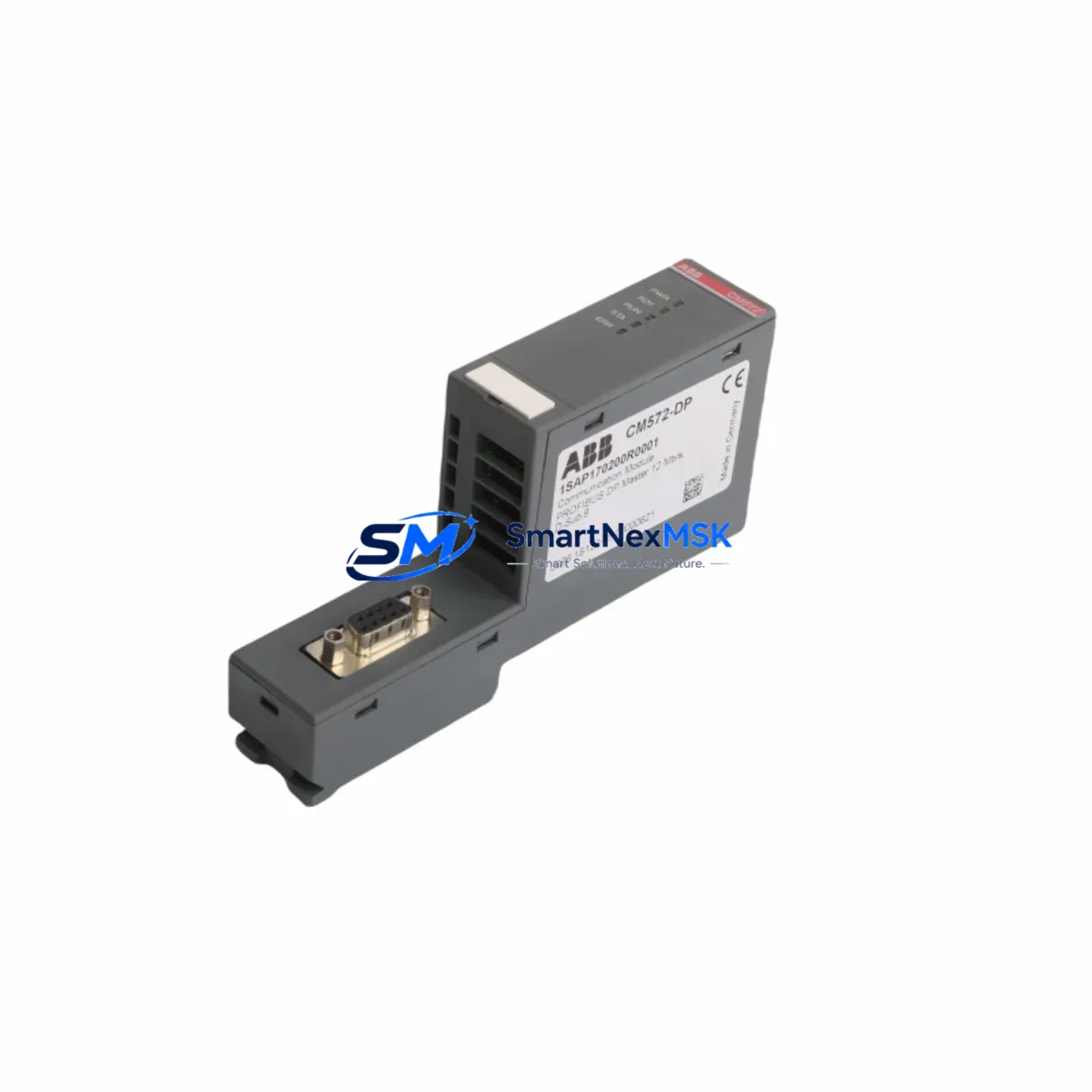
The ABB CM572-DP (1SAP170200R0001) is an original PROFIBUS DP slave communication module engineered for the ABB AC500 PLC platform. Designed for industrial environments where network integrity and uptime are non-negotiable, this module enables seamless PROFIBUS DP slave communication between the AC500 CPU and field-level devices including drives, I/O stations, and intelligent sensors. For maintenance engineers managing aging control systems or executing planned overhauls, having a verified, tested CM572-DP in the spare parts inventory is a critical risk-mitigation strategy.
Whether you are responding to an unplanned network fault, executing a scheduled control cabinet inspection, or extending the operational life of an existing AC500 installation, the CM572-DP delivers the original ABB firmware compatibility and electrical specification required for a drop-in replacement. Each unit supplied by SMARTNEXMSK is sourced from authorized channels, subjected to pre-shipment functional verification, and backed by a 12-month warranty — ensuring your maintenance team can restore communication links with confidence and minimal downtime.
Spare Maintenance Table
| Parameter | Specification |
|---|---|
| Part Number / SKU | CM572-DP / 1SAP170200R0001 |
| Brand | ABB |
| Series | AC500 |
| Module Type | PROFIBUS DP Slave Communication Module |
| Communication Protocol | PROFIBUS DP (EN 50170) |
| PROFIBUS DP Role | Slave (DP-V0, DP-V1 supported) |
| Baud Rate | 9.6 kbps – 12 Mbps (auto-detect) |
| Supply Voltage | 24 V DC (via AC500 backplane) |
| Operating Temperature | -25 °C to +60 °C |
| Protection Rating | IP20 |
| Country of Origin | Germany (DE) |
| Compatibility | ABB AC500 CPU modules (PM5xx series); AC500-eCo with adapter |
| Mounting | AC500 communication module slot (left of CPU) |
| Connector | 9-pin D-Sub (DB9) female, PROFIBUS standard |
| Configuration Tool | ABB Automation Builder / PS501 Control Builder Plus |
| Certifications | CE, UL, cUL, ATEX (zone 2) |
| Warranty | 12 Months (SMARTNEXMSK) |
| Condition | Original, New / Tested Surplus |
| Pre-shipment Test | Functional verification performed |
Maintenance Planning for Continuous Operation
When a PROFIBUS DP communication fault is traced to the CM572-DP module, experienced maintenance engineers know that the fault rarely exists in isolation. A systematic inspection of the surrounding control cabinet components is essential before and after replacement to prevent repeat failures and ensure full system recovery.
Begin by verifying the AC500 CPU module (PM554, PM564, or PM583 series) — confirm firmware version compatibility with the replacement CM572-DP and check for any active diagnostic flags in the CPU’s event log. Inspect the AC500 backplane bus connector for oxidation or mechanical damage, as a degraded backplane connection can cause intermittent communication errors that mimic module failure.
On the PROFIBUS network side, check the PROFIBUS DP cable termination resistors at both ends of the segment — missing or incorrect termination is a leading cause of communication instability after module replacement. Verify the PROFIBUS bus connector (DB9 plug with integrated termination) for pin damage or loose cable shielding. If the installation uses a PROFIBUS repeater or optical link module (OLM), inspect signal quality and segment length compliance.
For the power supply circuit, confirm that the AC500 24 V DC power supply module (CP series) is delivering stable voltage within specification — voltage sags during startup can prevent the CM572-DP from initializing correctly. Check associated fuse terminals and circuit breakers in the cabinet for signs of thermal stress or nuisance tripping.
If the AC500 system includes additional communication modules such as the CM577-ETH Ethernet module or CM575-DN DeviceNet module, verify their status as well — a shared backplane fault can affect multiple communication channels simultaneously. For installations with TB521 or TB541 terminal base units, inspect the module locking mechanism and contact integrity.
Finally, review the GSD file (General Station Description) configuration in the PROFIBUS master to ensure the slave address and I/O mapping remain consistent with the replacement module. Document all parameter settings before removal to accelerate recommissioning and reduce the risk of configuration errors during the maintenance window.
Site Replacement Workflow
Step 1 — Preparation: Download and archive the current AC500 project from Automation Builder. Record the CM572-DP slave address, baud rate setting, and all PROFIBUS master configuration parameters. Confirm the replacement CM572-DP firmware version matches or is compatible with the installed CPU firmware.
Step 2 — Safe Isolation: Follow site LOTO (Lockout/Tagout) procedures. De-energize the AC500 rack. Disconnect the PROFIBUS DB9 connector from the CM572-DP before removing the module to avoid ESD damage to the backplane bus.
Step 3 — Module Removal and Installation: Release the module locking tab and slide the CM572-DP out of its communication slot. Insert the replacement module firmly until the locking tab engages. Reconnect the PROFIBUS DB9 connector, ensuring the cable shield is properly grounded at the connector housing.
Step 4 — Recommissioning: Re-energize the rack. The AC500 CPU will automatically detect the new CM572-DP and load the stored configuration. Verify the PROFIBUS DP status LED sequence — a steady green RUN indicator confirms successful slave initialization. Check the master’s diagnostic view to confirm all slave devices are online.
Step 5 — Functional Verification: Cycle through all I/O points mapped via the PROFIBUS network. Confirm data exchange with connected field devices (drives, remote I/O, sensors). Log the replacement in the site maintenance record with date, technician ID, and new module serial number.
This workflow minimizes downtime to under 30 minutes for a prepared maintenance team and eliminates the risk of configuration loss or address conflicts that can extend unplanned outages.
Spare Parts Support FAQ
Q1: Is the CM572-DP 1SAP170200R0001 a direct drop-in replacement for older AC500 PROFIBUS modules?
Yes. The CM572-DP is the standard PROFIBUS DP slave module for the AC500 platform and is compatible with all AC500 CPU generations (PM5xx series). No firmware update or hardware modification is required for like-for-like replacement. Always verify the slave address and GSD file configuration match before going live.
Q2: What is included in the 12-month warranty and pre-shipment testing?
Every CM572-DP supplied by SMARTNEXMSK undergoes functional verification prior to shipment, including power-on test, PROFIBUS communication initialization check, and visual inspection for physical damage. The 12-month warranty covers manufacturing defects and functional failures under normal operating conditions. Warranty claims are processed with full technical support from our engineering team.
Q3: How should the CM572-DP be stored as a long-term spare?
Store in original anti-static packaging in a dry environment at 15–25 °C with relative humidity below 75% (non-condensing). Avoid proximity to strong magnetic fields or high-voltage equipment. Inspect annually for oxidation on connector pins. For critical installations, maintain a minimum of one CM572-DP per AC500 rack in the site spare parts inventory to support rapid response to unplanned failures.
Q4: Can SMARTNEXMSK supply CM572-DP modules for legacy systems that are no longer in ABB’s active catalog?
Yes. SMARTNEXMSK specializes in long-term supply of industrial automation spare parts, including end-of-life and discontinued ABB AC500 components. We maintain stock of both current and legacy variants to support old-system life extension programs. Contact our team with your full part number and required quantity for availability confirmation and lead time.
© 2026 SMARTNEXMSK. All rights reserved.
Original Source: https://smartnexmsk.com
Contact: [email protected] | +86 18259474341