
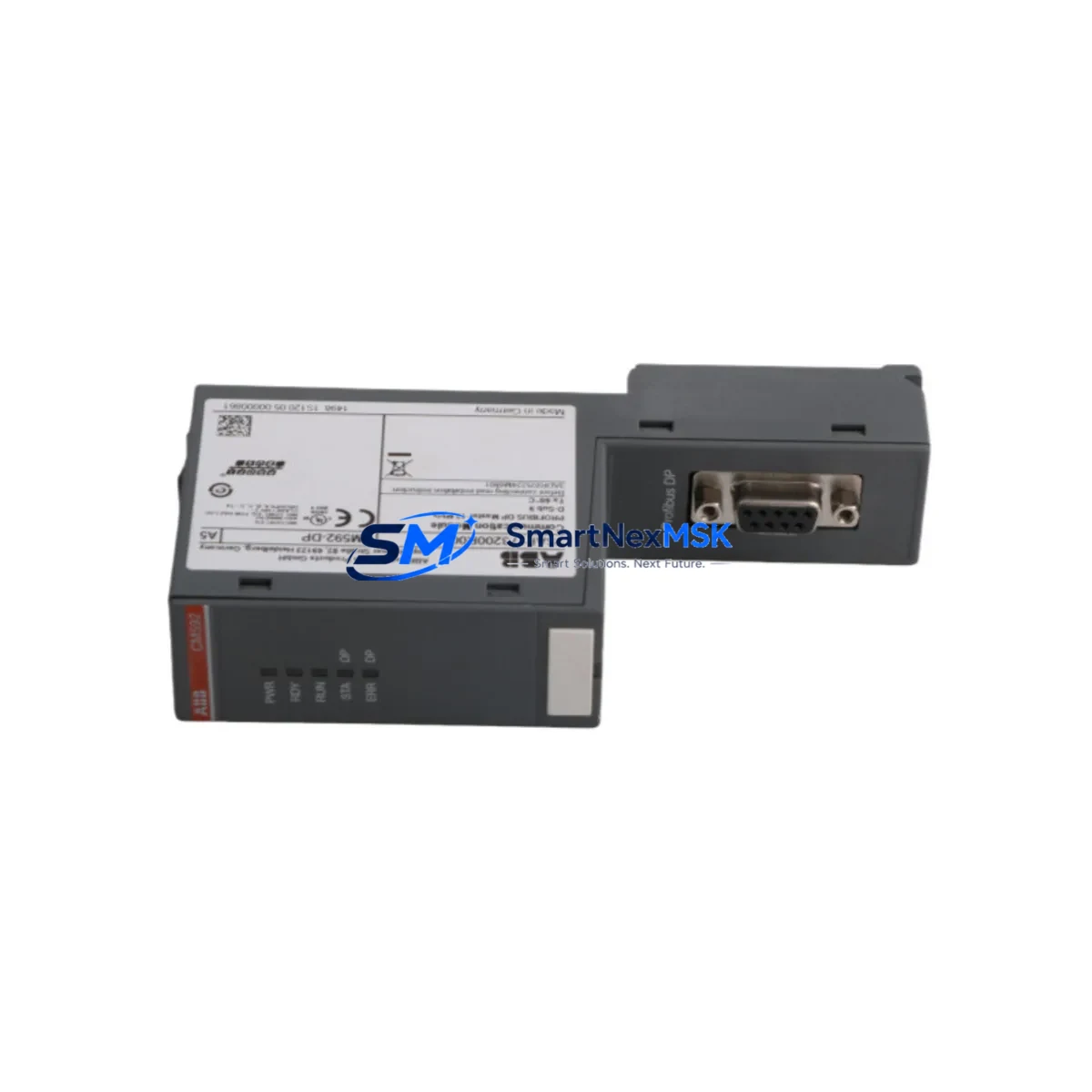
ABB CM592-DP 1SAP173200R0001 Spare AC500 Automation: Spare Replacement & Industrial Downtime Risk Control
The ABB CM592-DP (catalog number 1SAP173200R0001) is an original PROFIBUS DP communication module designed for the ABB AC500 PLC platform. In industrial automation environments where continuous operation is non-negotiable, maintaining a verified spare of the CM592-DP in your parts inventory is a fundamental risk-mitigation strategy. PROFIBUS DP networks underpin a wide range of process control, discrete manufacturing, and drive coordination applications — and a failed communication module can bring an entire production line to a standstill within seconds.
This listing supplies the CM592-DP as a maintenance-ready, tested spare part. Each unit is sourced from authorized supply channels, inspected prior to dispatch, and backed by a 12-month warranty. Whether you are managing a planned overhaul, responding to an unscheduled fault, or building out a strategic spare parts buffer for aging AC500 installations, this module ships promptly with full documentation support.
Spare Maintenance Table
| Parameter | Specification |
|---|---|
| Part Number | CM592-DP |
| Catalog Number | 1SAP173200R0001 |
| Brand | ABB |
| Series | AC500 |
| Module Type | PROFIBUS DP Communication Module |
| Protocol | PROFIBUS DP-V0 / DP-V1 |
| Interface | 9-pin Sub-D (RS-485) |
| Baud Rate | 9.6 kbps – 12 Mbps (auto-detect) |
| Max DP Slaves | 125 |
| Power Supply | Via AC500 CPU backplane (3.3 V / 5 V internal) |
| Operating Temperature | -25 °C to +60 °C |
| Mounting | AC500 CPU left-side expansion slot |
| Country of Origin | Germany |
| Weight | Approx. 320 g |
| Compatibility | AC500 PM5xx / PM5xxV2 / PM5xxV3 CPU families |
| Certifications | CE, UL, cUL |
| Warranty | 12 Months |
| Condition | Original New / Tested Spare |
| Dispatch | 1–3 business days; DHL / FedEx tracked |
Maintenance Planning for Continuous Operation
When a CM592-DP failure is diagnosed — or when a preventive replacement is scheduled during a planned shutdown — the scope of inspection should extend well beyond the module itself. Experienced maintenance engineers know that a PROFIBUS DP communication fault rarely occurs in isolation: the surrounding electrical environment, power distribution, and connected field devices all warrant systematic review.
Begin with the AC500 CPU module (PM573, PM583, PM591, or PM595 depending on your installation) to confirm that the CPU backplane bus is healthy and that no firmware incompatibility exists between the replacement CM592-DP and the installed CPU version. Check the AC500 power supply module (PS501 or PS502 series) for output voltage stability — an under-voltage condition on the 24 VDC rail is a common root cause of intermittent communication module resets that are often misdiagnosed as module failure.
Inspect the PROFIBUS cable termination resistors at both ends of the segment. A missing or degraded termination is one of the most frequent causes of DP bus instability and can destroy a replacement module’s communication integrity within hours of commissioning. Verify the bus connector (typically a 9-pin Sub-D type with integrated termination switch) and replace any connectors showing signs of oxidation or mechanical stress.
Review the I/O expansion modules connected downstream on the PROFIBUS segment — ABB AC500 digital input/output modules (DI524, DO524, AI523, AO523) and analog signal modules should be polled for diagnostic alarms after the CM592-DP is replaced and the bus is re-initialized. If the installation includes third-party PROFIBUS slaves such as Siemens ET 200S distributed I/O or ABB ACS800/ACS880 drive units with RPBA-01 PROFIBUS adapters, confirm that GSD files and slave addresses are correctly restored in the PLC project.
For control cabinets housing the AC500 system, a full cabinet inspection during the replacement window should include: checking the 24 VDC terminal block distribution (Phoenix Contact or Weidmüller terminal strips are common in ABB-based panels), verifying surge protection devices on the PROFIBUS cable entry points, and confirming that the cabinet ventilation or cooling unit is maintaining temperature within the module’s rated operating range. Signal isolators on analog loops connected to the AC500 AI/AO modules should also be tested, as thermal stress from a poorly ventilated cabinet accelerates isolator degradation in parallel with communication module wear.
If the installation uses an AC500 eCo or AC500-S Safety CPU, confirm that the CM592-DP variant is compatible with the specific CPU safety firmware level before installation. Maintaining a documented spare parts list that includes at minimum one CM592-DP, one AC500 CPU module, one power supply module, and a set of PROFIBUS bus connectors is considered best practice for any facility running AC500-based automation with PROFIBUS field networks.
Site Replacement Workflow
Step 1 — Pre-replacement documentation: Export the current PLC project from Automation Builder (ABB’s engineering software for AC500) and record the CM592-DP configuration parameters: DP master class, slave address table, baud rate setting, and any configured DP-V1 acyclic communication channels. This ensures a clean restore after module swap.
Step 2 — Safe isolation: Place the AC500 CPU in STOP mode via the keyswitch or Automation Builder online interface. De-energize the control cabinet following your site LOTO (Lockout/Tagout) procedure. Do not hot-swap the CM592-DP without confirming the CPU is in STOP — live removal can corrupt the CPU’s internal module registry.
Step 3 — Physical replacement: Release the CM592-DP from the CPU’s left-side expansion slot by pressing the module release lever. Slide the new CM592-DP (1SAP173200R0001) into the slot until it clicks. Reconnect the PROFIBUS Sub-D cable and verify the termination switch position matches the original module’s setting.
Step 4 — Firmware and configuration restore: Power up the cabinet and download the saved PLC project to the CPU via Automation Builder. Perform a PROFIBUS bus scan to confirm all slaves are recognized. Check the CM592-DP diagnostic buffer in Automation Builder for any startup errors.
Step 5 — Functional verification: Run the system in a controlled test mode before returning to full production. Verify cyclic data exchange on all DP slaves, confirm analog signal integrity on connected AI/AO modules, and log the replacement event in your maintenance management system (CMMS) with the new module’s serial number and installation date.
This workflow minimizes downtime to typically under 60 minutes for a prepared maintenance team, preserves system compatibility, and ensures the replacement is fully traceable for audit and warranty purposes.
Spare Parts Support FAQ
Q1: What is the expected service life of the CM592-DP, and when should I plan a proactive replacement?
The CM592-DP is rated for industrial continuous-duty operation. In practice, modules in high-vibration or thermally stressed environments may show degraded PROFIBUS communication performance after 8–12 years of service. Proactive replacement is recommended when diagnostic logs show increasing CRC error rates on the DP bus, or when the module is identified as end-of-life (EOL) by ABB. Holding one spare per AC500 PROFIBUS installation is standard practice for facilities with uptime SLAs.
Q2: How is compatibility with my specific AC500 CPU version verified before shipment?
Each CM592-DP unit we supply carries the original ABB catalog number 1SAP173200R0001 and is compatible with the full AC500 PM5xx CPU family. Prior to dispatch, we verify the hardware revision against ABB’s compatibility matrix. If your installation uses an older PM5xx V1 CPU or a newer PM5xxV3 variant, please provide your CPU catalog number at the time of order so we can confirm hardware revision alignment and advise on any firmware update requirements.
Q3: What pre-shipment testing is performed, and what documentation is included?
Every CM592-DP spare is bench-tested for PROFIBUS DP bus initialization, baud rate auto-detection across the full range (9.6 kbps to 12 Mbps), and backplane communication integrity before packaging. Units are shipped with a test report, original ABB labeling, and ESD-protective packaging. A 12-month warranty is provided from the date of dispatch, covering manufacturing defects and functional failures under normal operating conditions.
Q4: Can this module replace older CM592-DP units with different hardware revisions, and are there any known compatibility caveats?
In the vast majority of AC500 installations, the current hardware revision of the CM592-DP (1SAP173200R0001) is a direct drop-in replacement for earlier revisions. The module’s configuration is stored in the PLC project, not in the module itself, so no re-parameterization is required beyond downloading the existing project. The only known caveat involves AC500 CPUs running firmware versions below V2.x — in these cases, a CPU firmware update via Automation Builder is recommended before installing a current-revision CM592-DP to ensure full diagnostic feature compatibility.
© 2026 SMARTNEXMSK. All rights reserved.
Original Source: https://smartnexmsk.com
Contact: [email protected] | +86 18259474341



