
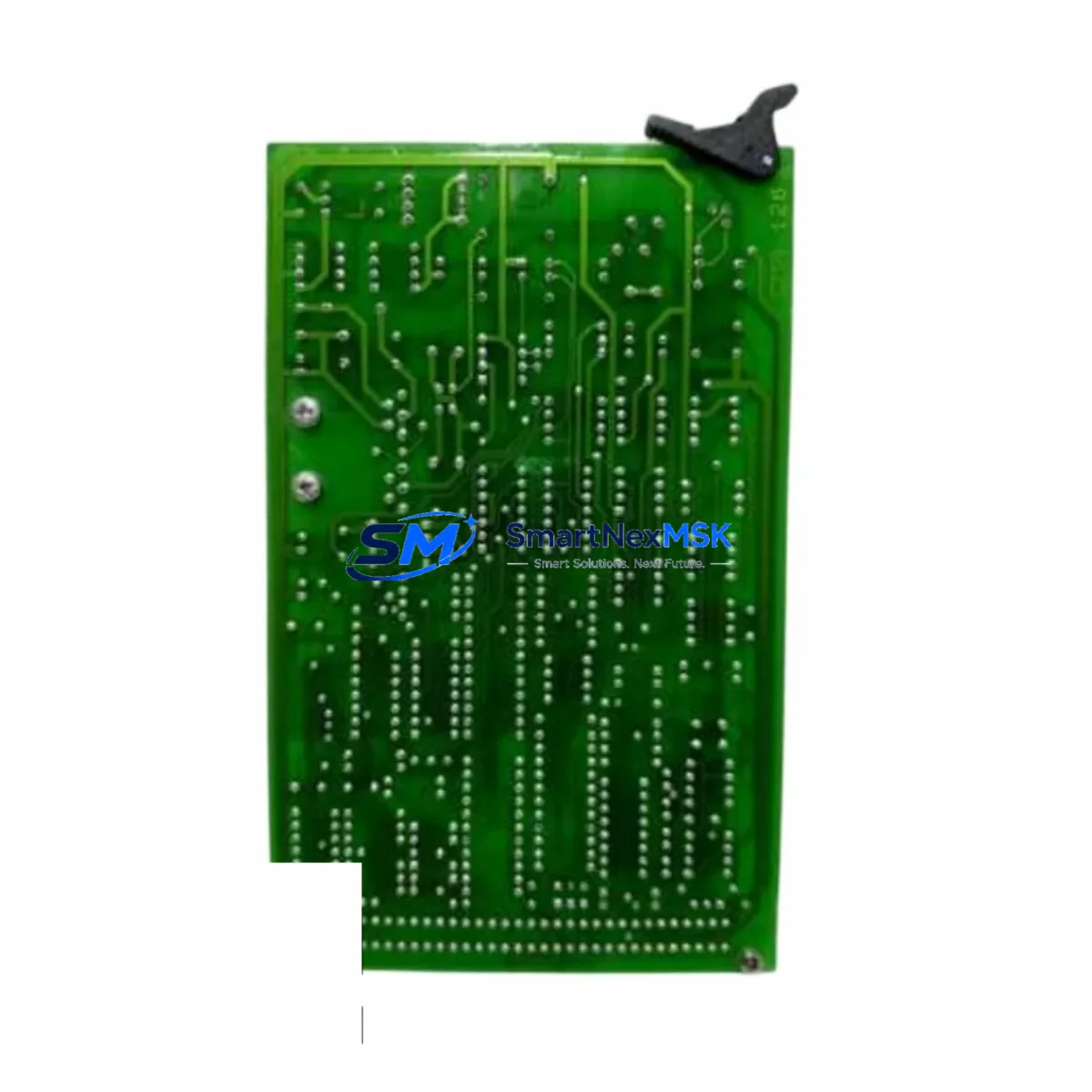
ABB CMA126 Retrofit-Ready Interface Card for INSUM Control Systems
The ABB CMA126 is a high-reliability interface card engineered for the INSUM Series motor control and protection platform. As legacy INSUM installations approach end-of-life or require capacity expansion, the CMA126 serves as the critical communication bridge between intelligent motor starters, protection relays, and the supervisory control layer. Whether you are replacing a failed unit, upgrading a brownfield control cabinet, or migrating from an older fieldbus topology, the CMA126 provides a proven, drop-in compatible solution that minimizes engineering risk and reduces planned downtime to the shortest possible window.
Industrial facilities operating ABB INSUM systems frequently encounter the challenge of sourcing discontinued or long-lead-time components. The CMA126 addresses this directly: our inventory is sourced from verified supply chains, each unit undergoes functional testing prior to dispatch, and every order is backed by a 12-month warranty. This makes the CMA126 a dependable choice for maintenance engineers, system integrators, and procurement teams managing aging automation infrastructure.
Upgrade Compatibility Table
| Parameter | Detail |
|---|---|
| Compatible Platform | ABB INSUM Series Motor Control & Protection System |
| Interface Type | Communication Interface Card |
| Mounting / Installation | Direct backplane slot insertion; no additional hardware required |
| Communication Compatibility | INSUM fieldbus protocol; compatible with PROFIBUS-DP and Modbus RTU gateway configurations |
| Replacement Recommendation | Direct replacement for failed or end-of-life CMA126 units; verify firmware revision before swap |
| Commissioning Notes | Confirm module address assignment, terminal wiring polarity, and HMI tag mapping prior to live restart |
| Power Supply Requirement | Supplied via INSUM backplane; verify rack power budget before installation |
| Warranty | 12 months from date of shipment; covers manufacturing defects and functional failure |
Retrofit Planning for Existing Automation Systems
A successful CMA126 retrofit begins well before the physical swap. Engineers should start by auditing the existing INSUM rack configuration, confirming the slot position of the interface card, and documenting the current module address settings. In multi-rack installations, the INSUM system may include additional components such as the CMC10 motor controller modules, CMT10 terminal units, and CMP10 protection modules — all of which share the same backplane communication bus. Any change to the CMA126 interface card can affect the polling sequence and response timing of these downstream devices, so a full network scan should be performed before and after the replacement.
Power budget verification is a non-negotiable step. The INSUM backplane distributes 24 VDC to all installed modules, and adding or replacing a CMA126 in a densely populated rack may push the power supply — typically a CMX10 or equivalent INSUM-rated PSU — close to its rated output. Measure actual rail voltage under load before proceeding. If the margin is less than 10%, consider replacing the power supply module concurrently to avoid nuisance trips after restart.
Terminal wiring on the CMA126 follows the standard INSUM connector pinout. When replacing a unit that has been in service for several years, inspect the terminal block for oxidation, loose ferrules, or damaged insulation. Re-terminate all signal and shield conductors using the original wiring diagram. If the original documentation is unavailable, the wiring can be reconstructed from the INSUM system engineering manual in conjunction with the site’s existing CMT10 terminal unit labels.
For facilities migrating from a legacy PROFIBUS-DP backbone to a modern PROFINET or EtherNet/IP architecture, the CMA126 can serve as an interim solution while the broader migration is planned. In this scenario, the CMA126 continues to handle INSUM-internal communication while a separate gateway device — such as an ABB AC500 PLC with a CM589-PNIO PROFINET adapter or a third-party protocol converter — bridges the INSUM network to the new supervisory layer. This phased approach allows production to continue uninterrupted while the new control infrastructure is validated in parallel.
I/O expansion during a retrofit is another common requirement. If the upgraded system requires additional digital or analog I/O points beyond what the existing INSUM rack provides, engineers should evaluate whether the new I/O can be accommodated within the INSUM framework using additional CMC10 or CMP10 slots, or whether a supplementary I/O subsystem — such as an ABB S800 I/O module cluster connected via a CI854 PROFIBUS interface — should be added to the control cabinet. Either path requires careful address planning to avoid conflicts with the CMA126’s existing node assignments.
Downtime Control During System Migration
Minimizing unplanned downtime is the primary concern for any CMA126 replacement project. The recommended approach is to pre-configure the replacement module offline before the maintenance window begins. This includes setting the module address using the onboard DIP switches or configuration tool, verifying the firmware version matches the existing system baseline, and performing a bench-level communication test using a laptop with the INSUM configuration software installed.
During the maintenance window, follow a structured sequence: isolate the affected INSUM rack from the supervisory network, de-energize the backplane, remove the failed CMA126, install the replacement unit, re-energize, and confirm communication status on the INSUM diagnostic display before reconnecting to the supervisory network. This sequence typically takes 20 to 40 minutes for an experienced technician, keeping the production impact to a single shift break in most facilities.
To protect the original program logic, export a full backup of the INSUM system configuration — including motor starter parameters, protection relay setpoints, and HMI tag assignments — before beginning any physical work. Store this backup on a secure, offline medium. If the replacement CMA126 requires a firmware update to match the system version, apply the update before installation and verify the update log for any error flags. After restart, perform a full I/O check against the HMI screens to confirm that all motor status, alarm, and control signals are correctly mapped and that no communication faults are present on the INSUM network diagnostic page.
Retrofit Support FAQ
Q1: Is the CMA126 a direct drop-in replacement for the original unit in my INSUM rack?
In the vast majority of cases, yes. The CMA126 uses the same backplane connector and module form factor as the original INSUM interface card. However, you should verify the hardware revision and firmware version of your existing system before ordering. If your INSUM installation is running an early firmware baseline, a firmware update may be required on the replacement unit to ensure full compatibility. Contact our technical team with your system serial number and we will confirm compatibility before shipment.
Q2: What commissioning steps are required after installing the replacement CMA126?
After physical installation, confirm the module address matches the original assignment, verify terminal wiring continuity, and power up the rack. Check the INSUM system diagnostic display for any communication fault codes. From the supervisory HMI, confirm that all motor starter status signals, protection relay alarms, and control outputs are correctly displayed and responsive. A full functional test of each connected motor circuit is recommended before returning the system to automatic operation.
Q3: Can the CMA126 support migration from PROFIBUS-DP to a newer communication protocol?
The CMA126 itself operates within the INSUM internal communication architecture. For protocol migration to PROFINET, EtherNet/IP, or Modbus TCP, a gateway device is required at the supervisory level. The CMA126 continues to function as the INSUM-side interface while the gateway handles protocol translation. This approach allows a phased migration without disrupting the existing motor control and protection logic.
Q4: What does the 12-month warranty cover, and what is the process for a warranty claim?
The 12-month warranty covers all manufacturing defects and functional failures under normal operating conditions. It does not cover damage resulting from incorrect installation, overvoltage, or physical impact. To initiate a warranty claim, contact our sales team at [email protected] with your order number, a description of the fault, and any available diagnostic data from the INSUM system. We will arrange a replacement or repair within the agreed service timeline.
© 2026 SMARTNEXMSK. All rights reserved.
Original Source: https://smartnexmsk.com
Contact: [email protected] | +86 18259474341



