
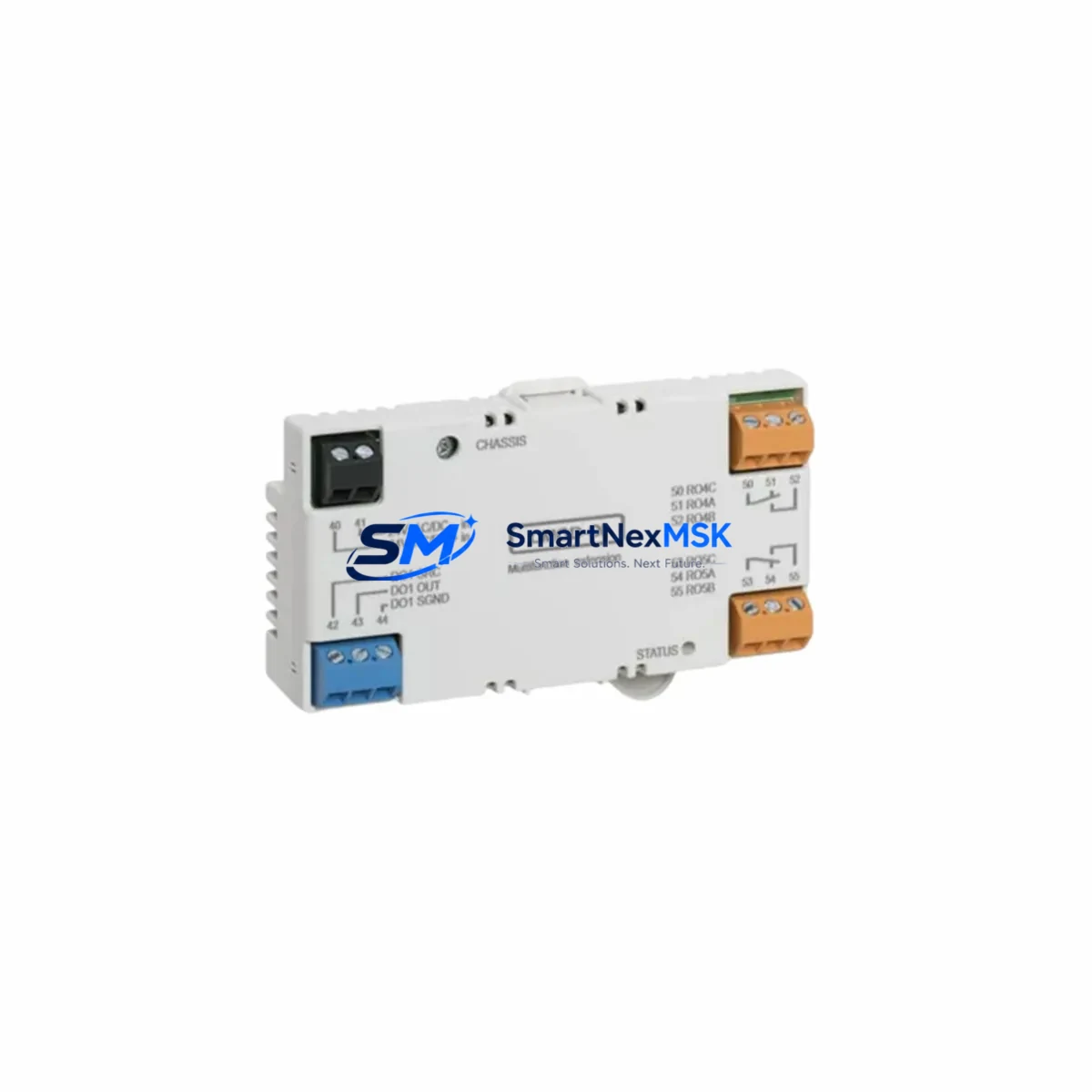
ABB CMOD-01 Retrofit-Ready Communication Module for CMOD Series Control Systems
The ABB CMOD-01 is a communication expansion module engineered for seamless integration into CMOD Series programmable logic controller platforms. As legacy automation infrastructure ages and OEM support for discontinued components becomes increasingly scarce, the CMOD-01 stands out as a proven retrofit solution for engineers tasked with modernizing existing control cabinets without full system replacement. Whether you are migrating from an older ABB AC500 communication architecture, upgrading a distributed I/O network, or restoring a production line after an unplanned module failure, the CMOD-01 delivers the compatibility, reliability, and documentation support that industrial buyers require.
This module is designed to slot directly into CMOD Series backplanes and racks, maintaining physical and electrical compatibility with existing wiring harnesses and terminal blocks. Engineers replacing a failed or end-of-life communication module will find that the CMOD-01 preserves the original rack addressing scheme, reducing the need for program re-mapping or HMI screen reconfiguration. The module supports standard industrial communication protocols, making it suitable for environments where Modbus RTU, PROFIBUS DP, or CANopen links must remain intact during and after the upgrade.
Before installation, retrofit planners should verify the power supply capacity of the existing control cabinet. The CMOD-01 draws from the backplane bus, and older power supply modules such as the PM554 or PM564 series may require load recalculation if additional I/O modules or communication cards have been added since the original system commissioning. Terminal wiring should be documented and photographed prior to removal of the legacy module, as connector pinouts on earlier CMOD variants may differ slightly from current production units.
Backplane interface compatibility is a critical checkpoint. The CMOD-01 is designed for use with standard CMOD Series racks, but engineers working with mixed-generation installations should confirm that the rack firmware and CPU module — such as the PM5630 or PM5650 controller — support the communication profile exported by the CMOD-01. In most cases, existing ladder logic and function block programs require no modification, but a full offline simulation using ABB Automation Builder or Control Builder Plus is recommended before live commissioning.
HMI panels connected via the communication bus — including units running ABB CP600 or CP620 operator panels — will typically retain their existing screen layouts and tag bindings after the module swap, provided the communication node address is preserved. If the original module was configured with a non-default node address, this setting must be replicated in the CMOD-01 prior to rack insertion.
Upgrade Compatibility Table
| Parameter | Details |
|---|---|
| Compatible Series | ABB CMOD Series, AC500 Communication Expansion |
| Backplane Interface | CMOD Series standard rack slot (direct plug-in) |
| Communication Protocols | Modbus RTU, PROFIBUS DP, CANopen (model-dependent) |
| Replacement Compatibility | Drop-in replacement for legacy CMOD communication modules |
| CPU Compatibility | PM5630, PM5650, PM554, PM564 and compatible CMOD Series CPUs |
| Installation Requirement | Power-off insertion; verify backplane slot assignment before power-on |
| Address Configuration | Node address must match legacy module setting; configure via DIP switch or software |
| Program Modification | Typically none required; offline simulation recommended |
| HMI Compatibility | ABB CP600, CP620 series; tag bindings preserved if node address unchanged |
| Commissioning Tool | ABB Automation Builder / Control Builder Plus |
| Warranty | 12 months from date of shipment |
Retrofit Planning for Existing Automation Systems
A successful CMOD-01 retrofit begins with a thorough audit of the existing control cabinet. Identify all modules currently installed in the rack, including the CPU module, power supply, digital I/O modules such as the DC532 or DC522, analog I/O cards, and any existing communication modules. Document the rack slot assignments and module addresses before beginning any disassembly.
For systems that include a PROFIBUS DP network, the CMOD-01 must be configured as either a master or slave station consistent with the original network topology. If the legacy module served as a DP slave connected to a Siemens S7 or Schneider Modicon master controller, the GSD file for the CMOD-01 should be imported into the master’s configuration tool to ensure correct data exchange mapping. Similarly, for CANopen networks, the EDS file must be loaded and node parameters verified against the existing network scan.
Terminal block wiring on the communication port should be inspected for corrosion, loose ferrules, or incorrect shielding termination — common issues in installations that have been in service for more than five years. Shielded twisted-pair cable should be used for all RS-485 and PROFIBUS connections, with shield grounding at one end only to prevent ground loops. If the existing cable run exceeds recommended lengths for the selected baud rate, a PROFIBUS repeater or RS-485 signal booster may be required.
I/O expansion modules connected downstream of the communication module — including analog input cards, thermocouple modules, and high-speed counter modules — should remain powered and operational during the module swap if the system architecture permits hot-swap or if a redundant communication path is available. In single-path architectures, a planned maintenance window is required, and all field devices should be placed in a safe state before the communication link is interrupted.
Programming cables such as the TK503 USB programming cable or equivalent should be on hand during commissioning to allow direct CPU access for program verification and online monitoring after the CMOD-01 is installed and powered. A laptop with the appropriate version of ABB Automation Builder should be pre-loaded with the existing project backup before the maintenance window begins.
Downtime Control During System Migration
Minimizing production downtime during a communication module replacement requires careful pre-staging and a disciplined commissioning sequence. Begin by creating a full backup of the CPU program, including all data blocks, retain variables, and communication configuration parameters. Store this backup on at least two separate media — a USB drive and a network share — before any hardware is disturbed.
If the control system supports online program monitoring, use this capability to capture the current state of all process variables, setpoints, and interlock conditions immediately before the maintenance window. This snapshot serves as a reference for post-commissioning verification and allows the commissioning engineer to confirm that all values have been correctly restored after the CMOD-01 is brought online.
During the physical swap, work methodically from the communication port outward: disconnect field wiring first, then remove the module from the rack. Install the CMOD-01, verify slot seating, and reconnect field wiring before applying power. After power-on, monitor the module status LEDs and the CPU diagnostic buffer for any fault codes before releasing the system to automatic operation.
For critical production lines where even a brief communication interruption is unacceptable, consider staging the CMOD-01 in a test rack with a spare CPU module and a representative I/O configuration to validate the full communication cycle before the live installation. This pre-commissioning step can reduce the live maintenance window to under 30 minutes in most cases, protecting both production continuity and the integrity of the original control logic.
Retrofit Support FAQ
Q: Is the CMOD-01 a direct drop-in replacement for my existing ABB CMOD Series communication module?
A: In most cases, yes. The CMOD-01 is designed to fit standard CMOD Series rack slots and maintain electrical compatibility with existing backplane connections. However, you should verify the communication protocol variant and node address configuration of your legacy module before installation to ensure a seamless transition without program changes.
Q: Do I need to modify my PLC program after installing the CMOD-01?
A: Typically no program modification is required if the CMOD-01 is configured with the same node address and communication parameters as the module it replaces. We recommend performing an offline simulation in ABB Automation Builder before the live swap to confirm compatibility and identify any edge cases in your specific application.
Q: What pre-shipment testing is performed on the CMOD-01?
A: Each CMOD-01 unit undergoes functional power-on testing and communication port verification before shipment. Units are inspected for physical integrity, connector condition, and firmware version consistency. A test report is available upon request for quality-critical applications.
Q: What does the 12-month warranty cover?
A: The 12-month warranty covers manufacturing defects, communication port failures, and backplane interface faults under normal operating conditions. It does not cover damage resulting from incorrect installation, overvoltage events, or environmental exposure beyond the module’s rated specifications. Warranty claims are processed within 5 business days of receipt of the returned unit.
© 2026 SMARTNEXMSK. All rights reserved.
Original Source: https://smartnexmsk.com
Contact: [email protected] | +86 18259474341



