
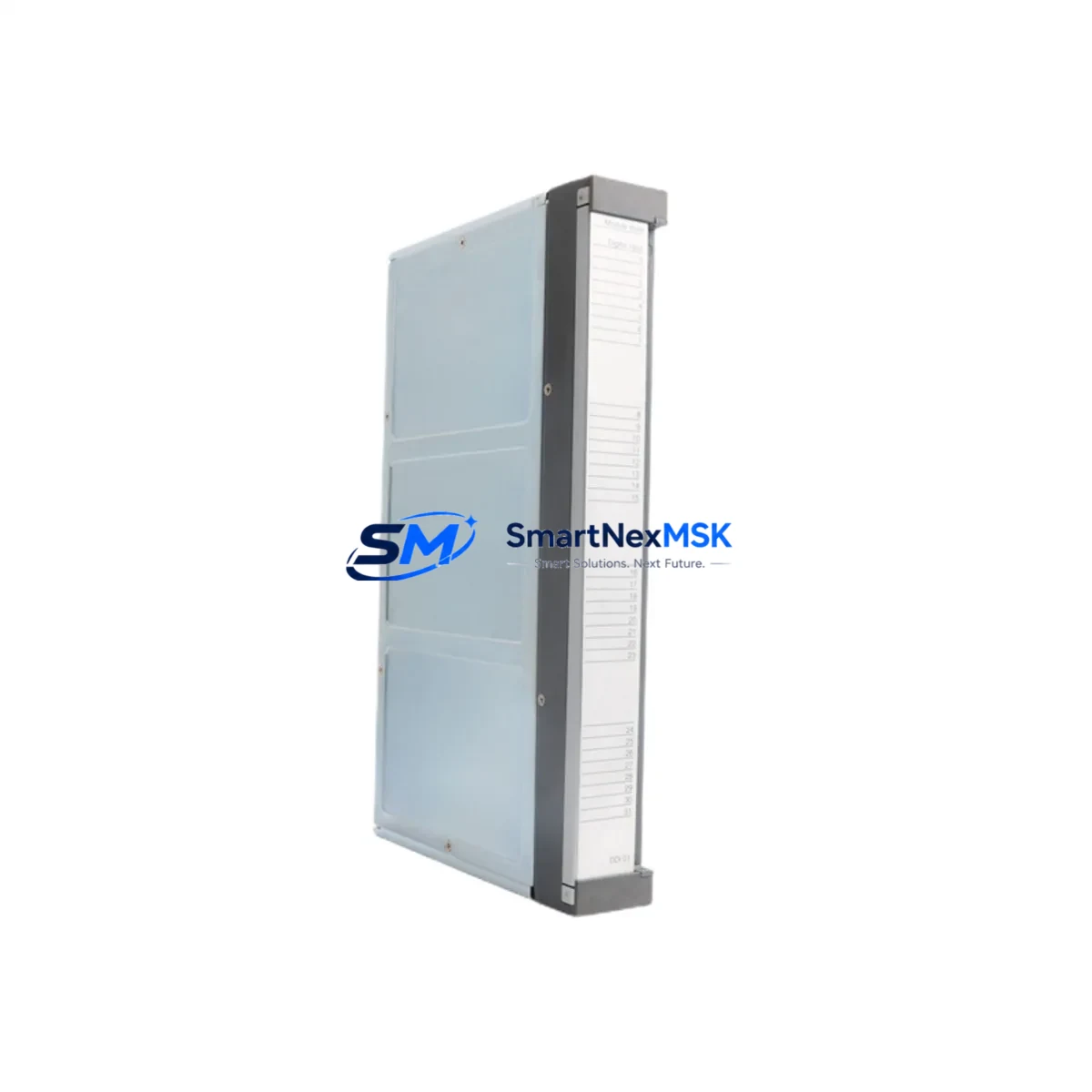
ABB DDI01 P3711-4-0369626 Retrofit-Ready Digital Input for AC500 S500 Control Systems
The ABB DDI01 P3711-4-0369626 is a 16-channel 24 VDC digital input module engineered for the ABB AC500 and S500 PLC platform. Designed with backward compatibility in mind, this module is the preferred retrofit solution for facilities migrating away from discontinued or end-of-life digital input cards within the AC500 ecosystem. Whether you are upgrading an aging control cabinet, recovering from an unplanned module failure, or executing a planned system modernization, the DDI01 P3711-4-0369626 delivers a reliable, wiring-compatible drop-in replacement that minimizes engineering rework and commissioning time.
Upgrade Compatibility Table
| Parameter | Details |
|---|---|
| Compatible Platform | ABB AC500 / S500 PLC Series |
| Module Type | 16-Channel Digital Input (DI), 24 VDC |
| Backplane Interface | S500 I/O Bus — compatible with TB511, TB521, TB541 terminal bases |
| Installation Requirement | Snap-on terminal base mounting; no additional wiring adapter required |
| Communication Compatibility | AC500 CPU bus (PM571, PM581, PM591, PM595 compatible) |
| Replacement Recommendation | Direct replacement for DDI01 variants; verify terminal base model before installation |
| Commissioning Focus | Module address assignment via CPU configuration; verify I/O mapping in Automation Builder |
| Warranty | 12 Months — covers manufacturing defects and functional failure under normal operating conditions |
Retrofit Planning for Existing Automation Systems
Successful integration of the DDI01 P3711-4-0369626 into an existing control system begins well before the module arrives on site. Engineers should start by auditing the current rack configuration. The AC500 S500 I/O system uses modular terminal bases — the TB511-ETH and TB521 are the most common bases found in legacy installations, and the DDI01 is designed to seat directly onto these without modification. If the existing base is damaged or corroded, sourcing a replacement terminal base in parallel with the module is strongly recommended to avoid secondary delays.
Power budget verification is a critical pre-installation step. The S500 backplane distributes 24 VDC logic power across all installed I/O modules. When adding or replacing a DDI01, confirm that the AC500 power supply module — typically a PS501 or PS502 — has sufficient residual capacity to support the new module’s current draw. Overloaded power rails are a common cause of intermittent faults in retrofitted systems and are frequently overlooked during rapid replacement scenarios.
Terminal wiring on the DDI01 follows the standard S500 screw-terminal layout. Field wiring from sensors, proximity switches, and pushbuttons connects directly to the terminal base, not the module itself, which means the DDI01 can be swapped without disturbing field wiring — a significant advantage during live-system maintenance windows. Before powering up, verify that all 24 VDC field devices connected to the input channels are within the module’s specified input voltage range and that common ground references are correctly established.
Module address configuration is handled within ABB Automation Builder, the programming environment for the AC500 platform. After physical installation, the CPU — whether a PM571, PM581, or PM591 — must recognize the new module in its hardware configuration tree. If the replacement module occupies the same rack slot as the failed unit, the existing hardware configuration typically requires no modification. However, if the slot position has changed, the I/O address map must be updated and the program re-downloaded to the CPU to prevent address conflicts with other modules such as the DAI01 analog input module or DCO01 digital output module sharing the same rack.
For systems that include CM572-DP PROFIBUS DP communication modules or CM575-DN DeviceNet modules, confirm that the network configuration file (GSD or EDS) reflects the updated I/O structure. Communication modules on the AC500 platform are sensitive to changes in the I/O module count and slot assignments, and an unupdated network configuration can cause the master PLC or SCADA system to report I/O faults even when the physical wiring is correct.
HMI screens connected via CP600 series operator panels or third-party SCADA systems referencing digital input tags should be reviewed to confirm that tag addresses remain valid after the retrofit. In most cases, a like-for-like slot replacement preserves all tag mappings, but any rack restructuring requires a full tag audit before returning the system to production.
Downtime Control During System Migration
Minimizing unplanned downtime is the primary operational concern during any control system retrofit. For the DDI01 P3711-4-0369626, the recommended approach is a staged replacement strategy. Begin by preparing the replacement module, verifying its firmware compatibility with the installed CPU version, and pre-configuring the hardware profile in Automation Builder offline before the maintenance window opens. This eliminates configuration time during the actual swap.
Before removing the failed or obsolete module, export and archive the current CPU program from the PM571 / PM581 / PM591 controller using Automation Builder’s online backup function. This protects the original program logic and ensures a recovery path if the new module introduces unexpected behavior. Store the backup on both a local engineering laptop and a network share to prevent single-point-of-failure data loss.
During the physical swap, the S500 terminal base design allows the DDI01 to be removed and reinserted without tools, reducing hands-on replacement time to under five minutes in most installations. After reinsertion, power the rack and allow the CPU to perform its automatic I/O scan. Monitor the CPU’s diagnostic LEDs and the Automation Builder diagnostic view to confirm that the new module is recognized without fault codes. If the RUN LED on the CPU does not illuminate within 30 seconds of power-up, check the module seating and terminal base locking mechanism before escalating to a full diagnostic cycle.
For systems where continuous process control is required, consider using the AC500’s hot-swap capability (where supported by the installed CPU and firmware version) to replace the DDI01 without a full rack power cycle. Verify this capability against the specific CPU firmware release notes before relying on it in a live-production environment. All replacement modules supplied by SMARTNEXMSK are pre-tested and shipped with a functional verification report, supporting rapid commissioning and reducing the risk of receiving a defective unit during a time-critical maintenance event.
Retrofit Support FAQ
Q1: Is the DDI01 P3711-4-0369626 a direct drop-in replacement for my existing DDI01 module?
In the vast majority of AC500 S500 installations, yes. The DDI01 P3711-4-0369626 is designed to seat onto standard S500 terminal bases (TB511, TB521, TB541) without wiring modification. Confirm your terminal base model number before ordering to ensure mechanical compatibility. If your existing base is a non-standard or early-generation variant, contact our technical team for a compatibility check.
Q2: Do I need to modify my Automation Builder program after replacing the module?
If the replacement module occupies the same rack slot as the original, no program modification is required. The CPU will recognize the module automatically during its I/O scan. If the slot position has changed, update the hardware configuration in Automation Builder, reassign I/O addresses as needed, and re-download the updated program to the CPU before resuming production.
Q3: What pre-shipment testing is performed on this module?
Every DDI01 P3711-4-0369626 unit supplied by SMARTNEXMSK undergoes functional verification testing prior to dispatch. This includes channel-level input signal testing, backplane communication verification, and visual inspection for physical damage. A test report is available upon request. All units are covered by a 12-month warranty against manufacturing defects and functional failure under normal operating conditions.
Q4: Can this module be used with AC500 CPUs running older firmware versions?
The DDI01 P3711-4-0369626 is compatible with the AC500 S500 I/O bus across a wide range of CPU firmware versions, including those found in legacy PM571 and PM581 installations. However, for systems running firmware versions older than 2.x, we recommend verifying compatibility against ABB’s firmware release matrix or contacting our technical support team before installation to avoid unexpected behavior during commissioning.
© 2026 SMARTNEXMSK. All rights reserved.
Original Source: https://smartnexmsk.com
Contact: [email protected] | +86 18259474341



