
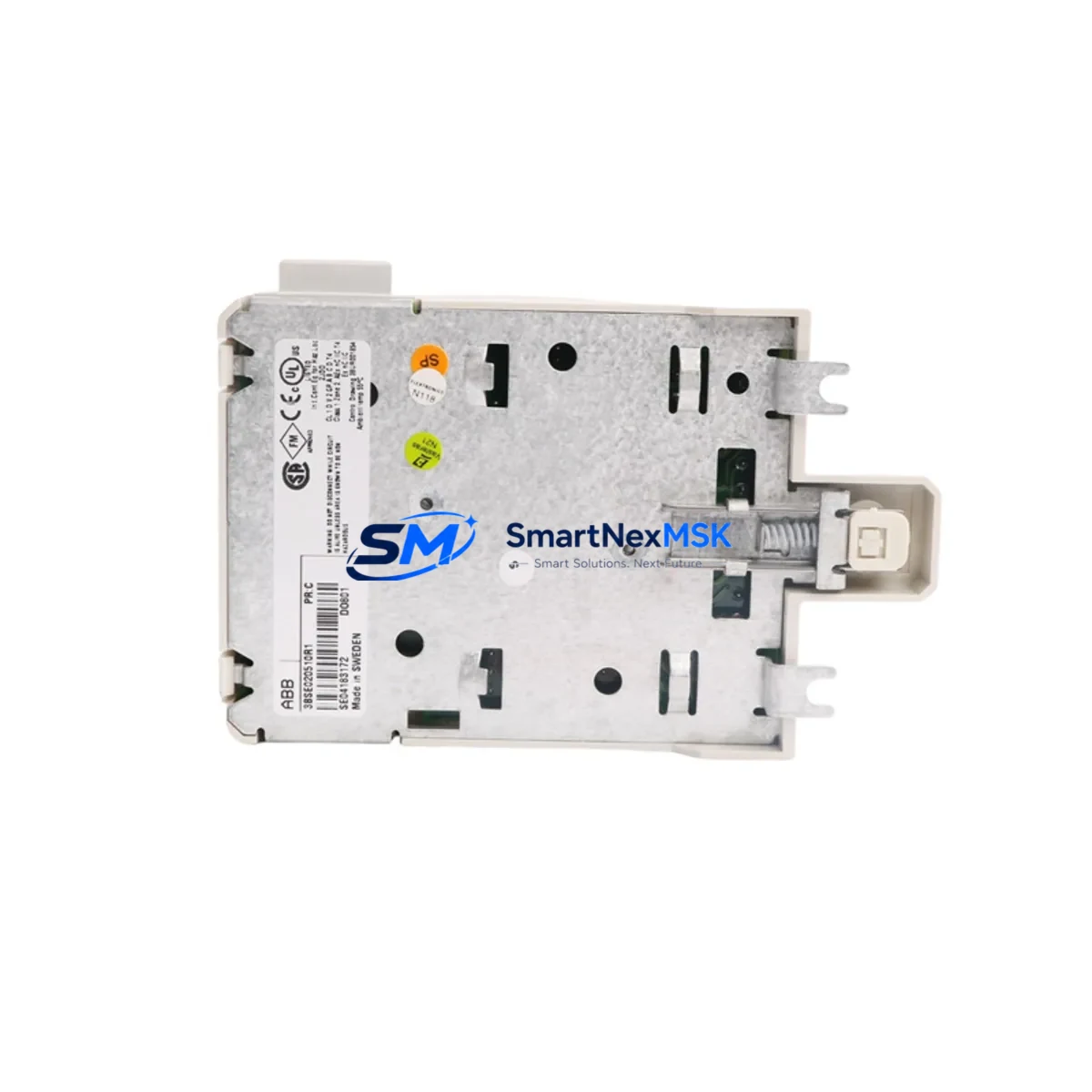
ABB DO801 3BSE020510R1 Retrofit-Ready Digital Output for S800 Control Systems
The ABB DO801 (Part No. 3BSE020510R1) is a 24 VDC digital output module designed for the S800 I/O series, widely deployed across AC800M Distributed Control System (DCS) platforms in power generation, oil & gas, pulp & paper, and chemical process industries. As legacy control cabinets age and OEM support for discontinued S800 variants becomes increasingly limited, the DO801 3BSE020510R1 has become one of the most sought-after retrofit and replacement components for engineers tasked with extending the operational life of existing automation infrastructure.
This module provides 8 channels of 24 VDC digital output, each capable of sourcing current to field devices such as solenoid valves, relay coils, motor starters, and indicator lamps. Its compact ModuleBus form factor allows direct installation into existing S800 I/O stations without mechanical modification, making it an ideal drop-in replacement for failed or end-of-life units. When replacing a DO801 in an active production environment, engineers should verify the backplane slot address assignment, confirm that the TB820 or TB840 termination unit wiring is intact, and ensure the AC800M controller firmware version supports the module’s diagnostic reporting format.
Upgrade Compatibility Table
| Parameter | Details |
|---|---|
| Module SKU | DO801 / 3BSE020510R1 |
| Series | ABB S800 I/O |
| Control Platform | AC800M DCS (PM851, PM856, PM860, PM866) |
| Output Channels | 8 × 24 VDC Digital Output (Source) |
| Backplane Interface | ModuleBus (S800 I/O Station) |
| Termination Unit | TB820 / TB840 (existing wiring reusable) |
| Communication Compatibility | PROFIBUS DP via DP820 / AF100 via CI820 |
| Installation Requirement | Hot-swap capable; verify slot address before insertion |
| Replacement Recommendation | Direct drop-in for DO801; confirm firmware ≥ AC800M R5.1 |
| Commissioning Focus | Channel mapping, force output test, diagnostic enable in Control Builder |
| Warranty | 12-Month Warranty — all units tested before shipment |
Retrofit Planning for Existing Automation Systems
A successful DO801 3BSE020510R1 retrofit begins well before the module arrives on site. During the planning phase, the engineering team should audit the existing S800 I/O station layout, documenting which slots are occupied by modules such as the DI810 digital input module, AI810 analog input module, and AO810 analog output module, as these share the same ModuleBus backplane and power budget. The station’s TB807 power supply unit or SD821 / SD822 power supply must be verified to provide sufficient current headroom once the new DO801 is added, particularly in high-density I/O cabinets where multiple output modules operate simultaneously.
Termination wiring is one of the most time-sensitive steps. The TB820 termination unit associated with the original DO801 typically retains all field wiring, so the replacement module can be inserted without rewiring — provided the terminal block is undamaged and the cable shields are properly grounded. In older installations where the TB840A variant is used, engineers should confirm that the termination unit revision matches the DO801’s channel configuration to avoid output polarity mismatches.
Communication link integrity is equally critical. In AC800M-based systems, the DO801 communicates via the CI820 AF100 communication interface or the DP820 PROFIBUS DP interface module, depending on the fieldbus topology. Before swapping the module, the control engineer should export the current hardware configuration from ABB Control Builder M, note the module’s logical address and I/O list assignments, and prepare a rollback snapshot. If the plant uses an 800xA System with operator stations running HMI faceplates tied to DO801 output tags, the tag database should be verified post-replacement to ensure no broken references exist.
For sites migrating from older Advant OCS or Master fieldbus architectures to AC800M, the DO801 3BSE020510R1 is frequently part of a broader I/O migration that also involves replacing S100 I/O modules and re-mapping signal lists. In these scenarios, a CI854 PROFIBUS DP interface or CI856 AF100 interface may be introduced alongside the DO801 to bridge legacy and modern fieldbus segments. Programming cable TK212A or a standard USB-to-serial adapter with the appropriate driver is used to connect a laptop to the AC800M controller for online program verification during commissioning.
Downtime Control During System Migration
Minimizing unplanned downtime is the primary concern when replacing a DO801 3BSE020510R1 in a live production environment. The S800 I/O system supports hot-swap replacement of I/O modules without powering down the I/O station, provided the AC800M controller is in RUN mode and the replacement module is of the same type and revision. This means field outputs can be maintained in a safe state — typically de-energized via the controller’s output force function — while the physical module swap is performed, reducing process interruption to under five minutes in most cases.
Before initiating the swap, the control engineer should place the affected output channels in manual/force mode within Control Builder M, locking output values to prevent unintended actuator movement during the module removal window. The original program logic, including interlock conditions and sequence steps referencing DO801 output tags, remains intact in the AC800M controller memory and does not need to be reloaded after the module is reinserted. Once the new DO801 is seated and the ModuleBus connection is established, the controller will automatically re-establish communication with the module, restore the configured I/O parameters, and resume normal scan-cycle execution.
For planned maintenance windows, it is advisable to pre-stage the replacement DO801 3BSE020510R1 in the control room, perform a bench-level power-on test to confirm LED status indicators are functioning, and review the module’s diagnostic log in Control Builder before installation. Post-swap, a full channel-by-channel output verification — using the force output function to energize each of the 8 channels individually and confirming field device response — should be completed before releasing the loop to automatic control. This structured approach protects original program logic, maintains field control continuity, and ensures the replacement module meets the same performance baseline as the original.
Retrofit Support FAQ
Q1: Is the DO801 3BSE020510R1 a direct replacement for all DO801 variants?
Yes. The 3BSE020510R1 is the standard catalog part number for the DO801 module and is compatible with all S800 I/O stations using ModuleBus architecture. It replaces earlier DO801 revisions without hardware or software modification, provided the AC800M firmware is R5.1 or later.
Q2: Can I reuse the existing TB820 termination unit wiring?
In most cases, yes. The TB820 and TB840 termination units retain all field wiring independently of the DO801 module. Simply disconnect the old module, insert the replacement, and the existing wiring remains connected. Always inspect terminal screws for corrosion and verify cable shield continuity before powering up.
Q3: How is the replacement module tested before shipment?
Every DO801 3BSE020510R1 unit undergoes a full power-on functional test prior to dispatch. Output channel activation, diagnostic LED response, and ModuleBus communication handshake are verified. A test report is available upon request. All units are covered by a 12-month warranty from the date of shipment.
Q4: What if my AC800M controller does not recognize the new DO801 after installation?
First, confirm the module is fully seated in the I/O station slot and the ModuleBus connector is engaged. In Control Builder M, perform a hardware scan to refresh the I/O configuration. If the module still shows a fault, check that the slot address matches the configured address in the hardware tree. In rare cases, a controller warm restart (without program loss) will re-initialize the ModuleBus and restore module communication.
© 2026 SMARTNEXMSK. All rights reserved.
Original Source: https://smartnexmsk.com
Contact: [email protected] | +86 18259474341



