
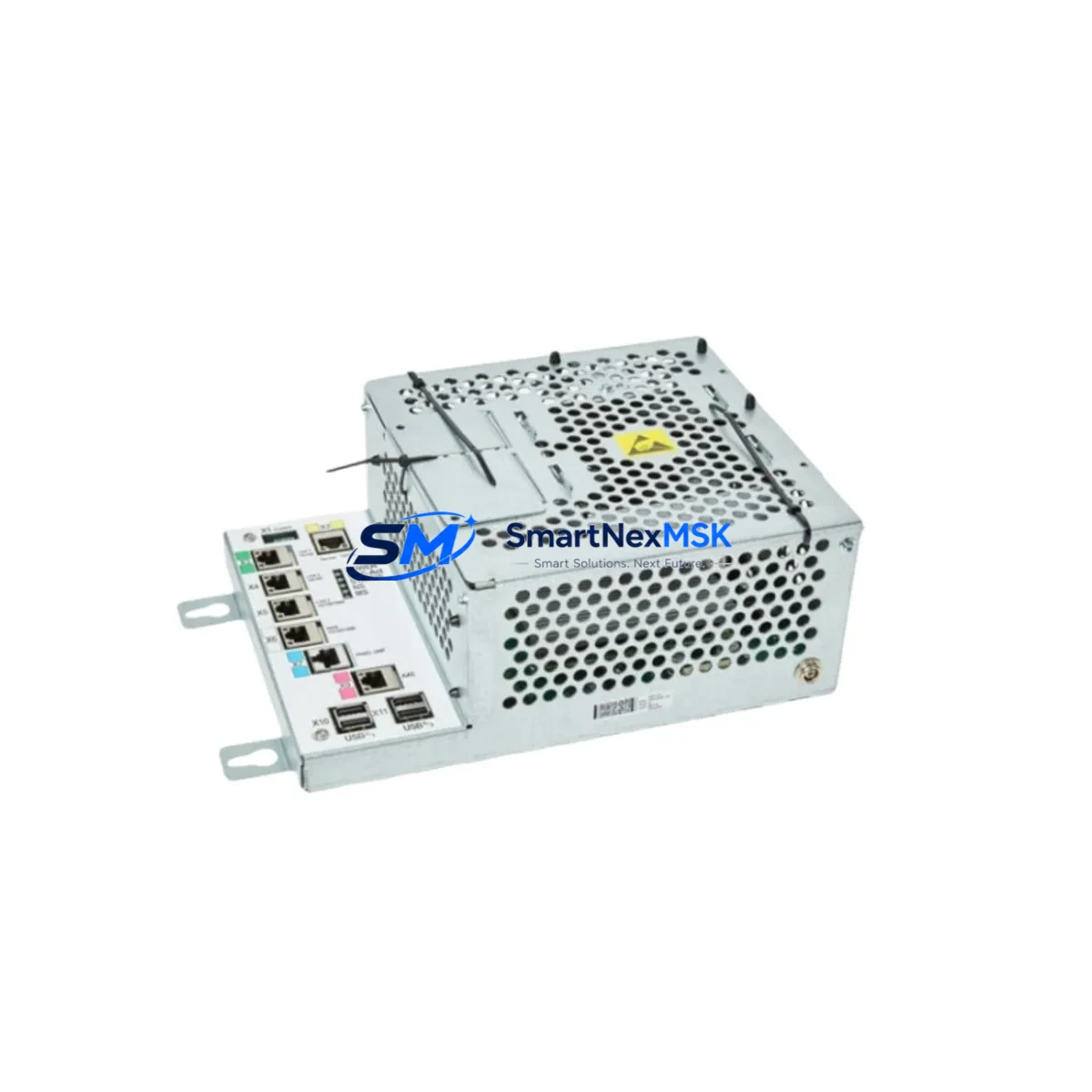
ABB DSQC1000 3HAC042766-001 IRC5 Automation Spare: Spare Replacement & Industrial Downtime Risk Control
The ABB DSQC1000 (part number 3HAC042766-001) is the Main Computer Unit at the heart of the ABB IRC5 robot controller cabinet. As the central processing module responsible for motion control, program execution, and real-time communication across the IRC5 system, this unit is a critical single point of failure in any ABB robot cell. When the DSQC1000 fails — whether due to firmware corruption, power surge damage, or age-related hardware degradation — the entire robot axis comes to a halt. Maintenance engineers and spare parts procurement teams operating ABB IRB series robots must treat this module as a priority stocking item in any serious preventive maintenance program.
This listing provides an original, factory-grade ABB DSQC1000 3HAC042766-001 Main Computer Unit, sourced to meet the compatibility requirements of IRC5 single-cabinet and multi-cabinet controller configurations. Each unit is functionally tested prior to dispatch and ships with a 12-month warranty covering hardware defects. Fast worldwide shipping ensures that unplanned downtime can be minimized to the shortest possible window, whether you are running a single robot cell or managing a multi-robot production line.
Spare Maintenance Table
| Parameter | Specification / Detail |
|---|---|
| Part Number | 3HAC042766-001 |
| Model / SKU | DSQC1000 |
| Brand | ABB Robotics |
| Series / Platform | IRC5 Robot Controller |
| Module Function | Main Computer Unit — motion control, program execution, I/O coordination |
| Compatible Controllers | IRC5 Single Cabinet, IRC5 Compact, IRC5 Panel Mounted Controller |
| Compatible Robot Series | IRB 120, IRB 1200, IRB 1600, IRB 2600, IRB 4600, IRB 6640, IRB 6700 and other IRC5-based models |
| Communication Interfaces | Ethernet (LAN), USB, DeviceNet / Profibus / EtherNet/IP (via fieldbus adapter) |
| Operating Voltage | 24 VDC (supplied via IRC5 internal power distribution) |
| Origin | Germany (ABB Robotics manufacturing) |
| Condition | Original spare — new or refurbished-to-spec, functionally tested |
| Application Environment | Industrial robot controller cabinet, indoor, controlled temperature |
| Installation | DIN-rail / backplane mount inside IRC5 controller cabinet |
| Warranty | 12 Months — covers hardware defects, DOA replacement |
| Shipping | Tested & packed; worldwide express available |
Maintenance Planning for Continuous Operation
When a DSQC1000 Main Computer Unit is flagged for replacement during a scheduled shutdown or emergency fault response, experienced maintenance engineers know that the computer module rarely fails in isolation. A thorough IRC5 cabinet inspection at the time of replacement is essential to prevent repeat downtime events within the same maintenance cycle.
Start with the DSQC661 Axis Computer — this module works in direct coordination with the DSQC1000 to manage servo drive communication and axis interpolation. If the main computer has experienced a power event, the axis computer should be inspected for latent damage. Similarly, the DSQC662 Drive Unit or DSQC663 Drive Module (depending on your IRC5 variant) should be checked for fault codes and thermal stress indicators before the cabinet is returned to production.
The DSQC609 Power Supply Unit is another component that maintenance teams should verify during any DSQC1000 swap. An unstable 24 VDC rail is a common root cause of main computer failures, and replacing the computer without confirming power supply integrity risks damaging the new unit. Measure output voltage under load and compare against ABB specification tolerances before commissioning the replacement DSQC1000.
I/O integrity is equally important. The DSQC652 Digital I/O Board and DSQC651 Analog I/O Board share the internal DeviceNet bus managed by the main computer. After installing the replacement DSQC1000, verify that all I/O nodes are recognized correctly in RobotStudio or the FlexPendant system configuration menu. Unrecognized I/O nodes after a computer swap often indicate a configuration file mismatch or a secondary board fault that was masked by the original failure.
For systems using fieldbus communication, inspect the DSQC688 Profibus Adapter or the DSQC1006 EtherNet/IP Adapter to confirm that network parameters are retained after the computer replacement. Communication module configuration is stored on the main computer, and a fresh DSQC1000 will require re-loading of system parameters from backup. Maintenance teams should always maintain a current system backup on an external USB drive or network share as part of standard IRC5 cabinet documentation practice.
Finally, inspect the FlexPendant (IRC5 Teach Pendant) cable and connector for physical damage. A faulty pendant cable can generate spurious errors that are incorrectly attributed to the main computer, leading to unnecessary module replacement. Confirming pendant communication integrity before and after the DSQC1000 swap closes the diagnostic loop and validates the repair.
Site Replacement Workflow
Step 1 — Backup System Parameters: Before powering down the IRC5 cabinet, use the FlexPendant or RobotStudio to create a full system backup (including RAPID programs, I/O configuration, and safety parameters). Store the backup on an external USB drive. This backup is essential for restoring the replacement DSQC1000 to the correct operational state.
Step 2 — Safe Cabinet Shutdown: Execute a controlled robot stop, disable the main power breaker, and follow ABB lockout/tagout procedures. Allow the cabinet to discharge for a minimum of 5 minutes before opening the door.
Step 3 — Module Removal: Disconnect all cables from the DSQC1000 — Ethernet, USB, internal ribbon connectors, and the 24 VDC power connector — noting cable routing and connector positions. Remove the module from its backplane mounting position.
Step 4 — Install Replacement Unit: Seat the new DSQC1000 3HAC042766-001 into the backplane, reconnect all cables in the correct sequence, and verify that no connectors are partially seated. A partially connected Ethernet cable to the axis computer is a common commissioning error.
Step 5 — System Restore and Verification: Power up the cabinet, load the system backup onto the new DSQC1000, and verify that all axes, I/O nodes, and fieldbus devices are recognized. Run a low-speed test cycle before returning the robot to full production speed. Document the replacement in the cabinet maintenance log with the new module serial number and installation date.
This workflow is compatible with IRC5 single-cabinet and multi-cabinet configurations and supports a smooth transition from legacy DSQC1000 variants to current production units without requiring hardware modifications to the cabinet.
Spare Parts Support FAQ
Q1: Is this DSQC1000 3HAC042766-001 compatible with all IRC5 controller variants?
The DSQC1000 3HAC042766-001 is the standard Main Computer Unit for the IRC5 platform and is compatible with IRC5 Single Cabinet, IRC5 Compact, and IRC5 Panel Mounted Controller configurations used with ABB IRB series robots. Compatibility with specific robot models and RobotWare versions should be confirmed against your cabinet’s existing system parameters. Contact our technical team with your cabinet serial number for pre-purchase compatibility verification.
Q2: What testing is performed before shipment?
Each DSQC1000 unit undergoes functional power-on testing and communication interface verification before packaging. Units are inspected for physical damage, connector integrity, and firmware boot status. A test report is available upon request. All units ship with a 12-month warranty covering hardware defects, with DOA (dead-on-arrival) replacement processed within 3 business days of confirmed fault report.
Q3: How should I manage DSQC1000 inventory for a multi-robot facility?
For facilities operating 5 or more IRC5-based robots, maintaining at least one DSQC1000 as a hot spare is strongly recommended. The main computer is a non-repairable field component — when it fails, replacement is the only recovery path. Pair your DSQC1000 stock with a spare DSQC609 power supply and a current system backup for each robot cell to achieve the fastest possible mean time to repair (MTTR) in an unplanned downtime event.
Q4: Can the replacement DSQC1000 be used with an older RobotWare version?
The DSQC1000 hardware is designed to support a range of RobotWare versions used across the IRC5 platform lifecycle. However, firmware compatibility between the new hardware and your existing RobotWare installation should be verified before commissioning. ABB recommends restoring from a full system backup taken from the original cabinet to ensure parameter and license compatibility. If your system runs a legacy RobotWare version, contact us before ordering to confirm hardware revision compatibility.
© 2026 SMARTNEXMSK. All rights reserved.
Original Source: https://smartnexmsk.com
Contact: [email protected] | +86 18259474341



