
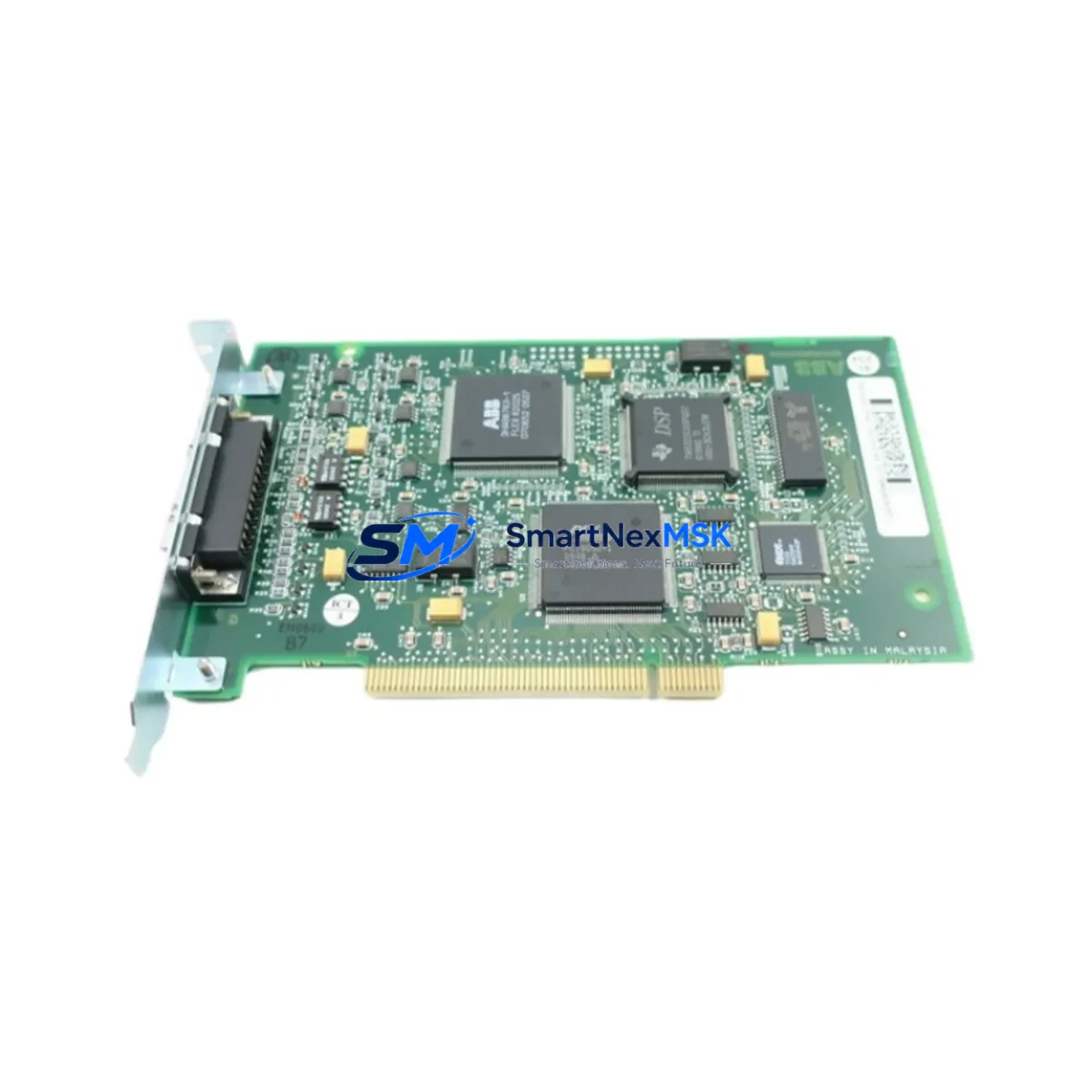
ABB DSQC503 Retrofit-Ready Axis Computer for IRC5 Control Systems: Compatible Modernization & Smooth Legacy Upgrade
The ABB DSQC503 is a critical Axis Computer Module designed for the IRC5 robot controller platform. As production lines age and original spare parts become increasingly scarce, the DSQC503 has emerged as one of the most sought-after retrofit components for facilities operating legacy ABB robotic systems. Whether you are replacing a failed unit, upgrading a refurbished IRC5 cabinet, or migrating from an older S4C+ architecture, the DSQC503 provides a verified, wiring-compatible solution that minimizes engineering risk and reduces unplanned downtime.
Our stock of DSQC503 modules is sourced, inspected, and dispatch-tested before shipment. Each unit undergoes functional verification covering axis communication integrity, backplane interface continuity, and firmware compatibility checks. A 12-month warranty is included with every unit, covering manufacturing defects and functional failures under normal operating conditions.
Upgrade Compatibility Table
| Parameter | Details |
|---|---|
| Compatible Controller | ABB IRC5 Single Cabinet, Dual Cabinet, Panel Mounted Controller |
| Replaces / Upgrades From | DSQC503 (original), compatible with IRC5 axis computer slot |
| Backplane Interface | IRC5 internal backplane connector; direct plug-in replacement |
| Communication Protocol | ABB proprietary axis bus; compatible with PROFIBUS, DeviceNet via DSQC547/DSQC548 add-on |
| Installation Requirement | No hardware modification required; verify firmware version on DSQC639 Main Computer |
| Wiring Compatibility | Existing harness and terminal blocks retained; no re-termination needed |
| Retrofit Recommendation | Recommended for IRC5 cabinets with axis faults, communication loss, or failed drive coordination |
| Commissioning Focus | Axis parameter restore from DSQC639 backup; verify SMB (Serial Measurement Board) link |
| Warranty | 12 Months — covers functional failure under normal operating conditions |
Retrofit Planning for Existing Automation Systems
Successful DSQC503 replacement begins well before the module arrives on site. Engineers should first audit the IRC5 cabinet configuration, confirming the installed RobotWare version on the DSQC639 Main Computer, as axis computer firmware must align with the controller software release. In multi-robot cells, each IRC5 unit maintains its own axis computer, so a fleet-wide audit is recommended to identify all units at risk of similar failure.
Power supply integrity is the next verification step. The DSQC609 Power Distribution Board feeds the axis computer slot; a degraded DSQC609 can cause repeated DSQC503 failures even after replacement. Measure the 24 VDC rail under load before installing the new module. Similarly, inspect the DSQC374 Drive Unit connections — axis faults originating from the drive side are frequently misdiagnosed as axis computer failures.
The Serial Measurement Board (SMB), typically the DSQC633 or DSQC643 depending on robot model, communicates resolver feedback directly to the DSQC503. Confirm the SMB cable harness is undamaged and that the SMB battery is within service life. A depleted SMB battery will trigger calibration loss errors immediately after axis computer replacement, extending commissioning time unnecessarily.
For facilities running FlexPendant-based HMI (DSQC679 or TP unit), the operator panel interface remains unaffected by axis computer replacement. However, if the IRC5 cabinet includes a DSQC547 PROFIBUS Adapter or DSQC548 DeviceNet Adapter for fieldbus integration with upstream PLCs or SCADA systems, verify that the communication node address and baud rate settings are preserved in the RobotWare system parameters before powering down. This prevents fieldbus topology disruption during the swap window.
I/O configuration managed through the DSQC651 or DSQC652 I/O modules is stored in the controller system parameters, not on the axis computer itself, so I/O mapping is preserved across the replacement. Nonetheless, a full system backup via RobotStudio or the FlexPendant should be completed before any hardware intervention. This backup captures axis calibration data, program modules, system parameters, and safety configuration — all of which are essential for rapid restoration.
Where the IRC5 cabinet is integrated into a larger control architecture alongside Siemens S7-300 PLCs, Allen-Bradley ControlLogix controllers, or Schneider Electric Modicon M340 systems via EtherNet/IP or PROFIBUS, coordinate the maintenance window with the PLC team to ensure the robot’s I/O handshake signals are safely inhibited during the swap. This prevents false cycle triggers or safety interlock violations at the system level.
Downtime Control During System Migration
Minimizing production impact during an IRC5 axis computer replacement requires a structured approach. The target swap window for a prepared team is 2–4 hours, assuming a pre-verified replacement DSQC503, a current system backup, and confirmed power supply health.
Begin by performing a controlled shutdown via the IRC5 main switch rather than an emergency stop, allowing the controller to complete any active program cycle and write final state data. Label all connectors on the existing DSQC503 before removal — the backplane connector is keyed, but auxiliary signal cables should be photographed for reference. Install the replacement module, restore the system backup, and perform a cold start. The axis computer will re-initialize communication with the DSQC374 drive units and DSQC633 SMB automatically during the boot sequence.
Post-replacement verification should include a manual jogging test on all axes at reduced speed, confirmation of resolver calibration values against the pre-failure baseline, and a dry-run of the production program without end-effector engagement. If the IRC5 is part of a coordinated multi-robot cell, restore inter-robot communication via the DSQC378 or equivalent network switch before returning to automatic mode.
For facilities where a cold spare DSQC503 is not maintained on-site, our standard lead time from order confirmation to dispatch is 1–3 business days for in-stock units, with express freight options available to minimize total downtime exposure. All units are dispatch-tested and shipped with full documentation to support customs clearance and incoming inspection.
Retrofit Support FAQ
Q1: Is the DSQC503 a direct drop-in replacement for a failed unit in my IRC5 cabinet?
Yes. The DSQC503 installs directly into the IRC5 axis computer slot via the backplane connector without hardware modification. After installation, restore your system backup from the DSQC639 Main Computer to recover axis parameters, calibration data, and program modules. No re-wiring of terminal blocks or harnesses is required.
Q2: What commissioning steps are required after replacing the DSQC503?
After physical installation, perform a system restore from your most recent RobotWare backup. Verify SMB communication and resolver calibration values on all axes. Conduct a manual jog test at reduced speed on each axis before returning to automatic mode. If fieldbus adapters (DSQC547/DSQC548) are installed, confirm communication status with the upstream PLC or SCADA system before resuming production.
Q3: My IRC5 shows repeated axis computer faults even after replacement. What should I check?
Repeated failures after replacement typically indicate an upstream power supply issue (check DSQC609 output voltage under load), a damaged SMB cable or depleted SMB battery (DSQC633/DSQC643), or a firmware mismatch between the axis computer and the installed RobotWare version on the DSQC639. Address these root causes before installing a second replacement unit.
Q4: What warranty coverage is included, and what does the dispatch test verify?
Every DSQC503 unit is covered by a 12-month warranty from the date of shipment, covering functional failure under normal operating conditions. Pre-shipment dispatch testing verifies backplane interface continuity, axis communication signal integrity, and firmware boot sequence completion. A test report is available upon request for incoming inspection purposes.
© 2026 SMARTNEXMSK. All rights reserved.
Original Source: https://smartnexmsk.com
Contact: [email protected] | +86 18259474341



