
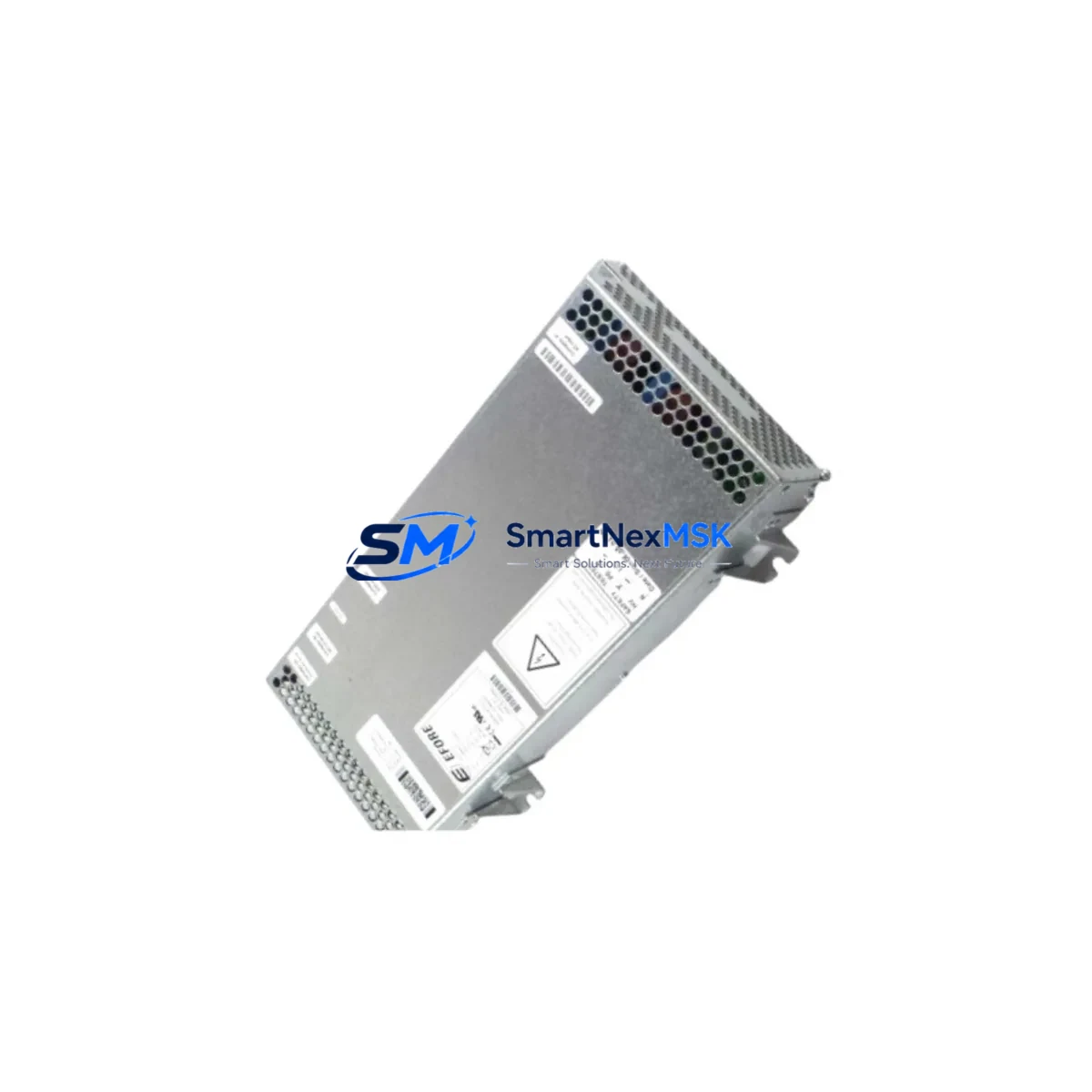
ABB DSQC627 3HAC020466-001 Retrofit-Ready Power Supply for IRC5 Control Systems
The ABB DSQC627 (part number 3HAC020466-001) is a critical power supply module designed for the ABB IRC5 robot controller family. As legacy IRC5 cabinets age and OEM spare parts become increasingly scarce, the DSQC627 has become one of the most sought-after retrofit and replacement components in industrial robot maintenance and modernization projects. Whether you are restoring a production line after an unexpected power module failure, upgrading an aging control cabinet, or migrating from an older IRC4-era system to a fully supported IRC5 platform, the DSQC627 provides the electrical foundation your automation system depends on.
This module supplies regulated DC power to the IRC5 controller backplane, supporting the drive system, I/O modules, and communication interfaces that keep your robot running. Its compatibility with the standard IRC5 cabinet mounting rail and connector layout means that in most retrofit scenarios, no mechanical modification is required. Engineers replacing a failed DSQC609 or DSQC610 power unit in older IRC5 variants should verify the output voltage rails and connector pinout against the DSQC627 datasheet before installation, as minor revision differences exist across IRC5 generations.
Upgrade Compatibility Table
| Parameter | Details |
|---|---|
| Part Number | DSQC627 / 3HAC020466-001 |
| Compatible Controller | ABB IRC5 (Single Cabinet, Dual Cabinet, Panel Mounted) |
| Replaces / Upgrades | DSQC609, DSQC610 (verify pinout); direct replacement for DSQC627 revisions A–D |
| Mounting Interface | Standard IRC5 DIN rail / backplane slot — no mechanical modification required |
| Communication Compatibility | DeviceNet, PROFIBUS, EtherNet/IP (via DSQC651/DSQC652 communication boards) |
| I/O Compatibility | Compatible with DSQC651 (DeviceNet I/O), DSQC652 (Digital I/O), DSQC653 (Analog I/O) |
| Backplane Interface | Standard IRC5 internal bus — verify slot address assignment in RobotStudio or FlexPendant |
| Installation Requirement | Power-off cabinet before swap; discharge capacitors; re-seat all connectors after installation |
| Commissioning Note | Restore system parameters from backup; verify axis calibration and SafeMove configuration |
| Warranty | 12-Month Warranty — covers manufacturing defects and functional failure under normal operating conditions |
Retrofit Planning for Existing Automation Systems
A successful DSQC627 retrofit begins well before the module arrives on site. Start by auditing the existing IRC5 cabinet layout: document the positions of the DSQC378 computer unit, the DSQC668 axis computer, and any installed fieldbus adapter boards such as the DSQC688 (EtherNet/IP) or DSQC679 (PROFIBUS DP). These components share the same power bus as the DSQC627, and a degraded power supply can cause intermittent faults across all of them — making it easy to misdiagnose the root cause as a communication or axis fault rather than a power issue.
Before removing the failed unit, photograph all wiring harnesses and terminal connections. The IRC5 uses a structured wiring harness that routes 24 VDC logic power, drive bus power, and safety circuit signals through a common loom. Mislabeled or transposed connectors after a power module swap are a leading cause of post-retrofit commissioning failures. Pay particular attention to the X1 and X2 connector blocks on the DSQC627, which carry the primary AC input and the DC output rails respectively.
If your facility runs multiple IRC5 controllers networked via a DSQC377B or DSQC378 system controller, ensure that the replacement DSQC627 is installed and powered before attempting to re-establish the controller network. The system controller polls each cabinet’s power status during startup, and a missing or faulted power module will prevent the entire cell from initializing. In multi-robot cells using RobotWare’s MultiMove option, this can cascade into a full production stop.
For sites migrating from IRC4 to IRC5 architecture, the DSQC627 is typically part of a broader upgrade that also involves replacing the S4C+ computer unit with the DSQC378, re-mapping I/O signals from the old DSQC328 I/O board to the new DSQC652 digital I/O module, and updating the RAPID program to reflect any changes in signal naming or axis configuration. The FlexPendant (DSQC679 or later) will need to be re-paired to the new controller, and any custom HMI screens built in ScreenMaker will require validation against the updated system parameters.
Power capacity planning is essential. The DSQC627 is rated for a specific continuous load; if your cabinet has been expanded with additional I/O modules, a second robot arm, or supplementary safety relays, verify that the total draw remains within the module’s rated output. Overloading the power supply is a common cause of premature failure in retrofitted cabinets that have been incrementally expanded over years of operation.
Downtime Control During System Migration
Minimizing unplanned downtime during a DSQC627 replacement requires a structured approach. Begin by creating a full system backup using RobotStudio or the FlexPendant backup function — this captures the RAPID programs, system parameters, I/O configuration, SafeMove safety configuration, and calibration data. Store the backup on an external USB drive and verify its integrity before proceeding with any hardware work.
If the failed DSQC627 has caused a complete controller lockout, the backup may need to be retrieved from a previously scheduled backup archive. This is why scheduled automated backups — ideally daily — are a non-negotiable part of any IRC5 maintenance program. Sites that have not established a backup routine often face extended downtime not because the hardware swap is complex, but because restoring the software configuration from memory or paper records is time-consuming and error-prone.
Once the new DSQC627 is installed and the cabinet is powered, perform a controlled startup sequence: enable the main breaker, observe the status LEDs on the DSQC378 computer unit and the DSQC668 axis computer, and confirm that no fault codes are present on the FlexPendant before releasing the robot to automatic mode. If SafeMove is configured, re-validate the safety zones and speed limits before resuming production. The entire swap and recommissioning process, when well-prepared, can typically be completed within two to four hours — significantly less than the multi-day delays that result from waiting for OEM parts through standard distribution channels.
All DSQC627 units supplied by SMARTNEXMSK are pre-tested under load conditions before shipment, reducing the risk of DOA (dead-on-arrival) failures and further shortening your recovery timeline. Each unit ships with a 12-month warranty covering manufacturing defects and functional failure under normal operating conditions.
Retrofit Support FAQ
Q: Is the DSQC627 3HAC020466-001 a direct drop-in replacement for the DSQC609 or DSQC610?
A: The DSQC627 is the designated replacement for earlier IRC5 power supply revisions including the DSQC609 and DSQC610 in most cabinet configurations. However, you should verify the output voltage rails and connector pinout against your specific cabinet revision before installation. Our technical team can assist with compatibility confirmation if you provide your cabinet serial number and current module revision.
Q: What commissioning steps are required after installing the DSQC627?
A: After physical installation, restore your system backup via the FlexPendant or RobotStudio, verify I/O signal mapping on the DSQC652 and DSQC651 boards, re-validate SafeMove configuration if applicable, and perform a controlled test cycle in manual mode before returning to automatic production. Check all axis calibration values against your calibration record.
Q: How do I verify wiring compatibility before swapping the module?
A: Document all connector positions and harness routing before removal. The DSQC627 uses labeled connector blocks; cross-reference against the IRC5 Product Manual (document 3HAC021313-001) wiring diagram for your cabinet variant. If the existing wiring harness shows signs of heat damage or insulation degradation, replace the affected sections before installing the new module.
Q: What does the 12-month warranty cover, and what is the return process?
A: The 12-month warranty covers manufacturing defects and functional failure under normal operating conditions. It does not cover damage caused by incorrect installation, overvoltage events, or physical impact. To initiate a warranty claim, contact [email protected] with your order number, a description of the fault, and any available fault codes from the FlexPendant. We will arrange return shipping and provide a replacement or refund within the agreed timeframe.
© 2026 SMARTNEXMSK. All rights reserved.
Original Source: https://smartnexmsk.com
Contact: [email protected] | +86 18259474341



