
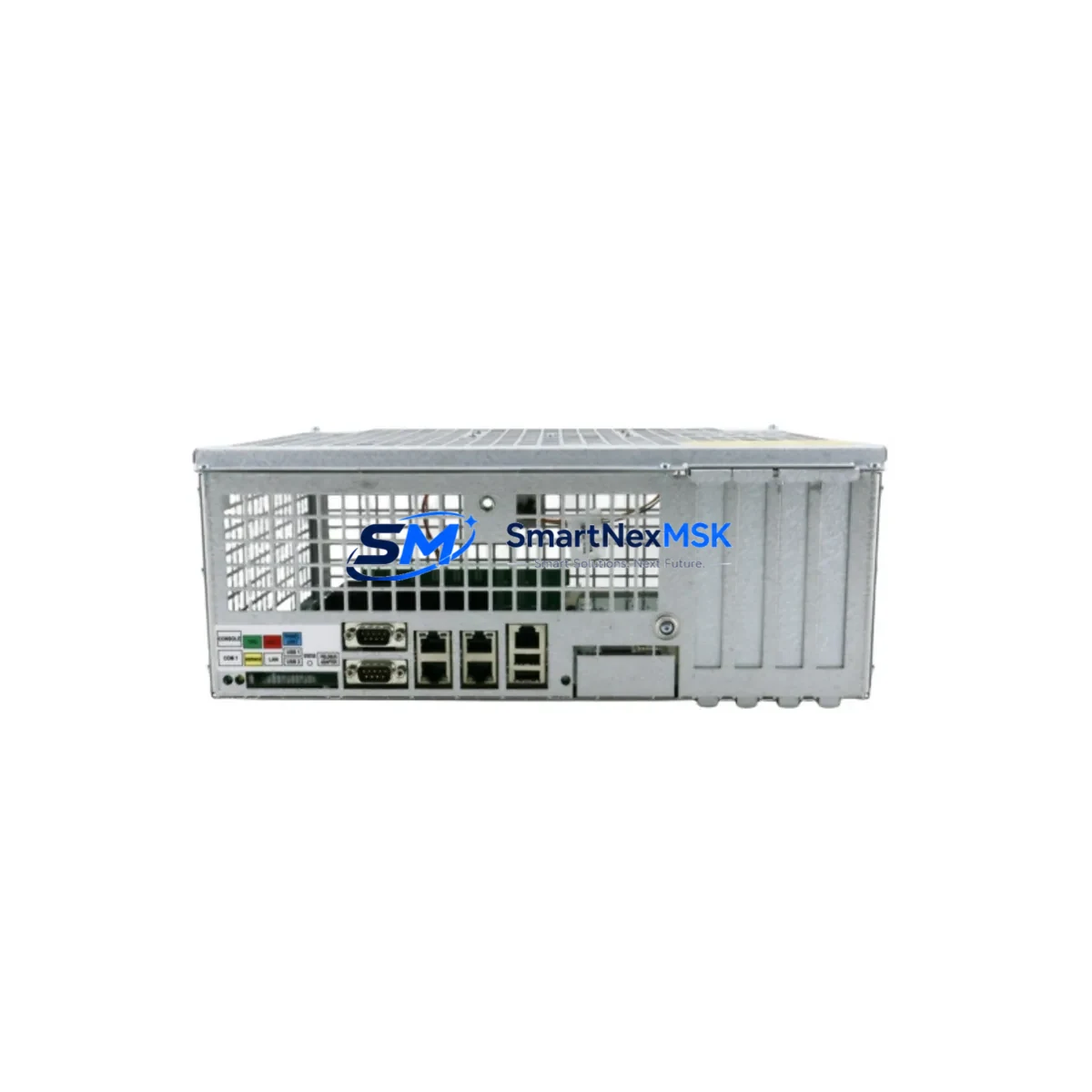
ABB DSQC639 3HAC041443-003 Maintenance-Ready Spare IRC5 Automation
The ABB DSQC639 (part number 3HAC041443-003) is the Main Computer Unit at the heart of the ABB IRC5 robot controller cabinet. As the central processing module responsible for motion planning, I/O coordination, and real-time communication across the entire robot system, an unplanned failure of this unit results in immediate production stoppage. Sourcing a verified, tested replacement unit in advance is the single most effective strategy for minimizing downtime risk in any facility running IRC5-based robots — whether in automotive body-in-white lines, arc welding cells, material handling systems, or precision assembly operations.
This listing provides an original ABB DSQC639 / 3HAC041443-003 unit, sourced from authorized supply channels, fully tested prior to shipment, and backed by a 12-month warranty. Each unit undergoes functional verification to confirm firmware integrity, communication bus stability, and power-on self-test completion before dispatch. Maintenance engineers and procurement teams can rely on this unit as a direct, plug-compatible replacement for the installed DSQC639 in any standard IRC5 single or dual cabinet configuration.
Spare Maintenance Table
| Part Number | DSQC639 / 3HAC041443-003 |
| Brand | ABB |
| Series | IRC5 Robot Controller |
| Module Type | Main Computer Unit (CPU Module) |
| Origin | Germany (DE) |
| Supply Voltage | 24 VDC (supplied via IRC5 power distribution) |
| Communication Interfaces | Ethernet (LAN), DeviceNet, Profibus DP (option-dependent) |
| Compatibility | ABB IRC5 Single Cabinet, IRC5 Dual Cabinet, IRC5 Compact (verify firmware revision) |
| Replaces / Supersedes | DSQC609, DSQC612 (earlier IRC5 CPU generations — confirm hardware revision) |
| Mounting | DIN-rail / backplane slot within IRC5 controller cabinet |
| Operating Temperature | 0 °C to +55 °C (cabinet ambient) |
| Storage Temperature | -25 °C to +70 °C |
| Firmware | RobotWare 5.x / 6.x compatible (verify system software version before swap) |
| Pre-shipment Test | Power-on self-test, communication bus check, firmware integrity verification |
| Warranty | 12 Months from date of shipment |
| Condition | Original / Genuine ABB — New or Refurbished-to-OEM-spec (stated at order confirmation) |
| Lead Time | In-stock units ship within 1–3 business days |
Maintenance Planning for Continuous Operation
When a DSQC639 Main Computer Unit fails or shows signs of instability — such as random E-stop faults, loss of FlexPendant communication, or failure to complete the boot sequence — the root cause is rarely isolated to the CPU module alone. A disciplined maintenance engineer will treat this event as a trigger for a broader cabinet inspection before returning the robot to production.
Begin with the DSQC661 Axis Computer (3HAC025338-001), which works in close coordination with the DSQC639 to manage servo drive commands. A degraded axis computer can cause intermittent faults that are misdiagnosed as CPU failures. Inspect the DSQC662 Drive Unit or DSQC668 Drive Module for signs of overheating or capacitor aging, as drive-side instability places abnormal load on the main computer’s communication bus.
Check the DSQC604 Power Supply Unit (3HAC12928-1) output rails — the DSQC639 is sensitive to voltage ripple on the 24 VDC bus. A failing PSU is a common upstream cause of CPU module corruption. While the cabinet is open, inspect the DSQC652 I/O Module and any installed DSQC651 DeviceNet Master/Slave boards for loose connectors or corrosion on the backplane interface, as communication errors on these modules can generate fault codes that appear to originate from the main computer.
For systems using fieldbus communication, verify the DSQC688 Profibus Adapter or DSQC378B Profibus DP Module is seated correctly and that the termination resistors are intact. A misconfigured or failing fieldbus adapter will prevent the DSQC639 from completing its network initialization sequence. Also inspect the SMB (Serial Measurement Board) — typically DSQC633 — for resolver signal integrity, as SMB faults are frequently logged alongside CPU boot failures in IRC5 event logs.
Finally, review the FlexPendant (DSQC679) cable and connector for physical damage. A shorted or intermittently connected teach pendant cable can cause the DSQC639 to report communication faults that mimic hardware failure. Replacing the CPU module without addressing a damaged pendant cable will result in repeat faults after restart.
Maintaining a cabinet-level spare kit — including at minimum the DSQC639, DSQC604 PSU, and a set of DSQC652 I/O modules — reduces mean time to repair (MTTR) from days to hours for IRC5-equipped production lines.
Site Replacement Workflow
Step 1 — Pre-replacement documentation: Before powering down, use RobotStudio or the FlexPendant to export the current system parameters, I/O configuration, and RobotWare license backup. The DSQC639 stores system identity data; a backup ensures rapid restoration after the swap.
Step 2 — Safe isolation: Follow LOTO (Lockout/Tagout) procedures. Disconnect mains power to the IRC5 cabinet and wait for the capacitor discharge period (minimum 5 minutes) before opening the cabinet door.
Step 3 — Module extraction: Disconnect all cable harnesses from the DSQC639 in sequence — Ethernet, SMB, axis computer link, and power connector. Note cable routing and label connectors if not already marked. Remove the module from its backplane slot.
Step 4 — Replacement installation: Insert the new DSQC639 / 3HAC041443-003 into the backplane slot. Reconnect all harnesses in reverse order. Verify that the firmware revision on the replacement unit is compatible with the installed RobotWare version — mismatched firmware will prevent system boot.
Step 5 — System restore and verification: Power on the cabinet and allow the boot sequence to complete. Restore the system parameter backup via RobotStudio. Perform a controlled jog test on all axes before returning the robot to automatic mode. Log the replacement in the maintenance record with date, part number, and technician ID.
This workflow applies equally to planned preventive replacements and emergency corrective maintenance, and is compatible with both IRC5 Single Cabinet and IRC5 Dual Cabinet configurations.
Spare Parts Support FAQ
Q1: What is the expected service life of the DSQC639, and when should I plan a preventive replacement?
The DSQC639 does not have a fixed OEM-published replacement interval, but field experience in high-cycle environments suggests proactive replacement consideration after 8–12 years of continuous operation, or immediately upon observing repeated boot failures, unexplained E-stop events, or loss of network communication that cannot be attributed to peripheral modules. Maintaining one spare unit in stock eliminates lead-time risk entirely.
Q2: How do I verify compatibility between a replacement DSQC639 and my installed RobotWare version?
Check the hardware revision label on the existing DSQC639 (printed on the module casing) and cross-reference with the ABB IRC5 compatibility matrix for your RobotWare release. Units supplied by SMARTNEXMSK are provided with hardware revision details at order confirmation. If your system runs RobotWare 5.x, confirm the replacement unit supports that generation before shipment.
Q3: What pre-shipment testing is performed on each DSQC639 unit?
Every unit undergoes a power-on self-test sequence, communication bus integrity check (Ethernet and internal backplane), and firmware version verification. Units that do not pass all test stages are not dispatched. A test report is available upon request for quality-critical procurement processes.
Q4: What does the 12-month warranty cover, and what is the return process?
The 12-month warranty covers hardware defects and functional failures under normal operating conditions. It does not cover damage resulting from incorrect installation, overvoltage events, or physical impact. To initiate a warranty claim, contact [email protected] with the order number, fault description, and event log extract. Replacement or repair is processed within 5 business days of unit receipt at our facility.
© 2026 SMARTNEXMSK. All rights reserved.
Original Source: https://smartnexmsk.com
Contact: [email protected] | +86 18259474341



