
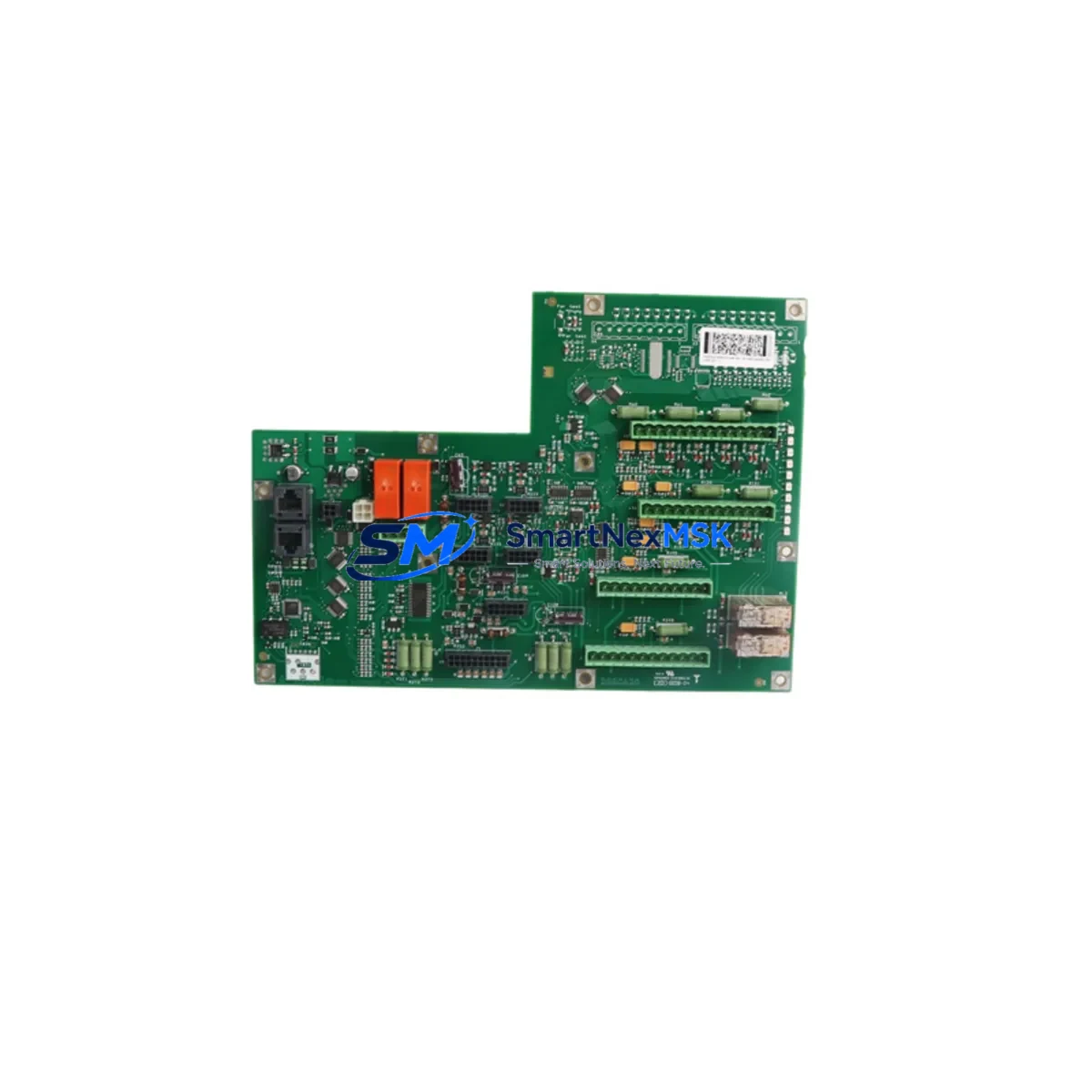
ABB DSQC643 Retrofit-Ready Operator Panel Interface for IRC5 Control Systems
The ABB DSQC643 is a critical operator panel interface board designed for ABB IRC5 robot controller cabinets. As legacy IRC5 installations age and original spare parts become increasingly scarce, the DSQC643 has become one of the most sought-after retrofit and replacement components in industrial robot maintenance. Whether you are recovering a production line from an unexpected controller failure, executing a planned control cabinet upgrade, or migrating from an older S4C+ platform to the IRC5 architecture, the DSQC643 provides the interface continuity your system demands.
This board serves as the communication bridge between the IRC5 main computer — typically the DSQC1000 or DSQC652 main computer unit — and the FlexPendant operator terminal. It manages the operator panel I/O signals, emergency stop chain integration, and mode selector switch logic that are fundamental to safe robot operation. When this board fails, the entire robot cell is rendered inoperable, making rapid, verified replacement essential to minimizing production downtime.
Our DSQC643 units are sourced, inspected, and dispatch-tested to confirm full functional compatibility with IRC5 single-cabinet and multi-cabinet (MultiMove) configurations. Each unit undergoes power-on verification, backplane connector inspection, and communication link testing before shipment. A 12-month warranty is included with every unit, covering manufacturing defects and functional failures under normal operating conditions.
Upgrade Compatibility Table
| Parameter | Details |
|---|---|
| Compatible Controller | ABB IRC5 Single Cabinet, IRC5 Compact, IRC5 Panel Mounted Controller |
| Replaces / Supersedes | DSQC643 (direct replacement); compatible with systems previously using DSQC626 operator panel variants |
| Backplane Interface | IRC5 internal backplane bus; verify slot position per IRC5 cabinet layout drawing |
| Communication Compatibility | DeviceNet, Ethernet/IP (via IRC5 main computer); no protocol reconfiguration required for direct swap |
| Installation Requirement | Power-off installation; ESD precautions required; torque backplane connector screws to spec |
| Firmware / Software | RobotWare 5.x and 6.x compatible; no firmware flashing required on board replacement |
| Commissioning Note | Reload system parameters from backup after replacement; verify E-stop chain continuity before restart |
| Warranty | 12 months from date of shipment; covers functional failure under normal operating conditions |
Retrofit Planning for Existing Automation Systems
A successful DSQC643 retrofit begins well before the replacement board arrives on site. Engineers should pull the IRC5 cabinet wiring diagram and confirm the operator panel connector pinout — particularly the X1 and X2 terminal blocks that carry the emergency stop, mode selector, and motor-on signals. These connections must be documented and photographed before the old board is removed.
In multi-robot cells running ABB MultiMove, the DSQC643 interfaces with the IRC5 drive module and the DSQC400 I/O unit cluster. Technicians should verify that the DSQC400 series I/O modules — including any DSQC651 digital I/O boards or DSQC652 analog I/O boards installed in the same cabinet — remain correctly addressed after the operator panel board swap. Module addressing in the IRC5 is managed through RobotWare system parameters, and a corrupted or reset parameter file can cause I/O mapping errors that appear unrelated to the panel board replacement.
Power supply integrity is another pre-replacement checkpoint. The DSQC609 power supply unit within the IRC5 cabinet must deliver stable 24 VDC to the operator panel bus. A failing DSQC609 can cause intermittent DSQC643 faults that mimic board failure; always measure supply voltage at the backplane before condemning the operator panel board. Similarly, inspect the DSQC663 axis computer connections if the robot exhibits motion faults concurrent with panel communication errors, as shared backplane power issues can affect multiple boards simultaneously.
For sites migrating from older S4C+ controllers to IRC5, the DSQC643 is part of a broader hardware transition that typically also involves replacing the DSQC532 computer unit, re-terminating field I/O to IRC5-compatible DSQC400 series modules, and converting RAPID programs from S4C+ syntax to IRC5 RobotWare 6 format. The FlexPendant (DSQC679 or later) replaces the older teach pendant, and HMI screen layouts must be rebuilt in RobotStudio to match the new pendant interface. Planning this migration in stages — controller hardware first, then I/O remapping, then HMI and program conversion — reduces the risk of simultaneous multi-system failures during commissioning.
Communication link verification is essential after any IRC5 board replacement. If the robot cell uses PROFIBUS-DP via a DSQC688 fieldbus adapter or EtherNet/IP via a DSQC690 communication board, confirm that the fieldbus master (typically a Siemens S7 PLC or Allen-Bradley ControlLogix) re-establishes its connection to the IRC5 after the controller restarts. A missing or incorrect GSD/EDS file on the PLC side can prevent the fieldbus from coming online, causing the robot to remain in a fault state even after a successful hardware replacement.
Downtime Control During System Migration
Minimizing unplanned downtime during an IRC5 operator panel board replacement requires a structured pre-outage preparation protocol. Before taking the robot offline, create a full system backup using RobotStudio or the FlexPendant backup function. This backup captures system parameters, RAPID programs, I/O configuration, and safety configuration — all of which must be restored after the DSQC643 is replaced. Store the backup on an external USB drive and verify the backup file integrity before proceeding.
Schedule the replacement during a planned maintenance window whenever possible. If an emergency replacement is unavoidable, isolate the robot cell from the production line using the upstream conveyor stop or cell fence interlock, and notify the production supervisor before cutting power to the IRC5 cabinet. Document the current robot position and program pointer so that the operator can resume the correct program step after restart.
After installing the replacement DSQC643, restore the system backup before powering on the drives. Verify the emergency stop chain by testing each E-stop button and safety gate input individually before enabling motor power. Run the robot through a slow-speed (10% override) dry cycle of the production program to confirm that all I/O signals, motion paths, and HMI communications are functioning correctly before returning the cell to full production speed. This structured restart sequence typically allows a trained technician to complete an IRC5 operator panel board replacement and return the robot to production within two to four hours, even in complex multi-robot installations.
Retrofit Support FAQ
Q: Is the DSQC643 a direct drop-in replacement for a failed operator panel board in my IRC5 cabinet?
A: Yes. The DSQC643 is a direct replacement for the original operator panel interface board in IRC5 single-cabinet and compact controller configurations. No hardware modifications are required. After installation, restore your system backup and verify the E-stop chain before enabling motor power.
Q: Do I need to reconfigure my RobotWare software after replacing the DSQC643?
A: In most cases, restoring a pre-replacement system backup is sufficient to recover all system parameters and RAPID programs. If no backup is available, the IRC5 system parameters related to operator panel I/O and safety configuration will need to be re-entered manually using RobotStudio or the FlexPendant configuration menus.
Q: How do I verify that the replacement DSQC643 is functioning correctly before restarting production?
A: After restoring the system backup and powering on the IRC5, check the RobotWare event log for any operator panel communication faults. Test each E-stop button, mode selector position, and motor-on signal individually. Confirm that the FlexPendant displays the correct system status and that all I/O signals mapped to the operator panel are reading correctly in the I/O monitor.
Q: What warranty coverage is included with the DSQC643?
A: Every DSQC643 unit supplied by SMARTNEXMSK includes a 12-month warranty from the date of shipment. The warranty covers functional failure under normal operating conditions and includes technical support for installation and commissioning questions. Units are dispatch-tested prior to shipment to verify power-on functionality and backplane communication integrity.
© 2026 SMARTNEXMSK. All rights reserved.
Original Source: https://smartnexmsk.com
Contact: [email protected] | +86 18259474341



