
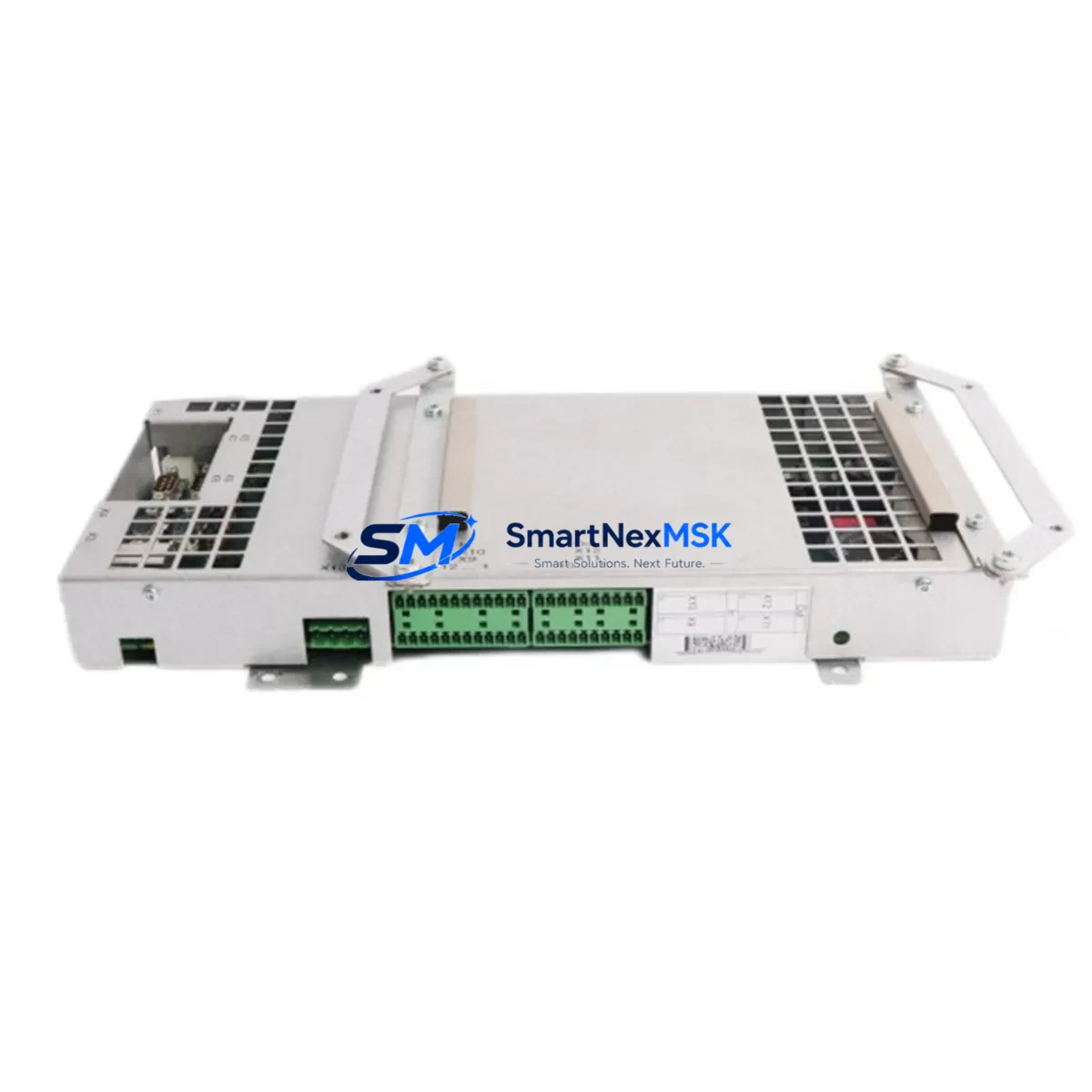
ABB DSQC647 3HAC026272-001 Retrofit-Ready Drive Module for IRC5 Control Systems
The ABB DSQC647 (part number 3HAC026272-001) is a compact, high-reliability drive interface module designed for ABB IRC5 robot controller cabinets. As ABB progressively phases out legacy IRC5 hardware, the DSQC647 has become one of the most sought-after retrofit and replacement components for system integrators, maintenance engineers, and automation upgrade teams managing aging robotic production lines. Whether you are replacing a failed unit, upgrading a refurbished IRC5 cabinet, or migrating from an older S4C+ platform, the DSQC647 provides a verified drop-in solution that preserves your existing wiring harness, backplane connections, and robot program logic without requiring a full controller replacement.
This module interfaces directly with the IRC5 drive system backplane, supporting axis computer communication and coordinated motion control across multi-axis robot configurations. It is fully compatible with ABB’s standard IRC5 single-cabinet and multi-cabinet (M2004) controller architectures. Engineers retrofitting older IRC5 units should verify the firmware revision of the existing DSQC639 axis computer and DSQC668 drive unit to ensure cross-compatibility before installation. In most standard IRC5 configurations, the DSQC647 can be swapped without modifying the RAPID program or reconfiguring the FlexPendant TP unit, significantly reducing planned downtime during the changeover.
When planning a retrofit around the DSQC647, the following verification steps are critical: confirm the 24 VDC panel power supply (typically sourced from the DSQC661 or DSQC662 power distribution board) meets the module’s input current requirements; inspect the X1 and X2 connector terminals for pin corrosion or bent contacts before re-mating; validate the backplane slot address assignment matches the original module position to avoid axis mapping errors in the robot controller configuration; and confirm that the DSQC609 safety board and DSQC611 I/O module assignments remain unchanged after the swap. Any deviation in slot addressing will require a re-parameterization of the drive configuration via RobotStudio or the IRC5 service panel.
For facilities running mixed ABB robot fleets — including IRB 1600, IRB 2600, IRB 4600, or IRB 6640 series — the DSQC647 is a common shared spare that reduces the complexity of maintaining separate module inventories per robot model. Procurement teams managing multi-robot cells should consider stocking at least one DSQC647 alongside the DSQC646 and DSQC648 modules, which cover adjacent drive interface functions within the same IRC5 cabinet family. This approach supports rapid hot-swap recovery during unplanned failures without waiting for OEM lead times that can extend to 8–16 weeks for discontinued components.
All units supplied by SMARTNEXMSK are sourced from verified industrial channels, functionally tested prior to shipment, and covered by a 12-month warranty against manufacturing defects and operational failure. Each module is inspected for PCB integrity, connector condition, and firmware label consistency before dispatch. Export documentation, including commercial invoice and packing list, is provided for international shipments. Typical lead time from order confirmation to dispatch is 3–5 business days for in-stock units.
Upgrade Compatibility Table
| Parameter | Detail |
|---|---|
| Part Number | DSQC647 / 3HAC026272-001 |
| Compatible Controller | ABB IRC5 (Single Cabinet & Multi-Cabinet M2004) |
| Backplane Interface | IRC5 Drive System Backplane (standard slot) |
| Communication Protocol | Internal IRC5 drive bus; PROFIBUS DP optional via DSQC688 |
| Power Input | 24 VDC (from DSQC661 / DSQC662 power board) |
| Connector Type | X1, X2 multi-pin industrial connectors |
| Compatible Robot Series | IRB 1600, IRB 2600, IRB 4600, IRB 6640 and others |
| Replaces / Upgrades | Failed or end-of-life DSQC647 units in existing IRC5 cabinets |
| Installation Requirement | Slot address verification; no RAPID reprogramming required in standard swap |
| Firmware Compatibility | Verify against DSQC639 axis computer firmware revision |
| Commissioning Tool | RobotStudio / IRC5 FlexPendant TP |
| Warranty | 12 Months — covers manufacturing defects and operational failure |
| Origin | China (CN) — sourced from verified industrial supply channels |
| Lead Time | 3–5 business days (in-stock units) |
Retrofit Planning for Existing Automation Systems
A successful DSQC647 retrofit begins well before the module arrives on-site. Start by pulling the IRC5 cabinet’s hardware configuration report from RobotStudio to document the current slot assignments for all installed modules, including the DSQC639 axis computer, DSQC668 drive unit, DSQC609 safety board, and DSQC611 digital I/O module. Cross-reference these against the robot’s installed RobotWare version to confirm the DSQC647 firmware label is within the supported range. If the cabinet also includes a DSQC688 PROFIBUS adapter or a DSQC690 fieldbus module for upstream PLC communication — for example, to a Siemens S7-300 or Allen-Bradley ControlLogix system — verify that the fieldbus node address and baud rate settings are documented before any hardware is disturbed.
During the physical swap, power down the IRC5 cabinet following the standard lockout/tagout procedure. Disconnect the X1 and X2 connectors from the existing DSQC647, note the backplane slot position, and remove the module. Install the replacement unit in the identical slot, reconnect all terminal connectors, and restore power. The IRC5 controller should recognize the module automatically during the boot sequence. If the system reports a drive configuration mismatch, use the FlexPendant TP to navigate to the drive configuration menu and confirm the axis-to-drive mapping matches the pre-swap documentation. In multi-cabinet configurations, also verify that the DSQC646 and DSQC648 modules in adjacent slots have not been disturbed during the replacement process.
For facilities transitioning from older S4C+ controllers to IRC5, the DSQC647 is part of a broader hardware migration that typically also involves replacing the DSQC352 or DSQC377 drive modules from the S4C+ platform. In these cross-generation upgrades, the robot’s RAPID programs can generally be migrated using RobotStudio’s program conversion tools, but axis calibration data, tool center point (TCP) definitions, and work object coordinates must be re-verified on the new platform before resuming production. Maintaining a parallel test environment using a spare IRC5 cabinet is strongly recommended to validate program compatibility before cutting over the live production cell.
Downtime Control During System Migration
Minimizing unplanned downtime during a DSQC647 replacement requires a structured pre-swap checklist and a clear rollback plan. Before beginning, back up the full IRC5 system image — including the RAPID program, drive parameters, safety configuration from the DSQC609 board, and I/O signal mappings from the DSQC611 module — to a USB drive or network share accessible from RobotStudio. This backup ensures that if the replacement module triggers an unexpected configuration error, the system can be restored to its last known good state within minutes rather than hours.
Schedule the swap during a planned maintenance window and communicate the expected outage duration to production scheduling. A straightforward DSQC647 hot-swap in a single-cabinet IRC5 system typically takes 30–60 minutes including verification steps. Multi-cabinet systems or configurations with active PROFIBUS or DeviceNet fieldbus links to upstream PLCs may require additional time to verify communication restoration after the swap. Keep the FlexPendant TP connected throughout the process to monitor system status messages in real time. Once the controller confirms all drives are online and the robot passes a manual jog test across all axes, the system is ready to resume automatic operation. Document the swap date, module serial number, and firmware label in the cabinet’s maintenance log to support future warranty claims and audit requirements.
Retrofit Support FAQ
Q1: Is the DSQC647 3HAC026272-001 a direct drop-in replacement for a failed unit in my IRC5 cabinet?
Yes, in the vast majority of IRC5 single-cabinet and multi-cabinet (M2004) configurations, the DSQC647 is a direct slot-for-slot replacement. No modification to the RAPID program or FlexPendant configuration is required in a standard swap, provided the replacement module’s firmware label is compatible with the installed RobotWare version. Verify the slot address and connector pinout before powering up.
Q2: What commissioning steps are required after installing the replacement DSQC647?
After physical installation, power up the IRC5 cabinet and monitor the boot sequence via the FlexPendant TP. Confirm the drive configuration report shows all axes mapped correctly. Perform a manual jog test across all robot axes at reduced speed before enabling automatic mode. If the system was connected to an upstream PLC via PROFIBUS or DeviceNet through a DSQC688 or DSQC690 adapter, verify fieldbus communication is restored and all I/O signals are responding correctly before resuming production.
Q3: How do I verify wiring and terminal compatibility before installation?
Inspect the X1 and X2 connectors on both the old and new DSQC647 modules for pin count and keying consistency. Cross-reference the IRC5 cabinet wiring diagram (available in the IRC5 Product Manual, document 3HAC021313-001) to confirm terminal assignments. Do not force connectors — if resistance is felt during mating, check for bent pins or foreign material in the connector housing.
Q4: What does the 12-month warranty cover, and how is a claim processed?
The 12-month warranty covers manufacturing defects and operational failure under normal industrial operating conditions. It does not cover damage caused by incorrect installation, overvoltage events, or physical impact. To initiate a warranty claim, contact SMARTNEXMSK at [email protected] with the order number, module serial number, and a description of the failure symptom. Replacement or repair will be arranged within 5 business days of claim confirmation.
© 2026 SMARTNEXMSK. All rights reserved.
Original Source: https://smartnexmsk.com
Contact: [email protected] | +86 18259474341



