
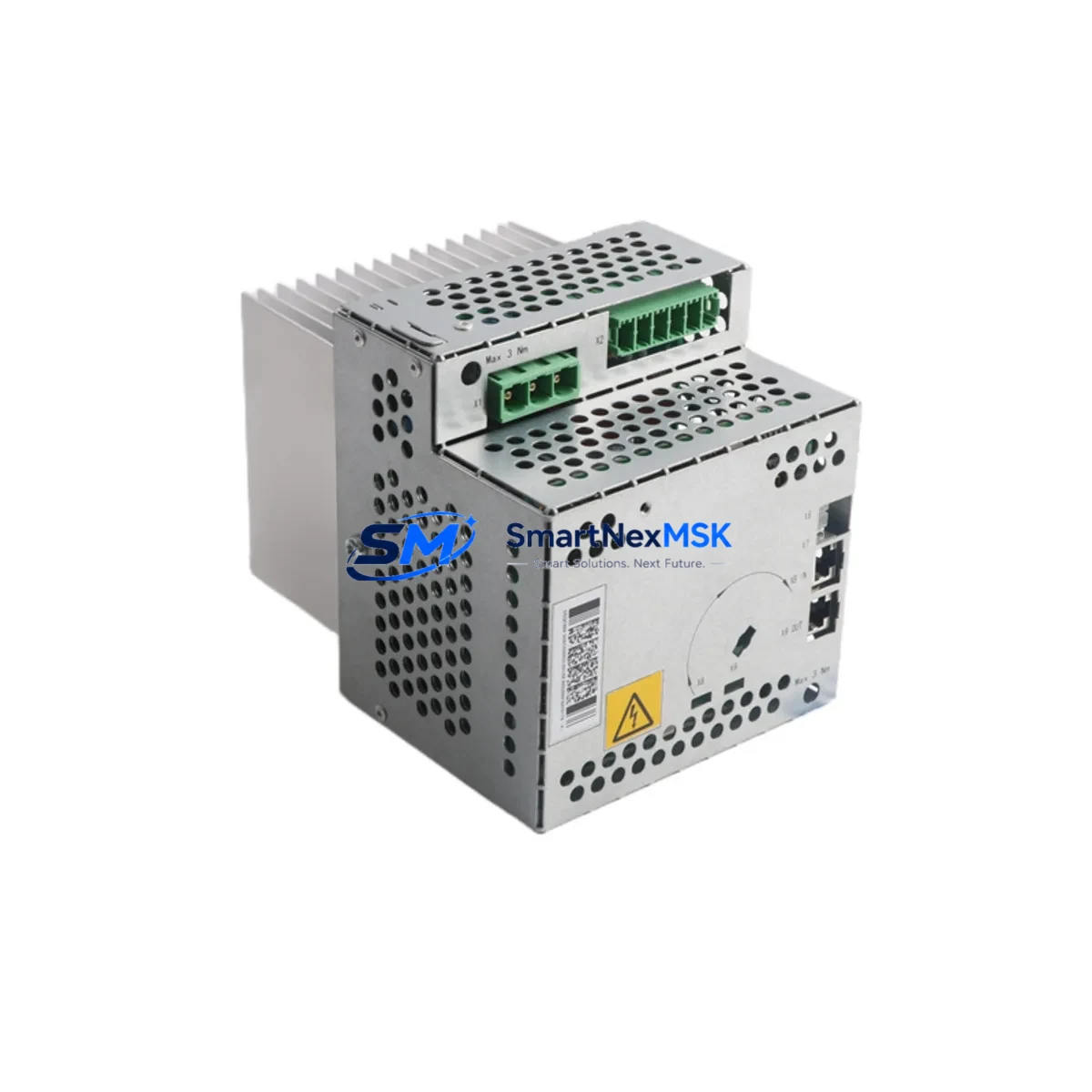
ABB DSQC664 3HAC030923-001 Retrofit-Ready Drive Unit for IRC5 Control Systems
The ABB DSQC664 (part number 3HAC030923-001) is a high-performance axis computer and drive interface module designed for the IRC5 robot controller platform. As ABB’s installed base of IRC5 cabinets continues to age across automotive, foundry, and general manufacturing environments, the DSQC664 has become one of the most sought-after retrofit and replacement components for engineers tasked with keeping legacy robot cells operational without committing to a full controller replacement.
SMARTNEXMSK maintains verified stock of the DSQC664 3HAC030923-001, sourced from decommissioned systems and authorized surplus channels, with each unit subject to functional power-on testing and communication verification prior to dispatch. Every unit ships with a 12-month warranty covering hardware defects and functional failure under normal operating conditions.
Upgrade Compatibility Table
| Parameter | Details |
|---|---|
| Compatible Controller | ABB IRC5 Single Cabinet, Dual Cabinet, Paint, Compact |
| Part Number | DSQC664 / 3HAC030923-001 |
| Replaces | DSQC609, DSQC612 (with firmware alignment) |
| Backplane Interface | IRC5 internal bus, standard DSQC slot |
| Communication Protocol | DeviceNet, Ethernet/IP (via DSQC688 or DSQC679 pairing) |
| Power Supply Requirement | 24 VDC from DSQC661 or DSQC662 PSU module |
| Installation Type | Direct slot replacement — no mechanical modification required |
| Firmware Compatibility | RobotWare 5.x and 6.x (verify revision with system integrator) |
| Commissioning Tool | RobotStudio, FlexPendant (DSQC679 teach pendant) |
| Warranty | 12 Months — covers hardware defects and functional failure |
| Pre-shipment Testing | Power-on, communication link, and axis interface verification |
| Lead Time | Ships within 3–5 business days from verified stock |
Retrofit Planning for Existing Automation Systems
A successful DSQC664 retrofit begins well before the module arrives on-site. Engineers should start by auditing the existing IRC5 cabinet configuration: confirm the backplane slot assignment, document the current DSQC module layout, and verify that the DSQC661 or DSQC662 power supply unit is delivering stable 24 VDC to the drive bus. Voltage sag or ripple at the PSU output is a common root cause of axis computer faults that are misdiagnosed as DSQC664 failures — replacing the drive unit without addressing PSU degradation will result in repeat failures.
Next, back up the complete robot system configuration using RobotStudio or the FlexPendant (DSQC679). This backup should capture the RAPID program, system parameters, I/O configuration, and any SafeMove or PickMaster settings. If the cell uses a DSQC688 fieldbus adapter for DeviceNet or Profibus communication to a Siemens S7-300 PLC or Allen-Bradley ControlLogix controller, document the node address and baud rate settings before powering down — these are not always stored in the standard system backup and must be re-entered manually after module swap.
For cells where the IRC5 communicates upstream via Ethernet/IP to a SCADA or MES system, verify that the DSQC616 Ethernet switch module and associated IP addressing are documented. After installing the replacement DSQC664, the robot controller will need to re-establish its Ethernet/IP connection, and any firewall or managed switch port security rules tied to the original MAC address will need to be updated.
Terminal wiring on the DSQC664 follows the standard IRC5 axis computer pinout. If the existing wiring harness shows signs of insulation fatigue or connector corrosion — common in foundry and paint shop environments — this is the ideal time to replace the DSQC508 I/O module connector blocks and re-terminate the signal cables. Skipping this step risks intermittent axis faults after the new module is installed.
For systems that also require I/O expansion during the retrofit, the DSQC652 digital I/O module and DSQC658 analog I/O module are compatible additions within the same IRC5 rack. If the retrofit scope includes upgrading the teach pendant interface, the DSQC679 FlexPendant is the standard replacement for older IRC5 pendant variants and requires no additional hardware modification to the controller cabinet.
Downtime Control During System Migration
Minimizing unplanned downtime during a DSQC664 swap requires a structured hot-swap protocol. Begin by scheduling the replacement during a planned maintenance window — ideally aligned with a shift changeover or scheduled tooling change. Prepare the replacement module, all required tools, and a printed copy of the system backup verification checklist before the robot is taken offline.
Power down the IRC5 cabinet using the main disconnect, wait for the capacitor discharge cycle to complete (typically 60–90 seconds), then remove the faulty DSQC664 from its backplane slot. Install the replacement unit, ensuring the module is fully seated and the retention latch is engaged. Restore power and allow the controller to complete its boot sequence before attempting to load the system backup.
Once the controller is online, verify axis communication by jogging each axis individually from the FlexPendant before restoring automatic mode. Confirm that all I/O signals — including safety signals routed through the DSQC643 safety board — are responding correctly. If the cell uses a DSQC377B conveyor tracking board, verify encoder input continuity before resuming production. A structured commissioning checklist at this stage typically reduces total downtime to under two hours for a straightforward module swap, even in complex multi-robot cells.
For cells where continuous production is critical, consider staging a pre-configured spare DSQC664 with the system parameters pre-loaded, so that the swap and restore sequence can be completed within a single shift break.
Retrofit Support FAQ
Q: Is the DSQC664 3HAC030923-001 a direct drop-in replacement for the DSQC609?
A: In most IRC5 configurations, yes — the DSQC664 occupies the same backplane slot and uses the same 24 VDC power input. However, firmware revision alignment is required. Ensure the installed RobotWare version supports the DSQC664 hardware revision before swapping. Contact our technical team with your controller serial number for a pre-sale compatibility check.
Q: What commissioning steps are required after installing the replacement module?
A: After physical installation, restore the system backup via RobotStudio or the FlexPendant, re-enter any fieldbus node addresses not captured in the backup, verify all I/O signal states, and perform a manual jog test on each axis before returning the robot to automatic mode. Full commissioning typically takes 60–120 minutes depending on system complexity.
Q: How do I verify terminal wiring compatibility before installation?
A: Cross-reference the existing wiring harness against the IRC5 DSQC664 circuit diagram (ABB document 3HAC026253-001). Pay particular attention to the axis computer connector X1 and X2 pinouts. If the existing harness was built for a DSQC609 or DSQC612, a wiring adapter or re-termination may be required for specific signal lines.
Q: What does the 12-month warranty cover, and what is the claims process?
A: The 12-month warranty covers hardware defects and functional failure under normal operating conditions. It does not cover damage caused by incorrect installation, overvoltage, or physical impact. To initiate a warranty claim, contact [email protected] with your order number, a description of the fault, and photos of the installed module. Replacement or repair is typically processed within 5–7 business days of fault confirmation.
© 2026 SMARTNEXMSK. All rights reserved.
Original Source: https://smartnexmsk.com
Contact: [email protected] | +86 18259474341



