
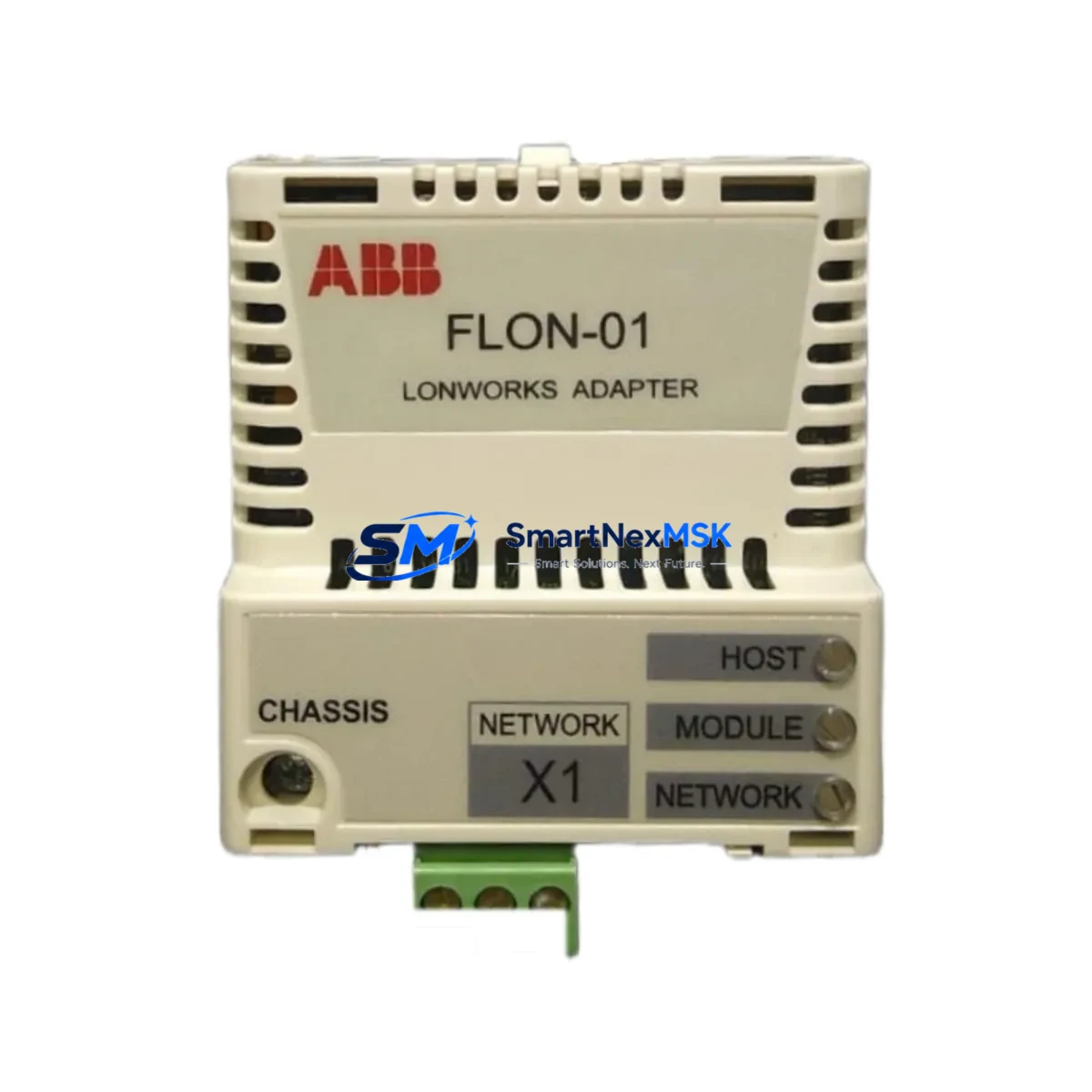
ABB FLON-01 Retrofit-Ready LonWorks Adapter for AC500 Control Systems
The ABB FLON-01 is a LonWorks communication adapter designed for integration with the ABB AC500 PLC platform. As legacy automation systems reach end-of-life and original ABB FLON-01 units become increasingly difficult to source through standard distribution channels, this retrofit-ready replacement module provides a reliable, compatibility-verified solution for engineers managing brownfield upgrades, control cabinet modernization, and network protocol migration projects.
Whether you are replacing a failed unit on an active production line, upgrading a discontinued communication node within a building automation network, or migrating an older LON-based fieldbus topology to a more maintainable architecture, the FLON-01 serves as a direct functional substitute. It mounts to the AC500 CPU rack and communicates via the LonWorks (LON) protocol, enabling integration with third-party field devices, HVAC controllers, lighting systems, and energy management nodes that rely on ISO/IEC 14908 networking standards.
Upgrade Compatibility Table
| Parameter | Details |
|---|---|
| Compatible Platform | ABB AC500 PLC Series (PM571, PM581, PM591, PM595) |
| Communication Protocol | LonWorks (LON) / ISO/IEC 14908 |
| Mounting Interface | AC500 CPU left-side expansion slot |
| Installation Requirement | DIN rail mounted; no additional backplane required |
| Replaces / Supersedes | Original ABB FLON-01 (discontinued / end-of-life) |
| Retrofit Recommendation | Direct drop-in replacement; verify firmware version on host CPU |
| Commissioning Note | Node address reassignment required after swap; use LonMaker or NodeBuilder |
| Warranty | 12 Months from date of shipment |
Retrofit Planning for Existing Automation Systems
Successful integration of the FLON-01 into an existing AC500-based control system requires careful pre-installation planning. Before removing the legacy adapter, engineers should document the current LON node address, network variable bindings, and any explicit connection tables stored in the network management tool. The AC500 CPU — whether a PM571, PM581, or PM591 — must be powered down before the adapter is removed or installed, as hot-swap is not supported on the communication expansion slot.
Power budget verification is a critical first step. The FLON-01 draws its operating power from the AC500 CPU module’s internal bus. If the existing control cabinet includes multiple expansion modules — such as the TB511-ETH Ethernet adapter, the FPBA-01 PROFIBUS adapter, or additional digital I/O modules like the DC532 or DA501 — the total current draw on the CPU’s internal supply rail must be recalculated to confirm headroom. In dense configurations, a supplementary PS501 power supply module may be required to maintain stable operation across all installed adapters.
Terminal wiring for the LON network connection uses a twisted-pair cable terminated at the FLON-01’s onboard screw terminals. Polarity must be observed, and the network topology — whether free, bus, ring, or star — must match the existing LON channel configuration. If the legacy installation used a TP/FT-10 free topology transceiver, the replacement unit must be confirmed to use the same transceiver type to avoid signal integrity issues. End-of-line termination resistors should be verified and reinstalled as required by the channel topology.
For systems that also include an HMI panel — such as an ABB CP600 series operator panel or a third-party panel communicating via Modbus TCP or OPC UA — the HMI project file should be reviewed to confirm that no LON-specific data points are mapped directly to the adapter’s node index. If the node address changes during replacement, HMI variable bindings and alarm tags referencing LON network variables may require updating in the panel engineering tool before the system is returned to service.
In multi-rack AC500 configurations using the TA526 or TA527 expansion backplanes, the FLON-01 must be installed on the primary CPU rack, not on a remote I/O rack. Communication between the primary rack and remote I/O racks — typically connected via the PROFIBUS DP interface on the FBP-01 or through the AC500’s built-in ARCNET port — is unaffected by the LON adapter replacement, but the system integrator should confirm that the PLC program’s communication task cycle time is not impacted by the adapter re-initialization sequence during startup.
Downtime Control During System Migration
Minimizing unplanned downtime during an FLON-01 replacement is achievable with a structured swap procedure. The recommended approach begins with a full backup of the AC500 CPU program using Automation Builder or the legacy PS501 Control Builder software, exported to a secure offline location. This backup preserves all program logic, I/O configurations, communication parameters, and retain variable values, ensuring that the control system can be restored to its pre-maintenance state if any issue arises during the adapter swap.
Prior to the physical swap, the LON network should be placed in a quiescent state by disabling the relevant communication task in the PLC program or by issuing a network management command to take the node offline. This prevents spurious network variable updates from propagating to downstream field devices — such as LON-connected variable air volume controllers, lighting relays, or energy meters — during the period when the adapter is physically absent from the rack.
After installing the replacement FLON-01 and powering the CPU, the node must be re-commissioned using a LON network management tool. The node’s Neuron ID — unique to each physical adapter — will differ from the original unit, requiring the network management database to be updated with the new ID and the node’s application image to be re-downloaded. In installations where the original network management database file is available, this process typically takes 15 to 30 minutes. Where the database has been lost, a full network re-scan may be required, extending the commissioning window. Maintaining an up-to-date network management archive is therefore a key element of any LON-based system’s maintenance strategy.
Once the node is online and network variables are confirmed to be binding correctly, the PLC program should be restarted and the system observed through at least one full control cycle before the maintenance window is closed. All replaced units are subject to outgoing functional testing prior to shipment, and each FLON-01 is covered by a 12-month warranty from the date of delivery.
Retrofit Support FAQ
Q: Is the replacement FLON-01 a direct drop-in substitute for the original ABB unit?
A: Yes, in terms of physical form factor, mounting interface, and communication protocol. However, because each FLON-01 contains a unique Neuron ID embedded in its onboard processor, the replacement unit must be re-commissioned in the LON network management tool after installation. The PLC program itself does not require modification.
Q: What firmware version is required on the AC500 CPU for compatibility?
A: The FLON-01 is compatible with AC500 CPUs running firmware version 1.4.0 and above. For PM595 CPUs, firmware 2.x is recommended. If the host CPU is running an older firmware version, an upgrade via Automation Builder should be performed before installing the adapter to ensure full protocol stack compatibility.
Q: How is the unit tested before shipment?
A: Each unit undergoes functional verification including power-on self-test, communication interface check, and Neuron ID readout confirmation prior to packaging. Units that fail any stage of outgoing inspection are quarantined and not shipped. A 12-month warranty covers defects in materials and workmanship from the date of shipment.
Q: Can the FLON-01 be used in a system that also uses PROFIBUS or Ethernet adapters on the same AC500 CPU?
A: Yes. The AC500 platform supports simultaneous use of multiple communication adapters — such as the FPBA-01 for PROFIBUS DP and the TB511-ETH for Ethernet/IP — alongside the FLON-01, subject to the CPU’s available expansion slots and internal power budget. Slot assignment and address configuration must be verified in the Automation Builder hardware configuration before downloading the updated project to the CPU.
© 2026 SMARTNEXMSK. All rights reserved.
Original Source: https://smartnexmsk.com
Contact: [email protected] | +86 18259474341



