
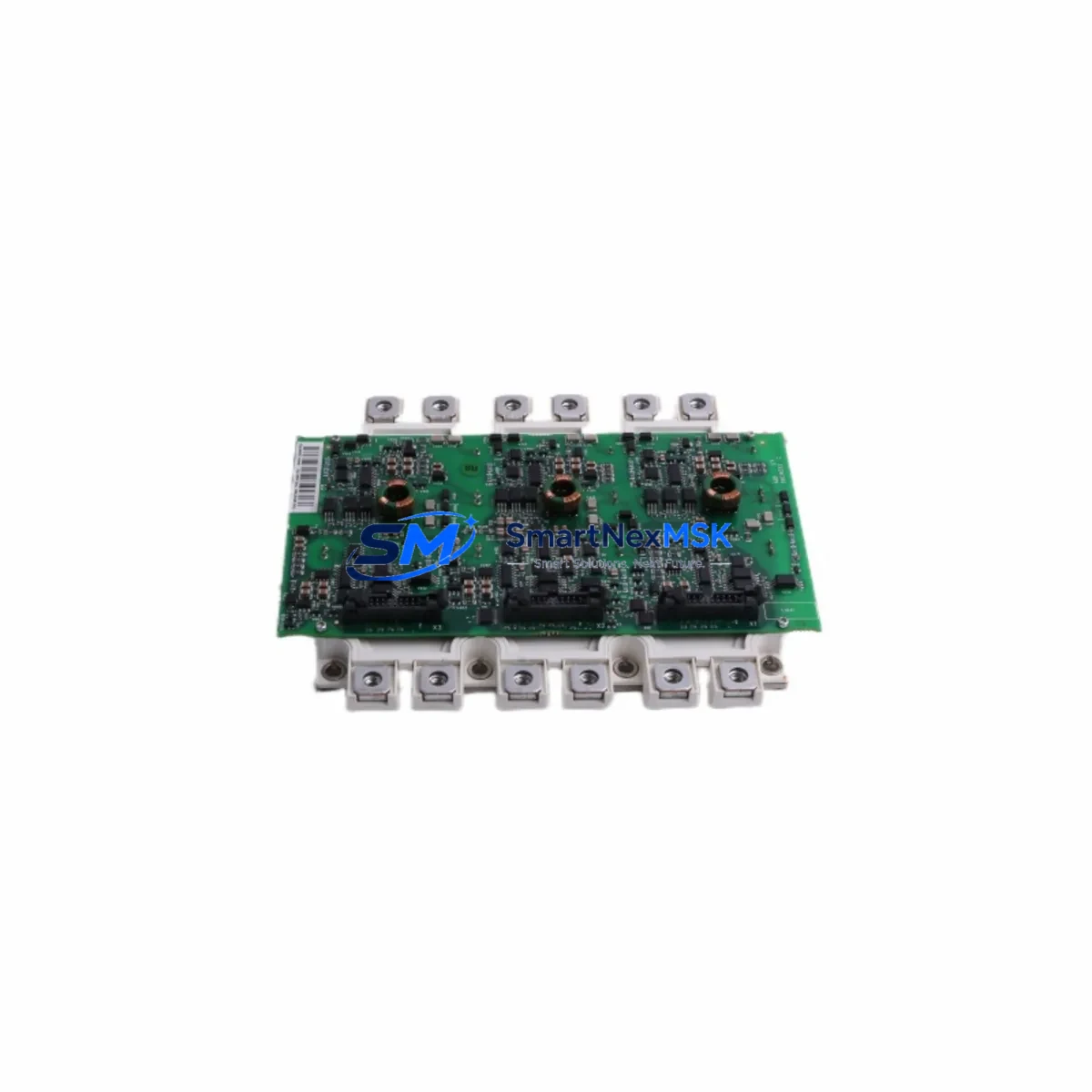
ABB FS450R17KE3/AGDR-72CS Retrofit-Ready IGBT Gate Driver for ACS800 Control Systems
The ABB FS450R17KE3/AGDR-72CS is a high-performance IGBT gate driver board engineered for direct retrofit and drop-in replacement within ABB ACS800 series variable frequency drives. As legacy ACS800 installations age and original spare parts become increasingly scarce, this module provides a verified, wiring-compatible upgrade path that preserves existing control logic, minimizes downtime, and extends the operational life of your automation infrastructure without requiring a full drive replacement.
Designed to interface directly with the ACS800 inverter bridge, the FS450R17KE3/AGDR-72CS handles gate signal conditioning, short-circuit protection, desaturation detection, and fault feedback — all critical functions for safe and reliable IGBT switching in high-power industrial drive applications. Whether you are restoring a tripped drive, replacing a thermally degraded board, or proactively upgrading aging gate driver assemblies across a production line, this module delivers the electrical and mechanical compatibility required for a confident, low-risk retrofit.
Upgrade Compatibility Table
| Parameter | Details |
|---|---|
| Compatible Drive Series | ABB ACS800 (single drive and multidrive configurations) |
| IGBT Module Pairing | FS450R17KE3 (Infineon 450A / 1700V IGBT module) |
| Gate Driver Board | AGDR-72CS — direct OEM-equivalent gate driver card |
| Connector / Interface | Fiber optic gate signal input; compatible with AINT, AINP, and RDCU control boards |
| Mounting | Direct bolt-on to ACS800 heatsink / IGBT module assembly; no bracket modification required |
| Communication Compatibility | Supports DDCS fiber optic protocol; compatible with existing RDCU-02C and AINT-02C boards |
| Replacement Recommendation | Suitable for 1:1 replacement of failed or degraded AGDR-72CS boards in ACS800-01, ACS800-04, ACS800-07, and ACS800-11 frames |
| Commissioning Notes | Verify fiber optic cable seating, re-run ID Run after installation, confirm fault history cleared via DriveWindow or ACS800 keypad |
| Warranty | 12-Month Warranty — covers manufacturing defects and functional failure under normal operating conditions |
Retrofit Planning for Existing Automation Systems
A successful ACS800 gate driver retrofit requires careful pre-work across several system layers. Before removing the failed AGDR-72CS, document the existing fiber optic cable routing from the AINT-02C or RDCU-02C control board to each gate driver position. In multi-drive cabinet configurations using an ACS800-07 or ACS800-17 inverter module stack, each IGBT phase leg has its own gate driver card, so confirm which phase (U, V, or W) has failed before ordering replacement quantities.
On the power supply side, verify that the APOW-01C auxiliary power board is delivering stable ±15V and +24V rails to the gate driver circuit. A degraded APOW-01C is a common root cause of repeated gate driver failures and should be inspected or replaced concurrently. Similarly, check the AINT-02C interface board for fiber optic transmitter output levels — a weak transmitter can cause intermittent gate signal loss that mimics a gate driver fault.
For I/O and control continuity, confirm that the RDCU-02C drive control unit retains its parameter set. If the drive has lost its parameter memory due to a power fault, reload the parameter backup from DriveWindow Light before commissioning the new gate driver. This ensures that motor control mode (DTC or scalar), speed reference scaling, and fault trip limits are correctly restored without manual re-entry.
In retrofit projects involving communication protocol migration — for example, transitioning from a legacy Modbus RTU fieldbus adapter (RMBA-01) to PROFIBUS DP via an RPBA-01 adapter — the gate driver replacement is an ideal checkpoint to also update the fieldbus adapter firmware and re-map I/O addresses in the PLC program. This avoids a second planned shutdown later in the project.
Where the retrofit involves upgrading from an older ACS800 frame to a current-generation ACS880 platform, the FS450R17KE3/AGDR-72CS serves as a bridge solution: it restores the existing ACS800 to full operational status while the engineering team completes the ACS880 migration plan, cabinet redesign, and motor cable re-termination. This staged approach keeps the production line running and eliminates the pressure of an emergency cutover.
For cabinet-level upgrades, consider inspecting the JOU-01C junction board and any BAMU-01 brake unit modules installed in the same cabinet. Thermal stress that damages gate drivers often affects adjacent boards, and replacing only the failed component without inspecting neighbors increases the risk of a repeat fault within weeks of restart.
Downtime Control During System Migration
Minimizing unplanned downtime during an ACS800 gate driver replacement begins with preparation before the maintenance window opens. Pre-stage the FS450R17KE3/AGDR-72CS alongside a fiber optic cleaning kit, a torque wrench calibrated to the IGBT module terminal specification, and a laptop loaded with DriveWindow Light and the drive’s last known parameter backup file. Having these items ready at the cabinet before isolation reduces hands-on repair time to under two hours for a single-phase gate driver swap.
During the replacement, follow the ACS800 Hardware Manual discharge procedure strictly — the DC bus capacitors in a 400V-class ACS800 can retain lethal charge for up to five minutes after mains isolation. Use a calibrated DC voltmeter to confirm bus voltage below 50V before touching any internal components.
After installing the new AGDR-72CS board and reconnecting the fiber optic cables, perform a no-load power-up with the motor disconnected at the output terminals. Monitor the ACS800 keypad or DriveWindow for gate driver fault codes (F-0022, F-0023) before reconnecting the motor. This step catches wiring errors and fiber optic seating issues without risking motor or mechanical damage.
Once the no-load test is clean, reconnect the motor, run the ID Run routine to re-identify motor parameters, and perform a slow-speed jog to verify torque response and direction before returning the drive to automatic control. Document the replacement in the site maintenance log with the board serial number, installation date, and post-commissioning test results. This record supports the 12-month warranty claim process if a subsequent fault occurs.
Retrofit Support FAQ
Q1: Is the FS450R17KE3/AGDR-72CS a direct replacement for the original ABB part, or are there wiring differences?
The FS450R17KE3/AGDR-72CS is a direct OEM-equivalent replacement. The AGDR-72CS gate driver card mounts to the FS450R17KE3 IGBT module using the original bolt pattern, and the fiber optic connectors are pin-compatible with the AINT-02C and RDCU-02C boards. No wiring modifications or adapter harnesses are required for standard ACS800 frame sizes.
Q2: What commissioning steps are required after installation?
After physical installation, perform a no-load power-up to confirm no gate driver fault codes, then reconnect the motor and run the ACS800 ID Run (parameter 99.10) to re-identify motor characteristics. Verify that speed reference, acceleration ramps, and fault trip levels match the pre-replacement parameter backup. Clear the fault history log and confirm normal operation under load before returning to automatic production control.
Q3: Can this module be used in ACS800 multidrive and cabinet configurations, not just single drives?
Yes. The FS450R17KE3/AGDR-72CS is compatible with ACS800 multidrive inverter modules (ACS800-04 and ACS800-07) as well as single-drive units. In multidrive configurations, each inverter module uses independent gate driver assemblies per phase, so only the failed phase assembly needs replacement. Confirm the frame size and inverter module type from the drive nameplate before ordering to ensure the correct quantity.
Q4: What does the 12-month warranty cover, and how is a claim processed?
The 12-month warranty covers manufacturing defects and functional failure under normal operating conditions from the date of shipment. It does not cover damage caused by incorrect installation, overvoltage events, or operation outside the module’s rated parameters. To initiate a warranty claim, contact [email protected] with the order number, board serial number, fault description, and any available DriveWindow fault log exports. Replacement or repair will be arranged promptly upon verification.
© 2026 SMARTNEXMSK. All rights reserved.
Original Source: https://smartnexmsk.com
Contact: [email protected] | +86 18259474341



