
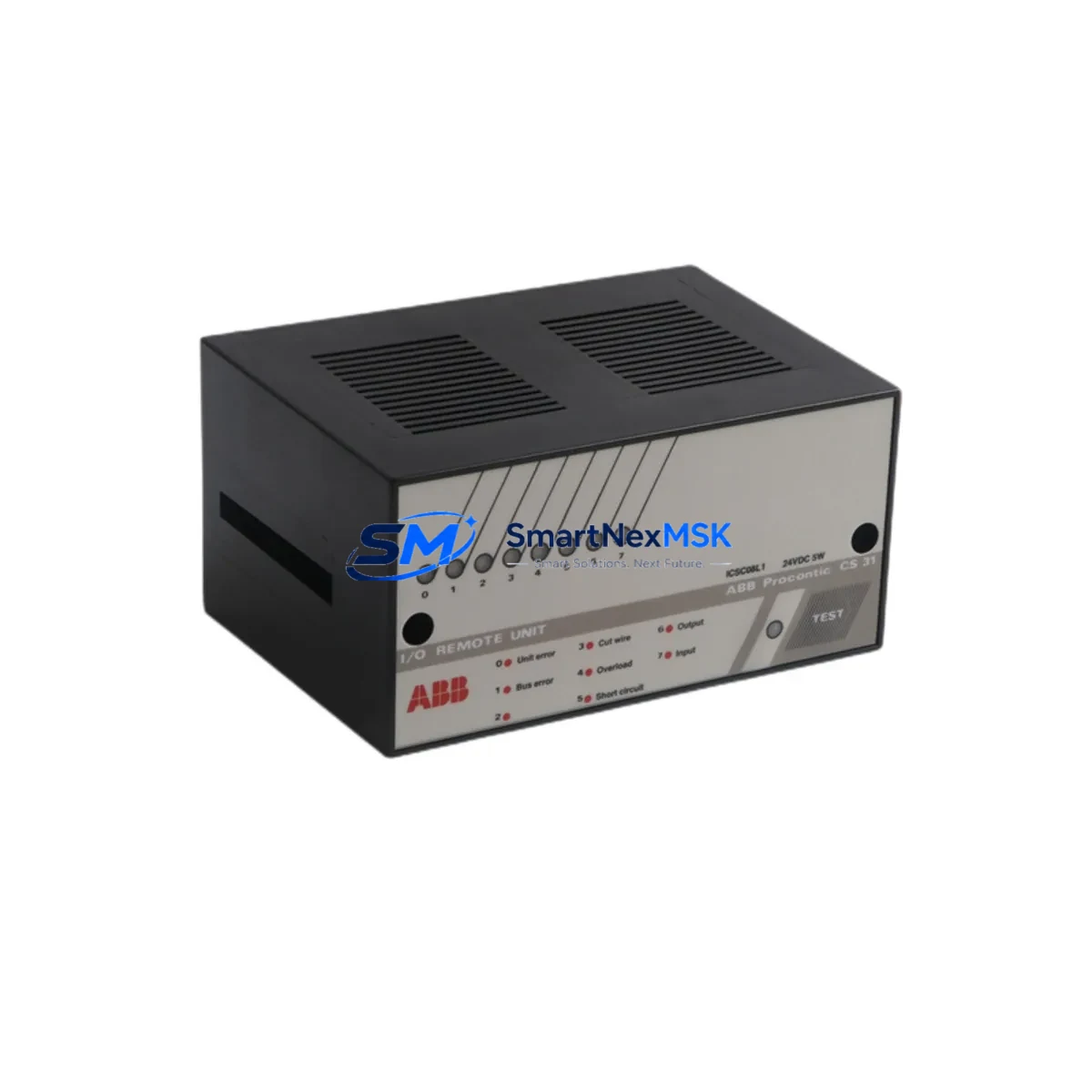
ABB ICSC08L1 FPR3319101R1082 Retrofit-Ready Digital I/O for AC500 Control Systems
The ABB ICSC08L1 (FPR3319101R1082) is a 24 Vdc Digital I/O module engineered for the ABB AC500 PLC platform. As legacy control systems age and original spare parts become increasingly difficult to source, the ICSC08L1 has emerged as a critical retrofit component for engineers tasked with modernizing aging automation infrastructure without full system replacement. Whether you are upgrading a discontinued S500 I/O rack, migrating from a third-party PLC platform, or restoring a production line after an unplanned module failure, the ICSC08L1 delivers the electrical compatibility, backplane interface integrity, and firmware recognition required for a smooth, low-risk transition.
Upgrade Compatibility Table
| Parameter | Details |
|---|---|
| Compatible Platform | ABB AC500 PLC Series (PM571, PM581, PM591, PM595) |
| Module Type | Digital I/O — 24 Vdc, mixed input/output channels |
| Backplane Interface | AC500 S500 I/O bus — direct plug-in, no adapter required |
| Terminal Wiring | Screw-type terminal block; wiring layout identical to legacy S500 I/O modules |
| Communication Compatibility | PROFIBUS-DP, Modbus RTU, CANopen (via AC500 CPU configuration) |
| Replacement Recommendation | Direct replacement for discontinued ABB S500 digital I/O variants; verify channel count and voltage rating before installation |
| Commissioning Notes | Module address must be set via DIP switch or CPU configuration tool (Automation Builder); re-download I/O configuration after swap |
| Installation Requirement | DIN rail or rack-mount; compatible with TB521, TB541 terminal base units |
| Power Supply Requirement | 24 Vdc ±20%; verify existing PS501 or PS502 power supply capacity before adding modules |
| Warranty | 12-Month Warranty — covers manufacturing defects and functional failure under normal operating conditions |
Retrofit Planning for Existing Automation Systems
Successful integration of the ICSC08L1 into an existing control cabinet begins well before the module arrives on-site. Engineers should start by auditing the current rack configuration: confirm the number of occupied slots in the S500 I/O rack, verify that the TB521 or TB541 terminal base is present and undamaged, and check that the existing PS501 24 Vdc power supply module has sufficient residual capacity to support the replacement I/O module’s current draw. Overloaded power rails are a common cause of intermittent faults after retrofit work.
Next, export and archive the current PLC program from the AC500 CPU (PM571 or PM581) using ABB Automation Builder before any hardware changes are made. This protects the original logic in the event of an unexpected CPU reset during module hot-swap or power cycling. If the system uses a CM572-DP PROFIBUS-DP communication module, note the existing slave address assignments — the ICSC08L1’s module address must not conflict with other nodes on the bus.
For systems that include an HMI panel (CP600 series or CP430), verify that all I/O tags mapped to the outgoing module are correctly re-mapped after the swap. HMI screens referencing specific I/O addresses may display alarm states or incorrect values if the module address changes during the retrofit. A pre-tested HMI configuration backup is strongly recommended.
In multi-rack configurations using an TA526 expansion rack or TA521 rack bus coupler, confirm that the rack bus termination resistors are correctly positioned after the module is seated. Improper termination is a frequent source of communication errors that can be misdiagnosed as module failure. If the system also includes a CI590-CS31 CS31 bus coupler for legacy field device integration, ensure that the CS31 bus scan cycle is not disrupted during the I/O module replacement sequence.
Where the retrofit involves migrating from a non-ABB platform — such as replacing a Siemens ET 200S distributed I/O node or a Schneider Electric Modicon STB island — the ICSC08L1 can serve as the receiving I/O module on the AC500 side, provided the field wiring is re-terminated to match the ABB terminal layout. In these cross-platform migrations, a CM589-PNIO PROFINET I/O communication module may be required if the upstream controller communicates via PROFINET rather than PROFIBUS.
All replacement modules supplied by SMARTNEXMSK are tested for electrical continuity, channel isolation, and backplane communication prior to shipment. Each unit ships with a 12-month warranty and is accompanied by a factory test record where available.
Downtime Control During System Migration
Minimizing production downtime during an I/O module replacement requires a structured, pre-planned approach. The following sequence is recommended for ICSC08L1 retrofits in live AC500 installations:
1. Pre-Shutdown Preparation: Before taking the system offline, document all active I/O states using the Automation Builder online monitoring view. Photograph or export the terminal wiring layout of the module to be replaced. Confirm that the replacement ICSC08L1 has been bench-tested and that its DIP switch address settings match the outgoing module.
2. Controlled Shutdown: Place the AC500 CPU in STOP mode via Automation Builder or the local keyswitch. De-energize the 24 Vdc field power circuit feeding the I/O module — do not rely solely on the PLC STOP command to isolate field devices. If the system uses a PS502 redundant power supply, switch to single-supply mode before removing the module to avoid backfeed conditions.
3. Module Swap: Remove the terminal base wiring connector (if using a plug-in terminal base) or carefully label and disconnect individual wires. Seat the ICSC08L1 firmly into the terminal base until the backplane connector is fully engaged. Re-connect field wiring in the documented sequence.
4. Re-commissioning: Power up the rack and observe the module’s LED status indicators. A steady green RUN LED confirms successful backplane communication. In Automation Builder, perform an I/O configuration download if the module type has changed. Verify all channel states in the online I/O monitor before returning the CPU to RUN mode.
5. Program Logic Verification: Execute a controlled test cycle — jog each output channel individually and confirm that field devices respond correctly. Check that all interlocks and safety logic dependent on the replaced I/O module are functioning as expected. Log the completion time and update the maintenance record.
With proper preparation, a single ICSC08L1 module swap in a standard AC500 rack can typically be completed within 30–60 minutes, keeping unplanned downtime to an absolute minimum.
Retrofit Support FAQ
Q1: Is the ICSC08L1 FPR3319101R1082 a direct drop-in replacement for my existing AC500 S500 digital I/O module?
In most cases, yes — provided the replacement module matches the channel count, voltage rating, and terminal base type of the outgoing unit. The ICSC08L1 uses the standard AC500 S500 backplane interface and is compatible with TB521 and TB541 terminal bases. Always verify the exact channel configuration and DIP switch address settings before installation to avoid address conflicts on the I/O bus.
Q2: Do I need to modify my PLC program after replacing the module?
If the replacement ICSC08L1 is configured with the same module address and I/O type as the outgoing module, no program changes are required. However, if the module address or I/O channel mapping differs, you will need to update the hardware configuration in ABB Automation Builder and perform a configuration download to the CPU. Always back up the existing program before making any hardware or software changes.
Q3: What pre-shipment testing is performed on the ICSC08L1 modules supplied by SMARTNEXMSK?
Each ICSC08L1 module undergoes electrical continuity testing, channel isolation verification, and backplane communication checks prior to dispatch. Modules are inspected for physical damage, connector integrity, and correct DIP switch factory settings. A 12-month warranty is included with every unit, covering manufacturing defects and functional failure under normal operating conditions. Factory test records are provided where available upon request.
Q4: Can the ICSC08L1 be used in a system that is migrating from PROFIBUS-DP to PROFINET?
Yes. The ICSC08L1 itself is a local I/O module and is communication-protocol agnostic at the field level — it communicates with the AC500 CPU via the S500 I/O backplane bus regardless of the upstream network protocol. If your AC500 system is transitioning from a CM572-DP PROFIBUS-DP module to a CM589-PNIO PROFINET module, the ICSC08L1 will continue to operate without modification. Only the CPU communication module and network configuration require updating during a protocol migration.
© 2026 SMARTNEXMSK. All rights reserved.
Original Source: https://smartnexmsk.com
Contact: [email protected] | +86 18259474341



