
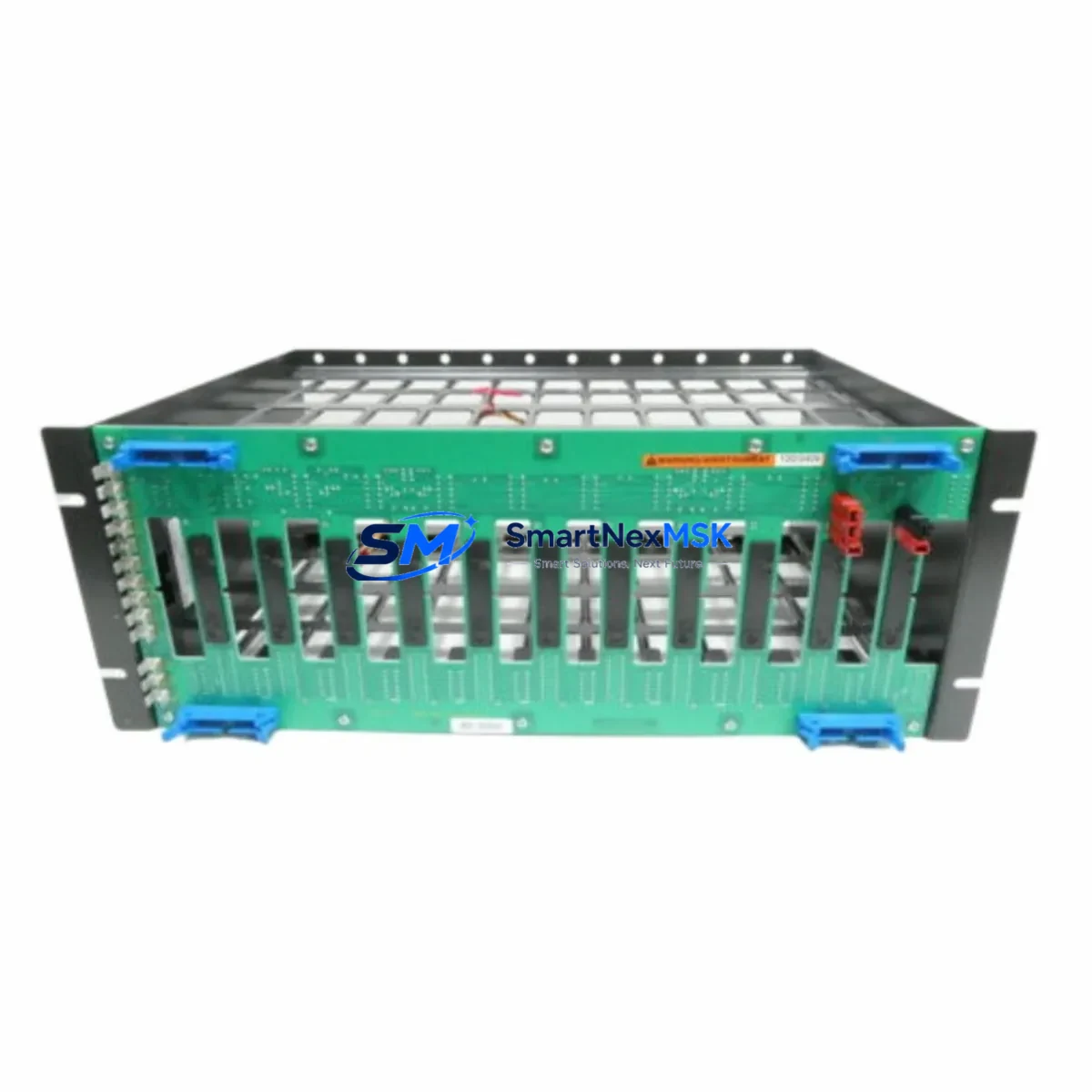
ABB IEMMU11 Retrofit-Ready Mounting Unit for AC500 Control Systems
The ABB IEMMU11 is a rear-mount expansion module mounting unit engineered for the AC500 programmable logic controller platform. Designed to support seamless integration of I/O expansion modules into existing AC500 control cabinets, the IEMMU11 serves as a critical mechanical and electrical interface between the CPU backplane and field-side terminal modules. For engineers managing legacy system upgrades, discontinued spare part replacements, or full control cabinet modernization projects, the IEMMU11 provides a verified drop-in solution that preserves existing wiring infrastructure and minimizes engineering rework.
When retrofitting older AC500 installations — particularly those originally built around the PM571, PM581, or PM591 CPU modules — the IEMMU11 mounting unit allows technicians to reuse existing DIN rail layouts and terminal block positions. This is especially valuable when the original mounting hardware has become unavailable through standard distribution channels, or when a plant expansion requires additional I/O capacity without redesigning the entire control panel. The IEMMU11 is mechanically compatible with standard AC500 expansion modules including digital input modules such as the DC532 and DC522, analog input modules such as the AI531, and digital output modules such as the DO531, allowing engineers to extend system I/O without replacing the primary controller.
Upgrade Compatibility Table
| Parameter | Details |
|---|---|
| SKU / Part Number | IEMMU11 |
| Brand | ABB |
| Compatible Series | AC500 (V1 & V2 generations) |
| Compatible CPUs | PM571, PM581, PM591, PM564, PM566, PM572, PM582, PM592 |
| Compatible I/O Modules | DC532, DC522, DC523, AI531, AI532, AO531, DO531, DO532 |
| Mounting Type | DIN Rail / Rear-mount backplane |
| Communication Compatibility | PROFIBUS-DP, Modbus RTU, CANopen, Ethernet/IP (via CM modules) |
| Installation Requirement | Standard 35mm DIN rail; no special tooling required |
| Replacement Suitability | Direct drop-in for discontinued or damaged IEMMU11 units |
| Retrofit Recommendation | Verify backplane slot addressing before installation; re-flash module address if required |
| Commissioning Note | Confirm terminal block torque spec (0.5–0.6 Nm); validate I/O mapping in PS501 Control Builder |
| Warranty | 12 Months — covers manufacturing defects and functional failure under normal operating conditions |
Retrofit Planning for Existing Automation Systems
Successful integration of the IEMMU11 into a running production environment requires a structured pre-installation assessment. Begin by auditing the existing AC500 backplane configuration: identify the number of occupied expansion slots, confirm the power supply module — typically the PS501 or PS502 — has sufficient current headroom to support any additional I/O modules being added alongside the new mounting unit. Insufficient power budget is one of the most common causes of intermittent faults during AC500 retrofits and must be resolved before any hardware changes are made.
Next, document the existing terminal wiring layout. The IEMMU11 interfaces with field-side terminal modules (TA521 or TA523 series) that carry the physical I/O connections. If the original terminal modules are being reused, verify that the wiring labeling matches the new module’s channel assignments. In cases where the retrofit involves migrating from an older AC31 or Advant OCS platform to the AC500 architecture, additional signal conditioning may be required to match legacy 24V DC discrete I/O levels with the new module’s input thresholds.
For projects involving communication protocol migration — for example, transitioning from a PROFIBUS-DP network to Modbus TCP or Ethernet/IP — the IEMMU11 mounting unit must be paired with the appropriate communication module. The CI590-CS31-HA or CI501-PNIO communication interface modules are commonly deployed in these scenarios and must be configured in PS501 Control Builder prior to field commissioning. Ensure that the HMI panel — whether a CP600 series operator panel or a third-party SCADA terminal — has updated tag mappings that reflect any I/O address changes introduced by the new module layout.
Backplane slot addressing is a critical commissioning step. Each expansion module in the AC500 rack is assigned a logical address based on its physical slot position. When replacing a mounting unit, confirm that the slot address configuration in the PLC program matches the physical installation. Address mismatches will cause the CPU to report configuration errors and may prevent the system from entering RUN mode. Use PS501 Control Builder’s hardware configuration editor to verify and correct slot assignments before downloading the updated project to the controller.
Downtime Control During System Migration
Minimizing production downtime during an AC500 mounting unit replacement requires careful pre-staging and a disciplined changeover sequence. Before beginning any hardware work, export a full backup of the current PLC project from PS501 Control Builder, including all program blocks, hardware configuration, variable tables, and communication settings. Store this backup on an isolated engineering workstation and verify the archive is complete and uncorrupted.
Where possible, pre-configure the replacement IEMMU11 and its associated I/O modules on a bench test rack before the scheduled maintenance window. Validate module recognition, I/O channel functionality, and communication link integrity in a controlled environment using a spare PM571 or PM581 CPU. This approach allows the field installation to proceed as a direct swap, reducing the live changeover window to the time required for physical mounting, terminal reconnection, and a final online verification.
During the live changeover, follow a structured sequence: power down the control cabinet in accordance with the site’s lockout/tagout procedure, remove the defective or obsolete mounting unit, install the IEMMU11, reconnect terminal modules, restore power, and perform an online comparison between the running program and the stored project backup. If the system uses a redundant CPU configuration — such as a PM592 with hot-standby — coordinate the switchover to the standby controller before beginning hardware work to maintain field control continuity throughout the replacement process.
After restoration, conduct a full I/O verification scan: force each digital input and output channel individually and confirm correct field response. Check analog channel scaling against known reference values. Verify communication link status on all connected CM modules and confirm that the HMI displays are updating correctly. Document the completed commissioning results and update the plant’s as-built drawings to reflect the new hardware configuration.
Retrofit Support FAQ
Q1: Is the IEMMU11 a direct replacement for a damaged or discontinued mounting unit in an existing AC500 rack?
Yes. The IEMMU11 is designed as a direct mechanical and electrical replacement for existing AC500 series mounting units. No modifications to the DIN rail, backplane, or terminal wiring are required in standard installations. Verify the slot address assignment in PS501 Control Builder after installation to ensure the CPU recognizes the module correctly.
Q2: What wiring checks are required before installing the IEMMU11 in a live panel?
Confirm that all field wiring connected to the associated terminal modules (TA521 or TA523) is correctly labeled and matches the channel mapping in the PLC program. Check terminal block torque to the specified 0.5–0.6 Nm range. Verify that the power supply module has sufficient current capacity to support the full I/O load after the new module is added.
Q3: Can the IEMMU11 be used in a system being migrated from PROFIBUS-DP to Ethernet-based communication?
Yes. The IEMMU11 mounting unit is communication-protocol agnostic at the hardware level. Protocol migration is handled by the communication interface module installed in the AC500 rack — such as the CI501-PNIO for PROFINET or the CI590-CS31-HA for CS31 bus applications. The IEMMU11 supports all standard AC500 communication modules without modification.
Q4: What does the 12-month warranty cover, and what is the shipping and testing process?
All IEMMU11 units supplied by SMARTNEXMSK are covered by a 12-month warranty against manufacturing defects and functional failure under normal operating conditions. Each unit undergoes pre-shipment functional testing prior to dispatch. In the event of a warranty claim, contact our technical support team with the unit serial number and fault description. Replacement or repair will be processed within the agreed service timeline.
© 2026 SMARTNEXMSK. All rights reserved.
Original Source: https://smartnexmsk.com
Contact: [email protected] | +86 18259474341



