
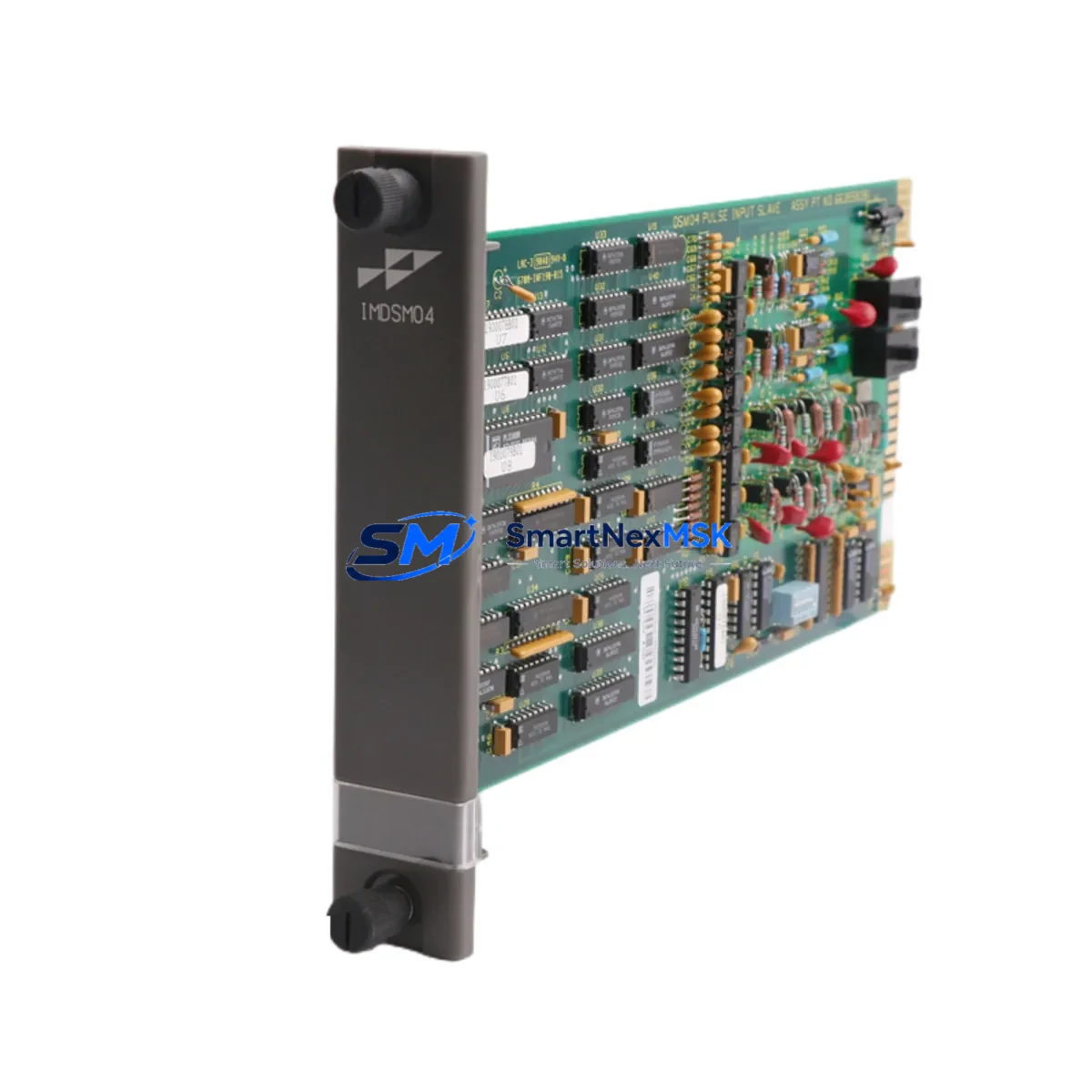
ABB IMDSM04 Retrofit-Ready Pulse Input Module for S800 I/O Control Systems
The ABB IMDSM04 is a Pulse Input Slave Module designed for seamless integration into ABB’s S800 I/O distributed I/O platform, widely deployed alongside the AC800M process controller in continuous process industries including oil & gas, power generation, pulp & paper, and chemical manufacturing. As legacy DCS installations age and OEM support windows close, the IMDSM04 has become a critical retrofit component for engineers tasked with extending system life, replacing discontinued modules, and modernizing control architectures without full system replacement.
This listing covers new, tested, and shelf-ready IMDSM04 units supplied with a 12-month warranty. Each unit undergoes pre-shipment functional verification to confirm pulse counting accuracy, slave bus communication integrity, and module addressing compliance before dispatch.
Upgrade Compatibility Table
| Parameter | IMDSM04 Specification | Retrofit Notes |
|---|---|---|
| Module Type | Pulse Input Slave Module | Direct replacement for same-function legacy units |
| Platform Compatibility | ABB S800 I/O, AC800M DCS | Compatible with ModuleBus slave architecture |
| Communication Interface | ModuleBus (optical) | Verify fiber optic cable condition before swap |
| Backplane / Rack | TB820V2 / TB840A ModuleBus Cluster | Confirm cluster address DIP switch setting |
| Power Supply | Powered via S800 I/O cluster | Check TB820V2 or TB840A power budget |
| Terminal Wiring | Field terminal unit (FTU) required | Retain existing FTU; no rewiring needed |
| Module Address | Set via hardware DIP switch | Match address to original module configuration |
| Program Compatibility | AC800M Control Builder M | No I/O type change required if same FTU retained |
| HMI Integration | Compatible with 800xA System | Verify tag mapping in 800xA after replacement |
| Warranty | 12 Months | Covers manufacturing defects and functional failure |
Retrofit Planning for Existing Automation Systems
Replacing the IMDSM04 in an operating plant requires careful pre-work to avoid unplanned downtime and configuration drift. The module sits within an S800 I/O cluster, typically mounted on a TB820V2 ModuleBus Coupler or a TB840A redundant coupler, and communicates with the AC800M controller via optical ModuleBus. Before initiating the swap, engineers should document the existing DIP switch address settings on the failed module, confirm the cluster’s available power budget, and verify that the associated Field Terminal Unit (FTU) — commonly an FI830F or equivalent pulse input terminal unit — is undamaged and correctly wired.
In multi-cluster configurations, the IMDSM04 address must be unique within its cluster segment. Conflicts with adjacent modules such as the IMDSI22 digital input module, IMDSO22 digital output module, or IMASI23 analog input module can cause bus errors that are difficult to diagnose without a systematic address audit. It is strongly recommended to export the current I/O configuration from ABB Control Builder M before the replacement and compare it against the physical cluster layout.
For sites running 800xA as the supervisory platform, the IMDSM04 replacement should be followed by an aspect verification in the 800xA Engineering Workplace to confirm that pulse counter tags remain correctly mapped to the new physical module. In some older 800xA versions, a manual rescan of the S800 I/O topology may be required after module insertion. Sites using Freelance 800F or Symphony Plus as the control platform should consult their respective engineering tools for equivalent topology refresh procedures.
Power supply integrity is a common failure point in aging control cabinets. Before installing the IMDSM04, verify that the SD821 or SD822 power supply unit feeding the S800 cluster is within its rated output tolerance. An undersized or degraded power supply can cause intermittent module faults that mimic hardware failure. If the cabinet also houses an IMFEC08 fieldbus communication module or an IMCPM02 communication processor, their power draw must be factored into the total cluster budget.
For sites migrating from older ABB Advant OCS or Master series controllers to AC800M, the IMDSM04 is frequently specified as part of the I/O migration bill of materials. In these projects, the pulse input function previously handled by DSDO110 or DSDP170 boards in the Advant rack is re-implemented using S800 I/O modules on the new AC800M platform. The IMDSM04 provides a direct functional equivalent for pulse counting and frequency measurement tasks, with the added benefit of ModuleBus hot-swap capability in non-redundant cluster configurations.
Downtime Control During System Migration
Minimizing production downtime during an IMDSM04 replacement requires a structured migration sequence. The recommended approach is to perform the swap during a scheduled maintenance window, with the AC800M controller placed in manual override for the affected control loops. Before powering down the cluster segment, operators should confirm that all critical process variables monitored by the IMDSM04 — typically flow pulse counts, turbine speed signals, or utility metering inputs — are either held at their last value or transferred to a backup measurement path.
The physical replacement takes less than five minutes: release the module latch, withdraw the IMDSM04 from the FTU, insert the new unit, and confirm the green RUN LED illuminates within the module’s startup sequence. The AC800M will automatically re-establish ModuleBus communication with the new module if the cluster address matches. No controller download is required provided the hardware type and FTU configuration are identical.
Post-replacement, the commissioning checklist should include: confirmation of pulse counter reset behavior, verification of scaling factors in the AC800M application program, and a live signal test using a pulse generator or by briefly operating the field device. For 800xA sites, a trend display comparison between pre- and post-replacement pulse count values provides a rapid sanity check. Full restoration of automatic control should only be authorized after the commissioning engineer signs off on the field test results.
Maintaining a spare IMDSM04 on-site is the most effective strategy for minimizing future downtime. Given the module’s role in utility metering and flow measurement, an unplanned failure without a spare can result in extended production interruptions. Our inventory is maintained to support both emergency single-unit orders and planned multi-unit spares procurement programs.
Retrofit Support FAQ
Q1: Is the IMDSM04 a direct drop-in replacement for a failed unit in my S800 I/O cluster?
Yes. The IMDSM04 is a standard S800 I/O slave module. Provided the replacement unit is set to the same cluster address as the original and the existing FTU is retained, no rewiring or controller program changes are required. The AC800M will recognize the new module automatically on the next ModuleBus scan cycle.
Q2: What wiring changes are needed when installing the IMDSM04?
No field wiring changes are required if the original Field Terminal Unit is intact and correctly connected. The IMDSM04 plugs directly into the FTU backplane connector. If the FTU itself is damaged, a replacement FTU of the same type must be sourced and wired to match the original terminal schedule before the module is inserted.
Q3: How do I verify compatibility with my existing AC800M application program?
Open the project in ABB Control Builder M and confirm that the I/O channel type assigned to the IMDSM04 position matches the physical module type. If the original module was correctly configured, no changes are needed. For sites that have lost the original project backup, the I/O configuration can be uploaded from the AC800M controller using Control Builder M’s online upload function.
Q4: What does the 12-month warranty cover, and what is the return process?
The 12-month warranty covers manufacturing defects and functional failure under normal operating conditions. Units that fail within the warranty period are eligible for replacement or refund. To initiate a warranty claim, contact [email protected] with the order number, a description of the fault, and any available diagnostic data from the AC800M event log. Return shipping instructions will be provided within one business day.
—
© 2026 SMARTNEXMSK. All rights reserved.
Original Source: https://smartnexmsk.com
Contact: [email protected] | +86 18259474341



