
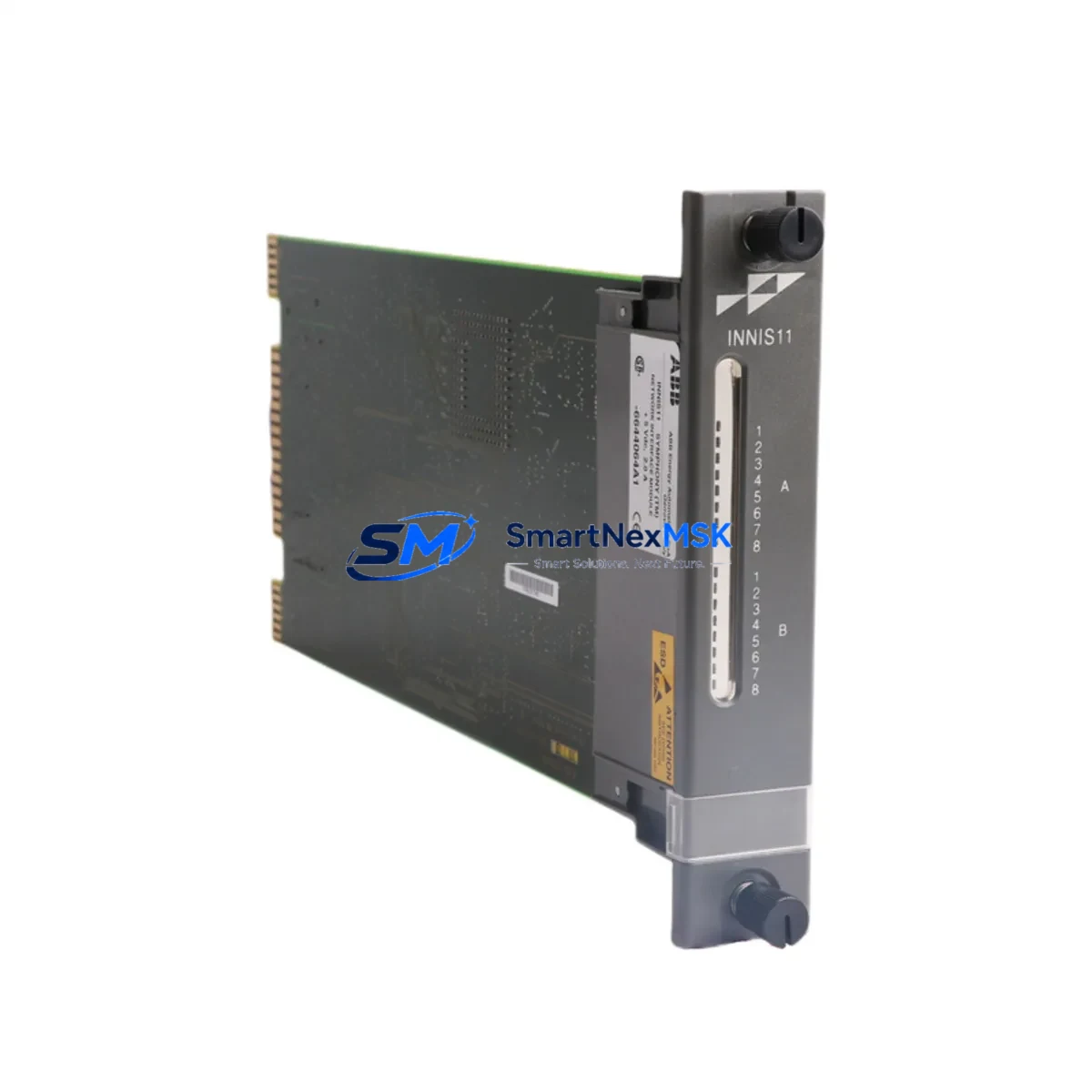
ABB INNIS11 Maintenance-Ready Spare for AC500 Automation
The ABB INNIS11 is an original PROFIBUS DP slave interface module engineered for the AC500 modular PLC platform and its S500 distributed I/O system. In industrial environments where fieldbus communication is the backbone of process control — from conveyor automation and motor drive coordination to SCADA-linked sensor networks — a failed or degraded INNIS11 can halt an entire production line. Stocking a verified, tested replacement unit is the most effective strategy for minimizing unplanned downtime and protecting operational continuity.
Designed for seamless integration into ABB’s AC500 control architecture, the INNIS11 enables the S500 I/O station to operate as a PROFIBUS DP slave, receiving cyclic process data from a DP master such as the ABB PM573, PM583, or PM595 CPU modules. Its compact DIN-rail form factor and tool-free bus connection make field replacement straightforward, even in congested control cabinets. Maintenance engineers can swap the module without rewiring the fieldbus segment, provided the GSD file and DP address configuration are documented in advance — a step that should be part of every planned maintenance record.
For procurement engineers managing spare parts inventories across multi-site facilities, the INNIS11 represents a critical single point of failure in any AC500-based PROFIBUS network. A single unit on the shelf, with its configuration parameters archived, can reduce mean time to repair (MTTR) from hours to minutes. Our units are sourced from authorized channels, individually tested prior to dispatch, and covered by a 12-month warranty against manufacturing defects.
Spare Maintenance Table
| Parameter | Specification |
|---|---|
| Part Number / SKU | INNIS11 |
| Brand | ABB |
| Series | AC500 / S500 I/O |
| Module Function | PROFIBUS DP Slave Interface |
| Fieldbus Protocol | PROFIBUS DP V0/V1 |
| Baud Rate Support | Up to 12 Mbit/s (auto-detect) |
| DP Address Range | 0–125 (configurable via rotary switch) |
| Supply Voltage | 24 V DC (via S500 bus) |
| Operating Temperature | -25 °C to +60 °C |
| Protection Rating | IP20 |
| Mounting | DIN rail, S500 I/O bus connector |
| Weight | Approx. 260 g |
| Origin | Germany |
| Compatibility | AC500 CPUs: PM571, PM572, PM573, PM581, PM582, PM583, PM591, PM592, PM595 |
| Replacement For | Legacy INNIS11 units; compatible with existing GSD-based DP configurations |
| Application Environment | Industrial automation, process control, factory automation, SCADA systems |
| Pre-shipment Testing | Yes — functional communication test performed |
| Warranty | 12 Months |
Maintenance Planning for Continuous Operation
When replacing an INNIS11 in the field, a thorough inspection of the surrounding control cabinet components is essential to prevent repeat failures and ensure the restored system operates reliably. Maintenance engineers should treat an INNIS11 replacement as an opportunity for a broader system health check.
Begin by verifying the 24 V DC power supply module feeding the S500 I/O bus — voltage ripple or transient spikes are a common cause of premature fieldbus module failure. Check the S500 bus terminal module (TU515 or TU516) for corrosion or damaged contacts, as a faulty terminal unit can cause intermittent DP communication errors that are often misdiagnosed as a module fault. Inspect the PROFIBUS cable shielding and DB9 connector at both ends of the segment; damaged shielding is a leading cause of CRC errors and bus timeouts.
Review the AC500 CPU module (e.g., PM583 or PM595) diagnostic buffer for any logged DP slave errors prior to the failure event — this data helps distinguish between a module fault and a network-level issue. If the system includes an ABB CP600 or CP620 HMI panel, verify that the HMI communication link to the CPU is intact after the replacement, as DP topology changes can affect HMI variable mapping. For systems using ABB CI590-CS31-HA or CI592-CS31 communication interface modules alongside the INNIS11, confirm that the CS31 bus remains stable and that no address conflicts have been introduced.
Check all digital and analog I/O modules in the S500 rack (such as DC532, DA501, or AI523) for correct addressing and signal integrity. Inspect terminal blocks and wiring ferrules in the I/O section for loose connections, which can cause sporadic input faults after a module swap. If the system uses signal isolators or loop-powered transmitters on analog channels, verify 4–20 mA loop continuity before returning the system to service. Finally, confirm that any fuse protection on the 24 V DC bus is intact and that no nuisance trips occurred during the fault event.
Site Replacement Workflow
Step 1 — Pre-replacement documentation: Record the current DP slave address (set via rotary switch on the INNIS11 front panel) and download the CPU program and I/O configuration from the AC500 engineering tool (Automation Builder or PS501 Control Builder). Archive the GSD file version in use.
Step 2 — Safe isolation: Place the AC500 CPU in STOP mode via the programming tool or the RUN/STOP switch. Confirm that all controlled outputs are in a safe state before proceeding. Do not remove the INNIS11 while the DP bus is live if the master is configured for fail-safe operation.
Step 3 — Module removal and installation: Disconnect the PROFIBUS DB9 connector. Release the S500 bus locking lever and slide the INNIS11 off the terminal unit. Install the replacement INNIS11 onto the same terminal unit (TU515/TU516). Set the DP address rotary switch to match the archived address. Reconnect the PROFIBUS connector.
Step 4 — System restart and verification: Return the CPU to RUN mode. Monitor the DP diagnostic LEDs on the INNIS11 — a steady green BF LED indicates successful DP communication. Verify all I/O signals in the SCADA or HMI system. Log the replacement in the maintenance record with date, technician, and new module serial number.
This workflow is compatible with all AC500 CPU generations and requires no firmware update for standard INNIS11 replacements. Total replacement time for a prepared technician is typically under 20 minutes, making this one of the most efficient fieldbus module swaps in the AC500 ecosystem.
Spare Parts Support FAQ
Q1: Is this INNIS11 unit a genuine ABB original spare or a compatible aftermarket part?
This is a genuine ABB INNIS11 module sourced from authorized distribution channels. Each unit carries the original ABB part markings and is supplied with a 12-month warranty. We do not supply counterfeit or remanufactured units.
Q2: How do I verify compatibility with my existing AC500 system before ordering?
The INNIS11 is compatible with all S500 terminal units (TU515, TU516) and all AC500 CPU generations that support PROFIBUS DP master functionality. Confirm your CPU firmware version supports the INNIS11 GSD file revision. If you provide your CPU part number and Automation Builder project version, our technical team can confirm compatibility before shipment.
Q3: What pre-shipment testing is performed on each unit?
Every INNIS11 unit undergoes a functional communication test prior to dispatch, verifying DP slave initialization, baud rate auto-detection, and cyclic data exchange. Units that fail any test parameter are quarantined and not shipped. A test report is available upon request for critical infrastructure orders.
Q4: What is your recommended spare parts stocking strategy for INNIS11 in a multi-line facility?
For facilities operating three or more AC500-based PROFIBUS networks, we recommend maintaining a minimum of one INNIS11 per four active DP slave stations, with a floor of two units per site. Given the module’s role as a single point of failure for an entire I/O station, the cost of a spare unit is negligible compared to the cost of a single unplanned production stoppage. Long-term supply continuity is supported — contact us for blanket order pricing and reserved stock arrangements.
© 2026 SMARTNEXMSK. All rights reserved.
Original Source: https://smartnexmsk.com
Contact: [email protected] | +86 18259474341



