
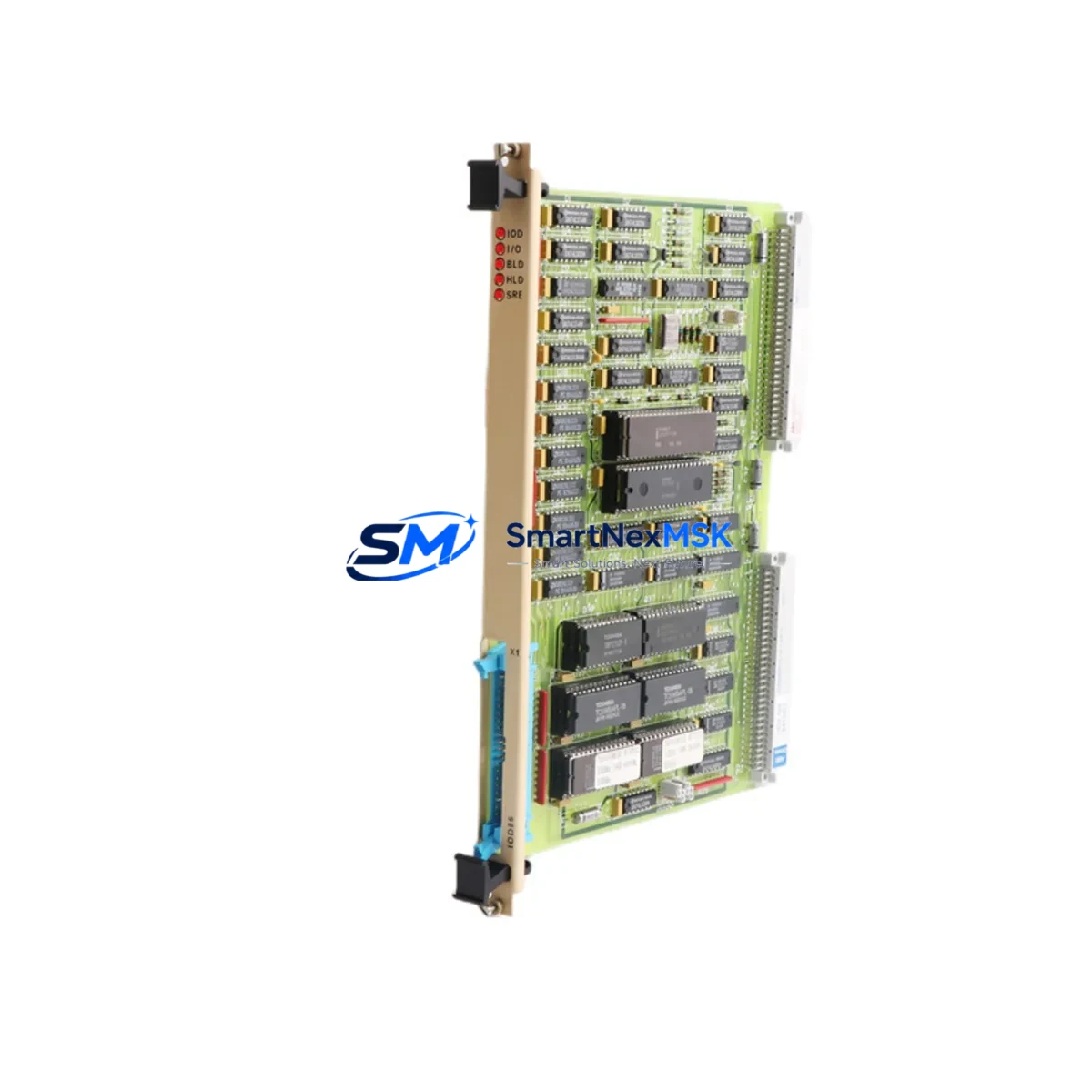
ABB IOD86-MEM Maintenance-Ready Spare for AC500 Automation
The ABB IOD86-MEM is a dedicated memory module designed for the ABB AC500 programmable logic controller series — one of the most widely deployed modular PLC platforms in industrial automation, process control, and critical infrastructure applications. For maintenance engineers managing aging control systems or executing planned shutdowns, having a verified, original IOD86-MEM spare on hand is a direct risk-mitigation measure against unplanned downtime. This module stores the user program, configuration data, and retain variables that keep your AC500 system running across power cycles and firmware updates. A failed or corrupted memory module can bring an entire production line to a halt within seconds — making the IOD86-MEM one of the highest-priority spares in any AC500-based control cabinet.
At SMARTNEXMSK, every IOD86-MEM unit is sourced from authorized supply chains, individually tested before shipment, and backed by a 12-month warranty. We support maintenance teams and procurement engineers across manufacturing, energy, water treatment, and building automation sectors who require fast delivery, accurate documentation, and long-term spare parts availability for legacy and current-generation AC500 systems.
Spare Maintenance Table
| Parameter | Specification / Detail |
|---|---|
| Part Number | IOD86-MEM |
| Brand | ABB |
| Compatible Series | ABB AC500 PLC (PM5xx, PM5xx-ETH, PM5xx-2ETH CPU families) |
| Module Function | Non-volatile memory module for user program, configuration, and retain data storage |
| Memory Type | Flash-based non-volatile memory |
| Installation Interface | Direct plug-in to AC500 CPU module memory slot |
| Operating Temperature | -25°C to +70°C (storage); 0°C to +60°C (operation) |
| Protection Rating | IP20 (installed in control cabinet) |
| Origin | Germany |
| Compatibility Verification | Cross-referenced against AC500 CPU firmware and hardware revision |
| Pre-shipment Test | Yes — functional read/write verification performed |
| Warranty | 12 Months from date of shipment |
| Typical Application | Program backup, CPU replacement, system cloning, emergency restore |
| Maintenance Priority | Critical — recommend 1 unit minimum in on-site spare inventory |
Maintenance Planning for Continuous Operation
When a maintenance or procurement engineer identifies the IOD86-MEM as a replacement need, the replacement event rarely occurs in isolation. The AC500 control cabinet typically houses a range of interdependent components that should be inspected, tested, or pre-staged as part of the same maintenance window to prevent repeat callouts and secondary failures.
Begin with the AC500 CPU module (such as the PM554-T or PM564-R) itself — if the memory module has failed due to power anomalies or voltage spikes, the CPU’s internal flash and RAM may also have been stressed. Verify firmware version compatibility before inserting the replacement IOD86-MEM. Next, inspect the AC500 power supply module (PS501 or PS502 series) for output voltage stability; an under-voltage condition during a write cycle is a common root cause of memory corruption. Check the 24 VDC bus terminal blocks and wiring harness for loose connections that could cause intermittent supply interruptions to the CPU rack.
For systems with active I/O expansion, inspect the digital input/output modules (such as DC532 or DA501) connected via the AC500 S500 I/O bus. A corrupted memory module may have resulted from a bus communication fault — verify the I/O bus termination resistors and cable integrity. If the system uses communication modules such as the CM572-DP (PROFIBUS DP) or CM577-ETH (Ethernet), confirm that the network configuration stored on the IOD86-MEM is correctly restored after replacement and that the module addresses match the field device configuration.
In cabinets with relay output modules or external safety relays, verify that the output logic and interlock sequences are correctly reloaded from the restored program. For systems using signal isolators or analog input conditioners on 4–20 mA loops, confirm that the scaling parameters stored in retain variables are intact post-restore. If the AC500 system interfaces with an HMI panel (such as a CP600 series panel), re-establish the communication link and verify that all tag mappings and alarm configurations are functioning correctly after the memory module swap.
Finally, check the cabinet-level fusing and circuit protection — miniature circuit breakers (MCBs) and fuse holders protecting the 24 VDC control circuit should be tested for correct trip ratings. A blown or degraded fuse is often the silent precursor to a memory module failure event.
Site Replacement Workflow
Step 1 — Backup verification: Before removing the existing IOD86-MEM, confirm whether a valid program backup exists on the engineering workstation via ABB Automation Builder. If no backup exists, attempt a live upload from the CPU before proceeding.
Step 2 — Safe power-down: Follow your site’s lockout/tagout (LOTO) procedure. The AC500 CPU must be in STOP mode before the memory module is removed. Removing the IOD86-MEM while the CPU is in RUN mode risks data corruption.
Step 3 — Module swap: Remove the old IOD86-MEM from the CPU memory slot. Insert the replacement unit — it is keyed and can only be installed in the correct orientation. No tools are required.
Step 4 — Program download: Power up the CPU and connect via Automation Builder. Download the verified user program to the new IOD86-MEM. Confirm that retain variable values are correctly initialized or restored from backup.
Step 5 — Functional test: Place the CPU in RUN mode. Verify all I/O, communication links, and HMI displays are operating correctly. Document the replacement in the site maintenance log with the new module’s serial number and warranty start date.
This workflow minimizes downtime to under 30 minutes for a prepared maintenance team and ensures full system compatibility without requiring hardware reconfiguration.
Spare Parts Support FAQ
Q1: Is the IOD86-MEM compatible with all AC500 CPU variants?
The IOD86-MEM is compatible with the AC500 PM5xx CPU family. Compatibility depends on the CPU hardware revision and firmware version. We recommend providing your CPU part number and firmware version when ordering so our technical team can confirm the correct memory module variant for your application.
Q2: How is the IOD86-MEM tested before shipment?
Each unit undergoes a functional read/write verification test on an AC500-compatible test bench. We confirm that the module is recognized by the CPU, that data can be written and retained across a simulated power cycle, and that no hardware faults are flagged. A test report is available upon request.
Q3: What is your spare parts inventory strategy for long-term AC500 support?
We maintain buffer stock of high-demand AC500 spare parts including memory modules, CPU modules, and I/O expansion units. For customers managing large AC500 fleets or legacy installations, we offer reserved stock agreements and priority fulfillment to ensure availability even as ABB transitions product lines. Contact our sales team to discuss a tailored spare parts supply arrangement.
Q4: What does the 12-month warranty cover?
The 12-month warranty covers manufacturing defects and functional failures under normal operating conditions. If the IOD86-MEM fails to perform its specified function within the warranty period, we will provide a replacement unit at no charge. The warranty period begins from the date of shipment and is documented on the packing slip and invoice.
© 2026 SMARTNEXMSK. All rights reserved.
Original Source: https://smartnexmsk.com
Contact: [email protected] | +86 18259474341



