
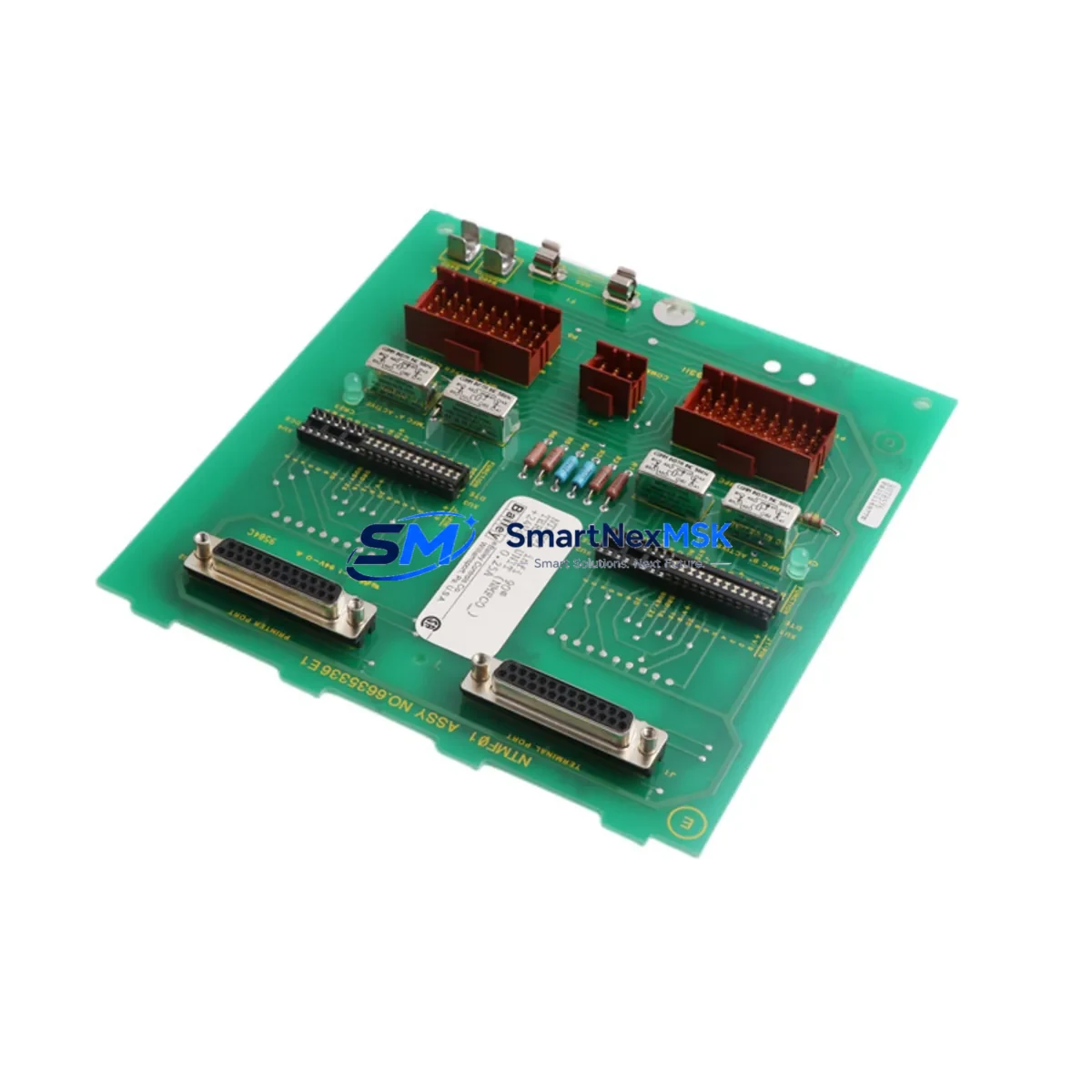
ABB NTMF01 Retrofit-Ready Termination Unit for AC800M Control Systems
The ABB NTMF01 is a multi-function termination unit engineered for seamless integration into ABB AC800M and Advant OCS distributed control system architectures. As legacy DCS installations approach end-of-life and OEM spare parts become increasingly scarce, the NTMF01 serves as a verified drop-in replacement that preserves existing field wiring, backplane connections, and I/O addressing — dramatically reducing retrofit risk and unplanned downtime.
Whether you are upgrading a Advant Master control cabinet, migrating from an older S100 I/O platform, or restoring a failed termination node in an active production environment, the NTMF01 provides the electrical and mechanical compatibility required to complete the swap without re-engineering the surrounding control architecture. Engineers working on AC800M-based systems will find that the NTMF01 slots directly into the existing S800 I/O station backplane, maintaining the same module address and channel mapping as the original unit — a critical factor when preserving PLC program logic and HMI tag references.
Upgrade Compatibility Table
| Parameter | Detail |
|---|---|
| Compatible Platform | ABB AC800M, Advant OCS, Advant Master (AC450, AC410) |
| I/O Station Compatibility | S800 I/O Backplane (TB820, TB840 series) |
| Communication Protocol | PROFIBUS-DP, MasterBus 300, Modulebus |
| Terminal Wiring | Screw-type field terminals, compatible with original NTMF01 pinout |
| Module Address | Retained from original hardware — no re-addressing required |
| Installation Type | DIN rail / backplane slot mount |
| Replacement Recommendation | Direct drop-in for failed or end-of-life NTMF01 units |
| Commissioning Notes | Verify power rail voltage (24 VDC), confirm channel enable bits in Control Builder M |
| Warranty | 12 Months — covers manufacturing defects and functional failure |
| Weight | 260 g |
| Country of Origin | Germany |
Retrofit Planning for Existing Automation Systems
Successful NTMF01 replacement begins well before the module arrives on-site. During the pre-retrofit assessment phase, engineers should document the existing S800 I/O station layout, confirm the backplane slot position of the failed unit, and export the current Control Builder M project to a safe backup location. The AC800M controller — typically a PM861, PM864, or PM866 processor module — should remain in RUN mode where possible, with the affected I/O station isolated rather than the entire controller taken offline.
Field wiring connected to the NTMF01 termination unit typically includes analog input signals from transmitters, thermocouple or RTD inputs, and discrete I/O from field devices such as solenoid valves and limit switches. Before disconnecting any terminal, photograph or document the existing wiring layout against the original engineering drawings. The NTMF01’s screw-type terminals accept the same wire gauges as the predecessor unit, so no re-termination adapters are required in most installations.
For systems running PROFIBUS-DP communication between the AC800M controller and remote I/O stations, verify that the DP address of the affected station is correctly configured in the replacement unit before powering up. In Advant OCS environments using MasterBus 300, confirm that the station node address matches the original configuration stored in the Advant Engineer workstation. Failure to match the node address will result in communication faults that prevent the controller from recognizing the new module.
When the control cabinet also houses an ABB Panel 800 HMI or an older Operator Station running Advant HMI, verify that all tag references pointing to the replaced I/O channels remain intact after the swap. In most cases, because the NTMF01 retains the same channel structure, HMI faceplates and alarm configurations require no modification. However, if the original unit had been configured with non-default channel scaling or signal conditioning parameters, these settings must be re-entered in Control Builder M after the replacement is confirmed online.
For larger retrofit projects involving multiple termination units, power modules such as the SD821 or SD822 power supply should be inspected and load-tested before the new NTMF01 units are installed. Insufficient power rail capacity is a common cause of intermittent faults in aging S800 I/O stations. Similarly, if the project involves expanding the I/O count beyond the original design, additional TB820 or TB840 backplane modules and CI854 PROFIBUS communication interface modules may be required to support the expanded channel count.
In retrofit scenarios where the original Advant Master system is being migrated to a modern AC800M platform, the NTMF01 plays a bridging role — allowing field wiring to remain connected to familiar termination hardware while the controller layer is upgraded. This approach avoids the cost and risk of rewiring the entire control cabinet and allows the migration to proceed in stages, with individual I/O stations brought online incrementally as the new Control Builder M program is validated.
Downtime Control During System Migration
Minimizing production downtime during a DCS termination unit replacement requires a structured hot-swap or cold-swap strategy depending on the criticality of the affected I/O channels. For non-critical monitoring channels, the NTMF01 can often be replaced during a brief planned maintenance window without shutting down the entire control system. The AC800M controller supports partial I/O station reconfiguration, allowing the affected station to be taken offline while the remaining stations continue to operate normally.
For critical control loops — such as those governing reactor temperature, pressure relief, or motor drive interlocks — a cold-swap procedure is recommended. This involves placing the affected control loop in manual mode at the DCS operator station, confirming that field devices are in a safe state, and then proceeding with the module replacement. Once the new NTMF01 is seated and powered, the channel should be verified against the live process value before returning the loop to automatic control.
To protect the original program logic during the swap, export a full backup of the Control Builder M project — including hardware configuration, function block diagrams, and communication settings — before beginning any physical work. This backup serves as the recovery baseline if the replacement unit requires re-commissioning or if unexpected communication faults arise during startup. In Advant OCS environments, a similar backup should be taken from the Advant Engineer station before any hardware changes are made to the MasterBus 300 network configuration.
All NTMF01 units supplied by SMARTNEXMSK undergo pre-shipment functional testing to verify terminal continuity, backplane connector integrity, and basic I/O channel response. This reduces the risk of receiving a non-functional unit and helps ensure that the replacement module is ready for immediate installation upon arrival. Each unit ships with a 12-month warranty covering manufacturing defects and functional failure under normal operating conditions.
Retrofit Support FAQ
Q: Is the NTMF01 a direct replacement for the original ABB unit, or are there wiring modifications required?
A: The NTMF01 supplied by SMARTNEXMSK is a direct drop-in replacement. The terminal pinout, backplane connector, and module dimensions are identical to the original ABB NTMF01. No wiring modifications or adapter plates are required in standard S800 I/O station installations.
Q: Will the replacement NTMF01 retain the original module address and channel configuration?
A: Yes. The NTMF01 does not store address settings internally — the module address is determined by the backplane slot position and the hardware configuration defined in Control Builder M. Inserting the replacement unit into the same slot will restore the original address automatically. Channel scaling and signal conditioning parameters stored in the Control Builder M project are unaffected by the physical module swap.
Q: What commissioning steps are required after installing the replacement NTMF01?
A: After seating the module, verify that the power rail LED on the S800 backplane is green and that the NTMF01 status LED indicates normal operation. In Control Builder M, perform a hardware scan or force a configuration download to confirm that the controller recognizes the new module. Check each I/O channel against the live process signal to confirm correct scaling and polarity before returning any control loops to automatic mode.
Q: What does the 12-month warranty cover, and how is a warranty claim processed?
A: The 12-month warranty covers manufacturing defects and functional failure under normal operating conditions. It does not cover damage caused by incorrect installation, overvoltage, or physical impact. To initiate a warranty claim, contact SMARTNEXMSK at [email protected] with the order number, a description of the fault, and photographic evidence of the installation. Replacement or repair will be arranged within 5 business days of claim confirmation.
© 2026 SMARTNEXMSK. All rights reserved.
Original Source: https://smartnexmsk.com
Contact: [email protected] | +86 18259474341



