
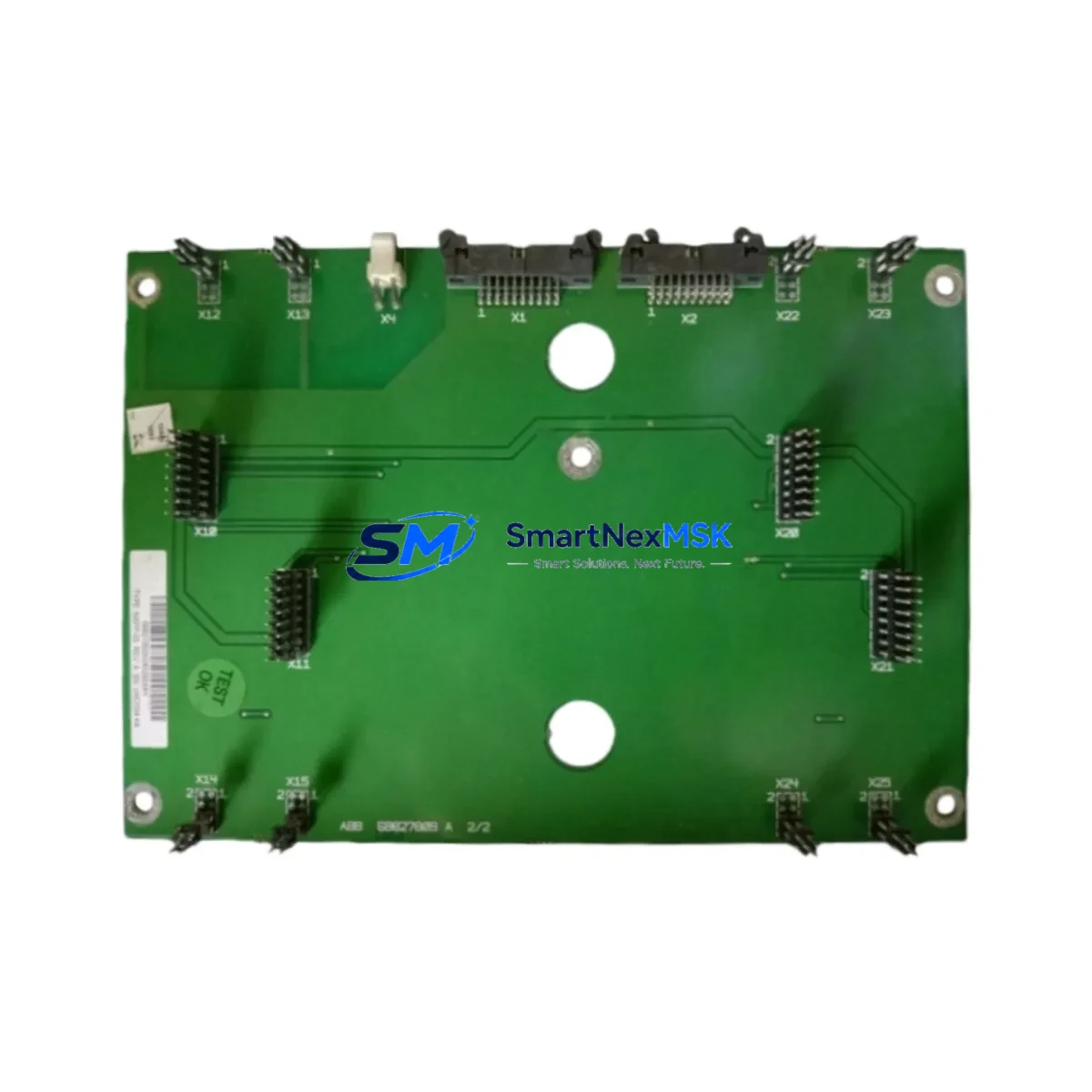
ABB NXPP-05 Maintenance-Ready Spare for AC500 Automation
The ABB NXPP-05 is an original digital input module designed for the AC500 and S500 modular I/O platform — one of ABB’s most widely deployed PLC architectures in process automation, machine control, and infrastructure applications. For maintenance engineers managing aging control systems or planning scheduled overhauls, having a verified NXPP-05 spare on the shelf is a direct line of defense against unplanned downtime. This module is sourced as an original ABB component, fully tested prior to shipment, and backed by a 12-month warranty covering manufacturing defects and functional failure under normal operating conditions.
Whether you are responding to a sudden I/O fault, executing a planned replacement during a maintenance window, or building out a critical spare inventory for a multi-line facility, the NXPP-05 delivers the compatibility and reliability that industrial environments demand. Its plug-and-play integration with the AC500 backplane means minimal reconfiguration time and faster return to operation.
Spare Maintenance Table
| Parameter | Specification |
|---|---|
| Part Number / SKU | NXPP-05 |
| Brand | ABB |
| Compatible Platform | AC500, S500 Modular I/O |
| Module Type | Digital Input Module |
| Origin | Germany (DE) |
| Input Signal Type | Digital (DC) |
| Mounting | S500 I/O Bus Terminal / AC500 Backplane |
| Operating Temperature | -25°C to +60°C (standard industrial range) |
| Protection Class | IP20 (panel-mount, control cabinet installation) |
| Certifications | CE, UL (ABB standard industrial approvals) |
| Compatibility | AC500 CPU modules (PM5xx series), S500 expansion racks |
| Maintenance Recommendation | Inspect wiring terminals and bus connector annually; replace if input response time degrades or diagnostic LED indicates fault |
| Warranty | 12 Months — covers manufacturing defects and functional failure under normal use |
| Pre-Shipment Testing | Functional I/O verification performed before dispatch |
Maintenance Planning for Continuous Operation
Replacing the NXPP-05 in an AC500 system is rarely an isolated task. A thorough maintenance engineer will treat this module swap as an opportunity to audit the surrounding electrical environment and reduce the risk of repeat failures. During the same maintenance window, it is advisable to inspect the AC500 CPU module (PM5xx series) for firmware currency and battery status, as a degraded CPU can cause false I/O diagnostics that mask the true fault source.
The S500 bus terminal unit (TU5xx series) that physically seats the NXPP-05 should be checked for contact wear, corrosion, and secure locking. A faulty terminal unit is a common cause of intermittent input faults that are incorrectly attributed to the module itself. Similarly, the 24 VDC field power supply feeding the digital input circuit should be load-tested — an undersized or aging power supply unit can cause marginal input signal levels that trigger nuisance faults.
Field wiring connected to the NXPP-05 input terminals deserves close attention. Inspect for loose ferrules, corroded terminals, and cable insulation degradation, particularly in high-vibration or high-humidity environments. If the system uses signal isolators or signal conditioners between field sensors and the PLC input, verify that isolation barriers are functioning correctly and that output signal levels remain within the module’s rated input threshold.
For systems where the NXPP-05 handles safety-critical or process-critical inputs, consider also reviewing the S500 digital output modules (DO5xx series) in the same rack — output modules in adjacent slots share the same backplane bus and power rail, and a failing output module can introduce bus noise that affects input module diagnostics. The AC500 communication module (CM5xx series) should also be checked if the system uses PROFIBUS, Modbus, or Ethernet/IP for supervisory control, as communication faults can cause the CPU to misread I/O states.
Procurement engineers building a critical spare kit around the NXPP-05 should also consider stocking the AC500 analog input module (AI5xx series) if the same control cabinet handles mixed I/O, as well as miniature circuit breakers (MCBs) and terminal block fuse holders protecting the 24 VDC input supply. A spare S500 bus coupler is also recommended for facilities running distributed I/O over long cable runs, where bus coupler failure can take down an entire I/O segment.
Site Replacement Workflow
The NXPP-05 is designed for tool-free removal from the S500 terminal unit, making field replacement straightforward even under time pressure. Before beginning, confirm the replacement module’s firmware compatibility with the installed AC500 CPU version — ABB’s Automation Builder software can be used to verify this offline before the maintenance window begins, eliminating surprises during the actual swap.
Step 1 — Isolate and document: De-energize the field input circuit at the MCB or fuse holder. Photograph or record the existing wiring configuration and any diagnostic LED states on the module and adjacent I/O modules before removal.
Step 2 — Remove and inspect: Unlock and extract the NXPP-05 from the terminal unit. Inspect the bus connector pins on both the module and the terminal unit for damage or contamination. Clean with isopropyl alcohol if necessary.
Step 3 — Install and verify: Seat the replacement NXPP-05 firmly into the terminal unit until the locking tab engages. Re-energize the field supply and observe the module’s diagnostic LEDs. Use Automation Builder or the AC500 HMI (CP6xx series) to confirm all input channels are reading correctly before returning the system to automatic mode.
Step 4 — Update records: Log the replacement in your CMMS with the module serial number, installation date, and any observations from the removed unit. This data supports future predictive maintenance scheduling and warranty claims if required.
This workflow is equally applicable when upgrading from an older or discontinued ABB digital input module to the NXPP-05, ensuring backward compatibility is confirmed at the software level before physical installation.
Spare Parts Support FAQ
Q1: What is the shelf life of the NXPP-05 and how should it be stored?
The NXPP-05 has an indefinite shelf life when stored correctly. Keep the module in its original anti-static packaging in a dry environment between -25°C and +70°C with relative humidity below 95% non-condensing. Avoid storage near strong magnetic fields or corrosive atmospheres. Modules stored under these conditions remain fully functional and warranty-eligible for the 12-month warranty period from the date of shipment.
Q2: How is compatibility with my specific AC500 CPU version confirmed before shipment?
Provide your AC500 CPU part number (PM5xx series) and firmware version when placing your order. Our technical team will cross-reference ABB’s compatibility matrix and confirm the NXPP-05 revision is suitable for your system before dispatch. All modules undergo functional I/O verification testing prior to shipment.
Q3: Can the NXPP-05 replace older or discontinued ABB digital input modules in the same rack?
In most cases, yes. The NXPP-05 is designed for backward compatibility within the S500 I/O platform. However, slot addressing and channel configuration in Automation Builder must be updated to reflect the replacement module. We recommend verifying the hardware configuration file before installation to avoid CPU fault states during startup.
Q4: What does the 12-month warranty cover and how is a claim processed?
The 12-month warranty covers manufacturing defects and functional failure under normal operating conditions. It does not cover damage from incorrect installation, overvoltage, or environmental exposure beyond rated limits. To initiate a warranty claim, contact us with your order number, a description of the fault, and diagnostic LED photographs. Replacement or repair is processed within 5 business days of fault confirmation.
© 2026 SMARTNEXMSK. All rights reserved.
Original Source: https://smartnexmsk.com
Contact: [email protected] | +86 18259474341



