
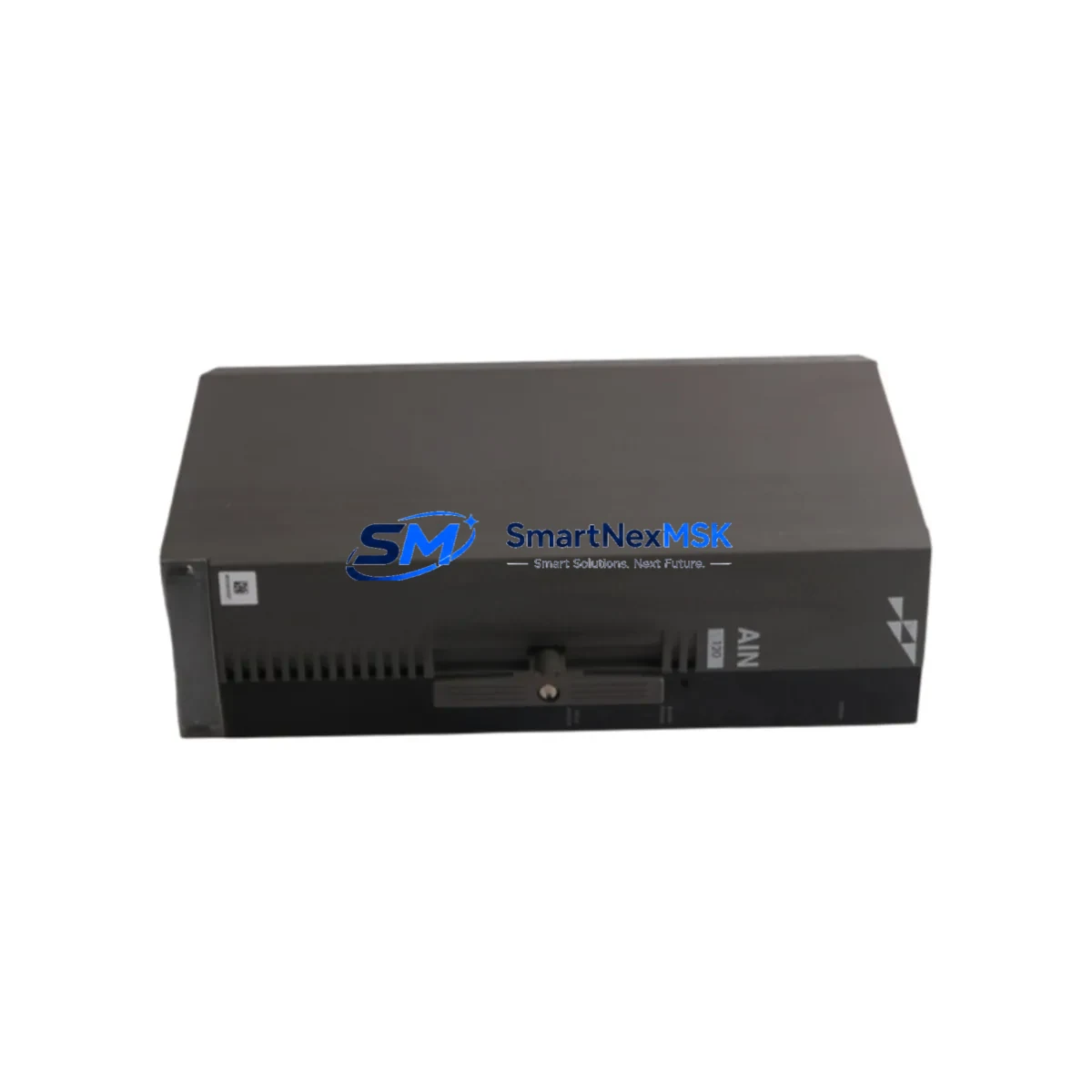
ABB P-HB-AIN-12010000 Spare for AC500 Automation: Spare Replacement & Industrial Downtime Risk Control
The ABB P-HB-AIN-12010000 (also referenced as PHBAIN12010000) is a 12-channel analog input module engineered for the ABB AC500 PLC platform — one of the most widely deployed modular programmable logic controller families in process automation, machine control, and critical infrastructure applications. When this module fails or reaches end-of-service life, the consequences extend beyond a single I/O card: the entire control loop dependent on its analog signal acquisition is interrupted, triggering unplanned downtime that can cascade across production lines, HVAC systems, water treatment stages, or energy management networks.
Sourced as an original ABB component, this spare is pre-tested, serialized, and shipped with full documentation to support rapid field replacement. Whether you are a maintenance engineer executing a planned shutdown, a procurement engineer building a critical spare inventory, or a site technician responding to an emergency fault, the P-HB-AIN-12010000 is stocked and ready for same-week dispatch with a 12-month warranty covering manufacturing defects and functional integrity.
Spare Maintenance Table
| Parameter | Specification |
|---|---|
| Part Number | P-HB-AIN-12010000 / PHBAIN12010000 |
| Brand | ABB |
| Series | AC500 (PM5xx / PM5xx-ETH compatible) |
| Module Type | Analog Input Module |
| Number of Channels | 12 analog input channels |
| Signal Types | 0–10 V, 0/4–20 mA (configurable per channel) |
| Resolution | 12-bit (typical for AC500 AIN series) |
| Supply Voltage | 24 V DC (via AC500 backplane bus) |
| Mounting | AC500 I/O bus terminal unit (TB5xx series) |
| Operating Temperature | -25 °C to +60 °C |
| Protection Class | IP20 |
| Country of Origin | Germany |
| Weight | Approx. 920 g (with terminal unit) |
| Compatibility | AC500 V2 / V3 CPU modules; TB511, TB521, TB541 terminal bases |
| Certifications | CE, UL, cUL (standard AC500 platform certifications) |
| Warranty | 12 Months — covers manufacturing defects and functional performance |
| Condition | Original New / Tested Surplus (specify at order) |
| Lead Time | In stock — ships within 3–5 business days |
Maintenance Planning for Continuous Operation
Replacing the P-HB-AIN-12010000 in an AC500 control cabinet is rarely an isolated task. Experienced maintenance engineers know that an analog input module fault is often symptomatic of broader electrical stress in the I/O bus segment. Before or during replacement, a thorough inspection of the surrounding components is strongly recommended to prevent repeat failures and ensure the restored system operates reliably through the next maintenance interval.
Start with the AC500 CPU module (such as the PM554, PM564, or PM583) to confirm firmware version compatibility with the replacement module and verify that no diagnostic flags persist after the swap. Check the TB5xx terminal base unit that the P-HB-AIN-12010000 plugs into — worn or corroded bus contacts on the terminal base are a common root cause of intermittent analog signal errors that are misdiagnosed as module failure.
Inspect the 24 V DC power supply module feeding the I/O bus. Voltage sag or ripple beyond ±5% can degrade analog measurement accuracy across all 12 channels. If the cabinet uses an ABB CP-E or CP-S series power supply, verify output voltage under load and check capacitor health if the unit has been in service for more than five years.
Review the field wiring terminals and shielded signal cables connected to the analog inputs. Loose terminations, damaged cable shields, or missing ground connections introduce noise that manifests as unstable process values — a symptom that often leads to unnecessary module replacements. Confirm that all signal isolators or loop-powered transmitters connected to the 4–20 mA channels are functioning within specification; a failed transmitter can back-feed voltage that stresses the input circuitry.
For cabinets that include AC500 communication modules (such as the CM572-DP for PROFIBUS or CM589-PNIO for PROFINET), verify that the fieldbus network remains stable after the module swap — a brief bus interruption during replacement can trigger timeout faults in connected drives or remote I/O stations. If the system includes an ABB CP600 or CP400 HMI panel, confirm that analog trend displays and alarm setpoints referencing the replaced module’s channels are functioning correctly post-commissioning.
Finally, check any fuse holders or miniature circuit breakers protecting the 24 V DC supply lines to the I/O segment, and inspect DIN rail terminal blocks (such as Phoenix Contact or Weidmüller series) for signs of thermal stress or loose connections. A complete cabinet inspection at the time of module replacement is the most cost-effective way to extend system uptime and defer the next unplanned outage.
Site Replacement Workflow
Step 1 — Preparation & Safety Isolation: Place the AC500 CPU in STOP mode via the programming tool (Automation Builder or PS501 Control Builder Plus). De-energize the 24 V DC supply to the I/O bus segment using the dedicated circuit breaker. Apply LOTO (Lockout/Tagout) per site safety procedures. Document the current channel configuration and scaling parameters from the CPU project file before proceeding.
Step 2 — Module Removal: Disconnect all field wiring from the terminal base (TB5xx). The P-HB-AIN-12010000 module clips onto the terminal base and can be released by pressing the locking tab and sliding the module upward. The terminal base itself remains wired and mounted on the DIN rail, which eliminates the need to re-terminate field cables — a significant time saving during emergency replacements.
Step 3 — Replacement Module Installation: Align the new P-HB-AIN-12010000 with the terminal base guide rails and press firmly until the locking tab clicks. Restore 24 V DC power. The AC500 CPU will automatically detect the new module during the next scan cycle if the hardware configuration matches the project file. No firmware flashing is required for like-for-like replacement within the same AC500 generation.
Step 4 — Functional Verification: Place the CPU back in RUN mode. Monitor all 12 analog input channels in the programming tool’s online view. Verify that process values are within expected engineering unit ranges. Check for any I/O bus error LEDs on the module or CPU. Run a short operational test before returning the system to full production.
Step 5 — Documentation: Record the replacement date, new module serial number, and any observations in the site maintenance log. Update the spare parts inventory to trigger reorder of a replacement unit, maintaining minimum stock levels for critical AC500 analog I/O modules.
Spare Parts Support FAQ
Q1: Is the P-HB-AIN-12010000 compatible with both AC500 V2 and V3 CPU generations?
Yes. The P-HB-AIN-12010000 is designed for the AC500 I/O bus architecture and is compatible with AC500 V2 CPU modules (PM5xx series) as well as AC500 V3 CPUs when used with the appropriate TB5xx terminal base. Always verify the hardware configuration in your Automation Builder project file to confirm the module type matches before ordering.
Q2: What does the 12-month warranty cover, and how is a claim processed?
The 12-month warranty covers manufacturing defects, functional failures under normal operating conditions, and DOA (dead-on-arrival) units. To initiate a claim, contact [email protected] with the order number, module serial number, and a description of the fault. Replacement or refund is processed within 5–10 business days of fault confirmation. The warranty does not cover damage caused by incorrect installation, overvoltage, or unauthorized modification.
Q3: How should I verify compatibility before installation if my system has been modified from the original configuration?
Export the current hardware configuration from Automation Builder and confirm that the slot assigned to the P-HB-AIN-12010000 specifies the correct module type and firmware baseline. If the system has been upgraded from AC500 V1 to V2 hardware, verify that the terminal base (TB5xx) is also the correct generation — mixing V1 and V2 I/O hardware on the same bus segment is not supported. Contact our technical team with your CPU part number and project hardware tree for pre-order compatibility confirmation.
Q4: What is the recommended spare inventory strategy for AC500 analog input modules in a critical production environment?
For facilities running continuous processes (24/7 operations), the recommended minimum stock is one P-HB-AIN-12010000 per three installed units, with a maximum replenishment lead time of 30 days. For batch or discrete manufacturing with planned maintenance windows, one spare per five installed units is typically sufficient. Given that ABB has transitioned AC500 to V3 hardware, procurement engineers should also evaluate stocking the equivalent V3 analog input module as a long-term migration spare to future-proof the maintenance inventory.
© 2026 SMARTNEXMSK. All rights reserved.
Original Source: https://smartnexmsk.com
Contact: [email protected] | +86 18259474341



