
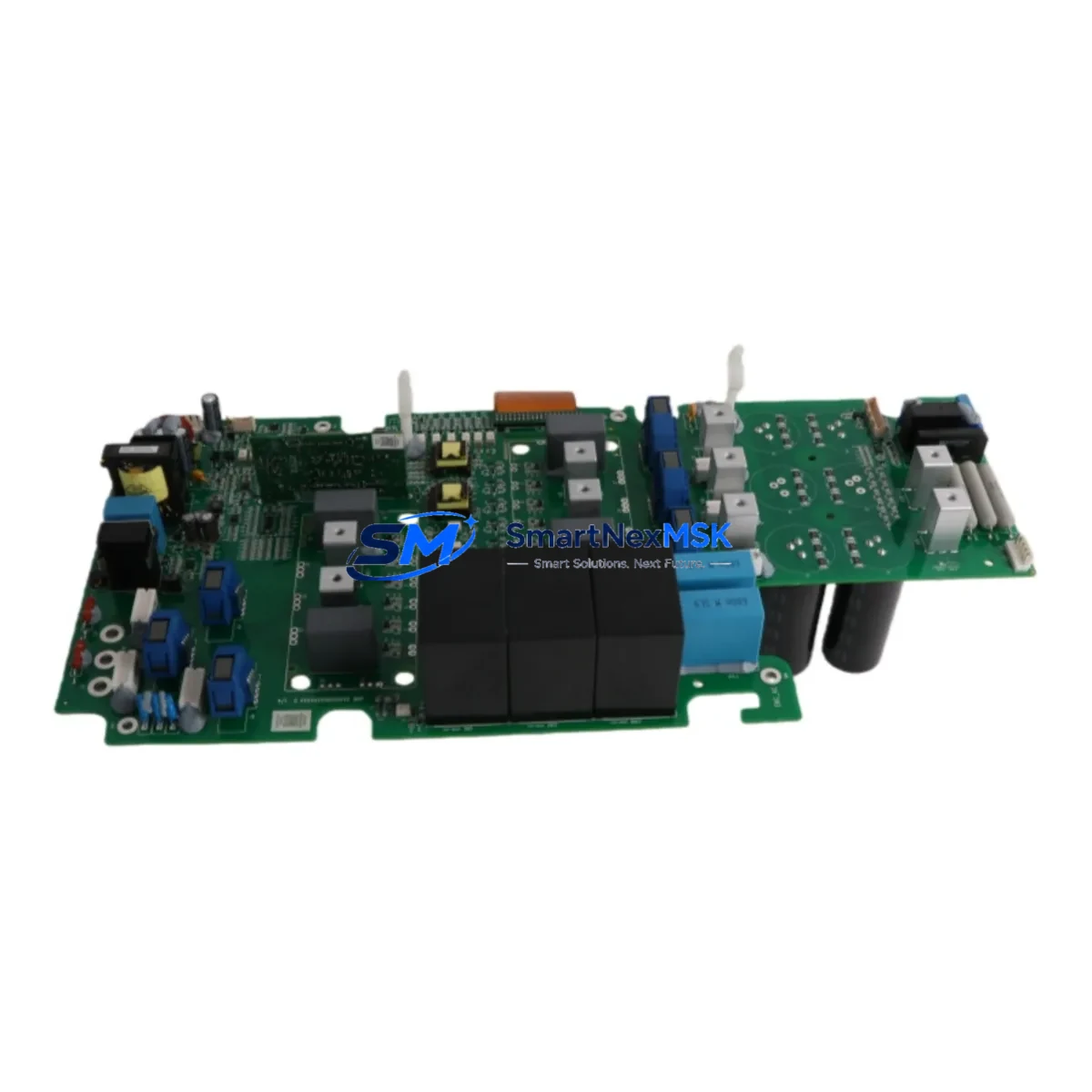
ABB QPWR-5611 Maintenance-Ready Spare for AC500 Automation
The ABB QPWR-5611 is an original power supply module designed for the ABB AC500 PLC platform — one of the most widely deployed programmable automation controllers in process, manufacturing, and infrastructure industries. When a power supply module fails in an AC500 control cabinet, the consequences extend beyond a single controller: downstream I/O modules, communication interfaces, and field devices lose their regulated supply, triggering cascading faults and unplanned downtime. Stocking the QPWR-5611 as a maintenance-ready spare is a proven strategy for reducing mean time to repair (MTTR) and protecting production continuity.
This listing supplies the QPWR-5611 as a genuine original spare, fully tested prior to shipment and backed by a 12-month warranty. Each unit is inspected for output voltage stability, inrush current behavior, and thermal performance before dispatch. Whether you are executing a planned overhaul, responding to an emergency fault, or building out a critical-spares inventory for an aging AC500 installation, this module ships ready for immediate installation.
Spare Maintenance Table
| Parameter | Specification / Detail |
|---|---|
| Part Number / SKU | QPWR-5611 |
| Brand | ABB |
| Series | AC500 |
| Module Type | Power Supply Module |
| Country of Origin | Germany (DE) |
| Compatibility | ABB AC500 PLC family (PM5xx CPU modules, S500 I/O bus) |
| Mounting | DIN rail / AC500 backplane slot |
| Application Environment | Industrial control cabinets, process automation panels, MCC enclosures |
| Pre-shipment Testing | Output voltage, load regulation, inrush current, thermal check |
| Warranty | 12 Months from date of shipment |
| Condition | Original / New |
| Delivery | Worldwide express shipping available |
Maintenance Planning for Continuous Operation
A power supply fault in an AC500 cabinet rarely occurs in isolation. Maintenance engineers responding to a QPWR-5611 failure should treat the event as a trigger for a broader cabinet inspection. Before returning the system to service, verify the condition of the following components that share the same electrical environment:
The AC500 CPU module (PM564 / PM573 / PM591 series) should be checked for any fault codes logged during the power interruption — a sudden supply loss can corrupt runtime memory or trigger watchdog resets. Inspect the TB521 and TB541 terminal base units that seat the CPU and I/O modules; loose or corroded contacts at the backplane interface are a common secondary cause of intermittent power faults. The DC541-CS31 and CI541-CS31 communication interface modules should be reseated and their diagnostic LEDs confirmed green before re-energizing the bus.
On the field side, examine the 24 VDC distribution fuses and miniature circuit breakers feeding the I/O rail — a shorted field device can stress the power supply beyond its rated output and accelerate module aging. The S500 digital input modules (DI524, DI572) and digital output modules (DO524, DO572) should be scanned for blown output drivers or input channel faults that may have been masked by the power event. If the cabinet includes AO523 or AI523 analog I/O modules, verify signal loop integrity with a calibrated loop tester before resuming process control.
For cabinets with integrated CP600 or CP620 HMI panels, confirm that the HMI communication link to the AC500 CPU has re-established correctly after power restoration. Signal isolators and HART multiplexers in the same panel should also be inspected, as these devices are sensitive to supply transients. Finally, review the UPS or buffer module (if installed) for battery health — a degraded buffer is often the root cause of repeated power supply stress events.
Building a structured spare-parts kit around the QPWR-5611 — including at least one CPU module, one digital I/O module of each type in use, and a set of communication interface cards — is the most effective way to minimize cabinet downtime across the full lifecycle of an AC500 installation.
Site Replacement Workflow
1. Isolation and lockout: De-energize the AC500 cabinet following site LOTO procedures. Confirm zero voltage at the power supply input terminals before proceeding.
2. Document existing configuration: Record the CPU firmware version, I/O module addresses, and communication settings. For AC500 systems, the PS501 Control Builder Plus software can export a full project backup — perform this step before any hardware change if the CPU is still accessible.
3. Module removal: Release the QPWR-5611 from its terminal base or backplane slot. Note the wiring termination points and photograph the cabinet before disconnecting any conductors.
4. Compatibility verification: Confirm the replacement QPWR-5611 matches the original module’s hardware revision and output rating. Cross-reference the module label against the AC500 system catalog to ensure compatibility with the installed CPU and I/O bus version.
5. Installation and wiring: Seat the replacement module firmly into the terminal base. Reconnect supply conductors to the correct terminals and torque to the specified value per the AC500 hardware installation manual.
6. Power-up and verification: Re-energize the cabinet and observe the QPWR-5611 status LED. Confirm the CPU boots normally, all I/O modules report ready, and communication links re-establish. Run a short functional test of critical I/O channels before returning the system to automatic operation.
7. Documentation: Record the replacement date, module serial number, and post-installation test results in the site maintenance log. Update the spare-parts inventory to trigger reorder of the consumed QPWR-5611 unit.
Spare Parts Support FAQ
Q1: Is this QPWR-5611 an original ABB module or a compatible aftermarket unit?
This is an original ABB QPWR-5611 module sourced through established industrial supply channels. Each unit carries the ABB part marking and is tested before shipment to confirm electrical performance. We do not supply aftermarket or counterfeit components.
Q2: What does the 12-month warranty cover?
The 12-month warranty covers manufacturing defects and electrical failure under normal operating conditions from the date of shipment. Warranty claims are supported by our technical team; failed units are replaced or refunded subject to inspection. Physical damage caused by incorrect installation, overvoltage, or environmental contamination is excluded.
Q3: How do I confirm compatibility with my specific AC500 system version?
Provide your existing module part number, hardware revision (visible on the module label), and AC500 CPU model when placing your order. Our team will cross-reference against the ABB AC500 compatibility matrix and confirm suitability before shipment. For legacy installations using older AC500 V2 hardware, please specify this at the time of inquiry.
Q4: Can you support long-term or blanket orders for critical-spares programs?
Yes. We support scheduled delivery agreements and critical-spares stocking programs for maintenance teams managing multiple AC500 installations. Contact us to discuss lead times, volume pricing, and consignment stock arrangements tailored to your planned maintenance calendar.
© 2026 SMARTNEXMSK. All rights reserved.
Original Source: https://smartnexmsk.com
Contact: [email protected] | +86 18259474341



