
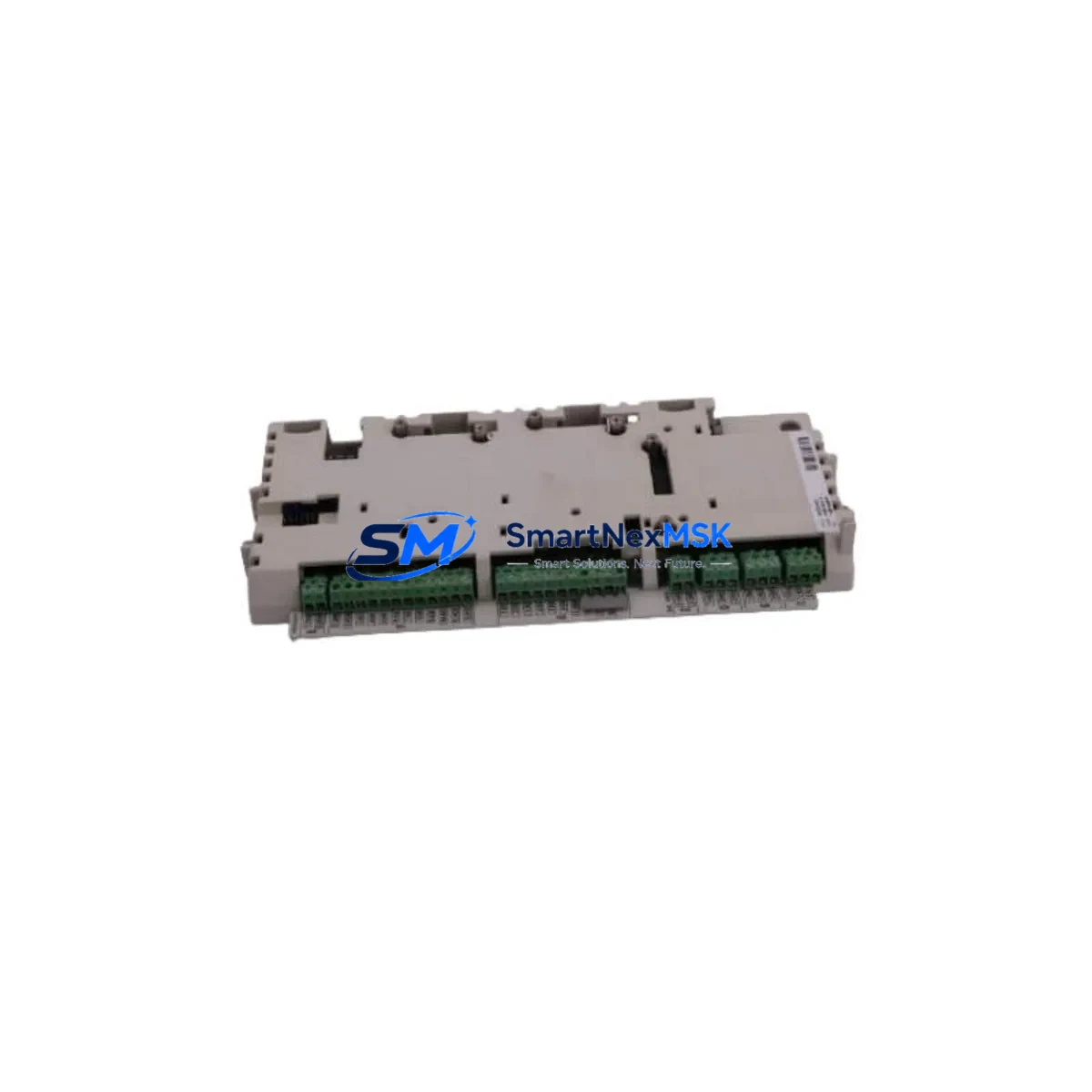
ABB RDCU-02C Retrofit-Ready Drive Control Unit for ACS800 Control Systems
The ABB RDCU-02C is a high-performance drive control unit engineered for seamless retrofit integration into ACS800 and ACS600 series variable frequency drive (VFD) platforms. As legacy drive control boards reach end-of-life or become increasingly difficult to source, the RDCU-02C provides a verified, drop-in compatible replacement that preserves existing wiring infrastructure, backplane connections, and application program logic — minimizing retrofit risk and unplanned downtime across industrial automation environments.
Designed for industrial control system engineers and maintenance teams managing aging drive cabinets, the RDCU-02C supports the full DDCS (Distributed Drive Control System) fiber-optic communication architecture native to the ACS800 platform. This ensures that existing master-follower configurations, fieldbus adapters such as the RDCO-02 or RDCO-04 communication option modules, and upstream PLC or DCS supervisory links remain fully operational without protocol migration or re-engineering of the control network.
When replacing a failed or obsolete RDCU-02C in an ACS800 drive, engineers must verify several critical compatibility parameters before commissioning. Power supply capacity on the drive’s internal SMPS (Switch Mode Power Supply) board must be confirmed to support the control board’s 24 VDC auxiliary draw. Terminal block wiring — particularly the XPOW, XD2D, and XSTO connectors — must be mapped against the original wiring diagram to ensure correct signal routing. The backplane interface slot alignment and locking tab engagement must be physically inspected to confirm secure seating before energization.
Module address configuration is handled through the drive’s parameter set, typically via DriveWindow Light or the CDP control panel. After physical installation, the application program stored in the RMIO or RDCU flash memory must be verified for compatibility with the firmware version on the replacement unit. In many retrofit scenarios, the existing ACS800 application program — including motor control macros, PID loop parameters, and I/O mapping — can be uploaded directly from a backup file, eliminating the need for full recommissioning. HMI panel connections using the CDP312R or ACS-CP-C control panels remain compatible without modification.
For systems integrating the ACS800 into broader PROFIBUS DP or Modbus RTU control networks via the RPBA-01 or RMBA-01 fieldbus adapter modules, communication link continuity must be validated after RDCU-02C replacement. Node address settings, baud rate parameters, and telegram configuration stored in the fieldbus adapter are independent of the drive control unit and are preserved during the swap, provided the adapter module itself is not disturbed.
In multi-drive cabinet installations where the ACS800 operates alongside ACSM1 servo drives, ACS550 general-purpose drives, or ACH550 HVAC drives sharing a common DC bus or control backplane, the RDCU-02C replacement must be coordinated with a planned maintenance window to avoid disrupting adjacent drive units. I/O expansion modules such as the RAIO-01 analog I/O extension or RDIO-01 digital I/O extension boards connected to the drive’s option slot should be documented and re-verified after the control board swap.
All RDCU-02C units supplied by SMARTNEXMSK undergo pre-shipment functional testing, including power-on self-test verification, communication port integrity checks, and firmware version confirmation. Each unit ships with a 12-month warranty covering manufacturing defects and functional failures under normal operating conditions. Expedited delivery is available for urgent production line recovery scenarios.
Upgrade Compatibility Table
| Parameter | Details |
|---|---|
| Compatible Drive Series | ABB ACS800, ACS600 |
| Backplane Interface | Standard ACS800 control board slot (RMIO slot compatible) |
| Communication Protocol | DDCS fiber-optic; compatible with RDCO-02, RDCO-04 option modules |
| Fieldbus Adapter Compatibility | RPBA-01 (PROFIBUS DP), RMBA-01 (Modbus RTU), RCAN-01 (CANopen) |
| Power Supply Requirement | 24 VDC auxiliary (from drive internal SMPS) |
| Installation Type | Direct drop-in replacement; no mechanical modification required |
| Firmware Compatibility | Supports standard ACS800 application program upload via DriveWindow Light |
| HMI Panel Compatibility | CDP312R, ACS-CP-C control panels (no re-wiring required) |
| Replacement Recommendation | Suitable for failed, obsolete, or end-of-life RDCU-02C units |
| Commissioning Tool | DriveWindow Light 2, CDP control panel |
| Pre-Shipment Testing | Power-on self-test, communication port check, firmware verification |
| Warranty | 12 months from date of shipment |
Retrofit Planning for Existing Automation Systems
A successful RDCU-02C retrofit begins with a thorough audit of the existing drive cabinet. Before ordering the replacement unit, document the current firmware version displayed on the CDP312R or ACS-CP-C control panel, and export a full parameter backup using DriveWindow Light. This backup preserves motor nameplate data, application macro selections, PID tuning parameters, and all I/O assignments configured in the original RDCU-02C.
In cabinets where the ACS800 shares a control backplane with an RDIO-01 digital I/O extension module or an RAIO-01 analog I/O extension, these option boards must be carefully disconnected and labeled before removing the control unit. The XSTO (Safe Torque Off) wiring harness and the XD2D (Drive-to-Drive) link connector are particularly sensitive and must be handled according to the ACS800 Hardware Manual to avoid damage to the STO safety circuit.
For installations where the ACS800 communicates upstream to a Siemens S7-300 or S7-400 PLC via PROFIBUS DP through the RPBA-01 adapter, or to an Allen-Bradley ControlLogix system via DeviceNet through the RDNA-01 adapter, the fieldbus node address and GSD file configuration on the PLC side do not require modification. The RDCU-02C replacement is transparent to the fieldbus master, provided the adapter module is not removed during the swap.
After physical installation, reconnect all option modules in their original slot positions, restore the parameter backup via DriveWindow Light, and perform a motor identification run if the application permits a brief no-load test. Verify analog input scaling on the RAIO-01 and confirm digital output states on the RDIO-01 match pre-retrofit baseline readings. For systems using an RMBA-01 Modbus RTU adapter linked to a SCADA or DCS, confirm register mapping and polling cycle integrity before returning the drive to automatic control mode.
Downtime Control During System Migration
Minimizing production downtime during an RDCU-02C replacement requires advance preparation and a structured hot-swap protocol. The most effective approach is to pre-configure the replacement RDCU-02C offline using DriveWindow Light before the maintenance window begins. Load the parameter backup from the failed unit, verify firmware compatibility, and confirm all application macro settings match the original configuration. This reduces in-cabinet commissioning time to physical installation, parameter restore verification, and a brief functional test — typically achievable within a two-hour planned shutdown window.
For continuous-process industries where even brief stops carry significant cost, a cold standby strategy using a pre-configured spare RDCU-02C stored in the control room provides the fastest possible recovery path. When the primary unit fails, the spare can be installed and the drive returned to service without waiting for procurement or shipping lead times. SMARTNEXMSK maintains in-stock inventory of the RDCU-02C to support urgent spare-part requirements with same-day or next-day dispatch capability.
During the migration window, protect the existing application program by maintaining at least two independent parameter backup copies — one on a PC running DriveWindow Light and one on the CDP312R panel’s internal memory. This ensures program continuity even if the primary backup file is corrupted during transfer. After restoration, perform a controlled ramp-up test at reduced speed before returning the drive to full production load, confirming that motor current, speed reference tracking, and all interlock signals behave as expected.
Retrofit Support FAQ
Q: Is the RDCU-02C a direct replacement for the original ABB ACS800 drive control board?
A: Yes. The RDCU-02C is the standard drive control unit for the ACS800 series and is a direct drop-in replacement for failed or obsolete units of the same model. No mechanical modification, wiring change, or backplane adapter is required. The replacement unit accepts the same parameter backup files generated by DriveWindow Light from the original board.
Q: Can I reuse my existing PROFIBUS or Modbus fieldbus adapter after replacing the RDCU-02C?
A: Yes. Fieldbus adapter modules such as the RPBA-01 (PROFIBUS DP) and RMBA-01 (Modbus RTU) are installed in the drive’s option slot independently of the RDCU-02C. Replacing the control board does not affect the adapter’s node address, baud rate, or telegram configuration. Simply reinstall the adapter in its original slot after the RDCU-02C swap and verify communication link status on the PLC or SCADA side.
Q: What wiring checks are required before powering up the replacement RDCU-02C?
A: Before energizing, verify correct seating of the XPOW 24 VDC power connector, the XSTO Safe Torque Off wiring harness, and the XD2D drive-to-drive link if used. Confirm that all option module ribbon cables are fully engaged and that the backplane locking tab is secured. Inspect for any bent pins on the backplane connector. These checks prevent the most common commissioning failures encountered during control board replacement.
Q: What does the 12-month warranty cover, and how is it claimed?
A: The 12-month warranty covers manufacturing defects and functional failures under normal operating conditions from the date of shipment. It does not cover damage resulting from incorrect installation, overvoltage events, or unauthorized modification. To initiate a warranty claim, contact SMARTNEXMSK at [email protected] with the order reference number, a description of the fault symptom, and photographic evidence of the installation. Replacement or repair will be arranged within 5 business days of claim verification.
© 2026 SMARTNEXMSK. All rights reserved.
Original Source: https://smartnexmsk.com
Contact: [email protected] | +86 18259474341



