
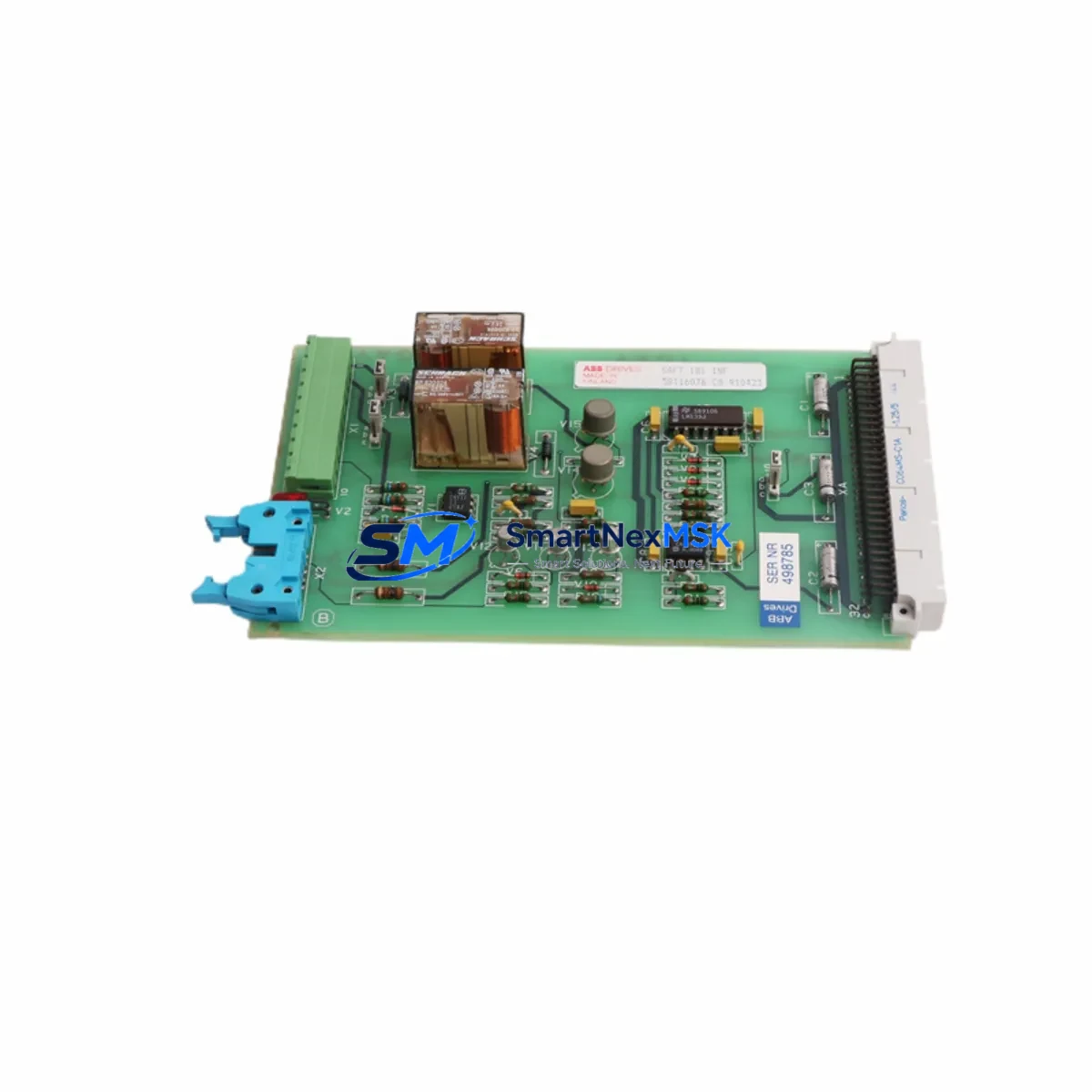
ABB SAFT181INF Spare for SAFT 181 Series Automation: Minimizing Downtime with Verified Interface Board Replacement
The ABB SAFT181INF is a critical interface board used in ABB SAFT 181 drive systems, including ACS and DCS series variable frequency drives widely deployed in industrial automation, motor control centers, and process control applications. When this board fails, the entire drive unit becomes inoperable, leading to unplanned production stoppages that can cost thousands per hour. Sourcing a verified, original-specification SAFT181INF spare is the fastest path to restoring system operation.
At SMARTNEXMSK, every SAFT181INF unit is sourced from authorized supply chains, inspected against ABB’s original electrical and mechanical specifications, and function-tested prior to shipment. Our 12-month warranty covers all supplied spare parts, giving maintenance engineers and procurement teams confidence in long-term reliability. We maintain buffer stock to support both emergency replacement orders and planned maintenance schedules.
Spare Maintenance Table
| Parameter | Specification |
|---|---|
| Part Number | SAFT181INF (SAFT 181 INF) |
| Manufacturer | ABB |
| Component Type | Interface Board / Communication Card |
| Compatible Series | ABB ACS Series, DCS Series (SAFT 181 drive platform) |
| Country of Origin | Germany |
| Mounting | Direct board-level installation into SAFT 181 drive chassis |
| Application Environment | Industrial automation, motor control, process drives, MCC panels |
| Compatibility Verification | Cross-referenced against ABB SAFT 181 hardware revision documentation |
| Pre-shipment Testing | Function-tested and electrically verified before dispatch |
| Warranty | 12 Months from date of shipment |
| Condition | Original spare — new or fully refurbished to OEM specification |
| Lead Time | In-stock units ship within 1–3 business days |
Maintenance Planning for Continuous Operation
Replacing the SAFT181INF interface board is rarely an isolated task. Experienced maintenance engineers know that a failed interface board is often symptomatic of broader stress in the drive system. During a planned or emergency replacement, the following components in the same control cabinet or electrical circuit should be inspected simultaneously to prevent repeat failures and reduce future downtime.
The SAFT183PLC and SAFT182CP processor and control boards share the same backplane and power rails as the SAFT181INF. If the interface board has failed due to voltage transients or thermal stress, these boards may carry latent damage. Inspect them for burn marks, swollen capacitors, or communication faults. Similarly, the SAFT185POW power supply board should be checked for output voltage stability — an unstable 5V or 24V rail is a common root cause of interface board failure.
On the I/O side, verify the integrity of the SDCS-IOB-3 or equivalent I/O expansion boards connected to the drive. Loose terminal connections or corroded I/O terminals can cause intermittent faults that are misdiagnosed as interface board failures. Inspect all terminal blocks and DIN rail connectors in the control cabinet for oxidation, especially in humid or coastal environments.
Communication integrity is equally important. If the SAFT181INF handles fieldbus or serial communication (PROFIBUS, Modbus, or proprietary ABB protocols), inspect the RDCO-01 or RDCO-02 communication option modules and their fiber optic or copper cabling. A degraded communication link can cause the interface board to report faults even when the board itself is functional.
For drives connected to HMI panels, verify that the ACS800 or ACS600 series HMI interface cables and panel connectors are undamaged. A failed interface board can corrupt parameter memory, so after replacement, re-upload drive parameters from a backup or re-commission the drive using the original parameter set. If the site uses a DDCS fiber optic link for master-follower drive configurations, inspect all fiber connectors and transceivers for contamination or physical damage.
Finally, check the fuse protection on the 24VDC control supply feeding the SAFT 181 board stack. A blown control fuse is often the first sign of a board-level short circuit. Replacing the fuse without identifying the root cause will result in repeat failures. Ensure the EMC filter and surge protection devices on the incoming supply are intact, as these protect the sensitive interface electronics from line-side disturbances.
Site Replacement Workflow
Step 1 — Isolate and de-energize: Follow LOTO (Lockout/Tagout) procedures. Confirm the DC bus has fully discharged before opening the drive cabinet. Verify with a calibrated multimeter.
Step 2 — Document existing configuration: Before removing the SAFT181INF, photograph the board orientation, connector positions, and any DIP switch or jumper settings. If the drive has a parameter upload function, back up all parameters to an external device or HMI.
Step 3 — Remove the faulty board: Disconnect all ribbon cables, fiber optic connectors, and board-edge connectors carefully. Use an ESD wrist strap. Remove the board from the chassis and place it in an anti-static bag for return or failure analysis.
Step 4 — Install the SAFT181INF spare: Seat the replacement board firmly into the backplane connector. Reconnect all cables in the documented order. Verify DIP switch and jumper settings match the original configuration.
Step 5 — Power-up and verify: Re-energize the control supply first. Check for fault codes on the drive display or HMI. Restore parameters from backup. Run a no-load test before reconnecting the motor load. Confirm communication with the PLC or DCS controller is re-established.
Step 6 — Update maintenance records: Log the replacement date, part number, and serial number. Schedule a follow-up inspection at the next planned maintenance window to verify stable operation.
Spare Parts Support FAQ
Q1: Is the SAFT181INF you supply an original ABB part or a compatible substitute?
All SAFT181INF units we supply are original ABB-specification parts — either new old stock or fully refurbished to OEM electrical and mechanical standards. We do not supply generic compatible substitutes. Each unit is inspected and function-tested before shipment.
Q2: How do I verify compatibility with my specific drive revision?
Provide us with your drive’s full nameplate data — model number, firmware version, and hardware revision code. Our technical team will cross-reference against ABB’s SAFT 181 hardware compatibility matrix and confirm suitability before the order is processed. We can also advise on any required firmware updates post-installation.
Q3: What does the 12-month warranty cover, and how is a claim processed?
The 12-month warranty covers manufacturing defects and functional failures under normal operating conditions. If a unit fails within the warranty period, contact us at [email protected] with the order reference and a fault description. We will arrange a replacement dispatch or repair, typically within 3–5 business days of claim confirmation.
Q4: Can you support long-term spare parts stocking for our maintenance program?
Yes. We offer blanket order arrangements and reserved stock agreements for maintenance teams managing multiple ABB drive systems. Contact our sales team to discuss volume pricing, lead time guarantees, and consignment stock options tailored to your planned maintenance schedule.
© 2026 SMARTNEXMSK. All rights reserved.
Original Source: https://smartnexmsk.com
Contact: [email protected] | +86 18259474341



