
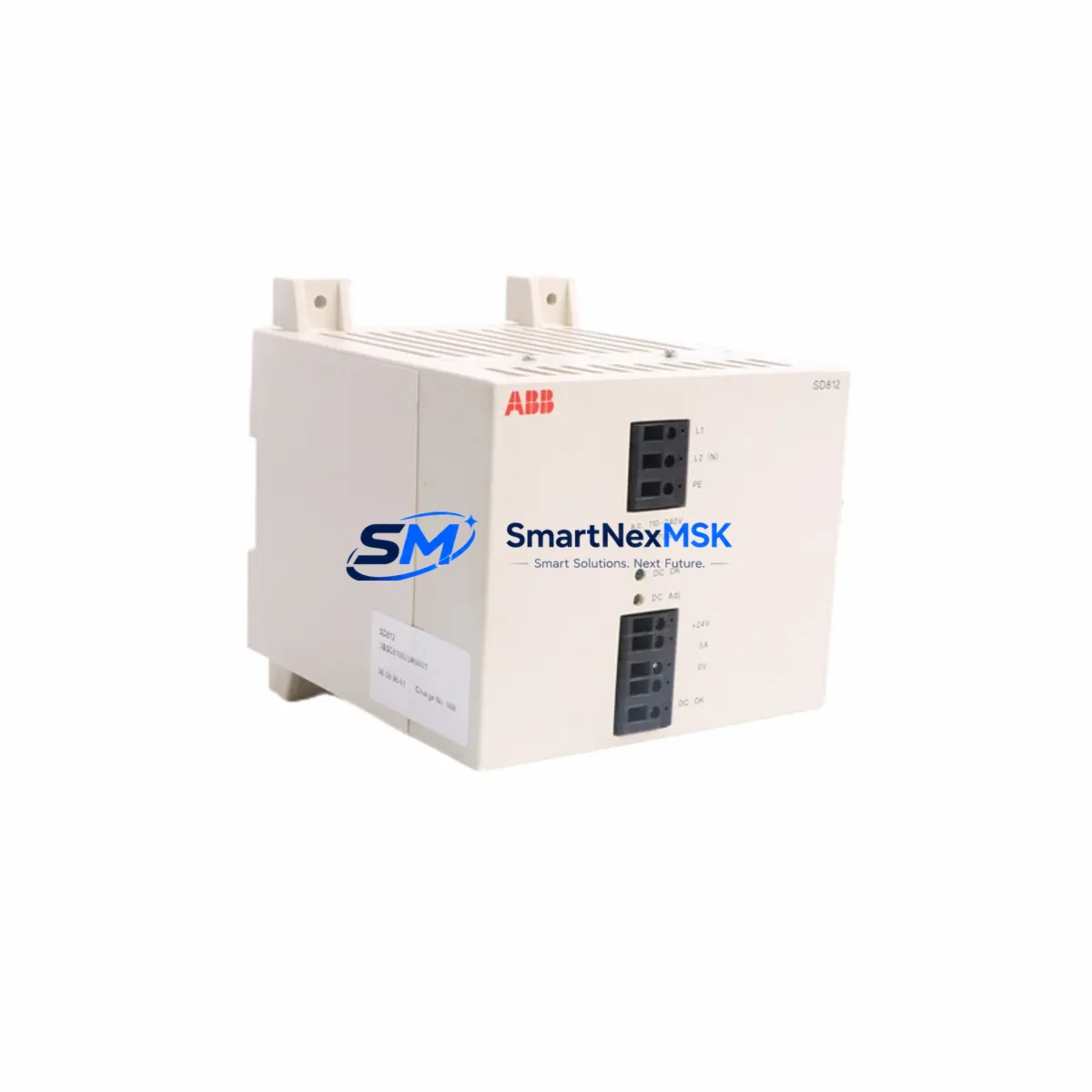
ABB SD812 3BSC610023R0001 Retrofit Power Supply AC500
The ABB SD812 (part number 3BSC610023R0001) is a dedicated DC power supply module for the ABB AC500 PLC platform, delivering stable 24 VDC output to CPU modules, I/O expansion racks, and communication interfaces within the control cabinet. As legacy AC500 installations age and original SD812 units reach end-of-service life, sourcing a verified retrofit-ready replacement becomes critical to maintaining production continuity without committing to a full platform migration. This listing provides an original or fully compatible SD812 3BSC610023R0001 unit — tested, documented, and backed by a 12-month warranty — designed to slot directly into existing AC500 control architectures with zero program modification required.
The SD812 mounts on the standard AC500 CPU rack alongside the PM5xx or PM5xx-ETH central processing unit. Its output rail powers the CPU backplane and can supply downstream I/O modules such as the DC532 digital input module, DA501 analog output module, and AI523 analog input module without requiring additional power boosters in most standard cabinet configurations. When replacing a failed or degraded SD812, engineers should verify that the incoming AC supply voltage (100–240 VAC, 50/60 Hz) is within tolerance and that the terminal block wiring — L, N, and PE — is correctly torqued to ABB specification. A loose PE connection is a common root cause of intermittent power faults that are often misdiagnosed as CPU or I/O failures.
Before powering up the replacement unit, confirm that the total current draw of all connected modules does not exceed the SD812’s rated output capacity. In expanded racks using the TB511 or TB521 terminal base units, each I/O module’s consumption must be summed against the supply budget. If the existing installation includes a CI501-PNIO PROFINET I/O communication module or a CI502-PNIO adapter, these draw additional current and should be factored into the load calculation. Failure to perform this check after a power supply swap is a leading cause of post-maintenance instability.
Upgrade Compatibility Table
| Parameter | Specification / Recommendation |
|---|---|
| Part Number | SD812 / 3BSC610023R0001 |
| Brand | ABB |
| Compatible Platform | ABB AC500 PLC Series (PM554, PM564, PM572, PM581, PM582, PM591, PM592) |
| Input Voltage | 100–240 VAC, 50/60 Hz |
| Output Voltage | 24 VDC |
| Mounting | AC500 CPU rack, standard DIN rail compatible |
| Interface | Direct backplane connection to AC500 CPU module |
| Communication Compatibility | Supports CI501-PNIO, CI502-PNIO, CI504-PNIO, CI541-DP PROFIBUS interfaces |
| Replacement Scope | Direct drop-in for failed or end-of-life SD812 units; no firmware change required |
| Commissioning Note | Verify load budget, PE wiring, and terminal torque before energizing |
| Origin | Germany |
| Weight | 920 g |
| Warranty | 12 Months — covers manufacturing defects and functional failure under normal operating conditions |
Retrofit Planning for Existing Automation Systems
A successful SD812 retrofit begins well before the replacement unit arrives on site. Maintenance and procurement engineers working on AC500-based control systems should treat a power supply replacement as an opportunity to audit the entire power distribution chain within the control cabinet. Start by inspecting the incoming supply breaker and any surge protection devices upstream of the SD812. Degraded surge arrestors or undersized breakers are frequently overlooked during reactive maintenance and can cause premature failure of a new power supply.
Within the AC500 rack, check the condition of the CPU module — typically a PM564-T or PM572-ETH — for any fault LEDs or error codes stored in the diagnostic buffer. A failing power supply often generates undervoltage events that are logged in the CPU’s event history and can be retrieved via the PS501 Control Builder Plus programming software. Reviewing this log before and after the swap confirms whether the power supply was the sole fault source or whether secondary issues exist in the I/O bus.
For cabinets that include a TA521 or TA523 terminal adapter connecting field wiring to I/O modules, inspect all terminal connections for oxidation or loose ferrules — these are common in high-vibration or high-humidity environments and can cause intermittent signal faults that appear after a power cycle. Similarly, if the cabinet houses a CP600 or CP620 HMI panel communicating with the AC500 CPU over Ethernet or serial RS-232, verify that the HMI communication parameters are retained after the power restoration sequence, as some older CP600 firmware versions require a manual reconnect after an unplanned power interruption.
Cabinets running PROFIBUS DP networks via a CI541-DP communication module should have the bus termination resistors checked at both ends of the segment. A power supply swap that involves even a brief bus interruption can cause PROFIBUS slaves to lose their GSD configuration if the master CPU restarts in a non-initialized state. Having the PS501 project file backed up and accessible on a laptop during the retrofit is strongly recommended. For sites running older AC500 V2 firmware, confirm that the replacement SD812 hardware revision is compatible with the installed CPU firmware version before energizing.
Downtime Control During System Migration
Minimizing downtime during an SD812 replacement on a live AC500 system requires a structured pre-outage checklist. First, export and archive the current CPU program from PS501 Control Builder Plus, including all hardware configuration files and symbol tables. This ensures that if the CPU loses its program during the power transition — an unlikely but possible event on older PM5xx units with degraded battery backup — recovery is immediate rather than requiring a full re-engineering effort.
Schedule the replacement during a planned maintenance window rather than responding reactively to a complete power supply failure. A degraded SD812 typically shows early warning signs: output voltage drift, increased cabinet temperature, or intermittent I/O faults that clear on power cycle. Catching these indicators during routine cabinet inspections allows the replacement to be staged in advance, with the new unit pre-inspected, terminals pre-labeled, and the commissioning checklist prepared.
During the physical swap, follow the ABB AC500 hardware installation sequence: de-energize the incoming supply, discharge any residual voltage on the output rail, remove the failed SD812 by releasing the rack locking mechanism, seat the replacement unit firmly until the backplane connector engages, and re-torque all terminal connections before re-energizing. After power-up, verify that the CPU STATUS LED returns to RUN green within the expected boot time and that all I/O modules report healthy status in the PS501 online diagnostic view. Document the replacement date, unit serial number, and post-commissioning test results in the site maintenance log to support future warranty claims and lifecycle planning.
For systems where even a brief outage is unacceptable, consider maintaining a pre-configured hot-spare SD812 in the site spare parts inventory. Given the AC500 platform’s widespread deployment across water treatment, building automation, and light manufacturing sectors, lead times for new SD812 units from distribution channels can extend to several weeks during peak demand periods. Holding one spare unit per installed AC500 rack is a widely adopted best practice among maintenance engineers managing multi-site automation fleets.
Retrofit Support FAQ
Q1: Is the SD812 3BSC610023R0001 a direct replacement for all AC500 CPU rack configurations?
Yes. The SD812 is the standard power supply module for the ABB AC500 platform and is compatible with all PM5xx series CPU modules mounted on the standard AC500 CPU rack. No hardware modification or firmware update is required for a direct swap. Confirm the output load budget before installation if additional I/O or communication modules have been added since the original system commissioning.
Q2: What pre-shipment testing is performed on each SD812 unit?
Every SD812 unit supplied through SMARTNEXMSK undergoes functional power-on testing to verify output voltage stability, input voltage range compliance, and backplane connector integrity before dispatch. Units are shipped with individual test documentation. The 12-month warranty covers manufacturing defects and functional failure under normal operating conditions from the date of receipt.
Q3: Can the SD812 be used to upgrade from an older AC500 V1 system to AC500 V2 or V3?
The SD812 power supply hardware is consistent across AC500 generations and does not itself impose a version barrier. However, a full platform migration from AC500 V1 to V2 or V3 involves CPU module replacement, firmware migration in PS501, and potential I/O module substitutions. The SD812 replacement is typically the first step in a phased upgrade — stabilizing the power infrastructure before addressing CPU and I/O modernization.
Q4: What is the lead time and how is compatibility verified before shipment?
In-stock SD812 3BSC610023R0001 units are dispatched within 1–3 business days. For orders requiring compatibility verification against a specific AC500 hardware revision or site configuration, our technical team reviews the customer’s rack layout and CPU firmware version before shipment confirmation. Customers are encouraged to provide their existing system’s hardware configuration export from PS501 to expedite this process.
© 2026 SMARTNEXMSK. All rights reserved.
Original Source: https://smartnexmsk.com
Contact: [email protected] | +86 18259474341



