
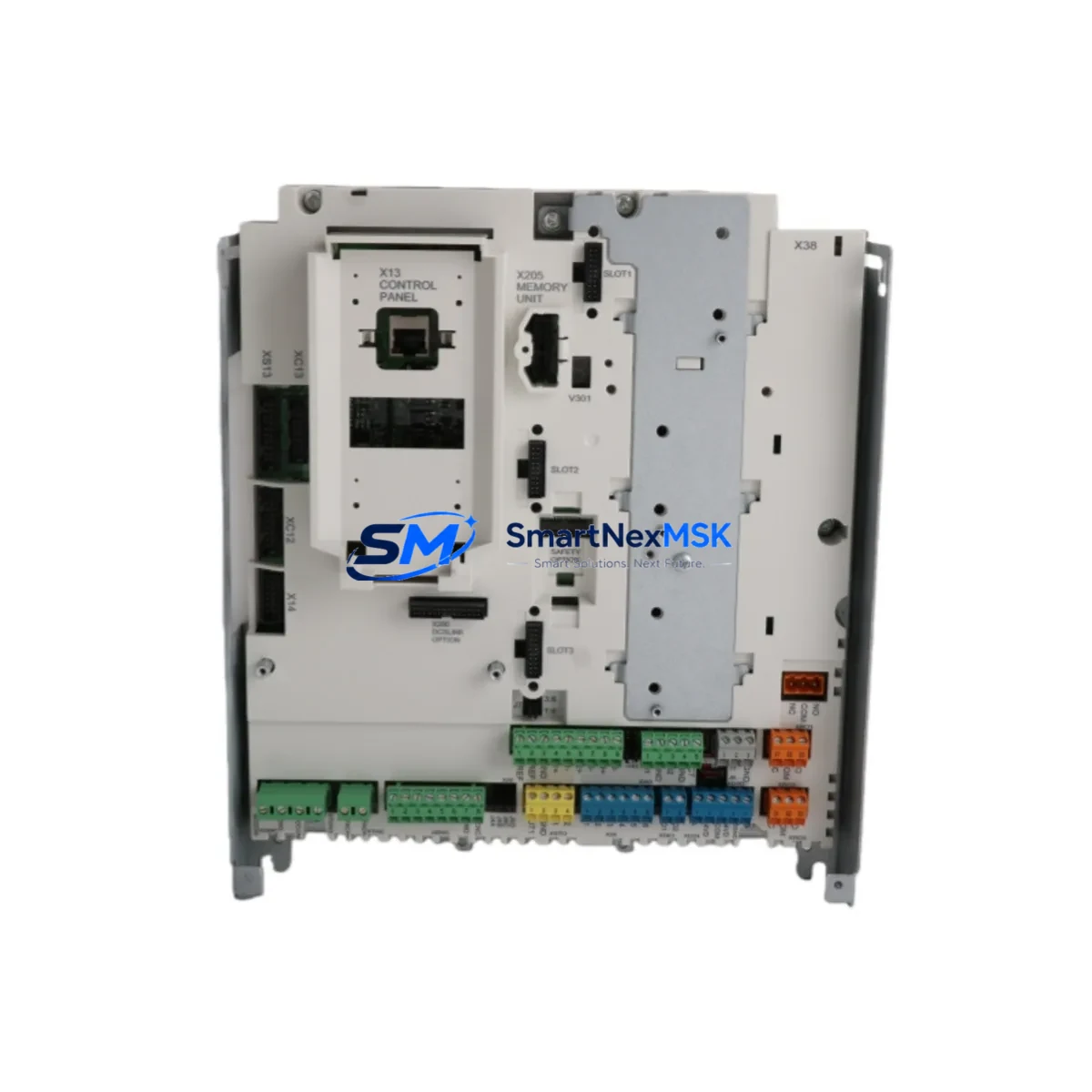
ABB SDCS-CON-H01 3ADT220166R0002 Retrofit-Ready DC Drive Control Board for DCS800 Control Systems
The ABB SDCS-CON-H01 (part number 3ADT220166R0002) is a high-performance DC drive control board engineered for seamless retrofit integration into ABB DCS800 series DC drive systems. Designed to replace aging or discontinued control boards in legacy automation environments, this module delivers full compatibility with the DCS800 drive platform while supporting smooth migration from earlier ABB DCF500, DCS500, and Mentor II-era systems. Whether you are upgrading a paper mill drive line, a steel rolling mill, or a municipal water treatment pump station, the SDCS-CON-H01 provides the processing power and I/O architecture needed to restore full drive functionality with minimal downtime.
Sourced directly from verified ABB supply channels and subjected to pre-shipment functional testing, each unit ships with a 12-month warranty covering manufacturing defects and operational failures under normal industrial conditions. Stock is maintained on-hand for immediate dispatch, supporting urgent replacement scenarios where production continuity is critical.
Upgrade Compatibility Table
| Parameter | Details |
|---|---|
| Part Number | SDCS-CON-H01 / 3ADT220166R0002 |
| Compatible Drive Series | ABB DCS800 (all frame sizes A4–A8) |
| Replaces / Upgrades From | SDCS-CON-2, SDCS-CON-4, DCF503, DCS501, DCS502 |
| Backplane Interface | DCS800 standard control board slot (direct plug-in) |
| Communication Compatibility | DDCS fiber optic, PROFIBUS-DP (via SDCS-COM-8), Modbus RTU |
| I/O Architecture | Analog inputs/outputs, digital I/O, encoder feedback interface |
| Power Supply Requirement | 24 VDC auxiliary supply from DCS800 internal SDCS-POW-4 or equivalent |
| Terminal Wiring | Compatible with existing DCS800 X1–X99 terminal strip layout |
| Firmware / Parameter Set | Retains DCS800 parameter group structure; re-commissioning required after swap |
| Installation Requirement | ESD precautions; drive must be fully de-energized before board removal |
| Retrofit Recommendation | Verify armature current rating and field excitation settings post-installation |
| Warranty | 12 Months — covers manufacturing defects and operational failure under normal use |
Retrofit Planning for Existing Automation Systems
Successful integration of the SDCS-CON-H01 into an existing control architecture requires a structured pre-retrofit assessment. Begin by auditing the current DCS800 drive cabinet to confirm the auxiliary power supply — typically the SDCS-POW-4 power supply board — is delivering stable 24 VDC to the control board slot. A degraded SDCS-POW-4 is a common root cause of control board failures and should be inspected or replaced concurrently to avoid repeat faults.
Next, document the existing terminal wiring on the X1 through X99 terminal strips. The SDCS-CON-H01 preserves the standard DCS800 terminal layout, so existing field wiring for speed reference, enable signals, fault relay outputs, and encoder feedback from the SDCS-FEX-2 field excitation unit can typically be reconnected without modification. However, if the legacy installation used a SDCS-CON-2 or SDCS-CON-4 board, verify that any custom I/O expansion via the SDCS-IOB-3 I/O extension board is still compatible with the updated control board firmware.
For systems communicating over PROFIBUS-DP, the SDCS-COM-8 fieldbus adapter must be re-seated and its node address confirmed against the PLC configuration — typically a Siemens S7-300, S7-400, or ABB AC500 controller acting as the PROFIBUS master. If the site uses DDCS fiber optic links to an ACS800 or ACS600 master drive in a multi-drive configuration, verify the DDCS node address and ring topology continuity before powering up. Systems migrating from older DCF500 or DCS500 platforms may require a DDCS protocol bridge or gateway module to maintain upstream communication integrity.
Panel-mounted HMI screens — whether ABB CP600 operator panels or third-party Weintek and Siemens TP700 units — should have their drive parameter mapping reviewed. The SDCS-CON-H01 uses the same DCS800 parameter group numbering (Groups 1–99), so existing HMI screen variable bindings will generally remain valid, but any custom parameter extensions added to the legacy board must be re-entered manually. Confirm that the HMI communication link — whether RS-485 Modbus RTU or Ethernet/IP — is re-established and polling correctly before returning the drive to automatic mode.
Finally, inspect the SDCS-MEM-8 memory unit if one is installed. This module stores drive parameters and can be used to restore a known-good parameter set to the new SDCS-CON-H01 board, significantly reducing commissioning time. If no memory unit is available, retrieve the parameter backup from the site’s drive commissioning records or from the ABB DriveWindow Light software archive before proceeding.
Downtime Control During System Migration
Minimizing production downtime during a DC drive control board replacement requires disciplined pre-staging and a clear sequence of operations. Before the maintenance window opens, prepare the replacement SDCS-CON-H01 by confirming its firmware revision matches the drive’s existing software version. If a firmware update is required, perform it on the bench using ABB DriveWindow software connected via the SDCS-COM-8 or the drive’s front panel RS-232 port — never attempt a firmware update on a live production drive.
Export a full parameter backup from the existing drive using DriveWindow Light or the SDCS-MEM-8 memory unit. This backup is your primary recovery tool. If the new board fails to initialize correctly, restoring the parameter set from backup allows you to revert to the original board or a second spare unit without re-entering hundreds of parameters manually.
During the physical swap, follow a strict lockout/tagout procedure. Confirm that the DC bus capacitors have fully discharged — typically 5 to 10 minutes after main power isolation — before touching any internal components. Remove the faulty SDCS-CON-H01 using ESD-safe handling, seat the replacement board firmly into the backplane connector, and reconnect all ribbon cables and fiber optic links before closing the cabinet.
On power-up, monitor the drive’s fault log via the panel-mounted keypad or DriveWindow. Common post-swap faults include encoder feedback loss (check SDCS-FEX-2 wiring), fieldbus communication timeout (re-check SDCS-COM-8 node address), and armature current limit mismatch (re-enter motor nameplate data into parameter group 99). With a pre-staged parameter backup and a methodical commissioning sequence, most DCS800 control board replacements can be completed within a 2–4 hour maintenance window, preserving production schedule integrity.
Retrofit Support FAQ
Q1: Is the SDCS-CON-H01 3ADT220166R0002 a direct drop-in replacement for the SDCS-CON-2 or SDCS-CON-4?
A: The SDCS-CON-H01 is designed for the DCS800 platform and is not a direct pin-for-pin replacement for the older SDCS-CON-2 or SDCS-CON-4 boards used in DCS500 drives. If you are migrating from a DCS500 to a DCS800 platform, a full drive replacement is typically required. However, within the DCS800 family, the SDCS-CON-H01 is the standard control board and is compatible across all DCS800 frame sizes. Please confirm your drive’s exact model number before ordering.
Q2: What pre-shipment testing is performed on each unit?
A: Every SDCS-CON-H01 unit undergoes functional power-on verification and communication interface testing before dispatch. Units are inspected for physical damage, connector integrity, and component condition. A test report is available upon request. Each unit ships with a 12-month warranty covering manufacturing defects and operational failures under normal industrial use conditions.
Q3: Can I reuse my existing field wiring and terminal connections?
A: In most DCS800 installations, yes. The SDCS-CON-H01 uses the standard DCS800 terminal strip layout (X1–X99), so existing analog reference, digital I/O, encoder, and relay wiring can typically be reconnected without modification. If your installation includes non-standard wiring adaptations or third-party I/O expansion modules such as the SDCS-IOB-3, verify compatibility against the DCS800 hardware manual before reconnecting.
Q4: How do I restore my drive parameters after installing the replacement board?
A: If a SDCS-MEM-8 memory unit was installed in your drive, it will automatically restore the saved parameter set on first power-up with the new board. If no memory unit is present, use ABB DriveWindow Light software to upload a previously saved parameter file via the drive’s RS-232 or fieldbus interface. If no backup exists, parameters must be re-entered manually from the drive’s commissioning records. We strongly recommend creating a parameter backup before any control board replacement.
© 2026 SMARTNEXMSK. All rights reserved.
Original Source: https://smartnexmsk.com
Contact: [email protected] | +86 18259474341



