
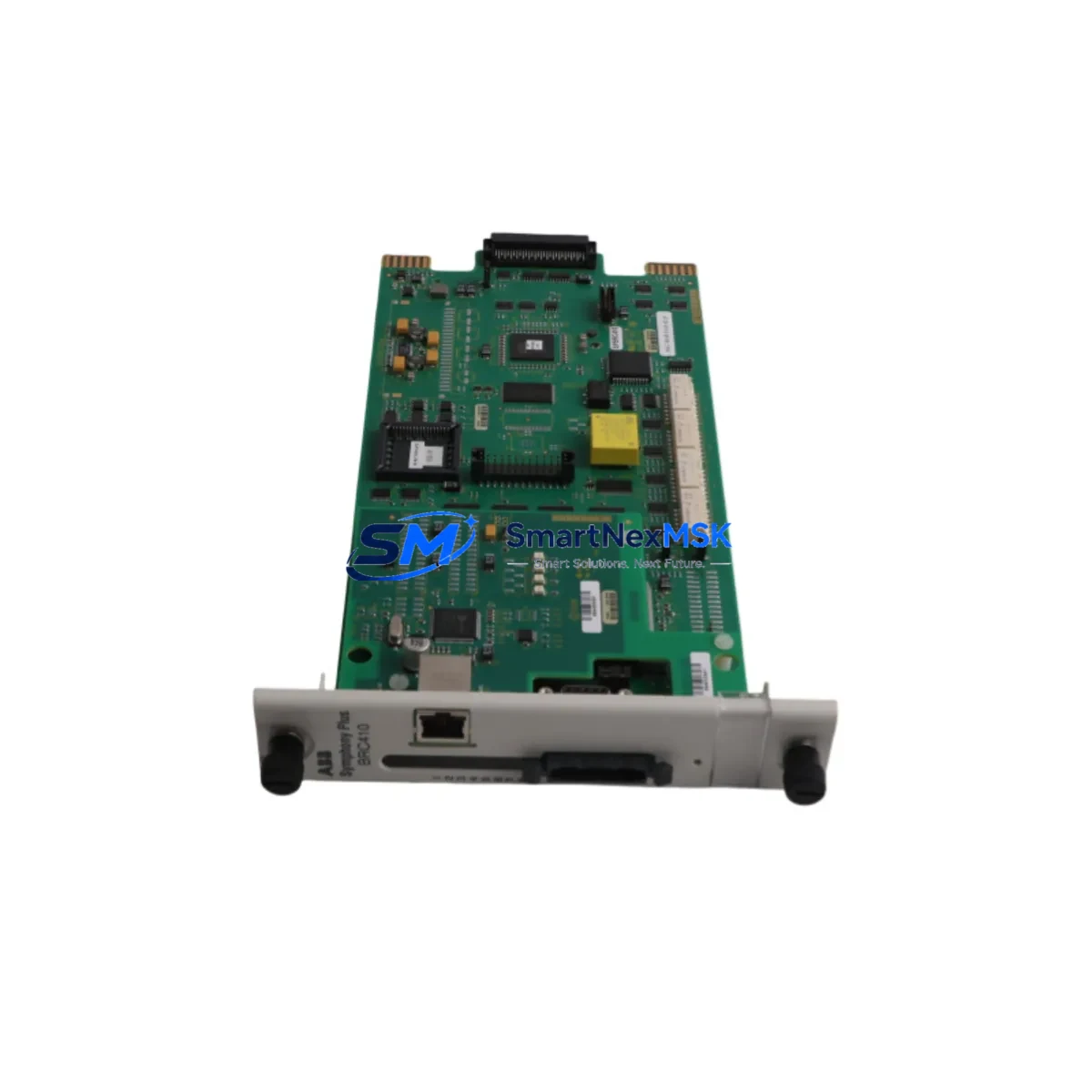
ABB SPBRC410 Retrofit-Ready CPU for AC800M Control Systems: Seamless Compatibility & Legacy System Upgrade
The ABB SPBRC410 is a high-performance CPU module engineered for the AC800M Distributed Control System platform — one of ABB’s most widely deployed process automation architectures across power generation, oil & gas, pulp & paper, and chemical processing industries. As legacy AC800M installations age and original CPU modules approach end-of-life, the SPBRC410 has become the preferred retrofit-ready replacement for engineers managing brownfield upgrades, emergency spare procurement, and planned control system modernization projects.
SMARTNEXMSK maintains verified in-stock inventory of the SPBRC410, fully tested and shipped with a 12-month warranty. Every unit undergoes pre-shipment functional verification to confirm firmware compatibility, backplane communication integrity, and module addressing before dispatch.
Upgrade Compatibility Table
| Parameter | Details |
|---|---|
| SKU / Part Number | SPBRC410 |
| Brand / Manufacturer | ABB (Sweden) |
| Compatible Platform | AC800M DCS (PM851, PM856, PM860, PM861, PM864, PM866 series) |
| Backplane Interface | S800 I/O bus; compatible with TB820, TB840, TB845 termination units |
| Communication Protocols | PROFIBUS-DP, Modbus RTU/TCP, IEC 61850, OPC DA/UA, MMS |
| Replacement Compatibility | Direct retrofit for SPBRC400, SPBRC401, SPBRC405 in same rack slot |
| Installation Requirement | Standard AC800M rack (3BSE018161R1 or equivalent); no mechanical modification required |
| Power Supply Compatibility | SD821, SD822, SD823 power supply modules; verify rail capacity before installation |
| Firmware / Software | Compatible with Control Builder M (CBM) 5.1 and above; project re-download required after swap |
| Debugging Focus | Module address configuration, I/O channel mapping, redundancy switchover test |
| Warranty | 12 months from shipment date — covers hardware defects and functional failure |
Retrofit Planning for Existing Automation Systems
Replacing a CPU module in a live AC800M system requires careful pre-migration planning to avoid unplanned shutdowns and data loss. Before removing the existing SPBRC400 or SPBRC405 from the rack, engineers should export the full Control Builder M project backup, document all module addresses, and photograph the terminal wiring on connected TB820 or TB840 I/O termination units. The SPBRC410 uses the same physical form factor and backplane connector as its predecessors, allowing direct slot-for-slot installation without rack modification.
Power budget verification is a critical pre-installation step. The SD821 and SD822 power supply modules that typically serve AC800M racks have defined current limits per rail. Adding the SPBRC410 alongside existing AI810, AO810, DI810, and DO810 I/O modules requires confirming that total rail draw remains within specification. If the existing rack is near capacity, consider redistributing I/O across a secondary rack connected via an AF100 fieldbus interface module before proceeding with the CPU swap.
For systems using PROFIBUS-DP communication, the SPBRC410 maintains full compatibility with existing DP master configurations. Slave device addresses, baud rates, and GSD file assignments do not require reconfiguration after the CPU replacement. Similarly, installations using Modbus TCP over the Ethernet port will retain their IP addressing and register mapping without modification, provided the replacement unit is configured with the same node identity in Control Builder M.
Sites running IEC 61850 GOOSE messaging or MMS client connections to substation IEDs should verify that the logical node configuration in the CBM project is intact after the project re-download. The SPBRC410 supports the same IEC 61850 stack as the SPBRC405, making it a transparent upgrade for substation automation and protection relay integration projects.
HMI connectivity is another area requiring attention during retrofit. Systems using ABB’s 800xA Operations or third-party SCADA platforms connected via OPC DA or OPC UA should confirm that the server tag database remains synchronized after the CPU swap. In most cases, the OPC server will automatically reconnect once the SPBRC410 completes its startup sequence and the Control Builder M project is active. For systems using Panel 800 operator terminals or PP865 HMI panels connected via the local bus, no reconfiguration is typically required.
I/O expansion planning should also account for the CI854 PROFIBUS master module and CI857 HART multiplexer if analog field instruments are connected. These communication interface modules remain fully compatible with the SPBRC410 and do not require firmware updates when the CPU is replaced. The same applies to CI840 PROFIBUS slave modules used in distributed I/O architectures.
Downtime Control During System Migration
Minimizing production downtime during a CPU module replacement is the primary concern for most plant engineers. The recommended approach is to perform the SPBRC410 installation during a scheduled maintenance window, with a pre-tested spare unit ready for immediate installation. SMARTNEXMSK ships all SPBRC410 units with pre-shipment functional testing completed, reducing on-site commissioning time significantly.
For AC800M systems configured with CPU redundancy using a paired SPBRC410 in hot-standby mode, the switchover can be performed without process interruption. The standby CPU takes over control within milliseconds, allowing the primary unit to be replaced while the plant continues operating. After installing the new SPBRC410, the redundancy pair re-synchronizes automatically once the replacement unit completes its startup sequence.
For non-redundant systems, the recommended procedure is to place the process in a safe hold state, export the current CBM project, replace the CPU module, re-download the project, and perform a controlled restart. The entire procedure typically takes 30–90 minutes depending on project complexity and I/O channel count. Having the programming cable (TK212A or USB-to-serial adapter) and a laptop with Control Builder M pre-installed on-site before the maintenance window begins is essential for minimizing unplanned delays.
Post-installation verification should include a full I/O channel scan, redundancy switchover test (where applicable), communication link confirmation for all PROFIBUS and Modbus segments, and an HMI display check to confirm all process values are updating correctly. SMARTNEXMSK’s technical team is available to support remote commissioning guidance for customers who require assistance during the startup phase.
Retrofit Support FAQ
Q1: Is the SPBRC410 a direct drop-in replacement for the SPBRC400 and SPBRC405?
Yes. The SPBRC410 uses the same physical dimensions, backplane connector, and rack slot assignment as the SPBRC400 and SPBRC405. No mechanical modification to the rack or termination units is required. The Control Builder M project must be re-downloaded to the new CPU after installation, and module addressing should be verified before restarting the process.
Q2: Does the SPBRC410 require a firmware update before installation?
The SPBRC410 ships with factory-installed firmware compatible with Control Builder M 5.1 and above. In most retrofit scenarios, no firmware update is required before installation. If your CBM project was created with an older version, SMARTNEXMSK recommends verifying firmware compatibility during the pre-installation planning phase. Our technical team can advise on specific version requirements based on your project file.
Q3: What wiring changes are needed when replacing the CPU module?
The SPBRC410 connects to the AC800M rack backplane — no direct field wiring is attached to the CPU module itself. Field wiring terminates at the TB820, TB840, or TB845 I/O termination units, which remain undisturbed during the CPU replacement. The only connections to verify are the Ethernet cables for OPC/PROFINET communication and the PROFIBUS connector if the CPU is configured as a DP master.
Q4: What does the 12-month warranty cover, and how does the claims process work?
All SPBRC410 units supplied by SMARTNEXMSK carry a 12-month warranty from the shipment date, covering hardware defects and functional failure under normal operating conditions. If a unit fails within the warranty period, contact [email protected] with your order reference and a description of the fault. SMARTNEXMSK will arrange a replacement unit dispatch or repair, depending on the nature of the defect. Pre-shipment test reports are available upon request for quality documentation purposes.
© 2026 SMARTNEXMSK. All rights reserved.
Original Source: https://smartnexmsk.com
Contact: [email protected] | +86 18259474341



