
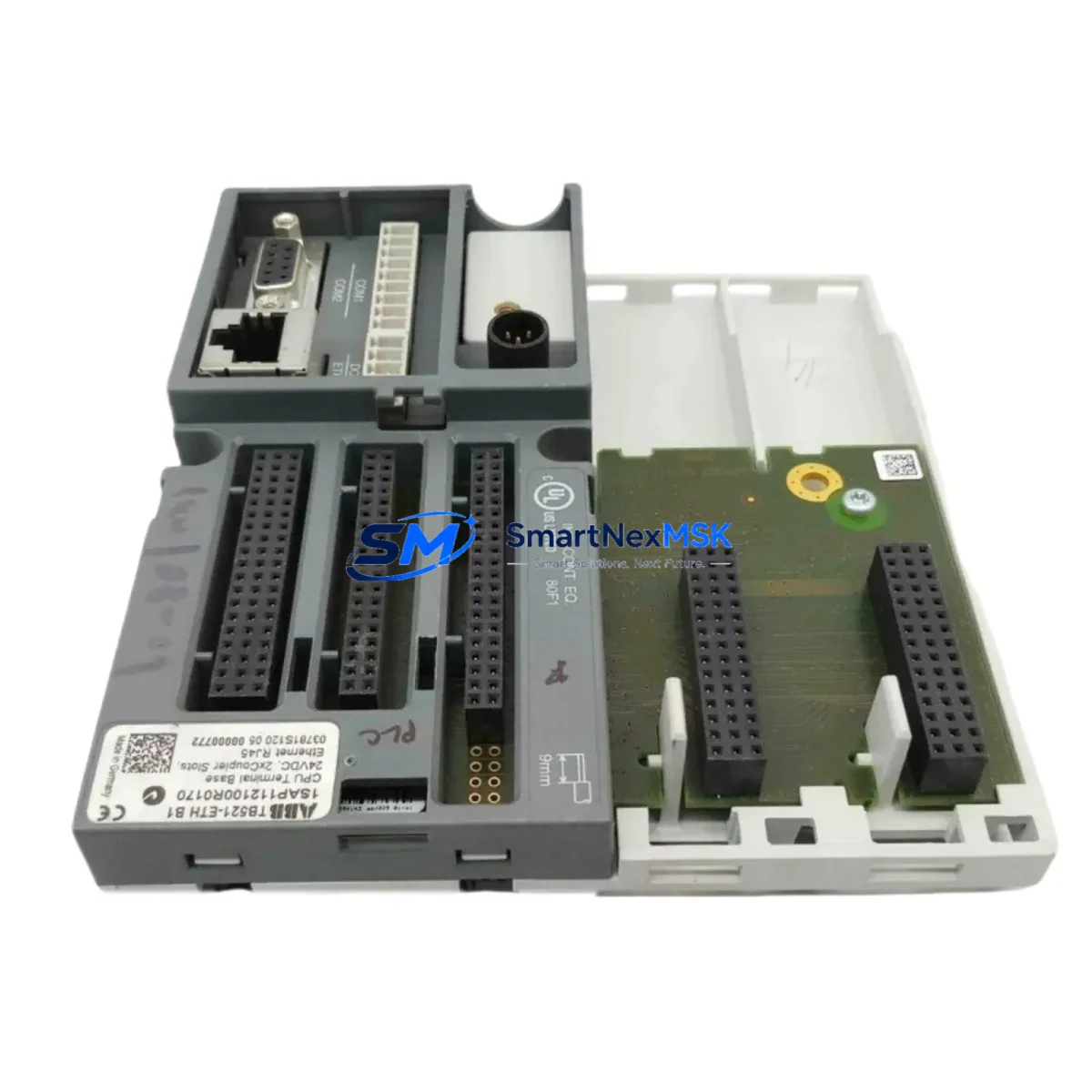
ABB TB521-ETH 1SAP112100R0170 Retrofit-Ready Ethernet Terminal Base for AC500 Control Systems
The ABB TB521-ETH (part number 1SAP112100R0170) is an Ethernet Terminal Base designed for the ABB AC500 modular PLC platform. As legacy control systems age and original spare parts become increasingly difficult to source, the TB521-ETH has become a critical component in retrofit projects, discontinued-model replacements, and control cabinet upgrades across manufacturing, process automation, water treatment, and energy management applications. This unit provides a reliable, drop-in-compatible solution for engineers and maintenance teams seeking to extend the operational life of existing AC500 installations or migrate aging infrastructure to a more maintainable architecture.
The TB521-ETH serves as the physical and electrical interface between AC500 I/O modules and the control network. It supports PROFINET communication, enabling seamless integration with modern SCADA systems, HMI panels, and distributed control architectures. When replacing an older terminal base — such as the TB521 (non-Ethernet variant) or other legacy AC500 backplane components — engineers must verify power supply capacity at the rack level, confirm that the existing PM5xx or PM5xx-ETH CPU module supports the Ethernet terminal base addressing scheme, and validate that module slot addressing in the programming environment (typically ABB Automation Builder or PS501 Control Builder Plus) remains consistent with the original configuration.
Upgrade Compatibility Table
| Parameter | TB521-ETH 1SAP112100R0170 | Notes / Retrofit Guidance |
|---|---|---|
| Communication Protocol | PROFINET (Ethernet) | Verify CPU supports Ethernet I/O bus; upgrade PM5xx if required |
| Compatible CPU Modules | PM5xx-ETH series (e.g. PM554-ETH, PM564-ETH) | Non-ETH CPUs require CPU swap or coupler addition |
| I/O Module Compatibility | AC500 standard I/O (DI, DO, AI, AO modules) | Confirm module firmware version compatibility |
| Mounting / Installation | DIN rail, standard AC500 rack footprint | Direct mechanical replacement for TB521 series bases |
| Terminal Wiring | Spring-clamp or screw terminals (field wiring retained) | Re-use existing field wiring; verify terminal torque specs |
| Power Supply Requirement | 24 VDC via backplane bus | Confirm PS501 or PS560 power supply current budget |
| Backplane Interface | AC500 I/O bus connector | Inspect connector pins for wear before re-seating modules |
| Module Address Configuration | Set via rotary switch on base | Match original address to avoid program re-mapping |
| HMI / SCADA Compatibility | PROFINET device visible on network | Update HMI tag addresses if IP or device name changes |
| Warranty | 12 Months | Covered from date of shipment; includes functional test report |
Retrofit Planning for Existing Automation Systems
Successful integration of the TB521-ETH into an existing control system requires a structured pre-installation assessment. Begin by auditing the current rack configuration: identify all installed I/O modules (such as DI524, DO524, AI523, or AO523 series), document their slot positions, and record the module addresses set on each terminal base. This baseline is essential for maintaining program compatibility in ABB Automation Builder without requiring a full I/O remapping exercise.
Next, evaluate the power distribution within the control cabinet. The PS501-PROG or PS560 power supply modules must provide sufficient current headroom for the TB521-ETH and all connected I/O modules. If the existing power supply is operating near capacity, a parallel PS560 or an upgraded power supply unit should be provisioned before the retrofit begins. Failure to account for power budget is one of the most common causes of intermittent faults during post-retrofit commissioning.
For systems migrating from a fieldbus-based architecture (e.g., PROFIBUS DP using a CI590-CS31-HA coupler or CI501-PNIO communication interface) to a native PROFINET topology via the TB521-ETH, the communication configuration in the CPU must be updated. This involves reassigning the PROFINET device name and IP address in the hardware configuration, updating the GSD/GSDML device description file in the engineering tool, and verifying that the managed Ethernet switch in the cabinet supports the required PROFINET conformance class. Programming cables such as the TK501 USB programming cable or TK502 serial cable may be needed for CPU firmware updates during this phase.
Field wiring connected to the I/O modules typically does not need to be disturbed during a terminal base swap, provided the replacement base uses the same wiring terminal layout. However, it is good practice to photograph and label all terminal connections before disassembly, and to perform an insulation resistance check on field cables before re-energizing the system. Any HMI panels — such as ABB CP600 series or third-party SCADA clients — should be updated with the new PROFINET device parameters to ensure tag communication is restored immediately after power-up.
Downtime Control During System Migration
Minimizing unplanned downtime is the primary concern for any retrofit involving live production equipment. For the TB521-ETH replacement, the recommended approach is a cold-swap procedure performed during a scheduled maintenance window. Before de-energizing the rack, export and back up the full CPU program from ABB Automation Builder, including all hardware configuration files, variable lists, and HMI project files. Store these backups on an offline medium independent of the control network.
During the swap, retain all I/O modules in their original slot positions — do not shuffle module locations unless the retrofit plan explicitly requires it. Re-seat each module onto the new TB521-ETH base, confirm that the rotary address switch matches the original setting, and verify that all field wiring terminals are fully seated and torqued to specification. On power-up, monitor the CPU diagnostic LEDs and the PROFINET status indicators on the terminal base. A successful retrofit will show all I/O modules recognized within the first scan cycle, with no unresolved hardware faults in the Automation Builder diagnostic view.
If the system cannot tolerate a full shutdown, a phased migration strategy can be employed: install the TB521-ETH in a parallel rack position, configure it as a secondary PROFINET device, validate I/O signal integrity under live conditions, then cut over by updating the CPU hardware configuration during the next available window. This approach preserves original program logic and HMI screen layouts throughout the transition, reducing the risk of operator error during the changeover period. All units are pre-tested and shipped with a functional test report, and are covered by a 12-month warranty from the date of shipment.
Retrofit Support FAQ
Q1: Is the TB521-ETH 1SAP112100R0170 a direct replacement for the non-Ethernet TB521 terminal base?
The TB521-ETH shares the same mechanical footprint and I/O module interface as the standard TB521, but adds an Ethernet/PROFINET communication port. To use it as a direct replacement, the connected CPU module must support Ethernet I/O bus communication (PM5xx-ETH series). If the existing CPU is a non-ETH variant, a CPU upgrade to a PM554-ETH or PM564-ETH is required, or a CI501-PNIO PROFINET coupler must be added to the rack.
Q2: What commissioning steps are required after installing the TB521-ETH?
After physical installation, assign the PROFINET device name and IP address using the ABB Automation Builder hardware configuration tool or a PROFINET commissioning utility. Verify that the module address rotary switch matches the original setting. Download the updated hardware configuration to the CPU, perform a full I/O force test to confirm signal integrity on all channels, and check HMI tag communication before returning the system to automatic mode.
Q3: Can the existing field wiring be reused when replacing the terminal base?
Yes, in most cases. The TB521-ETH uses the same terminal block layout as the standard AC500 terminal base series. Field wiring connected to I/O modules (DI, DO, AI, AO) does not need to be rewired. However, always verify terminal torque specifications and inspect for any signs of corrosion or insulation damage before re-energizing. If the cabinet has been in service for more than 10 years, a full terminal inspection and re-torque is recommended as part of the retrofit procedure.
Q4: What does the 12-month warranty cover, and is a test report included?
All TB521-ETH 1SAP112100R0170 units supplied by SMARTNEXMSK are covered by a 12-month warranty from the date of shipment. The warranty covers functional defects under normal operating conditions. Each unit is shipped with a functional test report confirming that the module has been tested for communication, I/O bus integrity, and power supply compatibility prior to dispatch. For warranty claims or technical support, contact [email protected].
© 2026 SMARTNEXMSK. All rights reserved.
Original Source: https://smartnexmsk.com
Contact: [email protected] | +86 18259474341



