
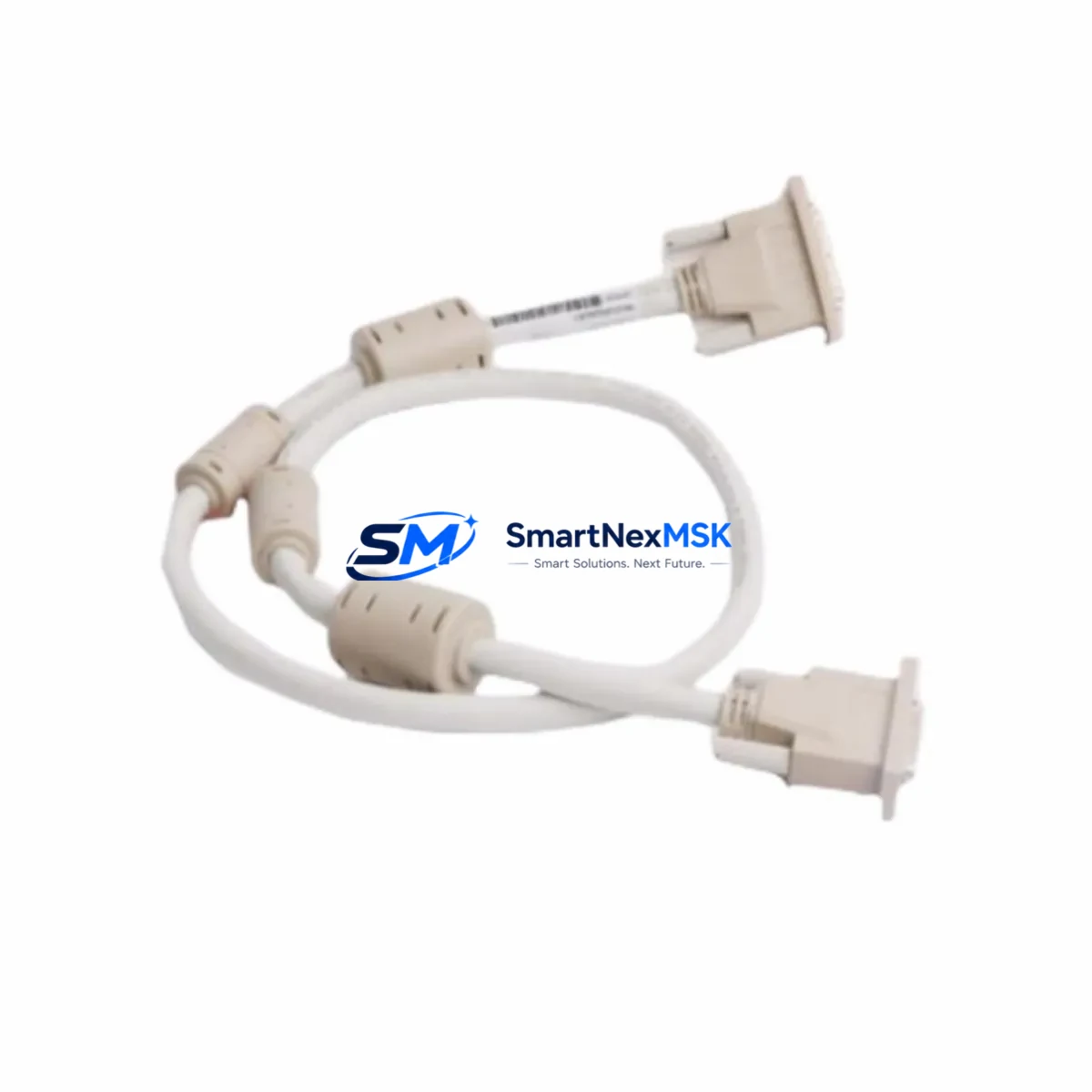
ABB TK851V010/3BSC950262R1 Retrofit-Ready Programming Cable for AC500 Control Systems
The ABB TK851V010 (also catalogued as 3BSC950262R1) is a 10-metre programming and configuration cable purpose-built for the ABB AC500 PLC platform. As legacy AC500 installations age and original accessories reach end-of-life, sourcing a verified drop-in replacement becomes critical to maintaining programming access, performing firmware updates, and executing online diagnostics without interrupting production. This cable provides a direct, electrically compatible substitute for the original factory part, supporting both USB-to-RS-232 and direct serial communication paths used by ABB’s PS501 Control Builder Plus software environment.
Industrial sites running AC500 CPUs such as the PM554, PM564, PM573, PM583, PM591, or PM595 rely on this cable type to establish a point-to-point programming link between an engineering workstation and the CPU’s front-panel COM port. Whether you are commissioning a new panel, uploading a revised ladder logic program, or recovering a corrupted project from a failed CPU, the TK851V010/3BSC950262R1 is the correct interface tool for the job. Its shielded construction and ferrite-filtered connectors reduce susceptibility to EMI in high-noise cabinet environments typical of motor control centres and process automation panels.
Upgrade Compatibility Table
| Parameter | Detail |
|---|---|
| SKU / Part Number | TK851V010 / 3BSC950262R1 |
| Compatible Platform | ABB AC500 PLC Series (all generations) |
| Compatible CPUs | PM554, PM564, PM573, PM583, PM591, PM595 |
| Cable Length | 10 metres (shielded) |
| Interface | USB (PC side) / RS-232 Sub-D9 (CPU side) |
| Software Compatibility | ABB PS501 Control Builder Plus, Control Builder F |
| Installation Requirement | No driver installation required on Windows 10/11 (CDC class); legacy OS may require CP210x driver |
| Communication Protocol | Modbus RTU, proprietary ABB programming protocol |
| Replacement Suitability | Direct drop-in for original TK851V010; no firmware or parameter changes required |
| Retrofit Recommendation | Suitable for panel upgrades, CPU swaps, and remote commissioning support |
| Debugging Notes | Verify COM port assignment in Device Manager; set baud rate to 19200 or 38400 in Control Builder |
| Warranty | 12 Months — covers manufacturing defects and connector integrity |
Retrofit Planning for Existing Automation Systems
When planning a retrofit or upgrade of an AC500-based control system, the programming cable is only one element of a broader migration checklist. Engineers replacing an end-of-life PM554 or PM564 CPU with a current-generation PM591 or PM595 must account for several interdependent components. The SD card slot on newer CPUs may require reformatting the existing SD memory card (TF-series) to transfer retained program data. If the installation uses a TA521 or TA526 terminal base, verify that the new CPU module seats correctly and that the backplane bus connectors are undamaged before powering up.
Communication modules such as the CM572-DP (PROFIBUS DP master/slave) or CM589-PNIO (PROFINET IO controller) must be re-addressed if the CPU slot assignment changes during the retrofit. Similarly, if the system communicates with a remote I/O rack via the CS31 fieldbus, the CI590-CS31 coupler module address switches must be confirmed against the original project documentation. Distributed I/O modules — including DA501 analog input, DA502 analog output, and DC532 digital I/O — retain their hardware addresses independently, but the CPU program must be re-downloaded and verified online after any CPU replacement.
For systems integrating an ABB CP600 or CP620 HMI panel, the communication link between the HMI and the AC500 CPU is typically configured via Ethernet (Modbus TCP) or serial Modbus RTU. After a CPU swap, confirm the IP address assignment on the CM579-ETH Ethernet communication module and update the HMI project’s PLC connection settings if the IP has changed. The TK851V010/3BSC950262R1 cable is used exclusively for the CPU programming port and does not affect the HMI communication path, but both links must be validated as part of the commissioning sign-off.
Power supply capacity is a frequent oversight during AC500 retrofits. The PM591 and PM595 CPUs draw more current from the 24 VDC bus than older PM554 variants. If the existing panel uses an ABB CP-E 24/5.0 or CP-E 24/10.0 power supply, verify that the total load — including all I/O modules, communication modules, and field devices powered from the same rail — remains within the rated output. Undersized power supplies cause intermittent CPU resets that are difficult to diagnose without a current logger.
Downtime Control During System Migration
Minimising unplanned downtime during an AC500 programming cable replacement or CPU migration requires a structured approach. Before disconnecting any hardware, use the TK851V010/3BSC950262R1 cable and PS501 Control Builder Plus to perform a full online project upload from the running CPU. Save the .PRG project file, the symbol table, and any retain variable data to a secure engineering workstation. If the CPU supports SD card backup, trigger a manual project save to the SD card as a secondary copy.
During the physical swap, label all terminal wiring on the CPU’s front-panel I/O connectors before removal. AC500 CPUs use push-in spring terminals on the signal interface, and incorrect rewiring of the 24 VDC supply, ground, or run/stop input can prevent the CPU from booting. After installing the replacement CPU, connect the TK851V010/3BSC950262R1 cable, establish a Control Builder session, and download the saved project. Perform a cold start and monitor the diagnostic buffer for any configuration mismatch errors before releasing the system to automatic mode.
For critical processes where even a brief interruption is unacceptable, consider staging the replacement CPU on a bench with a replica I/O configuration, pre-loading the program, and performing a hot-swap during a scheduled maintenance window. This approach, combined with pre-tested communication module settings and verified HMI connectivity, typically reduces live switchover time to under 15 minutes.
Retrofit Support FAQ
Q1: Is the TK851V010/3BSC950262R1 a direct replacement for the original ABB programming cable?
Yes. The TK851V010 and 3BSC950262R1 are dual catalogue numbers for the same ABB factory part. This replacement unit is electrically and mechanically equivalent, compatible with all AC500 CPU generations, and requires no software reconfiguration. It is tested for continuity and signal integrity before shipment.
Q2: Which ABB software versions are supported?
The cable is compatible with PS501 Control Builder Plus V2.x and V3.x, as well as Control Builder F for AC500 Fit series CPUs. It supports the standard ABB programming protocol over RS-232 at baud rates from 9600 to 115200 bps. No additional licence or dongle is required.
Q3: What wiring checks should I perform before connecting the cable to a replacement CPU?
Confirm that the 24 VDC supply to the CPU terminal base is within the 20.4–28.8 VDC tolerance range. Verify that the RUN/STOP input (if wired) is in the correct state for programming mode. Ensure the Sub-D9 connector on the cable is fully seated and the locking screws are finger-tight. Check Device Manager on the engineering PC to confirm the USB-to-serial adapter is enumerated without errors before launching Control Builder.
Q4: What does the 12-month warranty cover?
The 12-month warranty covers all manufacturing defects, including connector pin integrity, cable shielding continuity, and USB adapter functionality. Units that fail under normal operating conditions within the warranty period are replaced at no charge. The warranty does not cover physical damage caused by incorrect insertion, excessive cable bending, or overvoltage on the serial interface pins. Contact [email protected] to initiate a warranty claim.
© 2026 SMARTNEXMSK. All rights reserved.
Original Source: https://smartnexmsk.com
Contact: [email protected] | +86 18259474341



