
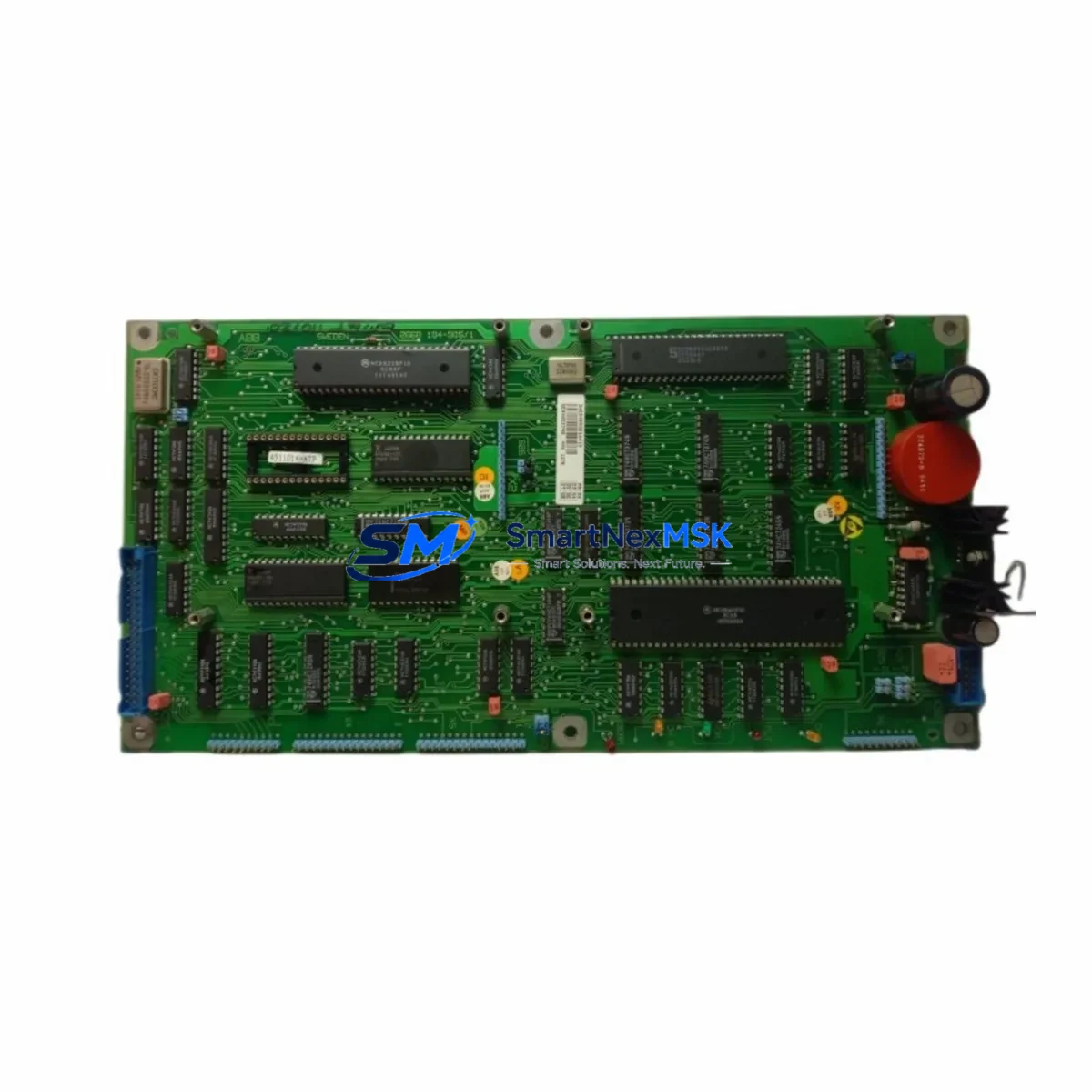
ABB YPK107E Retrofit-Ready Axis Computer for IRC5 Control Systems
The ABB YPK107E Axis Computer Board is a proven retrofit solution for aging IRC5 and S4C+ robot controller platforms. As ABB’s installed base of S4C+ systems approaches end-of-support lifecycle, maintenance engineers and system integrators face increasing pressure to source verified replacement boards that preserve existing program logic, I/O mapping, and HMI configurations without triggering a full controller replacement. The YPK107E addresses this challenge directly: it is a form-fit-function compatible axis computer designed to restore full six-axis motion control capability with minimal downtime and no requirement to re-engineer the control cabinet layout.
Whether you are recovering from an unplanned axis computer failure, executing a planned upgrade from an S4C+ to IRC5 architecture, or consolidating spare-parts inventory across a multi-robot production line, the YPK107E provides a reliable, stock-available path forward. Each unit shipped by SMARTNEXMSK undergoes functional verification testing prior to dispatch and is covered by a 12-month warranty.
Upgrade Compatibility Table
| Parameter | Details |
|---|---|
| Compatible Controller Platforms | ABB IRC5 (single cabinet & dual cabinet), S4C+ |
| Supported Robot Series | IRB 1600, IRB 2400, IRB 4400, IRB 6600, IRB 6640, IRB 7600 |
| Backplane Interface | IRC5 standard axis computer slot; direct board swap, no adapter required |
| Communication Compatibility | DeviceNet, PROFIBUS-DP, EtherNet/IP (via DSQC 688 or DSQC 652 fieldbus adapters) |
| Power Supply Requirement | 24 VDC from DSQC 661 or DSQC 662 power unit; verify rail capacity before installation |
| Installation Requirement | Standard IRC5 cabinet mounting; confirm firmware revision on DSQC 639 computer unit |
| Replacement Recommendation | Direct drop-in for failed or end-of-life YPK107E; cross-reference DSQC 540 for S4C+ legacy systems |
| Commissioning Focus | Axis calibration verification, resolver offset confirmation, SafeMove parameter reload |
| Warranty | 12 months from date of shipment; covers manufacturing defects and functional failure |
Retrofit Planning for Existing Automation Systems
A successful YPK107E retrofit begins well before the board is physically installed. The first step is a thorough audit of the existing IRC5 or S4C+ cabinet. Engineers should document the current firmware version running on the DSQC 639 main computer unit, confirm that the DSQC 661 power supply can sustain the additional current draw of the replacement axis computer, and photograph all terminal wiring on the DSQC 652 I/O board before any disconnection. This documentation becomes the reference baseline for post-installation verification.
On the motion control side, the YPK107E manages the resolver feedback signals from each robot axis. Before removal of the old board, technicians should export the full axis calibration data from RobotStudio or the FlexPendant, including fine calibration offsets stored in the SMB (Serial Measurement Board). If the SMB battery has not been replaced recently, this is the ideal time to install a fresh unit, as a depleted SMB battery will cause calibration data loss during power cycling — a common source of extended downtime during otherwise straightforward retrofits.
For systems running fieldbus communication via a DSQC 688 DeviceNet adapter or a PROFIBUS-DP master module, the network node address and baud rate settings must be recorded and verified against the PLC or DCS configuration before the retrofit. In lines where the robot communicates with a Siemens S7-300 or S7-400 PLC via PROFIBUS, or with an Allen-Bradley ControlLogix via EtherNet/IP through a DSQC 669 Ethernet adapter, any interruption to the fieldbus handshake will trigger fault states in the upstream controller. Coordinating the retrofit window with the PLC programmer ensures that the PLC program can be placed in a safe hold state during the board swap.
HMI screens connected to the IRC5 via the FlexPendant (DSQC 679) should be tested immediately after power-up to confirm that all program pointers, I/O signal names, and safety zone definitions have been retained. If the system uses a SafeMove safety controller board, the safety configuration must be reloaded and validated by a qualified safety engineer before the robot is returned to automatic mode. This step is non-negotiable in CE-marked installations and ISO 10218-compliant workcells.
For multi-robot lines sharing a common IRC5 MultiMove controller, the YPK107E replacement in one axis computer slot must be followed by a full coordinated motion test across all participating robots. The task frame and work object definitions stored in the RAPID program should be verified against physical reference points on the fixture before resuming production.
Downtime Control During System Migration
Minimizing unplanned downtime during an axis computer replacement requires a structured pre-staging approach. SMARTNEXMSK recommends that customers request a pre-shipment functional test report with each YPK107E order, confirming that the board has been powered and verified against IRC5 communication protocols before leaving the warehouse. This eliminates the risk of receiving a board that requires additional lead time for exchange.
On-site, the physical board swap on an IRC5 axis computer slot typically takes 20–40 minutes for an experienced technician. The majority of retrofit downtime is consumed by calibration verification, SafeMove reload, and fieldbus re-commissioning — not the hardware exchange itself. Customers who pre-stage a laptop with RobotStudio loaded, a backup of the current system configuration, and a printed copy of the axis calibration data can reduce total downtime to under two hours in most cases.
For production environments where even a two-hour window is unacceptable, a hot-spare strategy is recommended: maintain one pre-configured YPK107E in the control cabinet spares kit, pre-loaded with the current system backup, so that a board swap can be executed during a scheduled micro-stop rather than an emergency shutdown. SMARTNEXMSK maintains in-stock inventory of the YPK107E to support same-day or next-business-day dispatch for customers operating under urgent recovery timelines.
Original program logic stored in the RAPID task modules is preserved on the DSQC 639 main computer unit and is not affected by the axis computer replacement, provided the main computer unit remains powered or the system backup has been taken. This means that in the vast majority of IRC5 retrofits, no RAPID reprogramming is required — the robot resumes its previous task sequence immediately after calibration confirmation.
Retrofit Support FAQ
Q1: Is the YPK107E a direct replacement for the original axis computer in my IRC5 cabinet?
Yes. The YPK107E is designed as a form-fit-function replacement for the IRC5 axis computer slot. No mechanical modification to the cabinet is required. Confirm your IRC5 variant (single cabinet M2004 or later) and firmware revision on the DSQC 639 before installation to ensure full compatibility.
Q2: Will my existing RAPID programs and I/O configurations be preserved after the board swap?
Yes, provided the DSQC 639 main computer unit remains intact and a current system backup exists. The YPK107E replacement does not overwrite program memory. After installation, axis calibration must be verified and SafeMove parameters reloaded if applicable. We recommend taking a full system backup via RobotStudio before beginning any hardware replacement.
Q3: What commissioning steps are required after installing the YPK107E?
Key commissioning steps include: (1) power-on self-test and fault log review on the FlexPendant; (2) axis calibration verification using the calibration routine in RobotStudio or the pendant; (3) resolver offset confirmation against the SMB reference values; (4) fieldbus communication test with the upstream PLC or DCS; and (5) SafeMove safety configuration reload and validation if the system uses functional safety. Full production restart should only occur after all steps are signed off.
Q4: What does the 12-month warranty cover, and how does the claims process work?
The 12-month warranty covers manufacturing defects and functional failure under normal operating conditions from the date of shipment. If a warranty claim is required, contact [email protected] with the order reference, a description of the fault, and the fault log from the IRC5 FlexPendant. SMARTNEXMSK will arrange a replacement dispatch or technical review within 3 business days of claim receipt.
© 2026 SMARTNEXMSK. All rights reserved.
Original Source: https://smartnexmsk.com
Contact: [email protected] | +86 18259474341



