
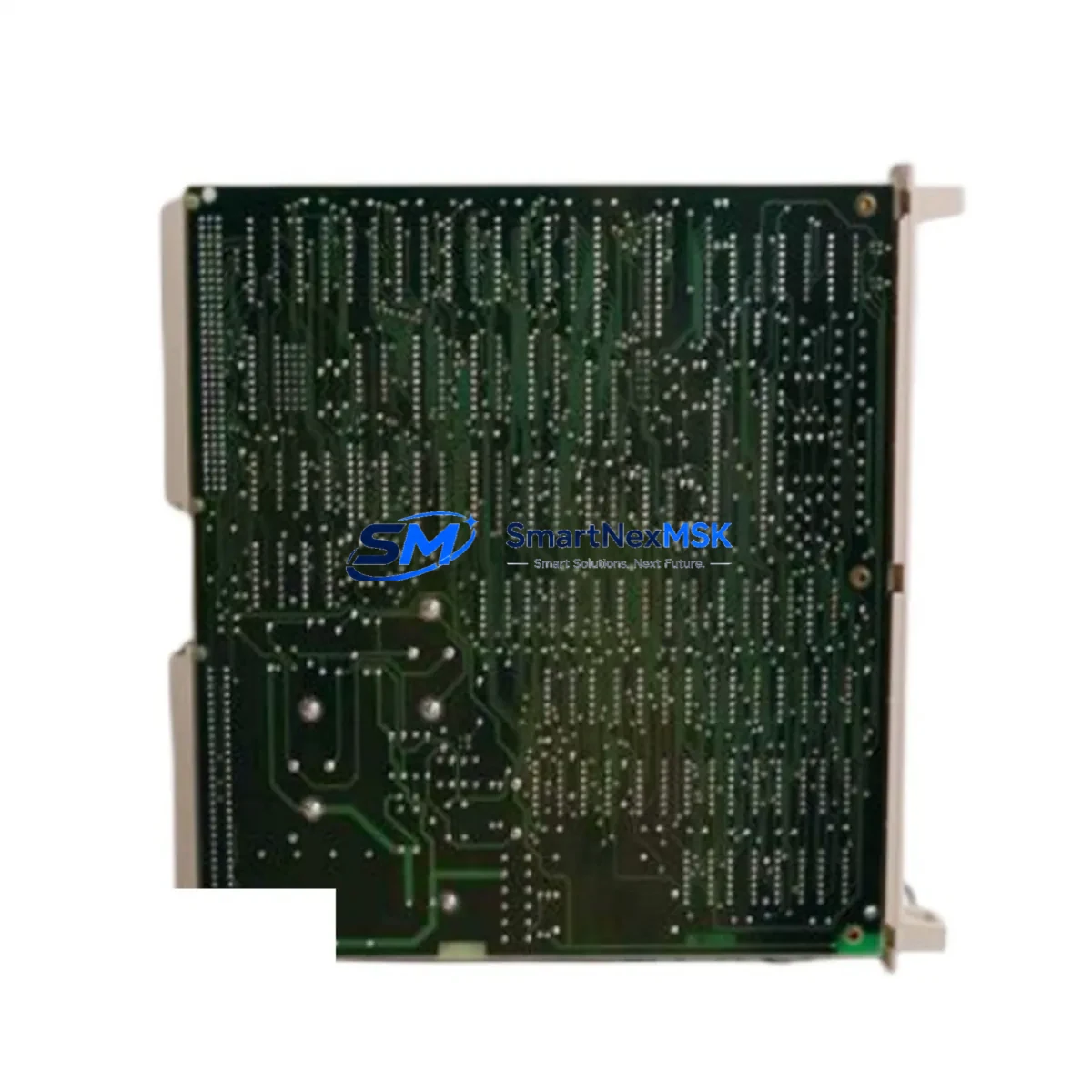
ABB YXU169B Maintenance-Ready Spare for YXU Series Automation
The ABB YXU169B is a critical drive control board used across ABB’s YXU and ACS series variable frequency drive platforms. In industrial environments where continuous operation is non-negotiable, maintaining a verified spare of the YXU169B in your parts inventory is a fundamental risk-mitigation strategy. Unplanned downtime caused by a failed drive board can cascade into production losses, missed delivery windows, and costly emergency procurement. Sourcing a tested, original YXU169B in advance eliminates that risk entirely.
This board serves as the signal interface and control logic layer within the drive assembly. It manages command routing between the control unit and the power stage, processes feedback signals, and supports the drive’s diagnostic and protection functions. When the YXU169B fails — whether due to thermal stress, voltage transients, or component aging — the drive will typically fault out, halt motor control, and require immediate board-level intervention. A pre-stocked replacement allows maintenance teams to restore operation within the same shift rather than waiting days or weeks for sourcing.
From a maintenance engineering perspective, the YXU169B should be treated as a Tier-1 critical spare: one that is stocked, periodically inspected, and replaced on a condition-based or time-based schedule rather than reactively. Procurement engineers sourcing this board should verify the full part number, firmware revision compatibility, and hardware revision against the installed drive’s documentation before committing to a replacement cycle.
All units supplied by SMARTNEXMSK are sourced from verified supply channels, individually tested prior to shipment, and covered by a 12-month warranty. Fast dispatch and long-term supply continuity make this a reliable source for both emergency replacement and planned maintenance stock.
Spare Maintenance Table
| Part Number | YXU169B |
| Brand | ABB |
| Series Compatibility | YXU Series, ACS Drive Series (ACS550, ACS800, ACS600 — verify revision) |
| Component Type | Drive Control / Signal Interface Board |
| Origin | Germany (DE) |
| Mounting | PCB plug-in, drive-internal rail mount (refer to drive service manual) |
| Operating Environment | Industrial cabinet, 0–55°C ambient, IEC 61800-compliant drive enclosure |
| Application | Motor drive control, signal routing, fault diagnostics, protection logic |
| Maintenance Recommendation | Inspect annually; replace proactively at first sign of thermal discoloration, communication fault, or intermittent drive trip |
| Pre-Shipment Testing | Yes — functional verification before dispatch |
| Warranty | 12 Months |
| Supply Status | In stock — long-term supply available |
Maintenance Planning for Continuous Operation
When replacing the YXU169B in the field, a disciplined maintenance engineer will not stop at the board itself. The drive assembly surrounding this component should be inspected holistically to prevent repeat failures and confirm system integrity before returning the drive to service.
Begin with the drive power supply module — an unstable or degraded DC bus supply is a leading cause of control board damage. If the YXU169B has failed due to overvoltage or ripple, the power supply should be tested or replaced concurrently. Next, inspect the IGBT gate driver board (such as the ABB RINT series or equivalent drive-specific gate driver), as a gate driver fault can send destructive signals upstream to the control board.
Check all fiber optic communication cables connecting the control board to the power unit — degraded fiber links cause intermittent faults that are often misdiagnosed as board failures. Inspect the RDCO or RDNA communication adapter module if the drive is integrated into a fieldbus network (PROFIBUS, DeviceNet, or Modbus); a faulty adapter can corrupt control signals and trigger false board faults.
Review the I/O terminal block wiring and analog/digital signal cables for insulation breakdown, loose terminations, or ground loops — these are common in aging control cabinets and can induce noise that damages sensitive board components. If the drive cabinet includes surge protection devices (SPDs) or EMC filters, verify they are functional, as their failure exposes the control board to transient overvoltages.
For drives integrated with an ABB ACS control panel or HMI (such as the ACS-CP-C or CDP312R), confirm the panel communication link is intact after board replacement — a new board may require parameter re-upload from a backup or re-commissioning via the panel. Finally, inspect the cooling fan assembly and heatsink thermal interface; overheating is a primary accelerant of control board degradation and must be addressed before the replacement board is energized.
Maintaining a coordinated spare kit — YXU169B control board, gate driver board, fiber cables, I/O terminal blocks, and communication adapter — ensures that your maintenance team can resolve the most common drive failure scenarios within a single planned maintenance window.
Site Replacement Workflow
Step 1 — Isolate and de-energize: Follow LOTO (Lockout/Tagout) procedures. Confirm DC bus discharge before opening the drive enclosure. Capacitor discharge time varies by drive rating — consult the ABB service manual for the specific ACS/YXU model.
Step 2 — Document existing configuration: Before removing the YXU169B, upload or record all drive parameters using the ACS control panel or DriveStudio/Drive Composer software. Parameter loss during board swap is a common cause of extended downtime.
Step 3 — Remove and inspect: Carefully disconnect all connectors from the YXU169B. Inspect the connector pins and PCB for signs of arcing, corrosion, or thermal damage. If the connector housing is damaged, replace it — do not reuse a damaged connector with a new board.
Step 4 — Install replacement board: Seat the new YXU169B firmly, reconnect all cables in sequence per the drive wiring diagram, and verify fiber optic connections are clean and fully seated. Torque all terminal screws to specification.
Step 5 — Restore parameters and test: Re-upload saved parameters. Power up the drive in local control mode and verify no fault codes are active. Run a no-load motor test before returning to full production load. Document the replacement in the equipment maintenance log.
This workflow minimizes re-work risk and ensures the replacement YXU169B is commissioned correctly, maintaining full system compatibility with the existing ACS/YXU drive platform.
Spare Parts Support FAQ
Q: Is the YXU169B compatible with all ACS series drives?
A: The YXU169B is designed for the YXU and ACS drive families, but compatibility depends on the specific drive model, hardware revision, and firmware version. Always cross-reference the part number against your drive’s service documentation or contact our technical team with your drive nameplate data before ordering.
Q: How is the YXU169B tested before shipment?
A: Every unit undergoes functional verification prior to dispatch. We check board-level continuity, component integrity, and where applicable, communication interface response. A test report is available on request.
Q: What does the 12-month warranty cover?
A: The warranty covers manufacturing defects and functional failures under normal operating conditions for 12 months from the date of shipment. It does not cover damage caused by incorrect installation, overvoltage events beyond rated limits, or physical mishandling. Our team provides technical support throughout the warranty period.
Q: Can you support long-term or repeat supply of the YXU169B?
A: Yes. We maintain stock continuity for critical industrial spares including the YXU169B. For customers managing multi-site maintenance programs or annual spare parts budgets, we offer reserved stock arrangements and priority dispatch. Contact us to discuss your supply requirements.
© 2026 SMARTNEXMSK. All rights reserved.
Original Source: https://smartnexmsk.com
Contact: [email protected] | +86 18259474341



