
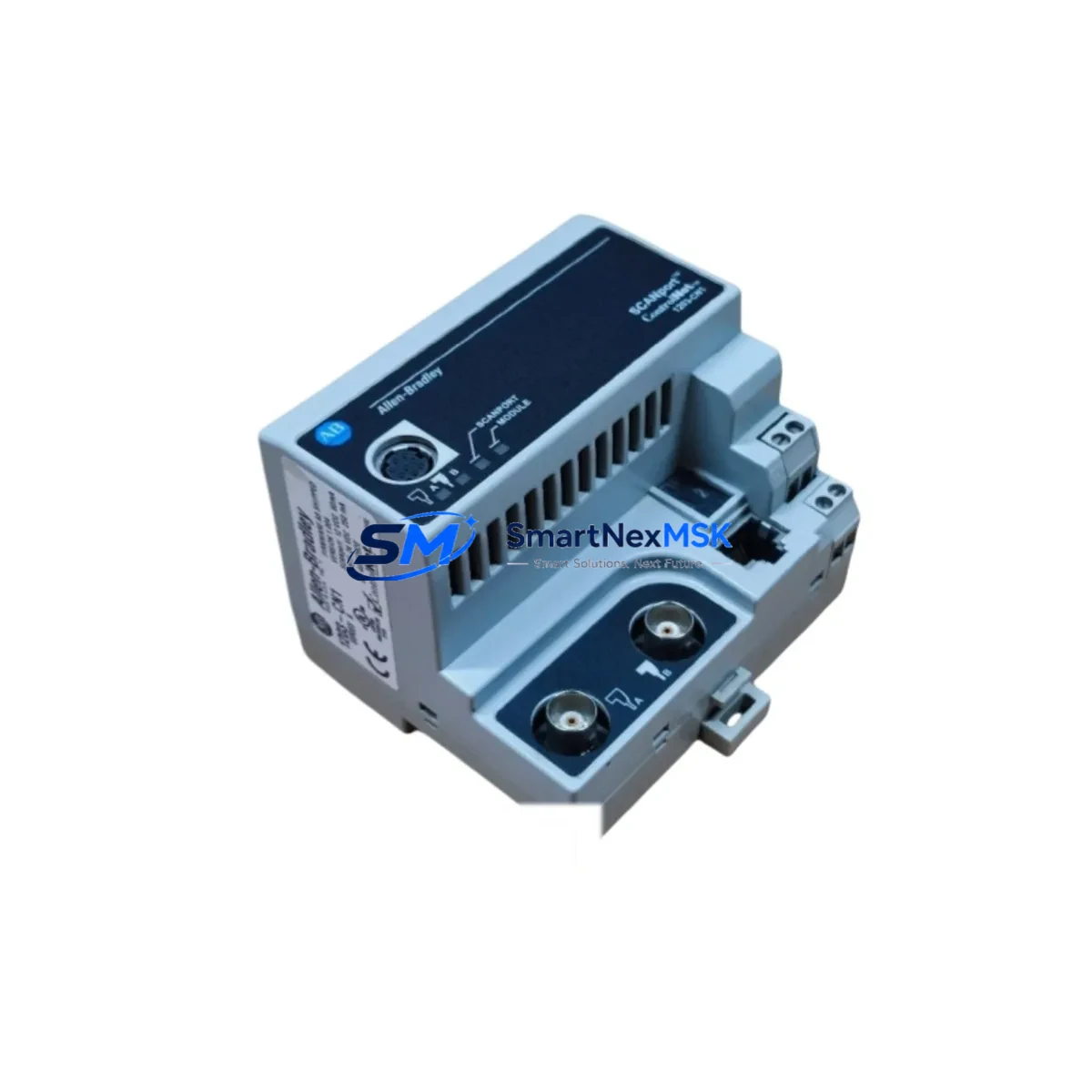
Allen-Bradley 1203-CN1 Spare for 1203 Series Automation: Spare Replacement & Industrial Downtime Risk Control
The Allen-Bradley 1203-CN1 is a ControlNet SCANport communication adapter designed for integration with PowerFlex and 1336 PLUS II drive systems. In industrial maintenance environments, this module serves as the critical communication bridge between the drive and the ControlNet network, enabling real-time parameter exchange, remote diagnostics, and coordinated motion control. When this adapter fails or degrades, the entire drive-to-network communication path is severed — resulting in unplanned downtime, production loss, and extended troubleshooting cycles.
Sourced as an original Allen-Bradley spare, the 1203-CN1 is tested prior to shipment and backed by a 12-month warranty. It is stocked for immediate dispatch to support emergency replacement, planned maintenance windows, and long-term spare parts inventory programs for facilities operating Rockwell Automation control architectures.
Spare Maintenance Table
| Parameter | Specification / Detail |
|---|---|
| Part Number / SKU | 1203-CN1 |
| Brand | Allen-Bradley (Rockwell Automation) |
| Series | 1203 SCANport Communication Adapter Series |
| Product Type | ControlNet SCANport Communication Adapter |
| Communication Protocol | ControlNet (IEEE 802.4 based) |
| Interface | SCANport (drive-side), BNC ControlNet (network-side) |
| Compatible Drives | PowerFlex 70, PowerFlex 700, 1336 PLUS II, 1336 IMPACT, 1336 FORCE |
| Network Topology | Trunk-and-drop ControlNet coaxial or fiber |
| Supply Voltage | Powered via SCANport interface (no external supply required) |
| Operating Temperature | 0°C to 50°C (32°F to 122°F) |
| Mounting | Direct SCANport plug-in to drive peripheral port |
| Application Environment | Industrial control panels, MCC enclosures, drive cabinets |
| Compatibility Confirmation | Verified against 1203 Series SCANport adapter specifications |
| Pre-shipment Testing | Functional communication and port integrity test performed |
| Origin | United States (Allen-Bradley / Rockwell Automation) |
| Warranty | 12 Months from date of shipment |
| Lead Time | In stock — ships within 1–3 business days |
| Long-term Supply | Available for ongoing spare parts programs and blanket orders |
Maintenance Planning for Continuous Operation
When a maintenance or procurement engineer schedules replacement of the 1203-CN1 adapter, the scope of inspection should extend beyond the adapter itself. The SCANport communication chain involves multiple interdependent components, and a failure in any one of them can produce symptoms that mimic an adapter fault. A disciplined maintenance approach requires reviewing the full electrical and communication path during any planned or corrective maintenance event.
Begin with the PowerFlex 700 or 1336 PLUS II drive hosting the adapter — verify that the SCANport peripheral port is undamaged and that the drive firmware is compatible with the 1203-CN1 revision installed. Inspect the ControlNet coaxial trunk cable and BNC connectors for corrosion, mechanical damage, or impedance mismatch, as degraded cabling is a leading cause of intermittent ControlNet node dropouts that are often misattributed to the adapter. Check the ControlNet repeater or tap assembly if the drive is located at the end of a long trunk segment.
Within the control cabinet, inspect the 1756-CNB or 1756-CNBR ControlNet bridge module in the ControlLogix chassis — this is the network master that schedules communication with the 1203-CN1 node. Verify the 1756-L series ControlLogix processor program for correct node address assignment and scheduled connection parameters. If the system uses a 1747-SDN DeviceNet Scanner or a 1203-GK5 DeviceNet SCANport adapter in parallel, confirm that address conflicts are not present on the network.
On the power side, inspect the 1606-XLP or equivalent 24VDC power supply feeding the control rack — voltage sags during motor start can cause transient communication faults that appear as adapter errors. Check terminal block assemblies and DIN rail-mounted fuse holders for loose connections or blown fuses on the I/O and communication circuits. If the system includes signal isolators or surge protection modules on the ControlNet segment, verify their integrity as part of the inspection cycle.
For facilities running legacy systems, the 1203-CN1 is frequently part of a broader spare parts kit that includes the 1203-GK5 (DeviceNet adapter), 1203-SSS (SCANport splitter), and 20-COMM-C (ControlNet adapter for PowerFlex 4-class drives). Maintaining a minimum of one spare unit of each in the on-site spare parts cabinet significantly reduces mean time to repair (MTTR) for drive communication faults.
Site Replacement Workflow
Replacing the 1203-CN1 on-site is a straightforward procedure when the correct spare is available and the replacement is pre-tested. Follow this workflow to minimize downtime and ensure system compatibility:
Step 1 — Isolation & Lockout: Place the drive in a safe state, apply LOTO (Lockout/Tagout) per site procedures, and document the existing ControlNet node address configured on the outgoing adapter.
Step 2 — Adapter Removal: Disconnect the BNC ControlNet cable(s) from the 1203-CN1. Carefully unplug the adapter from the SCANport peripheral port on the drive. Inspect the port for bent pins or contamination before installing the replacement.
Step 3 — Node Address Configuration: Set the rotary node address switches on the replacement 1203-CN1 to match the documented address of the outgoing unit. Confirm the address is unique on the ControlNet segment.
Step 4 — Installation & Cable Reconnection: Seat the replacement adapter firmly into the SCANport port. Reconnect the ControlNet BNC cable(s), ensuring connectors are fully engaged and the termination resistors are correctly placed at the trunk ends.
Step 5 — Power-up & Communication Verification: Restore power to the drive. Observe the adapter status LEDs — a solid green network status LED indicates successful ControlNet connection. Use RSNetWorx for ControlNet or Studio 5000 Logix Designer to verify the node is online and scheduled connections are re-established.
Step 6 — Functional Test: Command a test start/stop sequence from the PLC to confirm drive response over the ControlNet network. Log the replacement in the site maintenance record and update the spare parts inventory accordingly.
This workflow is compatible with all 1203 Series SCANport adapters and applies equally to planned maintenance replacements and emergency corrective actions. Using a pre-tested, original Allen-Bradley 1203-CN1 spare eliminates the firmware compatibility risks associated with aftermarket alternatives and ensures the replacement integrates seamlessly with existing Rockwell Automation system configurations.
Spare Parts Support FAQ
Q1: What is the service life expectation for the 1203-CN1, and when should it be proactively replaced?
The 1203-CN1 does not have a fixed calendar-based replacement interval, but maintenance engineers should consider proactive replacement after 8–10 years of continuous service, or immediately upon observation of intermittent ControlNet node dropouts, LED fault indications, or SCANport communication errors logged in the drive fault queue. For facilities with no on-site spare, procurement should be initiated before the first fault event occurs.
Q2: How do I verify compatibility between the 1203-CN1 and my specific drive model before installation?
The 1203-CN1 is compatible with all Allen-Bradley drives equipped with a SCANport peripheral port, including the PowerFlex 70, PowerFlex 700, 1336 PLUS II, 1336 IMPACT, and 1336 FORCE. Confirm the drive’s SCANport port is the standard 8-pin RJ45-style peripheral connector. Firmware revision compatibility should be verified against the 1203-CN1 User Manual (Publication 1203-UM001). Contact our technical team with your drive catalog number for pre-purchase compatibility confirmation.
Q3: What pre-shipment testing is performed on the 1203-CN1 before delivery?
Each 1203-CN1 unit undergoes functional communication testing and physical port integrity inspection prior to shipment. Units are verified to power up correctly via SCANport and establish ControlNet communication. All units are shipped in anti-static packaging with inspection documentation. The 12-month warranty covers defects in materials and workmanship from the date of shipment.
Q4: Can I order the 1203-CN1 as part of a standing spare parts program or blanket order?
Yes. We support long-term spare parts supply agreements for facilities managing multiple drives or operating in industries where ControlNet-based automation is critical infrastructure. Blanket orders, scheduled releases, and consignment stock arrangements are available. Contact our sales team to discuss volume pricing, lead time commitments, and inventory management options tailored to your maintenance program.
© 2026 SMARTNEXMSK. All rights reserved.
Original Source: https://smartnexmsk.com
Contact: [email protected] | +86 18259474341



