
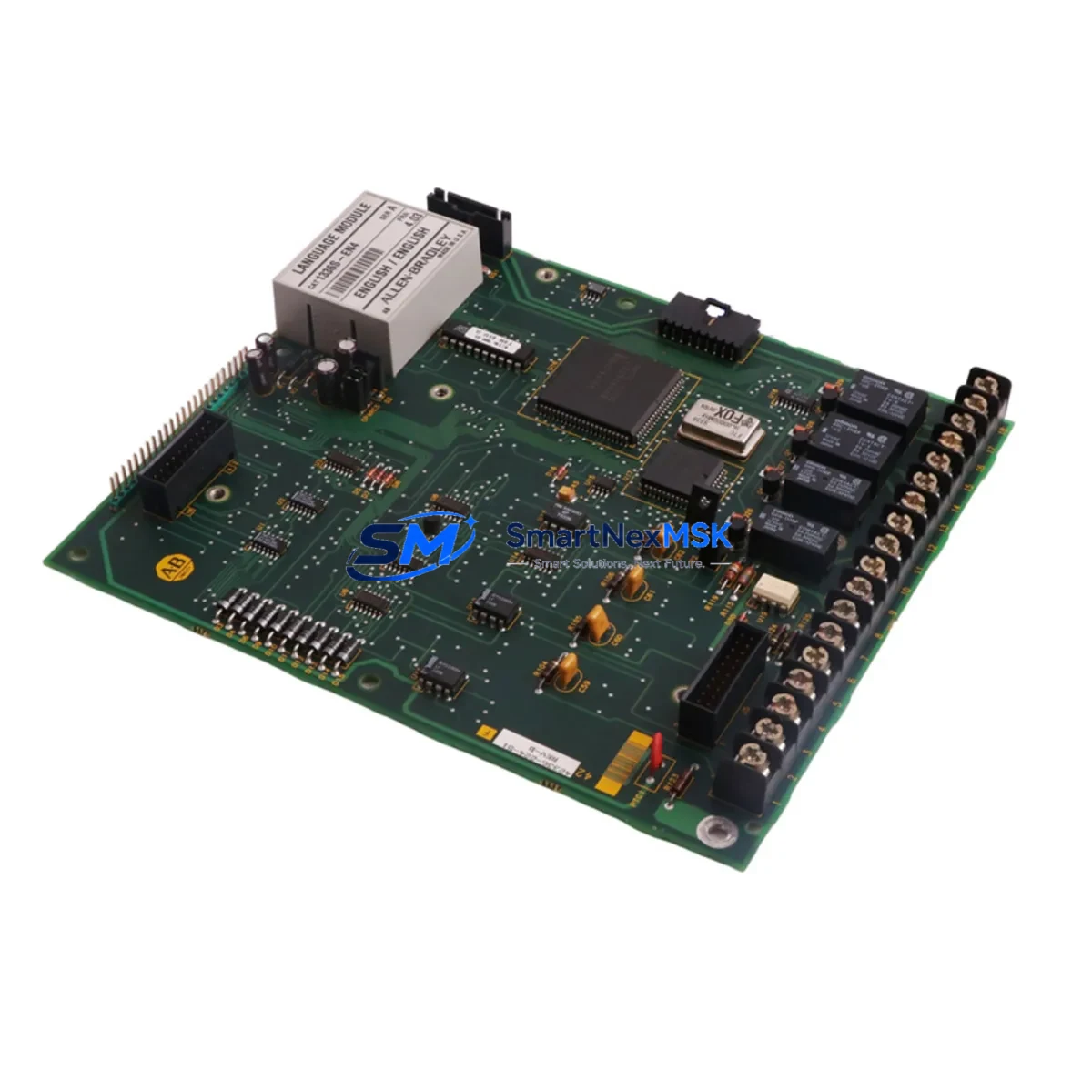
Allen-Bradley 1336S-EN4 42336-224-51 Spare 1336 PLUS VFD: Spare Replacement & Industrial Downtime Risk Control
The Allen-Bradley 1336S-EN4 (assembly 42336-224-51) is a critical interface and control board assembly used within the 1336 PLUS series AC variable frequency drive platform — one of Rockwell Automation’s most widely deployed legacy drive families in continuous-process and discrete manufacturing environments. When this board fails or degrades, the entire drive becomes inoperable, halting conveyor lines, pump stations, compressor banks, and HVAC systems that depend on it. Sourcing a verified, tested replacement unit is the fastest path to restoring production without committing to a full drive replacement or costly system redesign.
At SMARTNEXMSK, we supply the 1336S-EN4 42336-224-51 as a maintenance-ready spare: inspected, function-tested prior to dispatch, and backed by a 12-month warranty. Our inventory supports maintenance engineers and procurement teams who need reliable, fast-turnaround access to discontinued or hard-to-source Allen-Bradley components — particularly for aging 1336 PLUS installations that remain in service well beyond their original design life.
Spare Maintenance Table
| Parameter | Specification / Detail |
|---|---|
| Part Number | 1336S-EN4 |
| Assembly / Sub-Part | 42336-224-51 |
| Compatible Drive Series | Allen-Bradley 1336 PLUS (1336S) |
| Product Type | Control / Interface Board Assembly — AC VFD |
| Manufacturer | Allen-Bradley / Rockwell Automation |
| Origin | USA |
| Drive Voltage Range | Compatible with 1336 PLUS 200–600 VAC drive frames |
| Communication Interface | Supports DH-485 / Remote I/O per 1336 PLUS architecture |
| Installation Method | Direct board replacement; matches OEM mounting and connector footprint |
| Application Environment | Industrial panel, MCC cabinet, standalone drive enclosure |
| Pre-Shipment Testing | Function-tested; visual and electrical inspection completed |
| Warranty | 12 Months from date of shipment |
| Condition | Original / Surplus New / Refurbished (confirmed at order) |
| Lead Time | Ships within 2–5 business days; expedited available |
Maintenance Planning for Continuous Operation
Replacing the 1336S-EN4 42336-224-51 board is rarely an isolated task. A thorough maintenance engineer will treat this event as an opportunity to audit the entire drive cabinet and associated control circuit. Before returning the drive to service, the following components should be inspected or replaced as part of a structured preventive maintenance pass:
The 1336 PLUS power supply board (commonly the 1336S-SP2 or equivalent frame-specific supply) should be checked for capacitor bulge, output voltage stability, and thermal stress marks — a failing power supply is a frequent root cause of control board damage. The gate driver board and IGBT power module should be inspected for carbon tracking or evidence of overcurrent events that may have propagated to the control assembly.
On the I/O side, verify the 1336 PLUS I/O option board (such as the 1336S-BRF-SP2 or analog I/O expansion) for correct signal levels and terminal integrity. Loose or corroded terminals on the control terminal strip are a common source of intermittent faults that are misdiagnosed as board failures. Check all 24 VDC control wiring and confirm that the enable input, fault reset, and speed reference signals are within specification.
For drives integrated into a networked control architecture, inspect the DH-485 or Remote I/O communication cable and termination resistors. A degraded network segment can cause repeated drive faults that stress the control board. If the drive communicates via a 1336-GM1 or 1336-GM2 communication adapter, verify adapter firmware compatibility with the replacement board revision.
Additionally, check the main contactor and input line reactor for wear, and confirm that input fuses or circuit breakers (typically class J or RK5 for 1336 PLUS installations) are correctly rated and have not been upsized beyond OEM specification. A dynamic braking resistor and its associated DB module, if installed, should be tested for continuity and thermal integrity before the drive is re-energized.
Finally, if the installation includes an HMI terminal — such as a PanelView 550 or PanelView 600 — connected to the drive via DH-485, confirm that the HMI program still correctly maps to the drive parameters after the board swap, as some board revisions may affect parameter addressing.
Site Replacement Workflow
Step 1 — Isolation and Lockout/Tagout: De-energize the 1336 PLUS drive at the main disconnect. Apply LOTO per site safety procedures. Allow a minimum of 5 minutes for DC bus capacitors to discharge before opening the drive enclosure. Verify bus voltage with a calibrated meter before touching internal components.
Step 2 — Document Existing Configuration: Before removing the faulty board, photograph all wiring connections, note the drive parameter settings (upload to a connected PLC or HMI if possible), and record the existing board revision and firmware label. This documentation is critical for verifying compatibility of the replacement 1336S-EN4 42336-224-51 assembly.
Step 3 — Board Removal: Disconnect all ribbon cables, control wiring harnesses, and communication connectors from the existing board. Remove mounting hardware. Handle the board by its edges to avoid ESD damage.
Step 4 — Replacement Installation: Install the 1336S-EN4 42336-224-51 replacement board in the reverse sequence. Ensure all connectors are fully seated and locking tabs are engaged. Reconnect control wiring per the documented configuration.
Step 5 — Parameter Restore and Commissioning: Re-enter or download drive parameters. Perform a no-load test run at low speed before connecting the motor load. Verify all fault codes are cleared, speed reference is tracking correctly, and communication with the PLC or HMI is confirmed.
Step 6 — Return to Service: Conduct a loaded test run, confirm output current and frequency are within expected range, and document the replacement in the site maintenance log. Update the spare parts inventory to trigger reorder of a replacement 1336S-EN4 unit for future contingency stock.
Spare Parts Support FAQ
Q1: Is the 1336S-EN4 42336-224-51 compatible with all 1336 PLUS drive frame sizes?
The 1336S-EN4 is a control/interface board designed for the 1336 PLUS (1336S) drive family. Compatibility depends on the specific drive frame, voltage rating, and firmware revision of your installation. We recommend providing your full drive nameplate data — including catalog number, series letter, and firmware version — when placing your order so we can confirm the correct assembly revision before shipment.
Q2: What pre-shipment testing is performed on this spare part?
Every 1336S-EN4 42336-224-51 unit we ship undergoes visual inspection for physical damage, connector integrity, and component condition, followed by electrical function testing where applicable. A test report summary is available upon request. All units are shipped in anti-static packaging with protective foam to prevent transit damage.
Q3: What does the 12-month warranty cover, and how is a warranty claim handled?
Our 12-month warranty covers defects in materials and workmanship under normal operating conditions. If a unit fails within the warranty period, contact us at [email protected] with your order number and a description of the fault. We will arrange a replacement or repair at no additional cost. Warranty does not cover damage caused by incorrect installation, overvoltage events, or failure to follow OEM installation guidelines.
Q4: Can you support long-term or blanket spare parts orders for 1336 PLUS maintenance programs?
Yes. We work with maintenance and procurement teams to establish scheduled spare parts supply agreements for legacy Allen-Bradley drive platforms. If your facility operates multiple 1336 PLUS drives, we can reserve inventory, provide volume pricing, and coordinate phased delivery to align with your planned maintenance windows. Contact us to discuss your program requirements.
© 2026 SMARTNEXMSK. All rights reserved.
Original Source: https://smartnexmsk.com
Contact: [email protected] | +86 18259474341



