
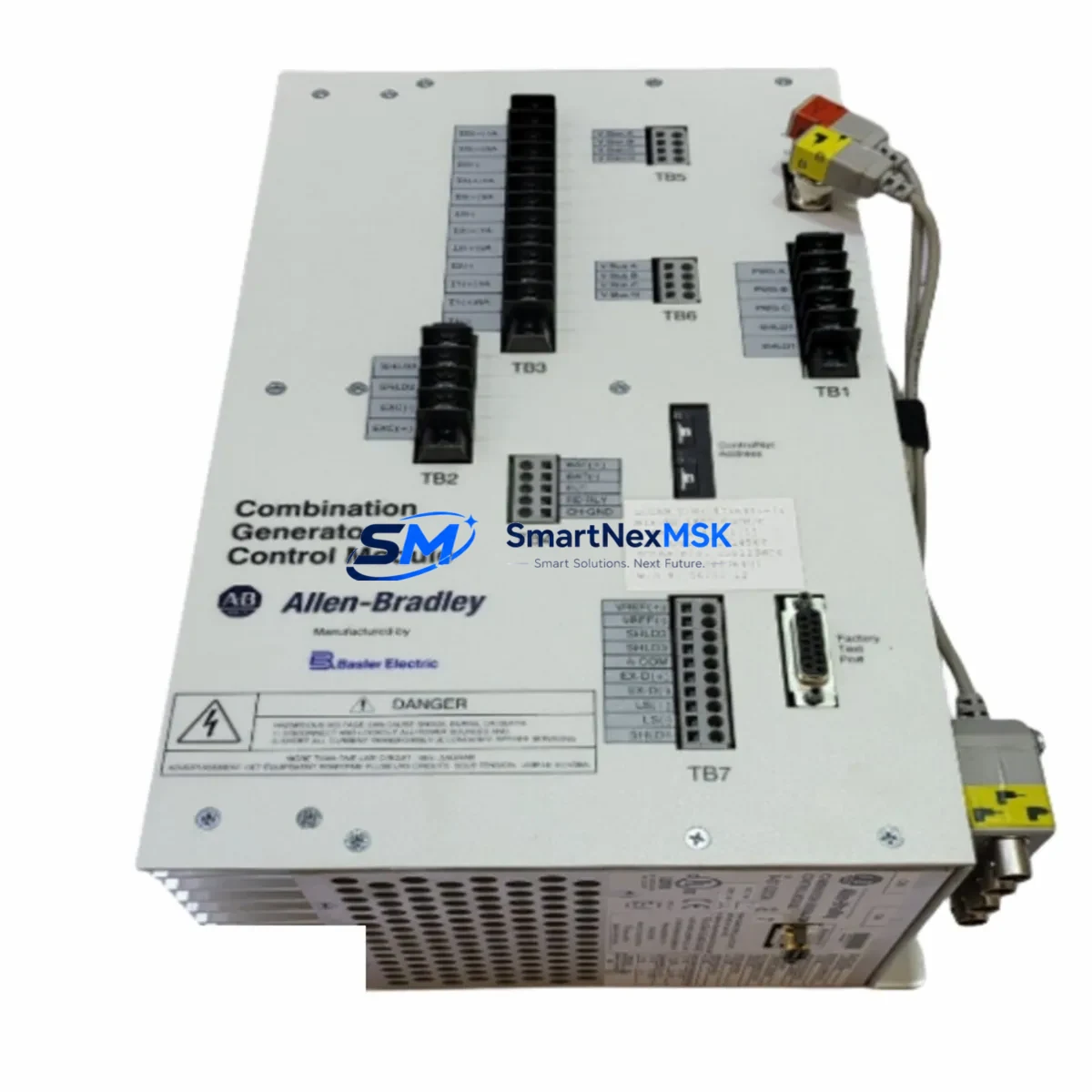
Allen-Bradley 1407-CGCM Spare for PowerMonitor 3000 Automation: Minimizing Downtime with Verified Replacement Parts
The Allen-Bradley 1407-CGCM Control Gateway Communication Module is a critical component within the PowerMonitor 3000 power monitoring system, widely deployed in industrial facilities for real-time energy measurement, demand monitoring, and power quality analysis. When this module fails or degrades, the entire power monitoring loop is compromised — leaving maintenance engineers without the visibility needed to protect downstream equipment and comply with energy management protocols. Sourcing a verified, original-specification 1407-CGCM spare is the fastest path to restoring system integrity and resuming normal operations.
At SMARTNEXMSK, every 1407-CGCM unit is sourced from authorized supply chains, individually inspected, and function-tested prior to shipment. Our industrial spare parts program is designed for maintenance engineers and procurement teams who cannot afford ambiguity in component sourcing. With a 12-month warranty, documented compatibility verification, and same-week dispatch capability, we support both planned maintenance schedules and emergency breakdown recovery scenarios.
Spare Maintenance Table
| Parameter | Specification / Detail |
|---|---|
| Part Number | 1407-CGCM |
| Manufacturer | Allen-Bradley / Rockwell Automation |
| Series | PowerMonitor 3000 |
| Module Type | Control Gateway Communication Module |
| Communication Interface | DeviceNet / DH-485 (series-dependent) |
| Supply Voltage | 24V DC (via PowerMonitor 3000 backplane) |
| Mounting | DIN rail / panel-mount, PowerMonitor 3000 chassis slot |
| Operating Temperature | 0°C to +60°C |
| Compatibility | PowerMonitor 3000 (1407-series), Rockwell ControlLogix / SLC 500 networks |
| Application Environment | Industrial control panels, MCC rooms, energy management systems |
| Condition | Original, new or refurbished-to-spec, function-tested |
| Warranty | 12 Months — covers functional failure under normal operating conditions |
| Lead Time | In-stock: same-week dispatch; sourced: 5–15 business days |
| Maintenance Recommendation | Inspect communication LEDs, verify DeviceNet node address, check backplane seating annually |
Maintenance Planning for Continuous Operation
Replacing the 1407-CGCM in a live PowerMonitor 3000 installation is rarely an isolated task. Experienced maintenance engineers know that a communication gateway failure often signals stress across adjacent components in the same electrical panel or monitoring loop. Before returning the system to service, a thorough inspection of the surrounding hardware is strongly recommended.
Start with the PowerMonitor 3000 main unit (1407-CGPM or 1407-CGBM) — verify that the base module’s firmware is compatible with the replacement gateway and that no fault codes persist after the swap. Check the DeviceNet trunk cable and drop lines for insulation damage, loose termination resistors, or corroded connectors, as communication faults are frequently caused by network wiring rather than the module itself.
Inspect the 24V DC power supply feeding the PowerMonitor chassis. Voltage ripple or brownout conditions accelerate communication module wear; a replacement module installed into an unstable power environment will fail prematurely. If the panel uses a 1606-XLP or 1606-XLS series power supply, verify output voltage under load and check capacitor health if the unit is more than five years old.
Review the DeviceNet scanner card in the associated ControlLogix or SLC 500 rack — typically a 1756-DNB or 1747-SDN — to confirm node table integrity and that the 1407-CGCM node address is correctly mapped. A mismatch here will prevent the replacement module from communicating even if it is fully functional.
For panels with 1492-series terminal blocks wiring the CT and PT inputs to the PowerMonitor, inspect for loose ferrules and verify torque on all signal terminals. Loose CT wiring is a safety hazard and will produce erratic power readings post-replacement. Similarly, check any signal isolators or transducers in the analog measurement chain — degraded isolation can introduce noise that mimics module faults.
If the facility uses RSEnergyMetrix or FactoryTalk EnergyMetrix software to aggregate PowerMonitor data, confirm that the communication path is re-established after module replacement and that historical data logging resumes without gaps. For older installations, also verify that any 1747-AIC or 1761-NET-AIC DH-485 interface converters in the network are functioning correctly, as these are common single points of failure in legacy energy monitoring architectures.
Finally, document the replacement in your CMMS with the new module’s serial number, installation date, and node configuration. Proactive spare parts stocking — keeping at least one 1407-CGCM on the shelf alongside a spare 1407-CGPM base module — is the most effective strategy for minimizing future downtime in facilities where power monitoring is tied to production continuity or regulatory compliance.
Site Replacement Workflow
Step 1 — Isolate and document. Before removing the 1407-CGCM, record the existing DeviceNet node address (typically set via rotary switches on the module face) and capture a screenshot or printout of the current RSNetWorx for DeviceNet node table. This eliminates reconfiguration guesswork during reinstallation.
Step 2 — De-energize safely. Follow your site’s LOTO procedure. The PowerMonitor 3000 chassis can be de-energized by removing the 24V DC supply; the CT/PT measurement inputs should be shorted or isolated per the 1407-series installation manual before disconnecting.
Step 3 — Remove and inspect. Slide the 1407-CGCM from its chassis slot. Inspect the backplane connector for bent pins or contamination. Clean with isopropyl alcohol if necessary before inserting the replacement unit.
Step 4 — Configure the replacement. Set the DeviceNet node address on the new 1407-CGCM to match the documented value. Verify baud rate switch settings match the existing network configuration (typically 125 kbps or 500 kbps).
Step 5 — Re-energize and verify. Apply power and observe the module status LEDs. A solid green Network Status LED confirms successful DeviceNet connection. Use RSNetWorx or Studio 5000 to verify the node is online and data is flowing to the host controller. Confirm energy readings in the SCADA or EMS display match expected values before releasing the system to production.
This workflow is compatible with direct replacement of legacy 1407-CGCM units without requiring firmware upgrades in most PowerMonitor 3000 installations, preserving system compatibility and reducing commissioning time to under 30 minutes in typical scenarios.
Spare Parts Support FAQ
Q1: Is the 1407-CGCM you supply an original Allen-Bradley component, and how is it tested before shipment?
Yes. Every 1407-CGCM we supply is sourced from authorized industrial channels and is either new-in-box or refurbished to original specification. Each unit undergoes functional testing — including communication interface verification and power-on self-test — before dispatch. A test report is available upon request for critical applications.
Q2: What is covered under the 12-month warranty, and how is a warranty claim handled?
The 12-month warranty covers functional failure under normal operating conditions — including communication faults, backplane interface failures, and power-on failures attributable to the module itself. Physical damage caused by incorrect installation, overvoltage, or environmental contamination is excluded. To initiate a claim, contact [email protected] with your order number and a description of the fault. Replacement or refund is processed within 5 business days of receiving the returned unit.
Q3: Can the 1407-CGCM be used as a direct drop-in replacement for older revisions of the same part number?
In the vast majority of PowerMonitor 3000 installations, yes. The 1407-CGCM has maintained backward compatibility across hardware revisions. However, if your installation uses a very early firmware version of the PowerMonitor 3000 base module, we recommend confirming the firmware revision before installation. Our technical team can assist with compatibility verification at no charge — contact us with your existing module’s catalog number and series letter.
Q4: What is your recommended spare parts stocking strategy for facilities running multiple PowerMonitor 3000 units?
For facilities with three or more PowerMonitor 3000 installations, we recommend maintaining a minimum of one 1407-CGCM and one 1407-CGPM base module as on-shelf critical spares. For high-availability environments where power monitoring is tied to production or compliance reporting, a two-unit buffer per communication gateway type is advisable. We offer volume pricing and reserved-stock agreements for procurement teams managing multi-site spare parts programs — contact us to discuss a tailored supply arrangement.
© 2026 SMARTNEXMSK. All rights reserved.
Original Source: https://smartnexmsk.com
Contact: [email protected] | +86 18259474341



