
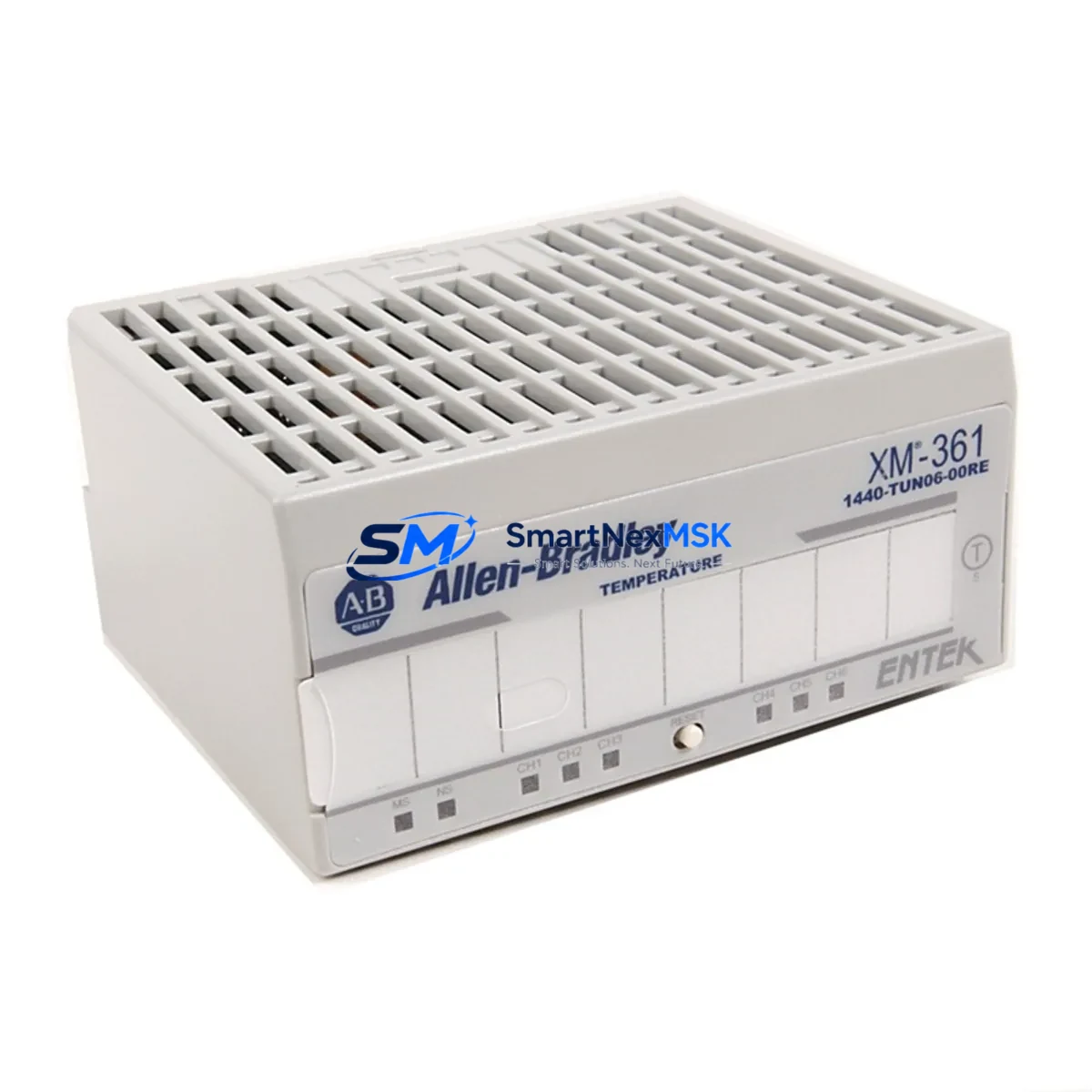
Allen-Bradley 1440-TUN06-00RE Spare ArmorBlock MaXum: Spare Replacement & Industrial Downtime Risk Control
The Allen-Bradley 1440-TUN06-00RE is a 6-channel thermocouple input module from the ArmorBlock MaXum series, engineered for harsh industrial environments requiring IP67-rated field-level I/O. As a maintenance-ready spare, this module is critical for facilities running Rockwell Automation condition monitoring systems, predictive maintenance platforms, and distributed I/O architectures where thermocouple signal integrity directly impacts process uptime. Sourced as an original Allen-Bradley component, the 1440-TUN06-00RE is pre-tested, inspection-verified, and dispatched with a 12-month warranty to support your spare parts inventory strategy.
For maintenance engineers managing rotating equipment, furnace control, or motor thermal monitoring, the 1440-TUN06-00RE provides direct thermocouple connectivity without the need for external signal conditioning. Its sealed ArmorBlock MaXum housing eliminates the need for a traditional control cabinet enclosure at the measurement point, reducing wiring complexity and improving fault isolation during planned inspections or emergency replacements. Procurement engineers can rely on long-term supply continuity from our verified stock, with same-day dispatch available for in-stock units.
Spare Maintenance Table
| Parameter | Specification |
|---|---|
| Part Number / SKU | 1440-TUN06-00RE |
| Brand / Manufacturer | Allen-Bradley (Rockwell Automation) |
| Series | ArmorBlock MaXum |
| Module Type | 6-Channel Thermocouple Input Module |
| Input Channels | 6 (Thermocouple, universal type support) |
| Protection Rating | IP67 (dust-tight, water-immersion rated) |
| Communication Interface | DeviceNet (integrated, no gateway required) |
| Operating Voltage | 24V DC (supplied via DeviceNet network power) |
| Operating Temperature | -20°C to +60°C |
| Mounting | Field-mount, DIN rail or panel-mount adapter compatible |
| Compatibility | Rockwell Automation ControlLogix, CompactLogix, SLC 500 via DeviceNet scanner |
| Origin | USA (Allen-Bradley original) |
| Condition | Original spare, pre-tested, inspection-verified |
| Warranty | 12 Months |
| Shipping | Same-day dispatch available; DHL / FedEx international |
| Maintenance Recommendation | Replace every 5–8 years or upon thermocouple drift >±2°C; inspect connector seals annually |
Maintenance Planning for Continuous Operation
When scheduling replacement of the 1440-TUN06-00RE in a planned maintenance window, experienced maintenance engineers treat this module as part of a broader ArmorBlock MaXum node inspection. The module connects directly to the DeviceNet trunk line, so the 1485-P1A5-MN DeviceNet drop cable and 1485T-P2T5-T5 T-port tap should be inspected for seal integrity and connector wear simultaneously. A degraded drop cable is a common root cause of intermittent thermocouple channel faults that are misdiagnosed as module failure.
On the PLC side, verify that the 1756-DNB ControlLogix DeviceNet Scanner or equivalent 1747-SDN SLC 500 DeviceNet Scanner is correctly mapping the 1440-TUN06-00RE node address before commissioning the replacement module. Node address conflicts after a swap are a frequent source of post-maintenance faults. If the system uses a 1756-L7x or 1756-L8x ControlLogix controller, confirm that the EDS file for the 1440-TUN06-00RE is loaded in RSNetWorx for DeviceNet and that the I/O tree in Studio 5000 reflects the correct module revision.
For facilities with multiple thermocouple measurement points, it is best practice to maintain at least one 1440-TUN06-00RE as a cold spare alongside related ArmorBlock MaXum I/O modules such as the 1440-TDI06-00RE discrete input module and the 1440-TDO04-00RE discrete output module, which share the same housing form factor and mounting footprint, enabling rapid field swap without re-engineering the mounting bracket. Additionally, the 1440-VSPD6-00RC vibration and speed module is commonly co-located in the same ArmorBlock MaXum node cluster for rotating equipment monitoring — inspect it during the same maintenance cycle.
Power supply integrity is equally important: confirm that the 1606-XLP95E or equivalent 24V DC DIN-rail power supply feeding the DeviceNet segment is within voltage tolerance (±1%), as undervoltage conditions accelerate thermocouple measurement drift and can cause false module faults. Fuse holders on the DeviceNet power tap should also be checked and replaced if the fuse shows signs of thermal discoloration.
Site Replacement Workflow
The 1440-TUN06-00RE is a direct drop-in replacement for earlier ArmorBlock MaXum thermocouple modules sharing the same DeviceNet node configuration. To minimize downtime during an emergency replacement:
- Isolate the node: Place the DeviceNet scanner in idle mode or inhibit the node in RSNetWorx to prevent false fault propagation to the PLC program during the swap.
- Document the node address: Record the rotary switch setting (node address) on the outgoing module before removal. The replacement module must be set to the identical address before installation.
- Inspect the M12 connectors: Clean the DeviceNet and power M12 connector faces with isopropyl alcohol. Replace any connector with damaged pins or compromised O-ring seals — a common source of IP67 rating failure in field environments.
- Reconnect thermocouple leads: Verify thermocouple type (J, K, T, E, R, S) matches the channel configuration stored in the PLC program. Incorrect thermocouple type assignment will produce systematic temperature offset errors that are difficult to diagnose remotely.
- Commission and verify: Restore the DeviceNet scanner to run mode, confirm all 6 channels report valid temperature values within expected process range, and log the replacement in the site maintenance record.
This workflow is compatible with both hot-swap-capable DeviceNet architectures and systems requiring a full network restart. Total field replacement time for a trained technician is typically 20–40 minutes, making the 1440-TUN06-00RE one of the faster ArmorBlock MaXum modules to service in the field.
Spare Parts Support FAQ
Q1: Is the 1440-TUN06-00RE still in production, and can I source it long-term?
The 1440-TUN06-00RE has reached end-of-active-production status from Rockwell Automation, but original surplus stock remains available. We maintain verified inventory with traceability documentation. For facilities running legacy ArmorBlock MaXum DeviceNet networks, we recommend purchasing 2–3 units as cold spares to cover the remaining operational life of the system, typically 8–15 years for well-maintained installations.
Q2: How is the module tested before shipment?
Each 1440-TUN06-00RE unit undergoes visual inspection, connector integrity check, and functional verification against Allen-Bradley factory specifications before dispatch. Units are packaged in anti-static ESD bags with foam protection. A test report is available upon request for quality-critical procurement processes.
Q3: Can the 1440-TUN06-00RE replace an older 1440-TUN06-00R (without the E suffix)?
In most installations, yes. The “RE” revision designation reflects a hardware revision update that maintains backward compatibility with the same DeviceNet EDS file and node configuration. However, we recommend verifying the EDS file revision in RSNetWorx for DeviceNet before commissioning. Contact our technical team at [email protected] if you need revision-specific compatibility confirmation for your system.
Q4: What does the 12-month warranty cover?
The 12-month warranty covers manufacturing defects and functional failure under normal operating conditions as specified in the Allen-Bradley 1440-TUN06-00RE product manual. It does not cover damage resulting from incorrect installation, overvoltage, or environmental exposure beyond IP67 rated limits. Warranty claims are processed within 5 business days with advance replacement available for critical production environments.
© 2026 SMARTNEXMSK. All rights reserved.
Original Source: https://smartnexmsk.com
Contact: [email protected] | +86 18259474341



