
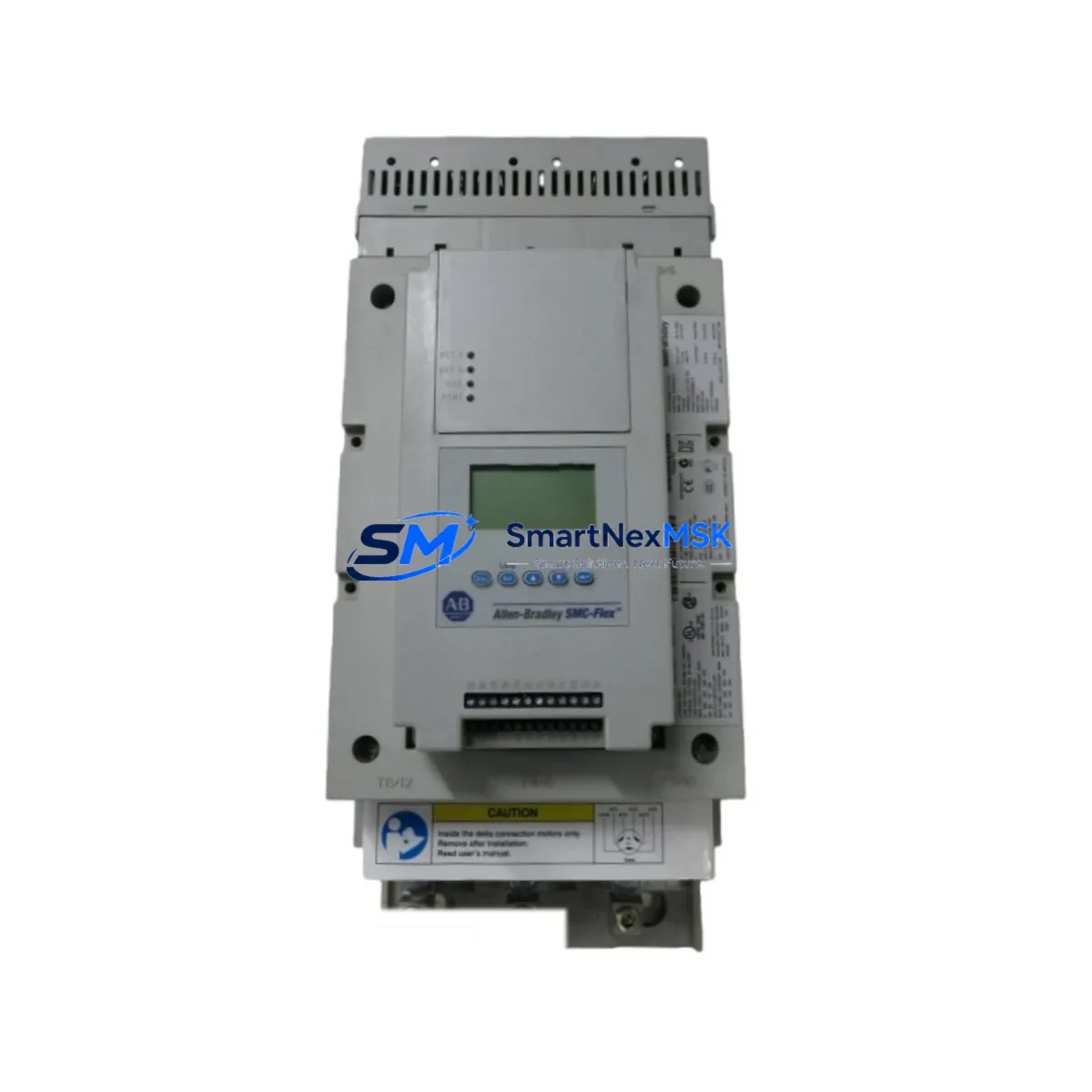
Allen-Bradley 150-F201NBR Maintenance-Ready Spare SMC Flex
The Allen-Bradley 150-F201NBR is a full-voltage, reduced-voltage soft starter from the Rockwell Automation SMC Flex series, rated at 201A full-load amperage for 3-phase AC motor control applications. As a maintenance-ready original spare, this unit is sourced, inspected, and tested to support rapid field replacement in industrial environments where unplanned motor drive failures translate directly into costly production downtime. Whether you are managing a planned shutdown, responding to an emergency fault, or building out a critical spare inventory for a motor control center (MCC), the 150-F201NBR delivers the compatibility, reliability, and documentation traceability that maintenance engineers and procurement teams require.
The SMC Flex platform is widely deployed across manufacturing, water treatment, mining, oil & gas, and heavy process industries. The 150-F201NBR integrates directly into existing SMC Flex control cabinet configurations without requiring firmware changes or parameter re-mapping, making it the preferred replacement for aging or failed units in legacy and current-generation systems alike. Each unit shipped by SMARTNEXMSK undergoes pre-shipment functional verification and is covered by a 12-month warranty from the date of delivery.
Spare Maintenance Table
| Parameter | Specification |
|---|---|
| Part Number / SKU | 150-F201NBR |
| Brand / Manufacturer | Allen-Bradley (Rockwell Automation) |
| Series | SMC Flex |
| Product Type | Reduced-Voltage Soft Starter |
| Rated Current (FLA) | 201A |
| Supply Voltage | 200–600V AC, 3-Phase |
| Control Voltage | 100–240V AC / 24V DC (external control) |
| Communication | DeviceNet, EtherNet/IP (via optional module) |
| Mounting | Panel / MCC Bucket Mount |
| Protection Class | IP20 (open type) |
| Operating Temperature | 0°C to +50°C |
| Compatibility | SMC Flex series; direct replacement for 150-F201NBD, 150-F201NZD |
| Certifications | UL, CE, CSA |
| Origin | USA |
| Warranty | 12 Months from date of delivery |
| Pre-Shipment Testing | Functional verification performed on every unit |
| Lead Time | In stock — ships within 1–3 business days |
Maintenance Planning for Continuous Operation
When a 150-F201NBR soft starter fails or is flagged during a routine control cabinet inspection, experienced maintenance engineers know that the fault rarely exists in isolation. A thorough site assessment should accompany any soft starter replacement to prevent repeat failures and ensure the motor control circuit is fully restored to specification.
Begin by inspecting the 24VDC control power supply feeding the SMC Flex control terminals — an unstable or undersized supply is a common root cause of nuisance trips and communication faults. Verify the input line fuses or circuit breakers upstream of the soft starter; on 201A-class units, correctly rated semiconductor fuses (class J or equivalent) are critical for short-circuit protection. Check the bypass contactor (typically a 100-C or 700-series Allen-Bradley contactor) for contact wear, as the bypass contactor operates in every normal run cycle and is a high-wear component in SMC Flex installations.
Inspect all power wiring terminations at the L1/L2/L3 input and T1/T2/T3 output terminals for signs of thermal damage, loose torque, or oxidation — particularly on high-cycle applications. Review the motor thermistor or PTC input wiring if motor thermal protection is enabled; a broken thermistor circuit will generate a fault on the replacement unit immediately after commissioning. For networked installations, verify the DeviceNet or EtherNet/IP communication module (such as the 150-SM2 or 150-SM4 option card) is seated correctly and that node addressing is documented before removal of the failed unit.
If the installation uses a parameter module (150-SM1) for configuration backup, confirm the stored parameters match the motor nameplate data before transferring to the replacement 150-F201NBR. For MCC bucket installations, also inspect the control terminal block wiring, the I/O expansion module if fitted, and any signal isolation relays used to interface the soft starter status outputs with the plant DCS or PLC — Allen-Bradley CompactLogix or ControlLogix systems are common in these architectures. Finally, check the cabinet ventilation and cooling fans; the 150-F201NBR generates significant heat at full load, and inadequate airflow is a leading cause of premature thyristor failure.
Site Replacement Workflow
Step 1 — Isolation & Lockout/Tagout: De-energize the MCC bucket or panel section. Apply LOTO per site procedure. Confirm absence of voltage at L1/L2/L3 input terminals using a calibrated meter.
Step 2 — Parameter Documentation: If the failed unit is still partially functional, use the SMC Flex keypad or RSLogix/Studio 5000 to export all parameter settings. If a 150-SM1 parameter module is installed, remove and retain it — it can be transferred directly to the replacement unit.
Step 3 — Wiring Removal: Label and photograph all control and power wiring before disconnection. Note the torque values for power terminals (refer to the 150-F201NBR installation manual, publication 150-IN009). Remove the unit from the mounting rail or MCC bucket.
Step 4 — Replacement Installation: Mount the new 150-F201NBR. Reconnect power wiring to specified torque. Reconnect control wiring. Re-install the communication module and parameter module if applicable. Verify all connections against the original wiring diagram.
Step 5 — Commissioning & Test: Restore control power. Verify parameter settings. Perform a no-load test start, then a loaded test start. Monitor current ramp profile and confirm bypass contactor engagement. Clear any fault codes and document the replacement in the site maintenance log.
This workflow minimizes downtime to under two hours for a prepared maintenance team and ensures full system compatibility is maintained without requiring PLC program changes or network reconfiguration.
Spare Parts Support FAQ
Q1: Is the 150-F201NBR compatible with my existing SMC Flex installation without parameter changes?
Yes. The 150-F201NBR is a direct form-fit-function replacement within the SMC Flex series. If you use a 150-SM1 parameter module, your existing configuration transfers automatically. Without a parameter module, you will need to re-enter motor nameplate data and application parameters via the keypad or network interface — a process that typically takes 15–30 minutes with the motor nameplate data on hand.
Q2: What is covered under the 12-month warranty?
All units supplied by SMARTNEXMSK carry a 12-month warranty from the date of delivery, covering manufacturing defects and functional failures under normal operating conditions. Each unit is functionally tested prior to shipment. Warranty claims are supported by our technical team with replacement or repair at no additional cost.
Q3: How do you verify the unit before shipment?
Every 150-F201NBR undergoes a pre-shipment inspection that includes visual examination for physical damage, verification of serial number and firmware revision, and a functional power-on test. Units that do not pass inspection are not shipped. A test report is available upon request for critical applications.
Q4: Can you support long-term or blanket spare parts orders for the SMC Flex series?
Yes. SMARTNEXMSK supports long-term supply agreements for the 150-F201NBR and related SMC Flex components. We maintain stock of high-demand soft starter models and can reserve inventory against a purchase order for planned maintenance programs, turnaround shutdowns, or OEM spare kits. Contact our team to discuss volume pricing and lead time commitments.
© 2026 SMARTNEXMSK. All rights reserved.
Original Source: https://smartnexmsk.com
Contact: [email protected] | +86 18259474341



