
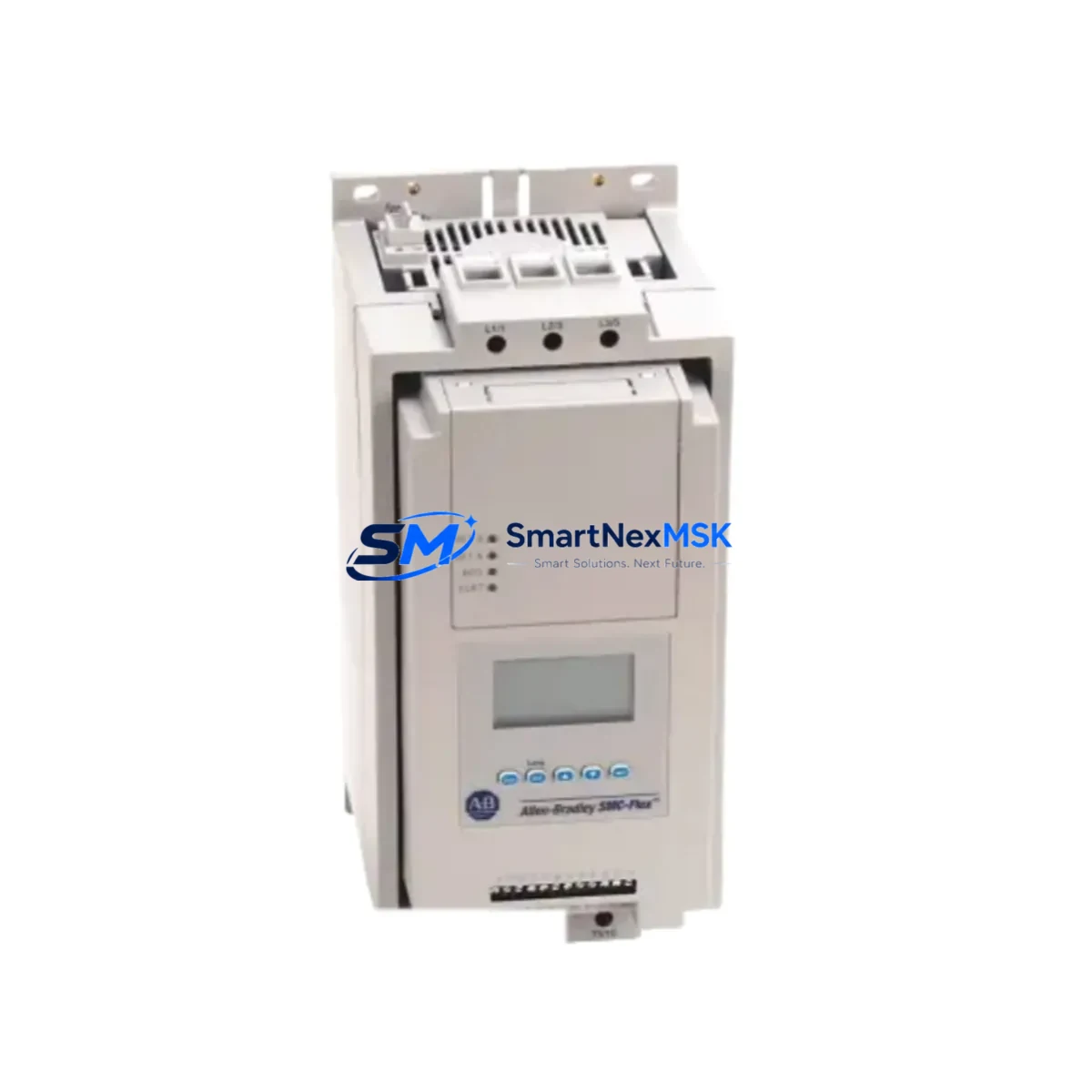
Allen-Bradley 150-F251NZD Maintenance-Ready Spare SMC Flex: Spare Replacement & Industrial Downtime Risk Control
The Allen-Bradley 150-F251NZD is a 251A Smart Motor Controller (SMC Flex) rated for 200–480V three-phase applications, widely deployed in conveyor drives, pump stations, compressor panels, and heavy-duty motor control centers (MCCs) across manufacturing, oil & gas, water treatment, and process automation facilities. When this unit fails or reaches end-of-service, every minute of unplanned downtime translates directly into production loss. Sourcing a verified, original-specification replacement from a reliable spare parts supplier is the fastest path to system recovery.
At SMARTNEXMSK, we supply the 150-F251NZD as a maintenance-ready spare — inspected, function-tested, and shipped with a 12-month warranty. Whether you are executing a planned shutdown replacement, responding to an emergency fault, or building a strategic spare parts buffer for your control room, this unit is available for immediate dispatch.
Spare Maintenance Table
| Parameter | Specification |
|---|---|
| SKU / Part Number | 150-F251NZD |
| Brand | Allen-Bradley (Rockwell Automation) |
| Series | SMC Flex |
| Current Rating | 251A |
| Supply Voltage | 200–480V AC, 3-Phase |
| Control Voltage | 100–240V AC (external control circuit) |
| Product Type | Smart Motor Controller (Solid-State Reduced Voltage Starter) |
| Mounting | Panel / MCC Bucket Mount |
| Communication | DeviceNet / DPI port compatible (with optional 150-SM modules) |
| Protection Features | Overload, phase loss, jam, stall, ground fault (with optional module) |
| Operating Temperature | 0°C to 50°C (32°F to 122°F) |
| Enclosure Rating | Open type (for panel/MCC installation) |
| Compatibility | Direct replacement for 150-F251NZD; compatible with SMC Flex control modules 150-SM series |
| Origin | USA |
| Condition | Original spare, function-tested before shipment |
| Warranty | 12 Months |
| Shipping | Worldwide express; DHL / FedEx / UPS available |
Maintenance Planning for Continuous Operation
Replacing the 150-F251NZD in the field is rarely an isolated task. Experienced maintenance engineers know that a motor controller fault is often a symptom of broader stress in the electrical circuit. Before returning the system to service, a thorough inspection of the surrounding components is essential to prevent repeat failures and ensure long-term reliability.
Start with the power supply and incoming wiring: verify that the upstream circuit breaker or fused disconnect is correctly rated for 251A continuous duty and that all line-side terminals are torqued to specification — loose connections are a leading cause of premature SMC Flex failures. Check the bypass contactor (if installed in a bypass configuration) for contact wear and coil integrity; a worn contactor can cause arcing damage to the new controller on first start.
Inspect the 150-SM communication module (DeviceNet or DPI) mounted on the SMC Flex. These plug-in modules are field-replaceable and should be tested independently before reuse. If the system uses a 1769 CompactLogix or 1756 ControlLogix PLC for sequencing, verify that the DeviceNet scanner card (such as the 1769-SDN or 1756-DNB) is communicating correctly and that the node address matches the replacement unit’s configuration.
For facilities running PowerFlex 400 or PowerFlex 525 drives in adjacent motor circuits, cross-check the drive parameter settings and ensure that any shared 24VDC control power supply (such as the 1606-XLP series) is within voltage tolerance — an under-voltage condition on the control rail can cause nuisance faults on the new SMC Flex during commissioning.
Review the I/O wiring to the SMC Flex’s digital input terminals: run/stop, fault reset, and speed reference signals should be verified with a multimeter before energizing. If the panel uses a 1492 terminal block or 1492-IFM interface module for I/O marshalling, inspect for corrosion or loose ferrules. Similarly, check any 855T or 855E stack light or pilot device wiring connected to the controller’s output relay.
For older systems where the 150-F251NZD has been in service for more than 10 years, consider proactively replacing the 150-F251NZD bypass contactor assembly, the control module battery (if applicable), and any surge suppression modules on the coil circuits. Pairing the replacement SMC Flex with a fresh 1492-SP fuse block or E1 Plus overload relay on the motor branch circuit is a best practice that reduces the risk of a secondary fault within the first 90 days of operation.
Site Replacement Workflow
Step 1 — Isolation & Lockout/Tagout: De-energize the MCC bucket and apply LOTO per site safety procedures. Confirm zero energy state with a calibrated voltage tester on all three phases and the control circuit.
Step 2 — Documentation: Photograph the existing wiring, terminal labels, and parameter settings (if accessible via the SMC Flex keypad or RSLogix 5000 / Studio 5000 online mode) before disconnecting anything. Record the fault history from the controller’s diagnostic buffer if possible.
Step 3 — Removal: Disconnect line-side and load-side power cables, control wiring, and the communication module. Remove the unit from the MCC bucket or panel mounting rails.
Step 4 — Installation of 150-F251NZD Replacement: Mount the new unit, reconnect all wiring per the original documentation, and reinstall the 150-SM communication module. Verify that the DeviceNet node address and baud rate are set correctly before energizing.
Step 5 — Commissioning: Restore power and perform a no-load test start. Confirm motor current, ramp time, and fault relay operation. Verify communication status in the PLC I/O tree before returning the motor to production load.
Step 6 — Documentation Update: Log the replacement in the CMMS (Computerized Maintenance Management System), update the spare parts inventory, and order a replacement 150-F251NZD to restore your buffer stock.
Spare Parts Support FAQ
Q1: Is this 150-F251NZD a new original unit or a refurbished part?
All units supplied by SMARTNEXMSK are original Allen-Bradley spare parts sourced from authorized distribution channels or decommissioned industrial assets. Each unit undergoes functional testing and inspection before shipment. The condition is clearly stated on the product listing and confirmed in the shipping documentation.
Q2: What is covered under the 12-month warranty?
The 12-month warranty covers manufacturing defects and functional failures under normal operating conditions. It does not cover damage caused by incorrect installation, overvoltage events, or physical mishandling. In the event of a warranty claim, SMARTNEXMSK will arrange replacement or repair at no additional cost to the buyer.
Q3: Can I use this unit as a direct drop-in replacement for an existing 150-F251NZD without reprogramming?
Yes. The 150-F251NZD is a direct form-fit-function replacement for the same part number. Parameter settings stored in the SMC Flex’s non-volatile memory are unit-specific, so you will need to re-enter your application parameters (ramp time, current limit, motor FLA, etc.) using the keypad or via RSLogix 5000 / Studio 5000 after installation. If you have a backup of the original parameters, commissioning time is typically under 30 minutes.
Q4: How quickly can this part be shipped, and do you offer expedited delivery for emergency downtime situations?
For in-stock units, same-day or next-business-day dispatch is available. International express shipping via DHL, FedEx, or UPS typically delivers within 3–7 business days depending on destination. For emergency downtime situations, contact our team directly at [email protected] or +86 18259474341 to arrange priority handling and the fastest available routing.
© 2026 SMARTNEXMSK. All rights reserved.
Original Source: https://smartnexmsk.com
Contact: [email protected] | +86 18259474341



