
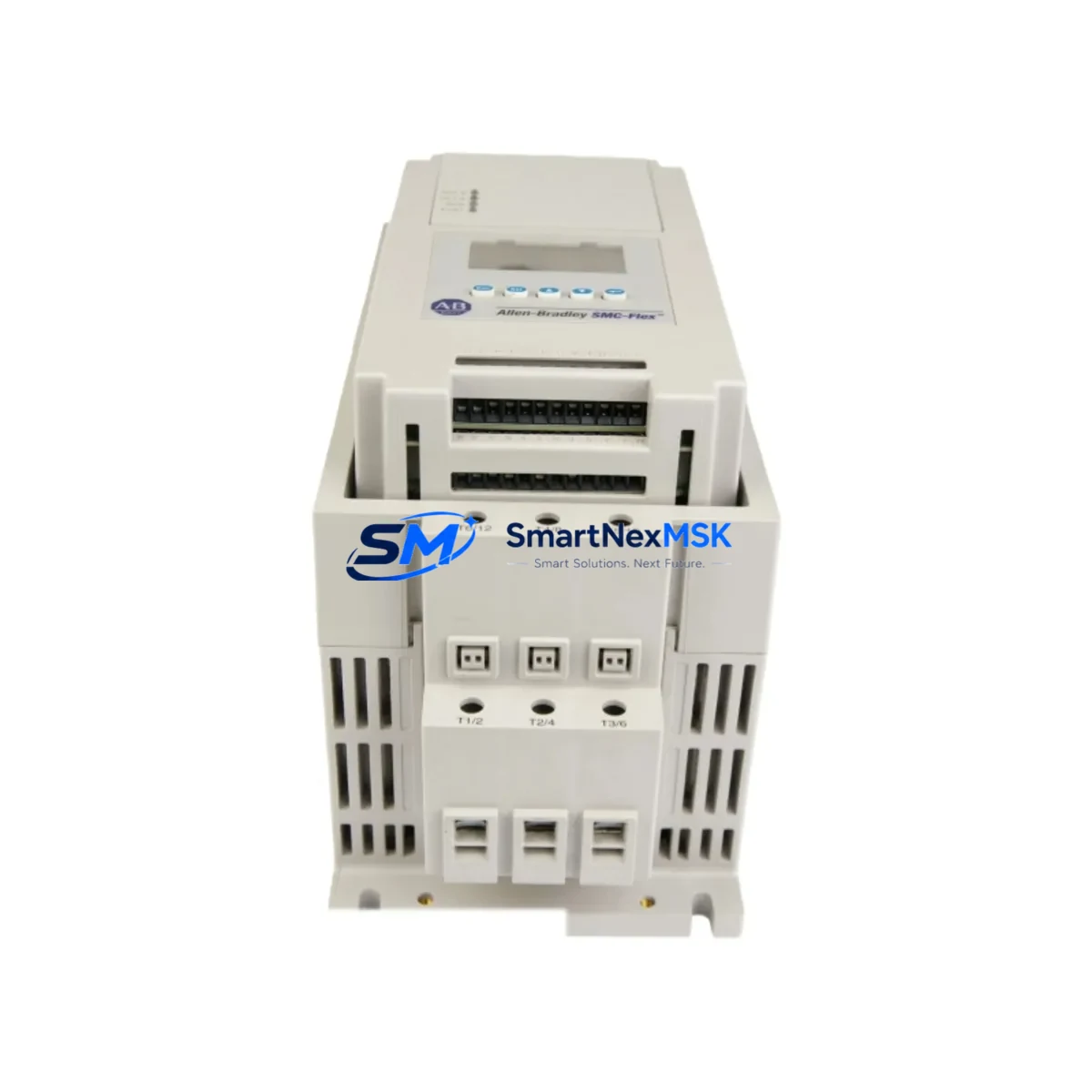
Allen-Bradley 150-F43NBD Retrofit-Ready Soft Starter for SMC Flex Control Systems
The Allen-Bradley 150-F43NBD is a 43A, 480V AC SMC Flex soft starter designed for seamless integration into existing motor control centers, control cabinets, and legacy automation systems. As a retrofit-ready replacement unit, the 150-F43NBD addresses the growing demand for drop-in substitutes in aging production lines where the original SMC Flex modules have reached end-of-life or are no longer available through standard distribution channels. Whether you are managing a planned upgrade or responding to an unplanned failure, this unit is pre-tested, verified for compatibility, and backed by a 12-month warranty covering both parts and workmanship.
Industrial facilities running Allen-Bradley SMC Flex soft starters as part of their motor control architecture frequently encounter challenges when sourcing discontinued or long-lead-time components. The 150-F43NBD fills this gap by providing a functionally equivalent, electrically compatible replacement that preserves existing wiring configurations, terminal layouts, and DeviceNet communication links without requiring panel redesign or PLC program modification.
Upgrade Compatibility Table
| Parameter | 150-F43NBD Specification | Retrofit Notes |
|---|---|---|
| Current Rating | 43A | Verify motor FLA does not exceed 43A; derate for high-ambient environments |
| Supply Voltage | 200–480V AC, 3-phase | Confirm incoming voltage matches existing panel supply |
| Control Voltage | 100–240V AC | Check existing control transformer output before wiring |
| Communication | DeviceNet (built-in) | Retain existing DeviceNet cable; verify node address matches original |
| Mounting | DIN rail / panel mount | Footprint identical to prior SMC Flex 43A units; no bracket modification needed |
| Bypass Contactor | External (not included) | Existing 100-C bypass contactor wiring is compatible |
| Parameter Backup | Via DeviceNet or HIM | Upload original parameters from RSLogix 5000 or DriveExplorer before swap |
| Warranty | 12 Months | Covers manufacturing defects; includes pre-shipment functional test report |
Retrofit Planning for Existing Automation Systems
Successful integration of the 150-F43NBD into a running production environment requires systematic pre-work across several engineering disciplines. Begin by auditing the existing control cabinet to confirm the power supply capacity — the SMC Flex 43A draws up to 43A at full load, and the upstream circuit breaker or fuse block must be rated accordingly. If the original installation used a 1492-SP or 1492-FB series supplementary protector, verify that the trip curve remains appropriate for the replacement unit.
Terminal wiring on the 150-F43NBD follows the standard SMC Flex layout: L1/L2/L3 for line-side input and T1/T2/T3 for load-side output. The control terminal block accepts the existing 22-gauge control wiring for start, stop, and fault signals. If the panel uses a 1756-DNB DeviceNet bridge module in a ControlLogix rack, the existing EDS file and node configuration can be retained without modification, provided the replacement unit’s node address is set to match the original before commissioning.
For facilities running a 1769-L33ER CompactLogix controller or a 1756-L71 ControlLogix processor, the Add-On Instruction (AOI) for SMC Flex devices in the RSLogix 5000 project does not require revision. The 150-F43NBD responds to the same explicit messaging and I/O assembly instances as the original module. However, it is good practice to export and archive the current RSLogix 5000 project before beginning any hardware swap, ensuring a clean restore point if commissioning reveals unexpected behavior.
Where the original installation included a 20-HIM-A6 Human Interface Module for local parameter display, the HIM can be reconnected to the replacement unit using the existing DPI cable. All motor protection parameters — including ramp time, current limit, kick start, and overload class — should be re-entered manually or restored from a previously saved parameter file. If the facility uses a PanelView Plus 7 HMI terminal for operator control, verify that the DeviceNet tag mappings in FactoryTalk View Studio still reference the correct node address after the swap.
In multi-drive panels where the 150-F43NBD shares a rack or wireway with other SMC Flex units such as the 150-F85NBD or 150-F201NBD, confirm that the DeviceNet network scan list in the 1756-DNB or 1769-SDN scanner module is updated to reflect any node address changes. Panels that also incorporate 1794-ADN Flex I/O DeviceNet adapters or 1734-PDN POINT I/O DeviceNet adapters should be checked for network loading — adding or replacing a DeviceNet node can affect scan cycle times if the network is operating near capacity.
All replacement units are subject to a pre-shipment functional test that verifies soft-start ramp performance, DeviceNet communication handshake, and overload relay calibration. A test report is included with each shipment. Units are packaged in anti-static foam with moisture barrier bags to prevent transit damage.
Downtime Control During System Migration
Minimizing production downtime during a soft starter replacement requires a structured changeover plan. The recommended approach is to prepare the replacement 150-F43NBD off-line before the maintenance window: set the DeviceNet node address using the onboard rotary switches, pre-configure motor protection parameters using a laptop running DriveExplorer or RSLogix 5000 with a 1784-U2DN USB-to-DeviceNet cable, and verify the unit powers up correctly on a bench supply before installation.
During the maintenance window, isolate the motor circuit at the upstream disconnect, remove the original SMC Flex unit, and install the 150-F43NBD using the existing mounting hardware and wiring. Because the terminal layout is identical, rewiring time is typically under 30 minutes for a trained technician. After reconnecting power, perform a controlled test start at reduced load to confirm ramp behavior before returning the motor to full production duty.
If the original PLC program uses a fault-reset routine that references the SMC Flex fault code register, verify that the fault code mapping in the 150-F43NBD matches the original unit. In most cases, the fault code structure is identical across SMC Flex generations, and no program modification is required. Document the as-found and as-left configuration in the facility’s maintenance management system to support future audits and warranty claims.
Retrofit Support FAQ
Q: Is the 150-F43NBD a direct drop-in replacement for the original Allen-Bradley SMC Flex 43A unit?
A: Yes. The 150-F43NBD shares the same electrical ratings, terminal layout, DeviceNet communication interface, and mounting footprint as the original SMC Flex 43A. No panel modification or PLC program change is required in standard installations.
Q: What commissioning steps are required after installation?
A: After physical installation and wiring, restore motor protection parameters (ramp time, current limit, overload class) via the HIM or DriveExplorer. Verify the DeviceNet node address matches the original, perform a controlled test start, and confirm fault-free operation before returning to production.
Q: Does the unit ship with a test report, and what does the 12-month warranty cover?
A: Yes. Each unit includes a pre-shipment functional test report. The 12-month warranty covers manufacturing defects and workmanship from the date of shipment. It does not cover damage resulting from incorrect installation, overvoltage, or operation outside rated parameters.
Q: Can this unit be used with existing DeviceNet wiring and scanner configurations?
A: Yes. The 150-F43NBD is fully compatible with existing DeviceNet trunk and drop cables, 1756-DNB and 1769-SDN scanner modules, and standard EDS-based configuration tools. No changes to the network scan list are required if the node address is preserved.
© 2026 SMARTNEXMSK. All rights reserved.
Original Source: https://smartnexmsk.com
Contact: [email protected] | +86 18259474341



