
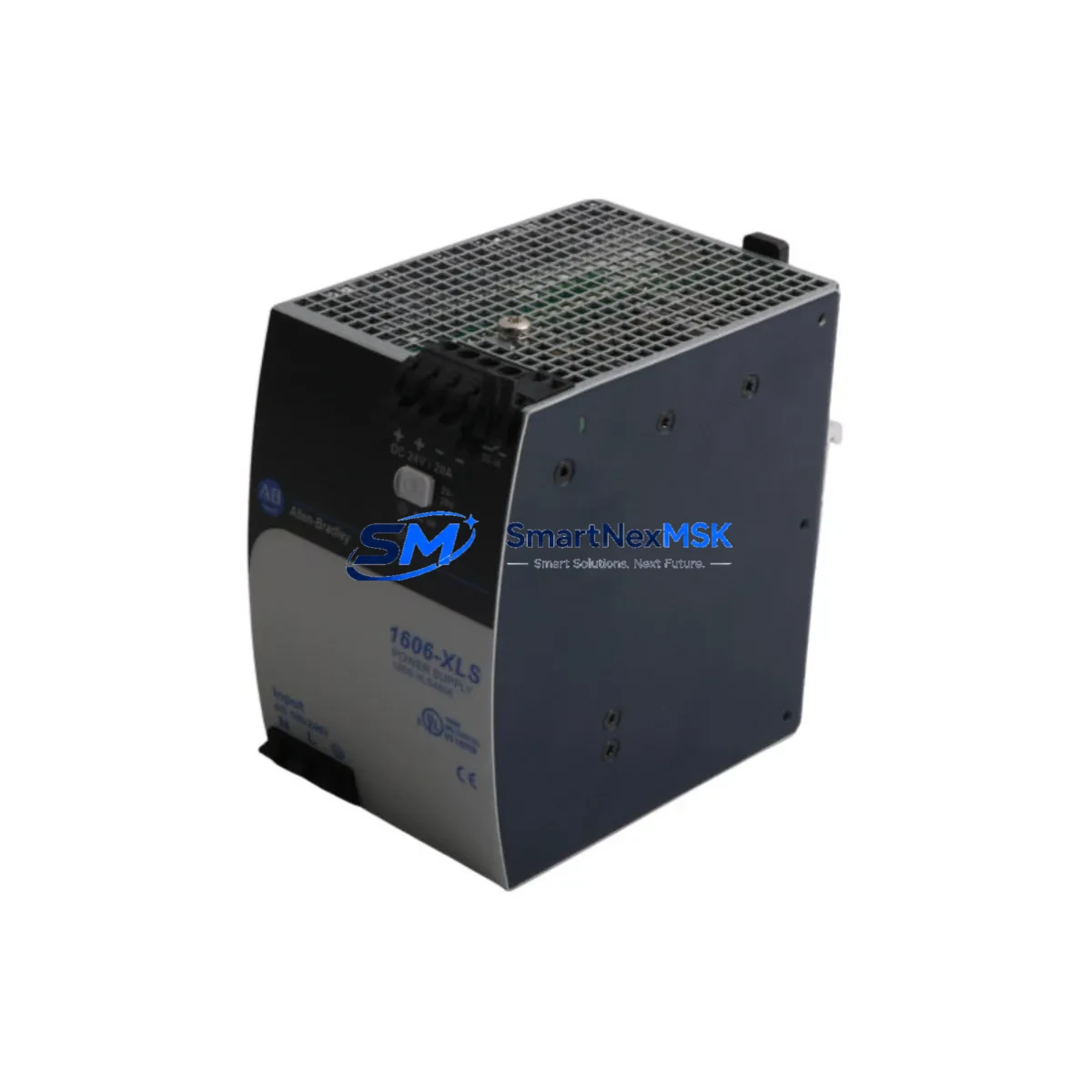
Allen-Bradley 1606-XLS480E Maintenance-Ready Spare for XLS Automation
The Allen-Bradley 1606-XLS480E is a 480W DIN rail-mounted power supply from the XLS Series, engineered for continuous-duty industrial automation environments. As a maintenance-ready original spare, it is the direct replacement for aging or failed 1606-XLS480E units in ControlLogix, CompactLogix, and MicroLogix control panels. Sourced from authorized supply channels, each unit undergoes pre-shipment functional testing to verify output voltage stability, overload protection response, and terminal integrity — ensuring it is ready for immediate installation upon arrival at your facility.
For maintenance engineers managing aging control infrastructure, unplanned power supply failure is one of the highest-risk single points of failure in a PLC cabinet. The 1606-XLS480E provides 24 VDC regulated output at up to 20A, with wide-range AC input (85–264 VAC), making it compatible across global facility voltages without hardware modification. Its compact DIN rail form factor allows direct swap-in replacement without panel re-wiring, minimizing mean time to repair (MTTR) during emergency shutdowns.
Procurement engineers sourcing long-term spares for legacy XLS-series panels will find the 1606-XLS480E available for immediate dispatch with a 12-month warranty covering manufacturing defects and functional failure. Stocking one or two units per critical production line is a proven strategy for reducing unplanned downtime exposure in facilities where the XLS platform remains the backbone of process control.
Spare Maintenance Table
| Parameter | Specification |
|---|---|
| Part Number | 1606-XLS480E |
| Brand | Allen-Bradley (Rockwell Automation) |
| Series | XLS |
| Output Power | 480W |
| Output Voltage | 24 VDC |
| Output Current | 20A |
| Input Voltage | 85–264 VAC (Wide Range) |
| Input Frequency | 47–63 Hz |
| Mounting | DIN Rail (35mm) |
| Protection Class | IP20 |
| Operating Temperature | -25°C to +70°C |
| Efficiency | ≥91% |
| Certifications | UL, CE, cUL |
| Compatibility | ControlLogix, CompactLogix, MicroLogix, XLS Panel Systems |
| Country of Origin | USA |
| Warranty | 12 Months |
| Condition | Original, New |
| Pre-Shipment Test | Output voltage, overload protection, terminal check |
Maintenance Planning for Continuous Operation
When replacing the 1606-XLS480E in a live control cabinet, a disciplined maintenance engineer will not stop at the power supply alone. The XLS Series power supply feeds 24 VDC to a chain of downstream components whose condition directly affects system reliability after the swap. Begin by inspecting the 1606-XLS240E or 1606-XLS120E auxiliary power supplies if your panel uses a redundant or zoned power architecture — a failing primary unit often masks stress on secondary supplies.
Check all 1492-J terminal blocks and 1492-W feed-through terminals on the 24 VDC bus for signs of discoloration, loose torque, or oxidation. Corroded terminals are a leading cause of intermittent faults that reappear after a power supply replacement. Inspect the 1756-PA75 or 1756-PB75 ControlLogix chassis power supply if the XLS unit is feeding a backplane support rail — chassis power and DIN rail power failures often occur in tandem under high thermal load.
For I/O integrity, verify the 1756-IB16 digital input modules and 1756-OB16E digital output modules are receiving stable 24 VDC after the replacement. Voltage sag during the previous failure may have stressed output transistors. If the panel includes 1734 POINT I/O adapters, confirm the adapter’s power budget is within spec after the new supply is online.
Communication continuity should be verified on 1756-EN2T EtherNet/IP communication modules and any 1747-SDN DeviceNet Scanner cards — power interruptions can corrupt module configuration or trigger fault states requiring a manual reset. For panels with 2711P PanelView Plus HMI terminals, confirm the HMI power input is stable and the display recovers cleanly from the power event without requiring a firmware reload.
Finally, inspect any 700-HLT2Z24 or 700-CF310 control relays in the output circuit and verify fuse integrity on the 1492-FB1C30 fuse blocks protecting individual 24 VDC branch circuits. A blown fuse or welded relay contact can simulate a power supply fault and lead to misdiagnosis. Completing this full cabinet inspection during the 1606-XLS480E replacement converts a reactive repair into a proactive maintenance event.
Site Replacement Workflow
Step 1 — Isolation: De-energize the panel section feeding the 1606-XLS480E. Use a lockout/tagout (LOTO) procedure per your site safety protocol. Confirm zero voltage at the AC input terminals with a calibrated meter before proceeding.
Step 2 — Documentation: Photograph the existing wiring layout, terminal labels, and DIN rail position before disconnecting any conductors. This is especially important in legacy panels where as-built drawings may not reflect field modifications.
Step 3 — Removal: Disconnect AC input wiring (L, N, PE) and 24 VDC output terminals. Release the DIN rail locking tab and slide the unit off the rail. Note the rail position for reinstallation alignment.
Step 4 — Installation: Clip the 1606-XLS480E replacement onto the DIN rail. Reconnect AC input and DC output terminals to the documented torque specification (typically 0.5–0.6 Nm for this terminal class). Do not over-torque.
Step 5 — Verification: Re-energize and measure output voltage at the terminal block (target: 24.0–24.5 VDC). Confirm the OK LED is solid green. Verify all downstream I/O modules, communication cards, and HMI terminals have recovered to normal operating state before releasing the system to production.
Step 6 — Documentation Close-Out: Log the replacement in your CMMS with the new unit serial number, installation date, and post-replacement voltage reading. Update your spare parts inventory to trigger reorder of the consumed unit.
Spare Parts Support FAQ
Q1: Is the 1606-XLS480E still available as a new original spare?
Yes. Despite the XLS Series being a mature product line, original new units remain available through authorized industrial spare parts distributors. Each unit shipped by SMARTNEXMSK is sourced from verified supply channels and carries a 12-month warranty against manufacturing defects and functional failure.
Q2: How do I confirm compatibility before ordering?
The 1606-XLS480E is a direct form-fit-function replacement for any existing 1606-XLS480E installation. Confirm your panel’s AC input voltage range (85–264 VAC wide range is standard), DIN rail mounting configuration (35mm), and 24 VDC / 20A output requirement. If your panel uses a different XLS output rating (e.g., 240W or 120W), contact us to confirm the correct part number before ordering.
Q3: What pre-shipment testing is performed?
Every 1606-XLS480E unit undergoes output voltage verification, overload protection functional test, and terminal block inspection before dispatch. A test report is available upon request for quality-critical procurement processes.
Q4: What is the recommended spare parts stocking strategy for XLS Series panels?
For production-critical lines, we recommend maintaining a minimum of one 1606-XLS480E per panel cluster as a hot spare. For facilities with 10+ XLS panels, a centralized spare pool of 2–3 units reduces average downtime exposure. Pair with stocked fuse blocks (1492-FB1C30) and a set of terminal blocks (1492-J) to enable a complete power distribution repair without waiting for parts delivery.
© 2026 SMARTNEXMSK. All rights reserved.
Original Source: https://smartnexmsk.com
Contact: [email protected] | +86 18259474341



