
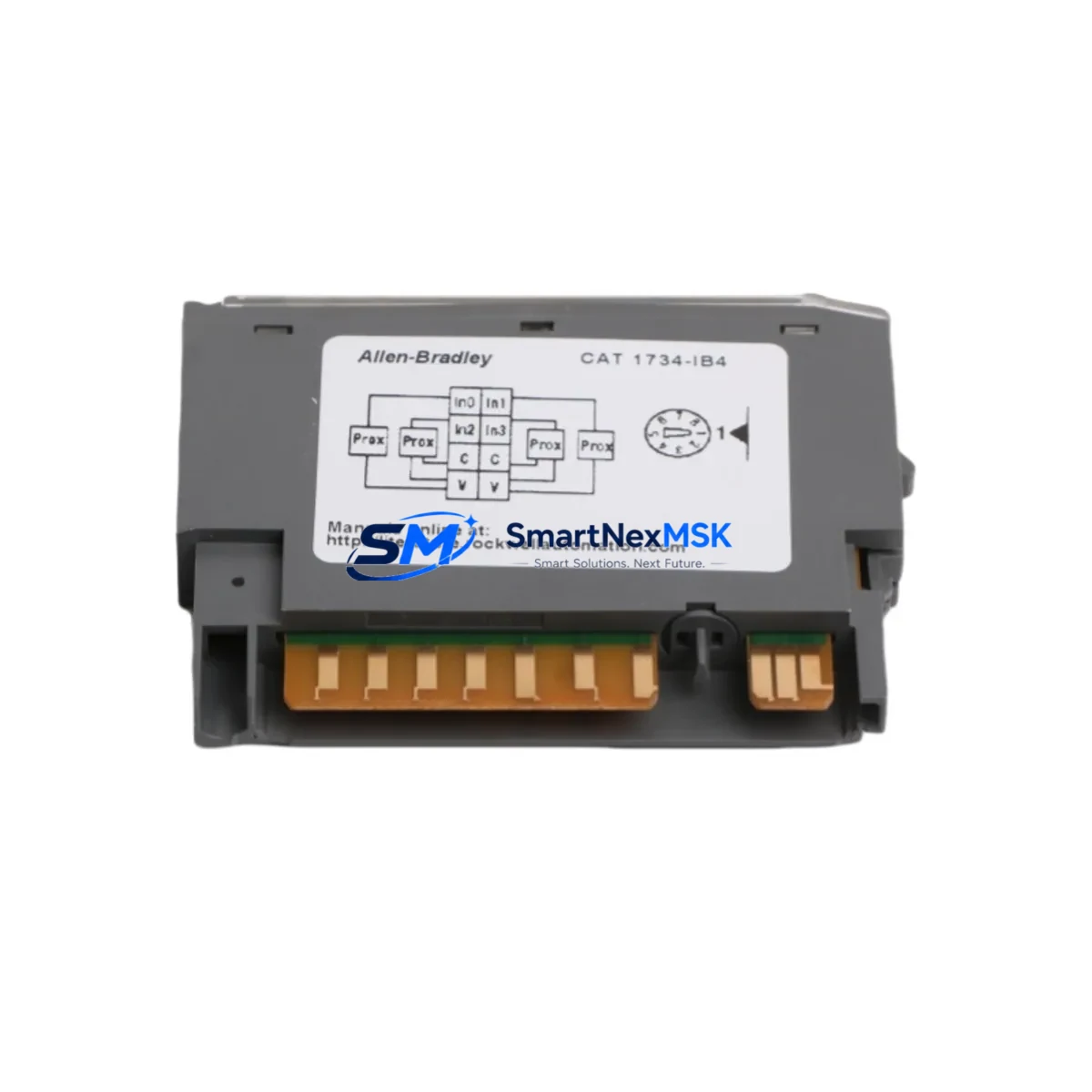
Allen-Bradley 1734-IB4 Retrofit-Ready Digital Input for POINT I/O Control Systems
The Allen-Bradley 1734-IB4 is a 4-point, 24VDC sinking digital input module designed for the POINT I/O platform — one of the most widely deployed distributed I/O architectures in North American industrial automation. As legacy control panels age and OEM support for discontinued variants becomes increasingly limited, the 1734-IB4 remains a critical retrofit component for engineers tasked with extending the operational life of existing POINT I/O racks without full system replacement.
Whether you are replacing a failed module in a running production line, upgrading a control cabinet that originally used an earlier-generation input card, or migrating from a third-party I/O platform to a standardized Allen-Bradley architecture, the 1734-IB4 provides a verified drop-in solution. Its compact DIN-rail-mount form factor, standard 1734-TB3 or 1734-TB3S terminal base compatibility, and native EtherNet/IP and DeviceNet communication support make it suitable for both brownfield retrofit projects and new panel builds within existing POINT I/O infrastructure.
Upgrade Compatibility Table
| Parameter | 1734-IB4 Specification | Retrofit Notes |
|---|---|---|
| Input Points | 4-point, sinking (NPN) | Verify field device output type matches sinking configuration |
| Input Voltage | 24VDC nominal (10–28.8VDC range) | Confirm field supply voltage; no rewiring required if existing supply is 24VDC |
| Terminal Base | 1734-TB3 / 1734-TB3S | Reuse existing terminal base; no re-termination needed in most cases |
| Communication | EtherNet/IP, DeviceNet (via adapter) | Compatible with 1734-AENT, 1734-AENTR, 1734-ADN adapters |
| Backplane Current Draw | 75mA @ 5VDC | Verify 1734-EP24DC or system power budget before adding modules |
| Module Addressing | Auto-addressed via adapter | Slot position determines tag address; update RSLogix 5000 / Studio 5000 I/O tree |
| Program Compatibility | Compatible with ControlLogix, CompactLogix, MicroLogix (via adapter) | Verify existing ladder logic tag references; no rung rewrites typically required |
| HMI Integration | Tag-based via FactoryTalk View or third-party SCADA | Update HMI tag database if slot position changes |
| Warranty | 12 Months | Covers manufacturing defects; includes pre-shipment functional test |
Retrofit Planning for Existing Automation Systems
A successful 1734-IB4 retrofit begins well before the module arrives on site. Engineers should start by auditing the existing POINT I/O rack configuration, confirming the number of occupied slots, the current power budget consumed by installed modules such as the 1734-OB4E output module, 1734-IE4C analog input module, and any 1734-232ASC serial communication modules. The 1734-EP24DC expansion power supply should be checked to ensure sufficient 5VDC and 24VDC capacity remains after the replacement module is installed.
Terminal base wiring is one of the most time-sensitive steps in a live-panel retrofit. Because the 1734-IB4 snaps directly onto an existing 1734-TB3 terminal base, field wiring to the 24VDC sinking inputs does not need to be disturbed in most cases. Engineers should photograph the existing wiring layout and cross-reference against the original panel drawings before removing the failed module. If the original module was a different variant — for example, a 1734-IB8 8-point input card — the terminal base must be replaced with the correct 4-point base, and field wires redistributed accordingly.
Communication link verification is equally important. The 1734-AENT or 1734-AENTR EtherNet/IP adapter that manages the POINT I/O node must be online and the replacement module must appear correctly in the Studio 5000 I/O configuration tree. If the project was originally developed in RSLogix 5000, the module profile for the 1734-IB4 should be confirmed against the installed firmware version of the adapter. In systems where a 1734-ADN DeviceNet adapter is used instead, the module’s node address and EDS file registration must be verified in RSNetWorx for DeviceNet before going live.
For control cabinets that also include a 1734-ACNR ControlNet adapter or a 1756-ENBT EtherNet/IP bridge card in an upstream ControlLogix chassis, the I/O connection path in the controller’s I/O tree must be validated end-to-end. Any 1756-L7x or 1756-L8x ControlLogix controller managing the POINT I/O node should be placed in Program mode during the physical swap to prevent false input triggers from propagating to output logic. After the 1734-IB4 is seated and the terminal base is secured, the controller can be returned to Run mode and input status verified via the controller’s online diagnostic view.
Downtime Control During System Migration
Minimizing unplanned downtime during a POINT I/O module replacement requires a structured pre-swap checklist. Before removing the 1734-IB4 or its predecessor, the engineering team should export the current controller project from Studio 5000 and store a timestamped backup offline. If the system uses FactoryTalk AssetCentre or a similar version control platform, a manual checkpoint should be created to preserve the pre-retrofit program state.
For lines that cannot tolerate a full controller stop, a partial inhibit strategy can be applied: the specific I/O module connection can be inhibited within the Studio 5000 I/O configuration, allowing the controller to remain in Run mode while the physical module is swapped. Once the 1734-IB4 is reseated and the connection is re-enabled, the controller will re-establish the I/O connection without a full program restart. This approach is particularly effective in multi-zone conveyor systems, packaging lines, and process control panels where only a subset of inputs needs to be taken offline.
Post-swap commissioning should include a point-by-point input verification: each of the four input channels should be exercised from the field device side — proximity switch, pushbutton, or limit switch — while monitoring the corresponding input bit in the controller’s online tag monitor. Any discrepancy between expected and actual input state should be traced back to terminal wiring, field device polarity, or module slot addressing before the line is returned to automatic operation. Pre-shipment functional testing of each 1734-IB4 unit is performed prior to dispatch, and a 12-month warranty covers the module against manufacturing defects from the date of delivery.
Retrofit Support FAQ
Q: Can the 1734-IB4 directly replace a 1734-IB8 without changing the terminal base?
A: No. The 1734-IB8 uses an 8-point terminal base (1734-TB8 or equivalent), while the 1734-IB4 requires a 4-point 1734-TB3 or 1734-TB3S base. The terminal base must be replaced and field wires redistributed to the correct terminals. The Studio 5000 I/O configuration must also be updated to reflect the new module type and point count.
Q: Will the existing ladder logic need to be rewritten after installing the 1734-IB4?
A: In most cases, no. If the replacement module occupies the same slot position and the tag names in the controller project remain unchanged, existing rung logic referencing those input tags will continue to function without modification. If the slot position changes, the I/O tag addresses will shift and affected rungs must be updated accordingly in Studio 5000.
Q: What communications adapters are compatible with the 1734-IB4?
A: The 1734-IB4 is compatible with the full range of POINT I/O adapters, including the 1734-AENT and 1734-AENTR for EtherNet/IP, the 1734-ADN for DeviceNet, and the 1734-ACNR for ControlNet. Adapter firmware should be at a revision level that supports the 1734-IB4 module profile. Consult the adapter’s release notes for minimum supported firmware versions.
Q: Does each unit ship with a pre-shipment functional test, and what does the 12-month warranty cover?
A: Yes. Every 1734-IB4 unit undergoes a functional input verification test prior to shipment. The 12-month warranty covers manufacturing defects in materials and workmanship from the date of delivery. It does not cover damage resulting from incorrect installation, overvoltage conditions, or field wiring errors. Warranty claims are processed directly through our sales team at [email protected].
© 2026 SMARTNEXMSK. All rights reserved.
Original Source: https://smartnexmsk.com
Contact: [email protected] | +86 18259474341



