
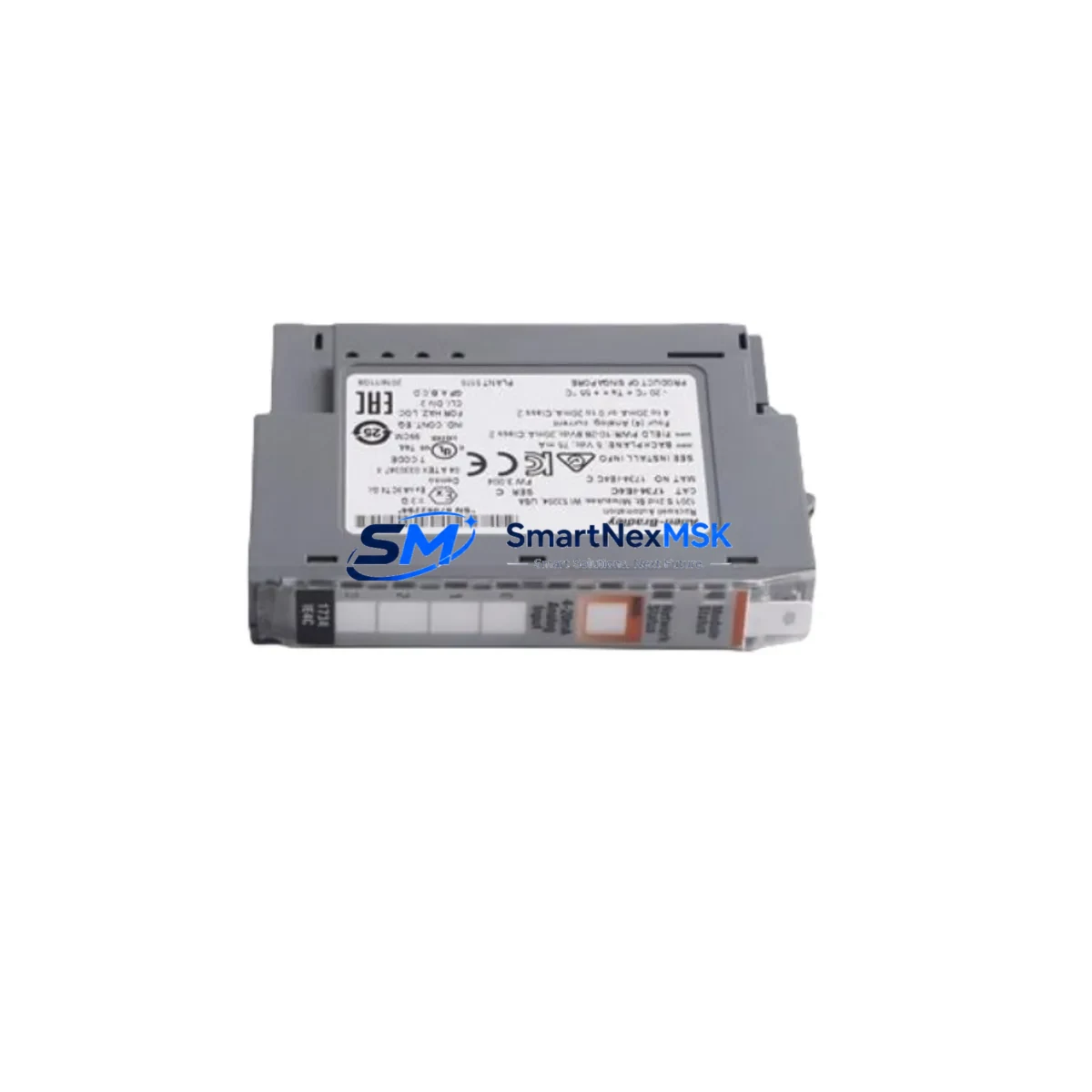
Allen-Bradley 1734-IE4C Spare for POINT I/O Automation: Spare Replacement & Downtime Risk Control
The Allen-Bradley 1734-IE4C is a 4-channel analog current input module designed for the POINT I/O platform, widely deployed in discrete and process automation systems across manufacturing, oil & gas, water treatment, and packaging industries. As a maintenance-ready original spare, the 1734-IE4C enables maintenance engineers to execute fast, validated replacements that restore system integrity without extended downtime. Each unit shipped by SMARTNEXMSK is sourced from authorized supply chains, individually tested prior to dispatch, and covered by a 12-month warranty.
For facilities running Allen-Bradley ControlLogix, CompactLogix, or MicroLogix controllers with POINT I/O adapter backplanes, the 1734-IE4C is a critical field-replaceable unit. Its 4–20 mA input range supports direct connection to pressure transmitters, flow meters, level sensors, and temperature transmitters — making it a high-priority item on any spare parts list for process-critical control cabinets.
Spare Maintenance Table
| Parameter | Specification |
|---|---|
| SKU / Part Number | 1734-IE4C |
| Brand | Allen-Bradley (Rockwell Automation) |
| Series | POINT I/O (1734 Series) |
| Module Type | 4-Channel Analog Current Input |
| Input Range | 4–20 mA (current) |
| Resolution | 13-bit |
| Supply Voltage | 5 VDC (via backplane), 24 VDC field power |
| Backplane Compatibility | 1734-AENT, 1734-AENTR, 1734-PDN, 1734-ADN adapters |
| Controller Compatibility | ControlLogix, CompactLogix, MicroLogix (via adapter) |
| Operating Temperature | 0 °C to 55 °C |
| Mounting | DIN rail via POINT I/O base unit (1734-TB or 1734-TBS) |
| Certifications | UL, CE, cUL |
| Weight | Approx. 40 g |
| Warranty | 12 Months (SMARTNEXMSK) |
| Condition | Original, tested before shipment |
| Application Environment | Industrial control panels, process automation, discrete manufacturing |
| Maintenance Recommendation | Inspect wiring terminals, verify 24 VDC field power, confirm adapter firmware compatibility before installation |
Maintenance Planning for Continuous Operation
When a 1734-IE4C fails or is flagged during a scheduled inspection, the replacement workflow should extend beyond the module itself. Experienced maintenance engineers treat analog input module failures as a signal to audit the surrounding electrical environment. Begin by verifying the 24 VDC field power supply — a degraded or undersized power supply such as the 1734-EP24DC POINT I/O power supply module can cause erratic readings across all channels before a hard fault is logged. Check the supply voltage at the backplane and confirm it falls within specification.
Next, inspect the 1734-AENT or 1734-AENTR EtherNet/IP adapter that hosts the 1734-IE4C. Adapter firmware mismatches or corrupted configuration files are a common root cause of module communication faults that are misdiagnosed as module hardware failures. Confirm the adapter’s IP address, verify the EDS file version in Studio 5000 or RSLogix 5000, and check for any I/O connection timeout faults in the controller’s fault log.
The terminal base unit — typically a 1734-TB or 1734-TBS screw-type base — should be inspected for loose wiring, corrosion on the signal terminals, and proper seating of the module. In high-vibration environments, terminal bases can develop intermittent contact faults that mimic module failures. Torque all signal wiring to specification and verify shield grounding for 4–20 mA loops.
For facilities that also run analog output channels in the same cabinet, the 1734-OE4C 4-channel analog current output module shares the same backplane architecture and should be included in the same inspection cycle. Similarly, if the control loop includes discrete interlocks, verify the status of adjacent 1734-IB8 digital input modules and 1734-OB8 digital output modules — a shorted output channel on a neighboring module can corrupt backplane communication and generate false faults on the analog module.
For process loops connected to the 1734-IE4C, inspect field instruments including pressure transmitters, flow transmitters, and level sensors for loop integrity. A broken 4–20 mA loop — caused by a failed transmitter, a blown loop fuse, or a damaged cable — will present as an open-circuit fault on the 1734-IE4C channel. Check inline fuse holders and terminal blocks in the marshalling cabinet before condemning the module. If the system uses signal isolators or barriers between field instruments and the POINT I/O rack, inspect the signal isolator modules for proper output range and power supply continuity.
For older installations where the POINT I/O system has been in service for more than five years, consider stocking a 1734-AENT adapter, a spare 1734-EP24DC power supply, and at least one 1734-IE4C as a minimum viable spare kit. This combination covers the three most common failure points in a POINT I/O analog input subsystem and supports rapid recovery without waiting for emergency procurement.
Site Replacement Workflow
Step 1 — Isolation: Place the affected I/O channel in fault mode or inhibit the I/O connection in the controller. Do not remove the module while the system is live unless the process is safely isolated. Follow your site’s LOTO (Lockout/Tagout) procedure for the control cabinet.
Step 2 — Documentation: Record the existing module configuration — channel scaling, engineering units, filter settings, and fault/program mode actions — from the controller project file before removal. For ControlLogix systems, export the I/O configuration from Studio 5000 as a reference.
Step 3 — Physical Replacement: Remove the 1734-IE4C from the terminal base by pressing the release tab and lifting the module. Inspect the terminal base contacts for damage. Insert the replacement 1734-IE4C into the same terminal base. The module is keyed to prevent incorrect installation.
Step 4 — Configuration Verification: Power up the system and verify that the controller recognizes the new module. Confirm that the I/O connection status shows “Running” in the controller’s I/O tree. Check channel data values against known process conditions to validate correct operation.
Step 5 — Loop Verification: Apply a calibrated 4–20 mA signal source to each channel and verify that the engineering unit values in the controller match expected readings. Document the verification results for your maintenance records.
The 1734-IE4C replacement process typically takes 15–30 minutes for a trained technician, making it one of the fastest field replacements in the POINT I/O platform — provided a tested spare is available on-site. SMARTNEXMSK ships all 1734-IE4C units with pre-shipment functional testing documentation to support your incoming inspection process.
Spare Parts Support FAQ
Q1: Is the 1734-IE4C still in production, and how long can I source original spares?
The 1734-IE4C is an active product in the Allen-Bradley POINT I/O 1734 Series catalog. SMARTNEXMSK maintains long-term supply relationships to support facilities running legacy and current POINT I/O installations. We recommend establishing a standing spare inventory of at least 1–2 units per control system to avoid emergency procurement lead times.
Q2: How do I verify compatibility between the 1734-IE4C and my existing POINT I/O adapter?
The 1734-IE4C is compatible with all standard 1734 Series adapters including the 1734-AENT, 1734-AENTR, 1734-PDN, and 1734-ADN. Verify that your adapter firmware supports the module revision by checking the Rockwell Automation Product Compatibility and Download Center (PCDC). SMARTNEXMSK can provide the module revision number prior to shipment upon request.
Q3: What pre-shipment testing does SMARTNEXMSK perform on the 1734-IE4C?
Each 1734-IE4C unit undergoes functional verification prior to dispatch, including power-on self-test confirmation and channel continuity checks. Units are shipped with anti-static packaging and include a 12-month warranty covering manufacturing defects and functional failures under normal operating conditions.
Q4: Can the 1734-IE4C be used as a direct replacement for older 1734-IE4C revisions?
Yes. The 1734-IE4C maintains backward compatibility across revisions within the POINT I/O platform. No controller program changes are required when replacing an older revision with a current-revision unit, provided the terminal base and adapter remain unchanged. Always verify the I/O connection status after replacement as a standard commissioning step.
© 2026 SMARTNEXMSK. All rights reserved.
Original Source: https://smartnexmsk.com
Contact: [email protected] | +86 18259474341



