
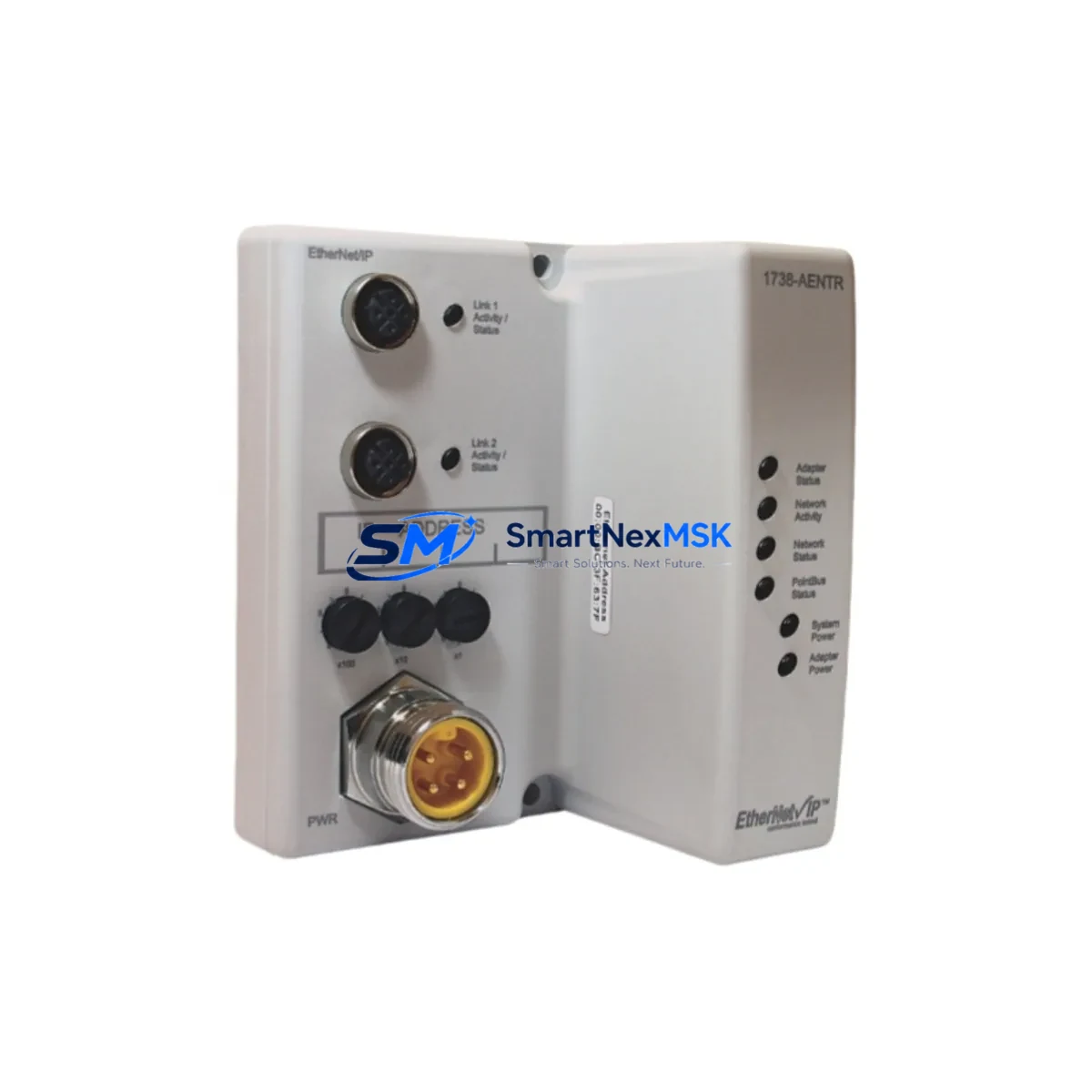
Allen-Bradley 1738-AENTR Spare for ArmorPoint Automation: Spare Replacement & Industrial Downtime Risk Control
The Allen-Bradley 1738-AENTR is a Dual-Port EtherNet/IP I/O Adaptor designed for the ArmorPoint 1738 modular I/O platform, widely deployed in machine-level distributed control architectures across manufacturing, automotive, food & beverage, and material handling industries. As a maintenance-ready original spare, the 1738-AENTR enables maintenance engineers to execute rapid field replacements, restore EtherNet/IP communication integrity, and minimize unplanned downtime in Rockwell Automation control environments.
Stocking the 1738-AENTR as a critical spare is a proven strategy for facilities operating ArmorPoint I/O nodes in harsh or wash-down environments. The dual-port topology supports Device Level Ring (DLR) network redundancy, meaning a failed adaptor can disrupt an entire I/O ring segment — making fast, verified replacement essential to production continuity. Procurement engineers sourcing this part should confirm firmware revision compatibility with the connected Logix controller (ControlLogix, CompactLogix, or GuardLogix) and validate the EtherNet/IP network configuration prior to installation.
Spare Maintenance Table
| Parameter | Specification |
|---|---|
| Part Number / SKU | 1738-AENTR |
| Brand | Allen-Bradley / Rockwell Automation |
| Series | ArmorPoint 1738 |
| Product Type | EtherNet/IP Dual-Port I/O Adaptor |
| Network Protocol | EtherNet/IP (DLR — Device Level Ring supported) |
| Communication Ports | 2 × RJ45 (dual-port, embedded switch) |
| Power Supply Input | 24V DC (system bus powered) |
| IP Rating | IP67 (sealed, suitable for wash-down environments) |
| Operating Temperature | -20°C to +60°C |
| Compatibility | ControlLogix, CompactLogix, GuardLogix; ArmorPoint 1738 I/O modules |
| Mounting | ArmorPoint base rail, DIN-rail compatible chassis |
| Condition | Original / New Surplus / Tested |
| Warranty | 12 Months |
| Pre-shipment Testing | Function-verified before dispatch |
| Lead Time | In-stock, ships within 1–3 business days |
| Origin | USA |
Maintenance Planning for Continuous Operation
When replacing the 1738-AENTR in the field, a thorough inspection of the surrounding ArmorPoint node is strongly recommended to prevent repeat failures and ensure full system restoration. Maintenance engineers should begin by verifying the 24V DC power supply feeding the ArmorPoint base rail — a marginal or noisy power source is a common root cause of adaptor communication faults. Check the 1738-EP24DC ArmorPoint power conditioner or equivalent power distribution module for correct output voltage and ripple.
Inspect all ArmorPoint I/O modules seated on the same base rail, including digital input modules such as the 1738-IB8 and digital output modules such as the 1738-OB8, for signs of moisture ingress, connector corrosion, or mechanical damage. In wash-down or high-humidity environments, the IP67 sealing of each module and its mating connector should be verified before re-energizing the node.
Review the EtherNet/IP network cabling connected to both RJ45 ports of the 1738-AENTR. In DLR topologies, a broken ring segment caused by a damaged cable or failed switch port can cascade into a full node communication loss. Inspect the industrial Ethernet switches or managed switches in the ring for port status and error counters. If the facility uses a 1783-ETAP EtherNet/IP Tap or similar network diagnostic device, use it to isolate the fault segment before installing the replacement adaptor.
For facilities running GuardLogix safety controllers, confirm that the safety I/O configuration — including any 1738-series safety I/O modules — is re-validated after adaptor replacement. Safety task integrity must be verified through RSLogix 5000 or Studio 5000 Logix Designer before returning the machine to automatic mode. Additionally, check the 1756-EN2T or 1756-EN3TR EtherNet/IP communication modules in the ControlLogix chassis for any logged connection faults that may indicate upstream network issues beyond the ArmorPoint node.
Procurement engineers building a spare parts kit around the 1738-AENTR should also consider stocking the 1738-EP24DC power conditioner, a selection of 1738-series I/O modules matched to the installed base, spare IP67-rated M12 Ethernet patch cables, and terminal block connectors compatible with the ArmorPoint wiring system. Maintaining a minimum of one 1738-AENTR per production line significantly reduces mean time to repair (MTTR) and supports a proactive maintenance strategy aligned with IEC 62443 industrial cybersecurity and reliability standards.
Site Replacement Workflow
Step 1 — Isolate and de-energize: Follow site LOTO (Lockout/Tagout) procedures. De-energize the ArmorPoint node power supply and disconnect both EtherNet/IP cables from the 1738-AENTR ports.
Step 2 — Record configuration: Before removal, document the IP address, subnet mask, gateway, and DLR ring configuration stored in the existing adaptor (if accessible via RSLinx Classic or Studio 5000). Note the firmware revision for compatibility reference.
Step 3 — Remove the failed adaptor: Disengage the 1738-AENTR from the ArmorPoint base rail following the manufacturer’s removal procedure. Inspect the base rail connector for damage or contamination.
Step 4 — Install the replacement unit: Seat the new 1738-AENTR onto the base rail, ensuring full connector engagement. Reconnect EtherNet/IP cables to the correct ports (Port 1 upstream, Port 2 downstream in DLR configurations).
Step 5 — Configure and commission: Use the BOOTP/DHCP server utility or RSLinx Classic to assign the correct IP address. Download the I/O configuration from the Logix controller and verify all I/O module connections are established. Confirm DLR ring status in Studio 5000.
Step 6 — Functional verification: Run a controlled I/O test cycle before returning the machine to production. Log the replacement in the site CMMS (Computerized Maintenance Management System) and update the spare parts inventory record.
This workflow supports a target MTTR of under 60 minutes for trained maintenance personnel, minimizing production loss and avoiding the extended lead times associated with sourcing obsolete or discontinued Rockwell Automation components through standard distribution channels.
Spare Parts Support FAQ
Q1: Is the 1738-AENTR still in production, and can I source it as a long-term spare?
The 1738-AENTR has been subject to lifecycle status changes by Rockwell Automation. SMARTNEXMSK maintains stock of original and new-surplus units to support facilities that cannot immediately migrate to newer ArmorPoint or Point I/O platforms. Long-term supply agreements are available for customers requiring guaranteed stock over multi-year maintenance cycles.
Q2: How is the 1738-AENTR tested before shipment?
Every unit undergoes functional verification prior to dispatch, including power-on testing, EtherNet/IP communication port validation, and visual inspection for connector integrity and IP67 seal condition. A 12-month warranty is provided on all units, covering defects in materials and workmanship under normal operating conditions.
Q3: Can the 1738-AENTR replace older ArmorPoint EtherNet/IP adaptors such as the 1738-AENT?
The 1738-AENTR is the dual-port DLR-capable successor to the single-port 1738-AENT. In most installations, the 1738-AENTR can replace the 1738-AENT as a functional upgrade, providing DLR ring support and improved network diagnostics. However, network topology changes (linear to ring) may require configuration updates in the Logix controller’s I/O tree. Compatibility should be verified against the installed firmware and controller revision before field installation.
Q4: What is the recommended spare parts stocking strategy for ArmorPoint nodes?
For facilities with three or more ArmorPoint nodes, a minimum of one 1738-AENTR adaptor per five nodes is recommended as a baseline spare holding. High-criticality lines or 24/7 operations should maintain at least one unit per node cluster. Pairing the adaptor spare with matched 1738-series I/O modules, power conditioners, and IP67 Ethernet cables ensures a complete node restoration kit that supports sub-60-minute MTTR targets.
© 2026 SMARTNEXMSK. All rights reserved.
Original Source: https://smartnexmsk.com
Contact: [email protected] | +86 18259474341



