
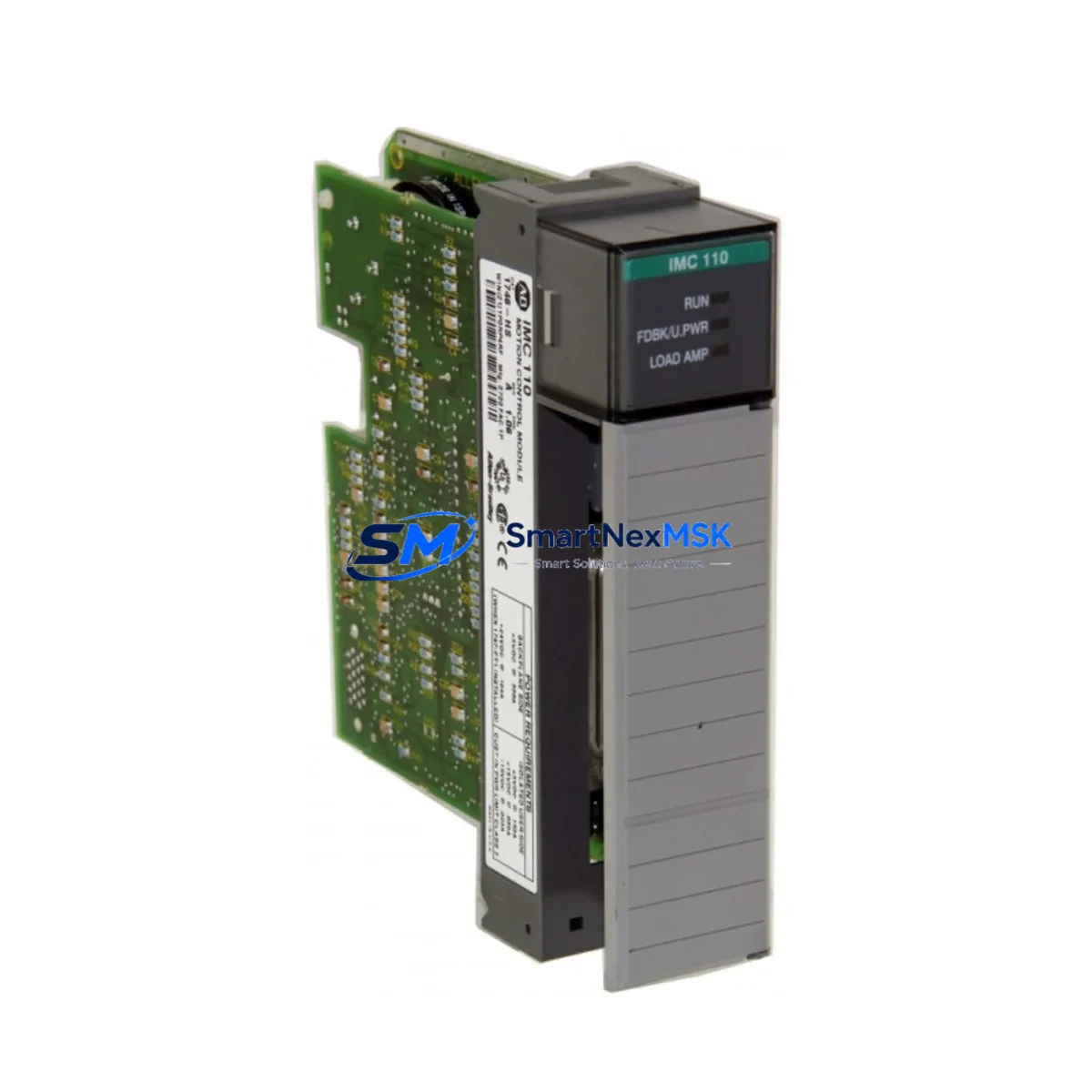
Allen-Bradley 1746-HSRV Retrofit-Ready Servo Control for SLC 500: Compatible Modernization & Smooth System Upgrade
The Allen-Bradley 1746-HSRV is a high-speed servo control module designed for the SLC 500 modular chassis platform. As legacy SLC 500 systems approach end-of-life and original 1746-HSRV units become increasingly difficult to source through standard distribution channels, plant engineers and system integrators face mounting pressure to locate verified replacement stock that can be installed without rewriting control logic or redesigning the control cabinet. SMARTNEXMSK maintains ready inventory of the 1746-HSRV and its compatible substitutes, each unit tested prior to shipment and covered by a 12-month warranty.
Whether you are managing a planned upgrade cycle, responding to an unplanned module failure, or executing a phased migration from SLC 500 to a ControlLogix or CompactLogix platform, the 1746-HSRV retrofit process requires careful attention to power budget, backplane slot assignment, terminal wiring, and servo drive interface compatibility. This page provides the technical reference and planning guidance your team needs to execute the replacement with confidence and minimal production downtime.
Upgrade Compatibility Table
| Parameter | 1746-HSRV (Original) | Retrofit / Replacement Notes |
|---|---|---|
| Module Type | High-Speed Servo Control, SLC 500 I/O | Must occupy a standard SLC 500 I/O slot; confirm chassis type (1746-A4, 1746-A7, 1746-A10, 1746-A13) |
| Backplane Interface | SLC 500 backplane, single-slot | Verify slot addressing in RSLogix 500 program; module address must match existing rung references |
| Power Consumption | Refer to chassis power budget (1746-P1, 1746-P2, 1746-P3, 1746-P4) | Recalculate total chassis load after adding replacement; upgrade power supply if budget is exceeded |
| Terminal Wiring | Screw-terminal field wiring connector | Connector is removable; transfer existing wiring connector directly to replacement module — no rewiring required if connector is intact |
| Servo Drive Interface | Analog ±10 V command, encoder feedback | Confirm servo drive (e.g., Kinetix 300, third-party analog drives) accepts same command signal; verify encoder cable pinout |
| Communication Protocol | SLC 500 backplane (DH+, DH-485 via 1747-KE or 1747-AIC) | No protocol change required for like-for-like replacement; migration to EtherNet/IP requires ControlLogix platform change |
| Program Compatibility | RSLogix 500 ladder logic | Existing program is fully reusable; no rung edits required for direct replacement |
| HMI Compatibility | PanelView 300, 550, 600, 900 via DH-485 or DH+ | HMI screens and tag addresses remain valid; no screen rebuild required for like-for-like swap |
| Replacement Recommendation | — | Direct 1746-HSRV replacement preferred; for platform migration, evaluate 1769-SM2 or Kinetix 5100 with ControlLogix 1756-L8x |
| Warranty | — | 12-Month Warranty on all SMARTNEXMSK-supplied units; pre-shipment functional test included |
Retrofit Planning for Existing Automation Systems
A successful 1746-HSRV retrofit begins well before the replacement module arrives on site. The first step is a full audit of the existing SLC 500 chassis configuration. Document every module installed in the 1746-A7 or 1746-A10 chassis — including the 1746-IB16 digital input modules, 1746-OB16 digital output modules, 1746-NI4 analog input modules, and any 1746-BAS BASIC module used for auxiliary data logging — and confirm that the total backplane current draw remains within the rating of the installed power supply, typically a 1746-P2 or 1746-P4.
Next, review the RSLogix 500 project file to identify every rung that references the 1746-HSRV slot address. The module occupies a specific slot in the chassis, and its I/O image table addresses (O:e.0 through O:e.15 for outputs, I:e.0 through I:e.15 for inputs) must be preserved exactly in the replacement. If the chassis slot assignment changes for any reason, all affected rungs must be updated before going online.
The field wiring connector on the 1746-HSRV is a removable screw-terminal block. In most retrofit scenarios, the existing connector — with all field wiring already landed — can be unplugged from the failed module and plugged directly into the replacement unit. This eliminates the risk of miswiring and dramatically reduces the time the machine is offline. Before transferring the connector, photograph the terminal assignments and verify continuity on the encoder feedback cable and the analog command signal wiring to the servo drive.
If the retrofit is part of a broader migration from SLC 500 to a CompactLogix 5380 or ControlLogix 1756-L85E platform, the servo control function will typically be reassigned to a 1769-SM2 Sercos motion module or a Kinetix 5700 drive system communicating over EtherNet/IP. In that scenario, the 1747-L553 SLC 5/05 processor and its associated 1747-UIC USB programming cable can remain in service during a parallel-run commissioning phase, allowing the new platform to be validated against the existing process before the SLC 500 is decommissioned. The 1747-SDN DeviceNet scanner module, if present, will also need to be replaced or bridged during this transition.
For sites running PanelView 550 or PanelView 900 HMI terminals connected via DH-485 using a 1747-AIC link coupler, the HMI communication link is unaffected by a like-for-like 1746-HSRV swap. The existing PanelView application file and all screen tags remain valid. Only a platform migration would require rebuilding the HMI application in FactoryTalk View ME.
Downtime Control During System Migration
Unplanned downtime caused by a failed 1746-HSRV can cascade quickly in a production environment where servo-controlled axes are part of a synchronized multi-axis sequence. The fastest path to recovery is a verified spare module that has been pre-tested and is ready to install. SMARTNEXMSK ships all 1746-HSRV units with a pre-shipment functional test report, and standard lead times support next-business-day dispatch for in-stock items.
For planned maintenance windows, the recommended procedure is to upload the current RSLogix 500 program from the 1747-L553 or 1747-L543 processor to a laptop using the 1747-UIC cable before beginning any hardware work. Store the .RSS project file in at least two locations. Power down the chassis using the correct sequence — field devices first, then the 1746-P2 power supply — before removing the 1746-HSRV from its slot. Insert the replacement module, reconnect the field wiring connector, restore power, and go online in RSLogix 500 to verify the module status bits before enabling servo motion.
During the commissioning phase, monitor the servo drive fault codes and confirm that the encoder feedback signal is clean and within the expected pulse count per revolution. If the axis does not home correctly on the first attempt, check the home switch wiring at the 1746-IB16 input module and verify the home offset parameter in the RSLogix 500 motion instruction. Most 1746-HSRV replacements are completed within a two-hour maintenance window when the spare module is on hand and the program backup is current.
For sites executing a phased migration, consider running the new ControlLogix platform in parallel with the SLC 500 for a minimum of one production shift before cutting over. This parallel-run strategy protects the existing process logic and gives the commissioning team time to validate servo tuning parameters, I/O mapping, and HMI screen behavior under live production conditions.
Retrofit Support FAQ
Q1: Is the 1746-HSRV a direct drop-in replacement, or does it require program changes?
For a like-for-like replacement in the same chassis slot, no program changes are required. The module’s I/O image table addresses are determined by its slot position in the SLC 500 chassis. As long as the replacement occupies the same slot as the original, all existing RSLogix 500 ladder logic remains valid and the machine can be returned to service without any rung edits.
Q2: How do I verify wiring compatibility before installing the replacement module?
The 1746-HSRV uses a removable screw-terminal field wiring connector. Before removing the failed module, photograph all terminal assignments and use a multimeter to verify continuity on the encoder feedback cable and the ±10 V analog command signal wiring. The connector can then be transferred directly to the replacement module. If the original connector is damaged, refer to the 1746-HSRV installation manual (publication 1746-IN009) for the terminal assignment diagram.
Q3: What is covered under the 12-month warranty, and what does the pre-shipment test include?
All 1746-HSRV units supplied by SMARTNEXMSK are covered by a 12-month warranty against manufacturing defects and functional failure under normal operating conditions. The pre-shipment test verifies backplane communication, analog output signal integrity, encoder input response, and module status LED behavior. A test report is included with each shipment. Warranty claims are processed within 5 business days of receipt of the returned unit.
Q4: Can the 1746-HSRV be used in a migration to ControlLogix or CompactLogix?
The 1746-HSRV is an SLC 500 platform module and is not compatible with the ControlLogix 1756 or CompactLogix 1769 backplane. For a platform migration, the servo control function must be reassigned to a compatible motion module such as the 1769-SM2 or a Kinetix 5700 drive system. SMARTNEXMSK can supply both the 1746-HSRV for interim operation and the target-platform components for the migration, allowing a phased transition that minimizes production risk.
© 2026 SMARTNEXMSK. All rights reserved.
Original Source: https://smartnexmsk.com
Contact: [email protected] | +86 18259474341



