
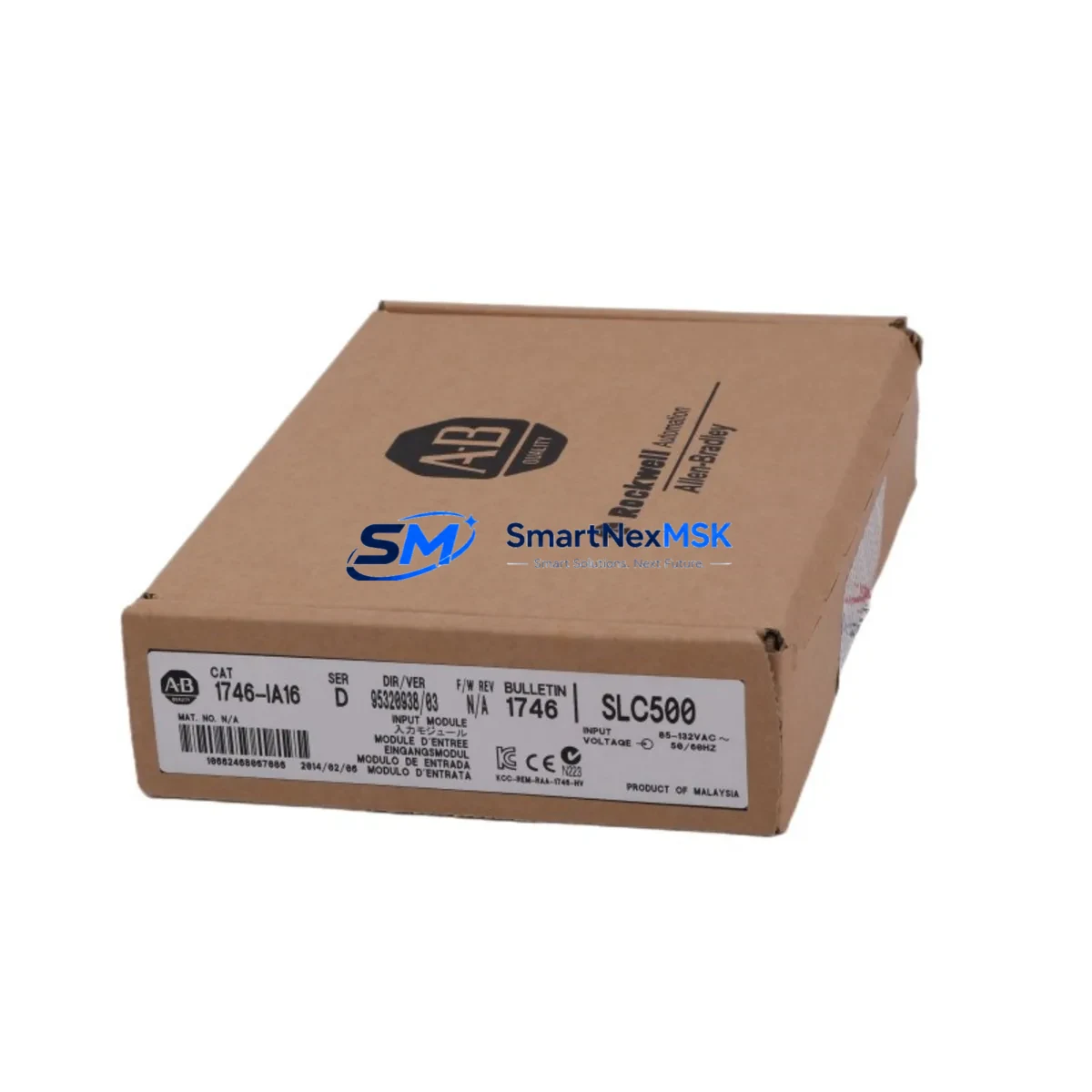
Allen-Bradley 1746-IA16 Retrofit-Ready AC Input for SLC 500: Compatible Modernization & Smooth System Upgrade
The Allen-Bradley 1746-IA16 is a 16-point, 120V AC discrete input module designed for the SLC 500 modular chassis platform. As legacy SLC 500 systems approach end-of-life and original spare parts become increasingly scarce, the 1746-IA16 remains one of the most critical retrofit components for engineers tasked with keeping existing production lines operational without a full migration to ControlLogix or CompactLogix architectures. Whether you are replacing a failed module in an urgent breakdown scenario or executing a planned control cabinet upgrade, the 1746-IA16 delivers verified drop-in compatibility with the 1746 backplane, preserving your existing ladder logic, I/O addressing, and HMI screen mappings without reprogramming.
Each unit supplied by SMARTNEXMSK is functionally tested prior to shipment, backed by a 12-month warranty, and available from in-stock inventory for same-week dispatch. Our sourcing network covers both new-surplus and refurbished-to-spec units, giving procurement teams flexible options when OEM lead times are unacceptable.
Upgrade Compatibility Table
| Parameter | 1746-IA16 Specification | Retrofit / Replacement Notes |
|---|---|---|
| Input Points | 16 x 120V AC discrete inputs | Direct replacement for 1746-IA16 in any SLC 500 modular chassis slot |
| Backplane Interface | 1746 SLC 500 backplane (1746-A4, 1746-A7, 1746-A10, 1746-A13) | Compatible with all standard SLC 500 modular chassis; verify slot addressing in RSLogix 500 |
| Input Voltage Range | 74–132V AC, 47–63 Hz | Confirm field wiring voltage before installation; no wiring changes required for like-for-like swap |
| Terminal Wiring | Removable screw-terminal block (RTB) | Retain existing RTB from failed module; re-seat onto replacement without rewiring field devices |
| Module Address | Slot-based I/O addressing (I:x.0) | No address change required; existing ladder logic references remain valid |
| Communication Protocol | SLC 500 backplane data highway | No protocol migration needed; compatible with 1747-L40, 1747-L541, 1747-L543 processors |
| HMI Compatibility | PanelView 300, 550, 600, 900, 1000 via DH-485 or DH+ | HMI tag addresses unchanged; no screen rebuild required |
| Programming Software | RSLogix 500 / RSLogix Micro | Module configuration auto-detected; no I/O tree reconfiguration needed |
| Warranty | 12-Month Warranty — covers functional failure under normal operating conditions | |
Retrofit Planning for Existing Automation Systems
Successful integration of the 1746-IA16 into an aging SLC 500 control system requires a structured pre-installation review. Begin by auditing the existing 1746 chassis — whether a 1746-A4 (4-slot), 1746-A7 (7-slot), or 1746-A10 (10-slot) — to confirm available slot positions and total backplane current draw. The 1746-IA16 draws 75mA from the 5V backplane bus; verify that the installed 1746-P1, 1746-P2, or 1746-P4 power supply has sufficient remaining capacity after accounting for all other installed modules, including any 1746-OB16 output modules, 1746-NI4 analog input modules, or 1746-NO4I analog output modules sharing the same chassis.
Before removing the failed module, use RSLogix 500 to go online with the processor — typically a 1747-L40B or 1747-L543 — and capture a full program backup including the I/O configuration, data file values, and any PID or sequencer instructions referencing the input data file. This backup protects against accidental data loss during the swap and provides the baseline for post-installation verification.
For systems that include a 1747-SDN DeviceNet Scanner or a 1747-KE DH-485 to RS-232 interface module, confirm that the network node addresses and baud rate settings are documented before powering down the cabinet. These communication modules are sensitive to power cycling sequences, and restoring them to the correct network configuration is a critical step in returning the system to full operation after the input module replacement.
When the control cabinet also contains a 1746-BAS BASIC module or a 1747-AIC Advanced Interface Converter for remote I/O links, coordinate the shutdown sequence carefully. Remote I/O drops connected via 1747-SN Remote I/O Scanner modules will fault during the power-down window; notify the operations team and, where possible, place downstream equipment in a safe hold state before initiating the swap.
After seating the replacement 1746-IA16 and re-attaching the removable terminal block, power up the chassis and observe the module status LED. A solid green LED confirms successful backplane communication. Go online in RSLogix 500 and verify that the I/O tree shows the module in the correct slot with no configuration mismatch faults. Force individual input bits to confirm field wiring continuity before returning the system to automatic mode.
Downtime Control During System Migration
Minimizing unplanned downtime is the primary concern for any SLC 500 retrofit. The 1746-IA16’s slot-compatible, plug-and-play design means that a trained technician can complete a like-for-like module swap in under 30 minutes when a pre-tested replacement unit is on hand. SMARTNEXMSK maintains in-stock inventory specifically to support emergency breakdown scenarios, with same-day dispatch available for orders placed before the daily cut-off.
To further protect against extended outages, consider maintaining a local spare of the 1746-IA16 alongside other high-failure-risk modules such as the 1746-OB16 transistor output module and the 1746-IB16 24V DC input module. These three modules account for the majority of field replacements in mature SLC 500 installations and represent a low-cost insurance policy against multi-hour production stoppages.
For sites planning a phased migration from SLC 500 to a MicroLogix 1400 or CompactLogix L3x platform, the 1746-IA16 can continue to serve as the field I/O interface during the transition period while the new controller is commissioned in parallel. This approach — sometimes called a shadow-mode cutover — allows engineers to validate the new program logic against live field signals before committing to the final switchover, dramatically reducing the risk of a failed migration and the associated downtime penalty.
All units shipped by SMARTNEXMSK undergo a pre-shipment functional test that simulates backplane communication and verifies input channel response across all 16 points. Test records are available upon request and can be included with the shipment documentation to satisfy site acceptance procedures.
Retrofit Support FAQ
Q1: Is the 1746-IA16 a direct drop-in replacement for a failed unit in my SLC 500 chassis?
Yes. The 1746-IA16 is slot-compatible with all SLC 500 modular chassis (1746-A4 through 1746-A13). The removable terminal block transfers directly from the old module to the replacement, and the existing I/O address assignments in your RSLogix 500 program remain valid without any software changes.
Q2: What commissioning steps are required after installing the replacement module?
After seating the module and reconnecting the terminal block, power up the chassis and confirm the green status LED. Go online in RSLogix 500 and verify the I/O configuration tree shows no faults for the replaced slot. Perform a point-by-point input force test to confirm field wiring integrity, then clear any I/O fault bits in the processor status file before returning to automatic operation.
Q3: Can the 1746-IA16 be used with both 1747-L40 and 1747-L543 SLC 500 processors?
Yes. The 1746-IA16 is compatible with the full range of SLC 500 fixed and modular processors, including the 1747-L20, 1747-L30, 1747-L40, 1747-L541, 1747-L542, and 1747-L543. Processor firmware version does not affect module compatibility.
Q4: What does the 12-month warranty cover, and how is a warranty claim processed?
The 12-month warranty covers functional failure of the module under normal operating conditions, including backplane communication faults and input channel failures not caused by field wiring overvoltage or physical damage. To initiate a warranty claim, contact SMARTNEXMSK at [email protected] with your order number and a description of the fault. A replacement unit or repair will be arranged within 5 business days of fault confirmation.
© 2026 SMARTNEXMSK. All rights reserved.
Original Source: https://smartnexmsk.com
Contact: [email protected] | +86 18259474341



