
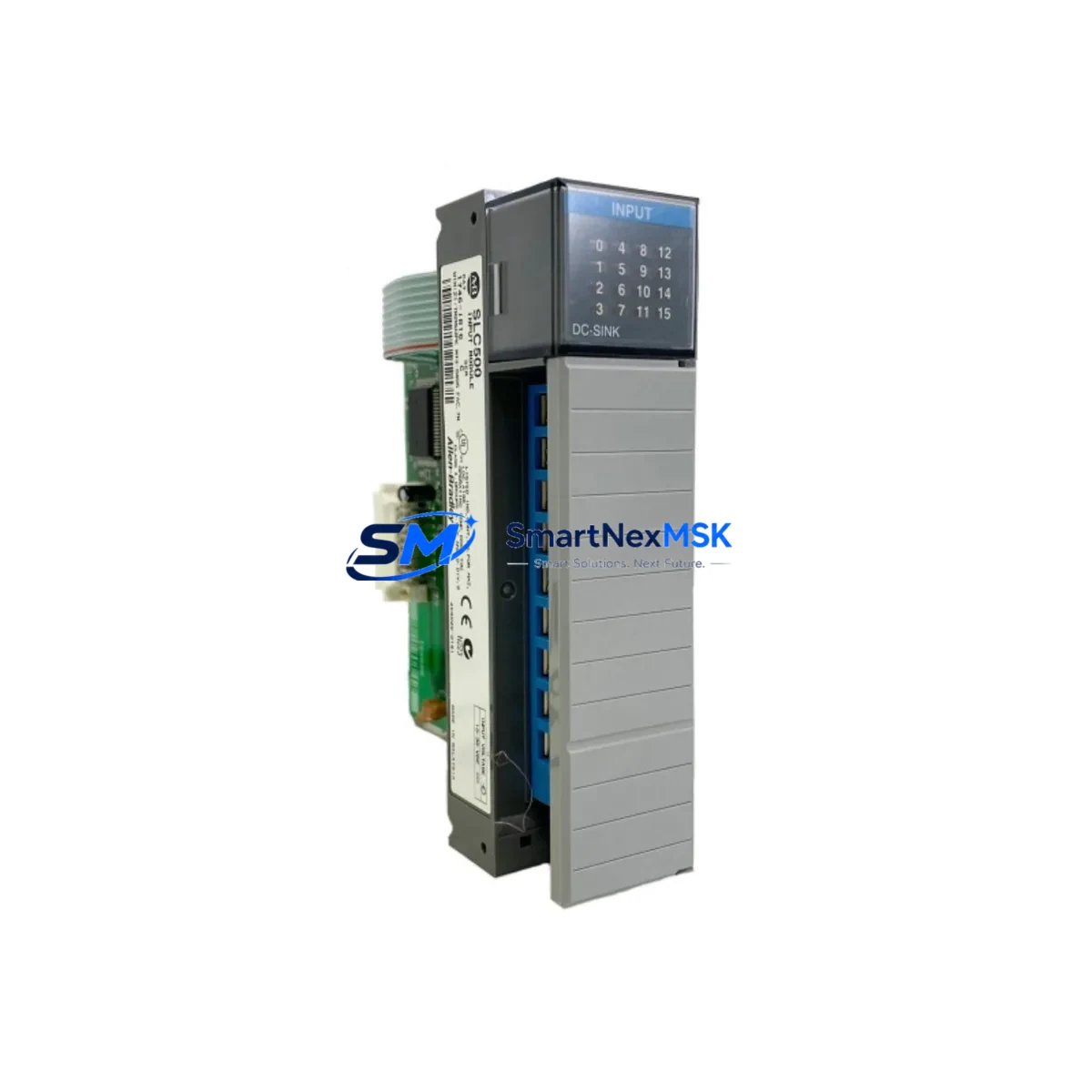
Allen-Bradley 1746-IB16/C Retrofit-Ready DC Input for SLC 500: Compatible Modernization & Smooth Legacy Upgrade
The Allen-Bradley 1746-IB16/C is a 16-point, 24VDC sinking input module designed for the SLC 500 modular chassis platform. As legacy SLC 500 systems approach end-of-life and original 1746-IB16 variants become increasingly difficult to source, the 1746-IB16/C revision serves as the primary drop-in retrofit solution for facilities seeking to extend operational life without committing to a full ControlLogix or CompactLogix migration. This module slots directly into any 1746 series modular chassis — including the 1746-A4, 1746-A7, 1746-A10, and 1746-A13 — and is fully compatible with SLC 5/01, SLC 5/02, SLC 5/03, SLC 5/04, and SLC 5/05 processors.
For maintenance engineers managing aging discrete control panels, the 1746-IB16/C eliminates the need to re-engineer field wiring. Its 24VDC sinking input architecture matches the original 1746-IB16 terminal layout, meaning existing field cables, terminal blocks, and I/O addressing in the SLC ladder logic program remain unchanged. This is critical in retrofit scenarios where downtime windows are measured in hours, not days.
SMARTNEXMSK maintains verified stock of the 1746-IB16/C with full functional testing prior to shipment. Each unit undergoes power-on verification and input channel continuity checks. A 12-month warranty is included on all units, covering manufacturing defects and module failure under normal operating conditions.
Upgrade Compatibility Table
| Parameter | 1746-IB16/C Specification | Retrofit Notes |
|---|---|---|
| Input Points | 16 x 24VDC Sinking | Direct replacement for 1746-IB16 (all revisions) |
| Chassis Compatibility | 1746-A4 / A7 / A10 / A13 | Any SLC 500 modular chassis slot |
| Processor Compatibility | SLC 5/01 through SLC 5/05 | No program changes required for same-slot replacement |
| Terminal Wiring | Removable screw terminal block | Field wiring transfers directly; no re-termination needed |
| Input Voltage Range | 10–30VDC | Compatible with standard 24VDC field devices and sensors |
| Communication Interface | SLC 500 backplane (1746 bus) | No DH+ or EtherNet/IP configuration required |
| Addressing | I:x.0 word format | Slot address preserved; no RSLogix 500 program edits needed |
| Replacement for | 1746-IB16, 1746-IB16/A, 1746-IB16/B | All prior revisions are functionally interchangeable |
| Pre-shipment Testing | Power-on + channel continuity | Functional verification included |
| Warranty | 12 Months | Covers manufacturing defects and module failure |
Retrofit Planning for Existing Automation Systems
A successful 1746-IB16/C retrofit begins well before the module arrives on-site. Engineers should first audit the existing SLC 500 chassis to confirm available slot positions and current power budget. The 1746-P4 or 1746-P2 power supply feeding the chassis must have sufficient remaining capacity to support the replacement module — the 1746-IB16/C draws approximately 75mA from the 5VDC backplane bus. If the chassis is already near its power supply limit due to analog modules such as the 1746-NI4 or output modules like the 1746-OB16, a power budget recalculation is mandatory before installation.
Terminal block removal is straightforward: the 1746-IB16/C uses the same removable wiring arm as earlier 1746-IB16 revisions, so field cables can be transferred as a complete assembly without disturbing individual wire terminations. This is particularly valuable in dense control cabinets where re-wiring individual conductors introduces risk of mis-termination.
Before powering the chassis back up, verify that the RSLogix 500 program’s I/O configuration still reflects the correct module type in the slot being replaced. In most cases, the SLC processor will auto-configure the slot upon first scan if the module type matches the existing configuration file entry. If the original program was built with a 1746-IB16 entry, the 1746-IB16/C will be recognized without modification. However, if the chassis also contains communication modules such as the 1747-SDN DeviceNet Scanner or the 1747-KE DH-485 to RS-232 interface, confirm that the backplane scan list remains intact after the module swap.
For facilities running PanelView 550 or PanelView 600 HMI terminals connected via DH-485 to the SLC 5/03 or SLC 5/04 processor, no HMI screen updates are required when replacing a discrete input module. The data file addresses referenced in the HMI project remain unchanged as long as the slot number is preserved. Similarly, if the system uses a 1747-L553 or 1747-L543 processor with an existing DH+ network, the network topology and node addressing are unaffected by a module-level swap.
In multi-chassis configurations where a 1747-SN Remote I/O Scanner links satellite racks, the 1746-IB16/C can also be installed in remote chassis without any scanner reconfiguration, provided the rack address and starting I/O group assignments remain the same. This makes the module equally suitable for both local and distributed SLC 500 architectures.
Downtime Control During System Migration
Minimizing production downtime during a 1746-IB16/C swap requires a structured pre-outage checklist. Before taking the system offline, capture a full backup of the SLC processor program using RSLogix 500 or RSLogix Micro, saving both the .RSS source file and an offline-verified .SLC binary. Store the backup on a local engineering workstation and a secondary USB drive — not solely on a network share that may be inaccessible during the maintenance window.
Document the current state of all input indicators on the 1746-IB16 being replaced. Photograph or log which input LEDs are active under normal operating conditions. This baseline allows rapid verification after the 1746-IB16/C is installed: if the same field signals are present and the corresponding input bits in the processor’s data file show the expected states, the replacement is confirmed successful without requiring a full functional test cycle.
Power down the chassis using the correct sequence — disable field power first, then remove chassis power via the 1746-P4 supply. Slot the 1746-IB16/C into the vacated position, transfer the wiring arm, and restore power in reverse order. The SLC processor will perform its I/O scan within the first few program cycles. Monitor the processor’s fault code display: a solid RUN indicator with no fault codes confirms the module is communicating correctly on the backplane.
For critical processes where even a brief interruption is unacceptable, consider staging the replacement during a scheduled preventive maintenance window rather than responding reactively to a module failure. SMARTNEXMSK maintains ready stock of the 1746-IB16/C to support both planned retrofit projects and emergency breakdown scenarios, with same-day dispatch available for urgent orders.
Retrofit Support FAQ
Q1: Is the 1746-IB16/C a direct drop-in replacement for the original 1746-IB16?
Yes. The 1746-IB16/C is a revision-C update to the original 1746-IB16 and is fully backward compatible. It uses the same 16-point 24VDC sinking input architecture, identical terminal block layout, and the same backplane connector. No wiring changes, no program edits, and no chassis modifications are required for a same-slot replacement.
Q2: Will I need to update my RSLogix 500 program after installing the 1746-IB16/C?
In the vast majority of cases, no. If the existing program was configured with a 1746-IB16 module entry in the I/O configuration, the SLC processor will recognize the 1746-IB16/C as a compatible module and resume normal operation on the first scan. Only if the program was built with a specific revision lock or if the slot was previously unconfigured would any RSLogix 500 edits be necessary.
Q3: How do I verify the module is functioning correctly after installation?
After restoring power, observe the module’s input status LEDs. Each of the 16 input points has a corresponding LED that illuminates when the associated field device is energized. Cross-reference the LED states against the I:x.0 input word in the RSLogix 500 data monitor. All active inputs should show a logic “1” in the corresponding bit position. If any discrepancy exists, check field wiring continuity at the terminal block before suspecting the module.
Q4: What does the 12-month warranty cover, and what is the return process?
The 12-month warranty covers manufacturing defects and module failure under normal operating conditions, including backplane communication faults, input channel failures, and power consumption anomalies. It does not cover damage from incorrect installation, overvoltage, or physical impact. To initiate a warranty claim, contact SMARTNEXMSK with the order reference and a description of the fault. Replacement units are dispatched upon fault confirmation, and defective units are returned via prepaid shipping label.
© 2026 SMARTNEXMSK. All rights reserved.
Original Source: https://smartnexmsk.com
Contact: [email protected] | +86 18259474341



