
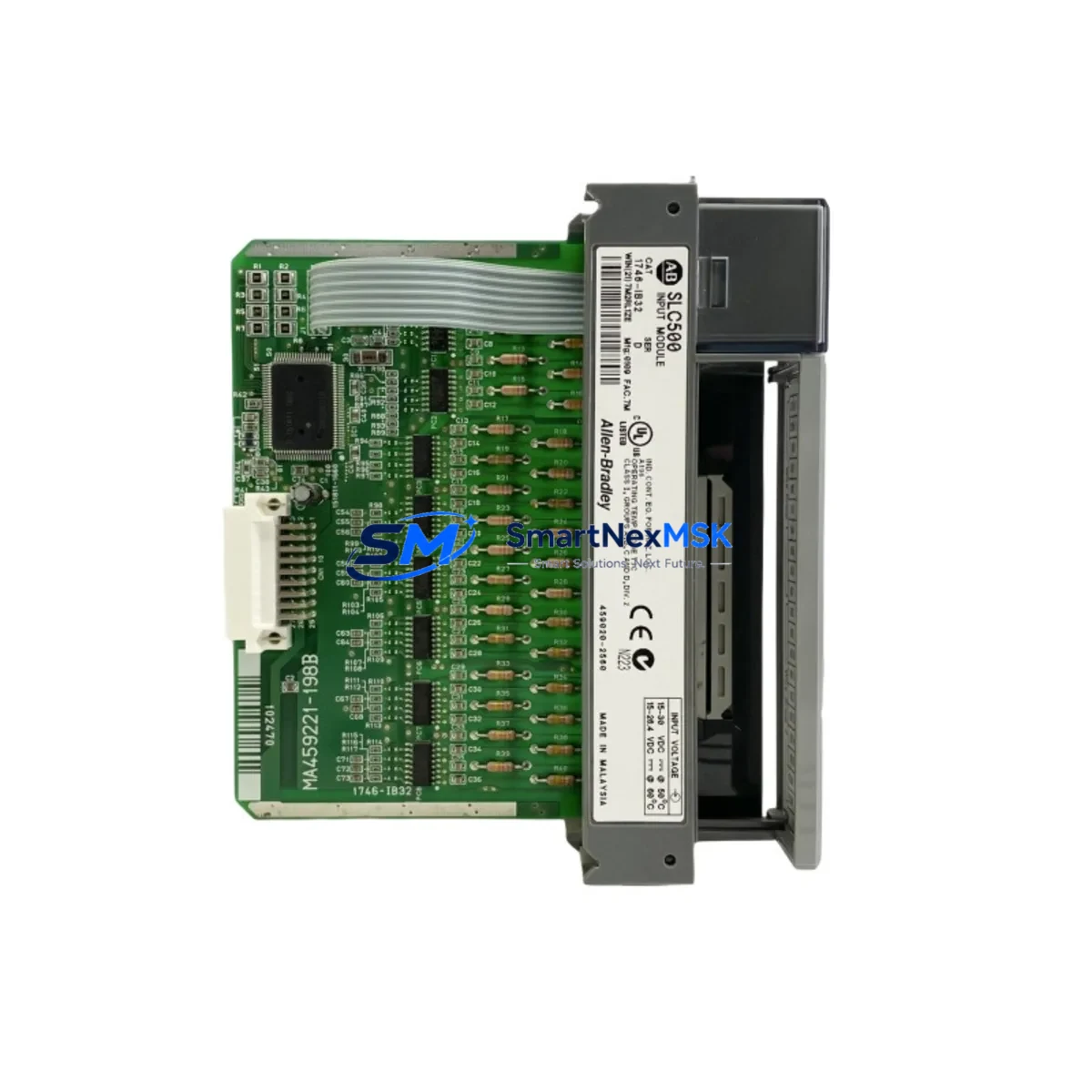
Allen-Bradley 1746-IB32/D Retrofit-Ready DC Input for SLC 500: Compatible Modernization & Smooth System Upgrade
The Allen-Bradley 1746-IB32/D is a 32-point, 24VDC sinking input module designed for the SLC 500 modular chassis platform. As legacy SLC 500 systems approach end-of-life and original spare parts become increasingly scarce, the 1746-IB32/D remains one of the most sought-after retrofit components for engineers tasked with keeping aging production lines operational. Whether you are replacing a failed module in an emergency shutdown scenario or executing a planned control cabinet upgrade, this module delivers the electrical compatibility, form factor, and I/O density required for a seamless transition.
The 1746-IB32/D occupies a single slot in any standard 1746 series chassis — including the 1746-A4, 1746-A7, 1746-A10, and 1746-A13 — and draws its logic power directly from the SLC 500 backplane. Before installation, engineers should verify that the chassis power supply, typically a 1746-P1, 1746-P2, or 1746-P4 unit, has sufficient current capacity to support the additional 32-point input load alongside existing I/O modules. Backplane current budgeting is a critical step that is frequently overlooked during rapid replacement scenarios and can result in intermittent faults or unexpected processor resets if the supply is already operating near its rated output.
Field wiring for the 1746-IB32/D uses a removable 40-pin terminal block, which simplifies module swap-out without disturbing existing field wiring. Technicians should confirm that the terminal block from the failed module is compatible with the replacement unit and that all 24VDC field device commons are correctly landed. In installations where the original wiring documentation is incomplete or unavailable, it is advisable to photograph the terminal block before removal and cross-reference against the SLC 500 I/O module installation manual to verify sink wiring polarity.
Upgrade Compatibility Table
| Parameter | 1746-IB32/D Specification | Retrofit Notes |
|---|---|---|
| Input Points | 32 points, sinking (NPN) | Direct replacement for 1746-IB32, 1746-IB32/A, /B, /C revisions |
| Input Voltage | 24VDC nominal (10–30VDC range) | Verify field device supply voltage before swap |
| Chassis Compatibility | All 1746 series chassis (A4, A7, A10, A13) | Single-slot; no chassis modification required |
| Backplane Interface | SLC 500 parallel backplane | Not compatible with ControlLogix or CompactLogix backplanes |
| Communication Protocol | SLC 500 native I/O (DH+, DH-485, EtherNet/IP via 1747-AENTR) | If migrating to EtherNet/IP, add 1747-AENTR adapter; no ladder logic I/O address changes required |
| Module Address | Slot-based addressing (I:x.0 / I:x.1) | Confirm slot number matches original program addressing before power-up |
| Terminal Block | Removable 40-pin screw terminal | Transfer existing terminal block to avoid rewiring; inspect for wear |
| Installation Requirement | DIN rail or panel mount via 1746 chassis | No additional mounting hardware required for like-for-like replacement |
| Commissioning Check | Force I/O bits in RSLogix 500 for point verification | Use I/O forcing only in maintenance mode; confirm with site safety officer |
| Warranty | 12-Month Warranty — covers manufacturing defects; includes pre-shipment functional test report | |
Retrofit Planning for Existing Automation Systems
A successful 1746-IB32/D retrofit begins well before the module arrives on site. The first step is a thorough audit of the existing SLC 500 system configuration using RSLogix 500 or RSLogix Classic. Engineers should upload and archive the current processor program from the 1747-L531, 1747-L532, 1747-L541, or 1747-L553 CPU before any hardware changes are made. This archived program serves as the recovery baseline if commissioning reveals unexpected I/O mapping discrepancies.
In systems where the SLC 500 communicates with upstream SCADA or DCS platforms via a 1747-SDN DeviceNet scanner or a 1747-KFC15 ControlNet interface, the retrofit plan must account for the communication link status during the module swap window. If the 1746-IB32/D is being replaced in a chassis that also houses a 1746-BAS BASIC module or a 1746-HSCE high-speed counter, the backplane power budget must be recalculated to include all resident modules, not just the input module being replaced.
For control cabinets that include an HMI panel — such as a PanelView 550 or PanelView 600 connected via DH-485 — the HMI screen tags referencing input bit addresses from the 1746-IB32/D should be verified post-swap to confirm that no tag database corruption occurred during the module replacement. In older installations, HMI tag databases are sometimes hard-coded to specific slot addresses, and a module relocated to a different slot during a chassis reconfiguration can silently break operator display logic without triggering a processor fault.
I/O expansion scenarios are also common in retrofit projects. If the existing chassis is fully populated and additional input capacity is required, engineers may consider adding a 1746-A4 expansion chassis connected via a 1746-C7 or 1746-C9 expansion cable. This approach allows the 1746-IB32/D to be installed in the expansion chassis while preserving the existing slot assignments in the primary chassis, minimizing program changes and reducing commissioning risk.
Downtime Control During System Migration
Minimizing unplanned downtime is the primary operational constraint in any SLC 500 module replacement. The recommended approach is to pre-stage the replacement 1746-IB32/D by performing a bench-level functional test before the scheduled maintenance window. This involves powering the module in a test chassis with a known-good 1746-P2 power supply and verifying that all 32 input points respond correctly to a 24VDC test signal applied at the terminal block.
During the live swap, the processor should be placed in Program mode via the keyswitch on the 1747-L5xx CPU before the module is removed. This prevents the processor from generating I/O fault codes that could latch into the fault log and require manual clearing before the system can return to Run mode. After the replacement module is seated and the terminal block is reconnected, the processor should be returned to Run mode and each input point verified using the RSLogix 500 data monitor or the online I/O status display.
For systems where a brief interruption to Run mode is not acceptable — such as continuous process lines or safety-instrumented systems — a parallel wiring strategy can be employed. In this approach, the replacement module is pre-wired in an adjacent slot or temporary chassis, field signals are transferred one group at a time, and the program is modified online to reference the new slot address before the old module is removed. This technique requires careful coordination between the controls engineer and the site operations team but can reduce effective process downtime to near zero.
All replacement modules supplied by SMARTNEXMSK undergo a pre-shipment functional test. Each unit is powered, all I/O points are exercised, and a test report is included with the shipment. This pre-shipment verification step reduces the risk of receiving a non-functional module and eliminates one variable from the on-site commissioning process, directly contributing to downtime reduction.
Retrofit Support FAQ
Q1: Is the 1746-IB32/D a direct drop-in replacement for earlier revisions such as the 1746-IB32/A or 1746-IB32/B?
Yes. The /D revision is backward compatible with all earlier revisions of the 1746-IB32. The electrical specifications, terminal block pinout, backplane interface, and slot footprint are identical. No program changes are required when replacing an earlier revision with the /D variant, provided the module is installed in the same chassis slot.
Q2: What commissioning steps are required after installing the replacement module?
After seating the module and reconnecting the terminal block, place the SLC 500 processor in Run mode and navigate to the I/O status display in RSLogix 500. Verify that the module status indicator shows a solid green LED and that input bit states in the data file match the physical field device states. Use the I/O force function in maintenance mode to individually test each of the 32 input points if a full functional verification is required by your site commissioning procedure.
Q3: Can the 1746-IB32/D be used in a system that is being migrated from DH-485 to EtherNet/IP?
Yes. The 1746-IB32/D is a local I/O module and its operation is independent of the network protocol used by the SLC 500 processor. If you are adding a 1747-AENTR EtherNet/IP adapter to enable remote I/O access over an Ethernet network, the 1746-IB32/D will continue to function without modification. The I/O addressing in the SLC 500 program remains slot-based and does not change as a result of the network protocol migration.
Q4: What does the 12-month warranty cover, and what is the process for a warranty claim?
The 12-month warranty covers manufacturing defects and functional failures under normal operating conditions. Each module is tested prior to shipment and ships with a functional test report. In the event of a warranty claim, contact SMARTNEXMSK with the order reference number and a description of the fault. A replacement unit will be dispatched after the failed module is returned and inspected. Warranty does not cover damage resulting from incorrect installation, overvoltage, or physical impact.
© 2026 SMARTNEXMSK. All rights reserved.
Original Source: https://smartnexmsk.com
Contact: [email protected] | +86 18259474341



