
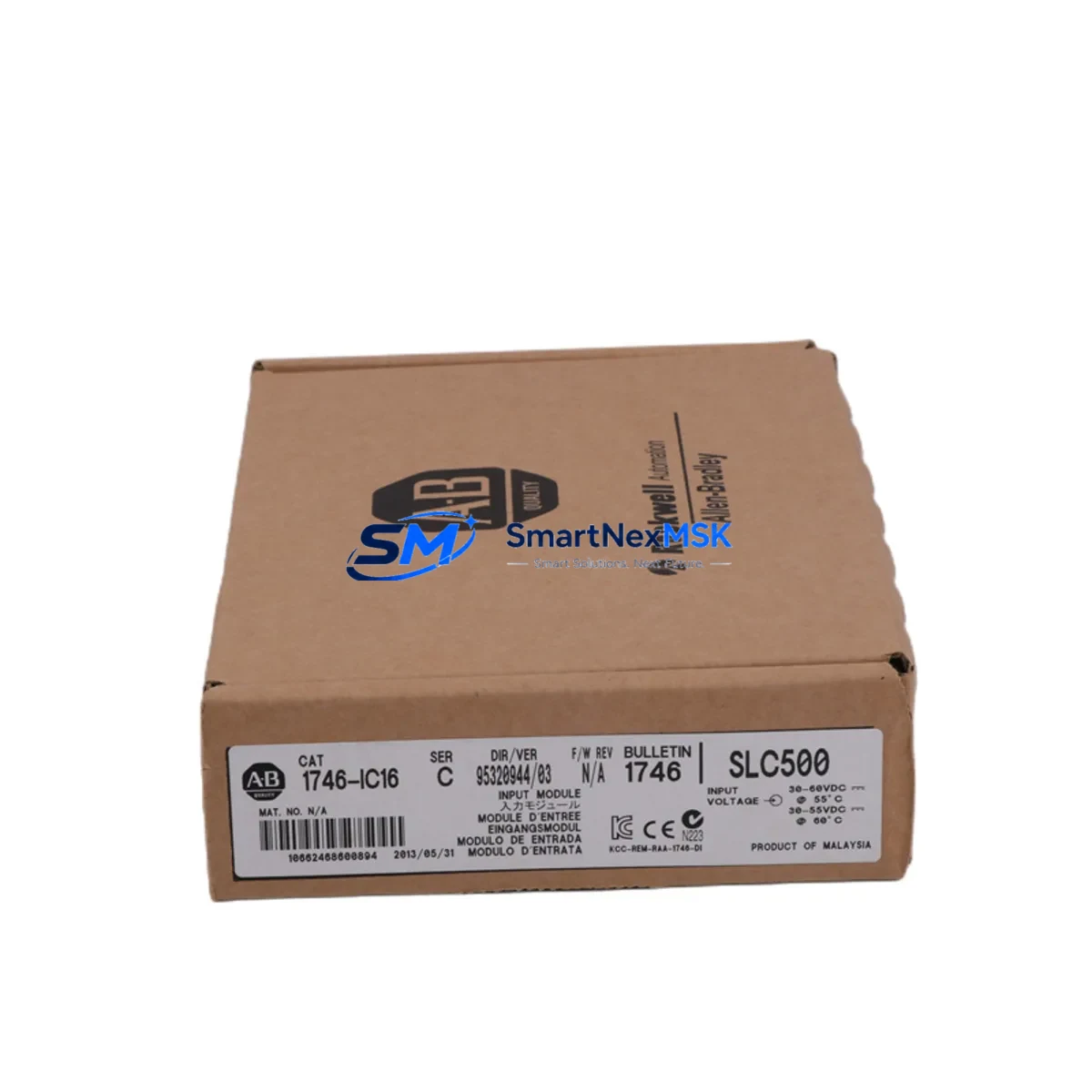
Allen-Bradley 1746-IC16 Maintenance-Ready Spare SLC 500 Automation
The Allen-Bradley 1746-IC16 is a 16-channel AC digital input module designed for the SLC 500 modular I/O system. As a maintenance-ready original spare, this unit is sourced, inspected, and functionally tested to support rapid replacement in production environments where unplanned downtime carries significant operational cost. Whether you are managing a scheduled overhaul, responding to an emergency fault, or building a strategic spare parts inventory for aging SLC 500 infrastructure, the 1746-IC16 delivers verified compatibility and reliable performance from day one of installation.
Industrial maintenance engineers working with Rockwell Automation SLC 500 control systems understand that AC digital input modules are among the highest-wear components in a control cabinet. Exposure to voltage transients, vibration, thermal cycling, and long service intervals makes proactive replacement essential. Stocking the 1746-IC16 as a ready spare eliminates the lead-time risk associated with sourcing obsolete or end-of-life modules during a production stoppage. Every unit shipped by SMARTNEXMSK undergoes pre-shipment functional verification and is backed by a 12-month warranty, giving procurement and maintenance teams confidence in both quality and supply continuity.
Spare Maintenance Table
| Parameter | Specification |
|---|---|
| Part Number / SKU | 1746-IC16 |
| Brand | Allen-Bradley (Rockwell Automation) |
| Series | SLC 500 Modular I/O |
| Module Type | AC Digital Input, 16-Channel |
| Input Voltage Range | 74–132 VAC, 47–63 Hz |
| Input Current (per point) | Approx. 10 mA at 120 VAC |
| ON-State Voltage Threshold | ≥ 74 VAC |
| OFF-State Voltage Threshold | ≤ 20 VAC |
| Isolation | Optical isolation, group isolated |
| Backplane Compatibility | SLC 500 fixed and modular chassis (1746 series) |
| Chassis Slots Required | 1 slot |
| Operating Temperature | 0 °C to 60 °C |
| Storage Temperature | -40 °C to 85 °C |
| Relative Humidity | 5–95% non-condensing |
| Mounting | SLC 500 modular chassis backplane |
| Indicator LEDs | Per-channel input status LEDs |
| Origin | USA (Rockwell Automation) |
| Condition | Original spare, pre-shipment tested |
| Warranty | 12 Months |
| Application Environment | Industrial automation, discrete manufacturing, process control |
| Maintenance Recommendation | Inspect terminal wiring and LED status quarterly; replace module if input faults exceed 3 channels or ON-state threshold drift is detected |
Maintenance Planning for Continuous Operation
When a 1746-IC16 module is flagged for replacement during a fault investigation or planned maintenance window, experienced maintenance engineers treat the event as a trigger for a broader control cabinet inspection. The SLC 500 system architecture means that a single I/O module fault can cascade into communication errors, processor faults, or incorrect output states if adjacent components are not simultaneously evaluated.
Begin by verifying the integrity of the 1746-P2 or 1746-P4 power supply module supplying the chassis. Voltage sag or ripple on the backplane bus is a common root cause of intermittent input module faults and should be ruled out before the new 1746-IC16 is installed. Next, inspect the 1746-A4 or 1746-A7 chassis backplane for corrosion, bent connector pins, or mechanical damage that could cause poor module seating.
Review the field wiring connected to the 1746-IC16 terminal block. AC input wiring exposed to vibration or thermal cycling frequently develops loose terminations that generate false input states. Check each of the 16 input channels against the field device — pushbuttons, limit switches, proximity sensors, or relay contacts — and confirm that the AC source voltage is within the 74–132 VAC operating range. If the system uses 1746-OW16 relay output modules in the same cabinet, inspect those relay contacts for wear, as relay coil feedback can introduce noise on adjacent AC input channels.
For systems where the SLC 5/04 or SLC 5/05 processor communicates over DH+ or Ethernet/IP, verify that the 1747-KE or 1761-NET-ENI communication adapter is functioning correctly after the module swap. A module replacement that triggers a chassis re-scan can occasionally cause the processor to log a communication fault if the network adapter is marginal. Similarly, if the system includes a 1746-NI4 or 1746-NI8 analog input module in the same chassis, confirm that analog signal integrity is unaffected after the digital module replacement.
Maintenance teams managing older SLC 500 installations should also audit the 1746-IB16 DC digital input modules in the same cabinet. Mixed AC/DC input architectures are common in legacy systems, and DC input modules often share the same terminal rail and grounding infrastructure as AC modules. A ground fault on the DC side can manifest as erratic behavior on the AC input module being replaced.
Finally, if the control cabinet includes a PanelView 300 or PanelView 550 HMI communicating with the SLC processor, confirm that the HMI data table mappings remain valid after the module replacement and that no input bit addresses have shifted due to chassis reconfiguration. Document the replacement in the maintenance log and update the spare parts inventory to reflect the consumed unit — and reorder the 1746-IC16 to maintain minimum stock levels for continuous operation.
Site Replacement Workflow
Step 1 — Preparation: Confirm the replacement 1746-IC16 part number matches the installed module. Verify the chassis slot assignment in RSLogix 500 or the existing I/O configuration file. Print or photograph the existing terminal wiring before disconnecting any field cables.
Step 2 — Safe Isolation: Place the SLC 500 processor in Program mode via the keyswitch or RSLogix 500. De-energize the AC field power feeding the 1746-IC16 input circuits. Do not remove the module under live AC voltage. Confirm isolation with a calibrated voltage tester at the terminal block.
Step 3 — Module Removal: Loosen the terminal block screws and label each wire before removal. Release the module locking tab and slide the 1746-IC16 out of the chassis slot. Inspect the backplane connector on the removed module for burn marks or pin damage.
Step 4 — Installation: Seat the replacement 1746-IC16 firmly into the same chassis slot until the locking tab engages. Reconnect all field wiring to the terminal block in the original configuration. Torque terminal screws to the manufacturer specification (typically 0.8–1.1 N·m).
Step 5 — Verification: Restore AC field power. Return the processor to Run mode. Monitor the per-channel LED indicators on the 1746-IC16 and confirm that all active field devices show the correct ON-state. Use RSLogix 500 online monitoring to verify that input bit states in the data table match physical field conditions. Log the replacement date, technician name, and new module serial number.
This workflow minimizes downtime to under 30 minutes for a prepared maintenance team and ensures system compatibility is maintained without requiring a full I/O reconfiguration or processor program modification.
Spare Parts Support FAQ
Q1: Is the 1746-IC16 still available as a new original spare, or is it only available as refurbished stock?
The 1746-IC16 is an end-of-life Rockwell Automation product. SMARTNEXMSK supplies original spare units sourced from authorized distribution channels and verified industrial surplus. Each unit undergoes pre-shipment functional testing. Condition and provenance details are confirmed at the time of order. Contact [email protected] for current stock status.
Q2: How do I verify compatibility between the 1746-IC16 and my existing SLC 500 chassis and processor?
The 1746-IC16 is compatible with all SLC 500 modular chassis (1746-A4, 1746-A7, 1746-A10, 1746-A13) and all SLC 500 processors (SLC 5/01 through SLC 5/05). No firmware or configuration changes are required when replacing a like-for-like module in the same chassis slot. If you are migrating from a different input module type, verify the I/O address mapping in your RSLogix 500 program before going live.
Q3: What does the 12-month warranty cover, and what is the replacement process?
The 12-month warranty covers functional failure under normal industrial operating conditions. It does not cover physical damage caused by incorrect installation, overvoltage events, or environmental exposure beyond the module’s rated specifications. To initiate a warranty claim, contact [email protected] with the order number, fault description, and photographic evidence of the defect. Replacement units are dispatched after fault verification.
Q4: Can SMARTNEXMSK support long-term supply of the 1746-IC16 for multi-site maintenance programs?
Yes. SMARTNEXMSK supports blanket order agreements and scheduled delivery programs for maintenance teams managing multiple SLC 500 installations. Long-term supply contracts include priority stock reservation, consistent unit pricing, and dedicated account support. Contact +86 18259474341 or [email protected] to discuss your annual spare parts volume and delivery schedule.
© 2026 SMARTNEXMSK. All rights reserved.
Original Source: https://smartnexmsk.com
Contact: [email protected] | +86 18259474341



