
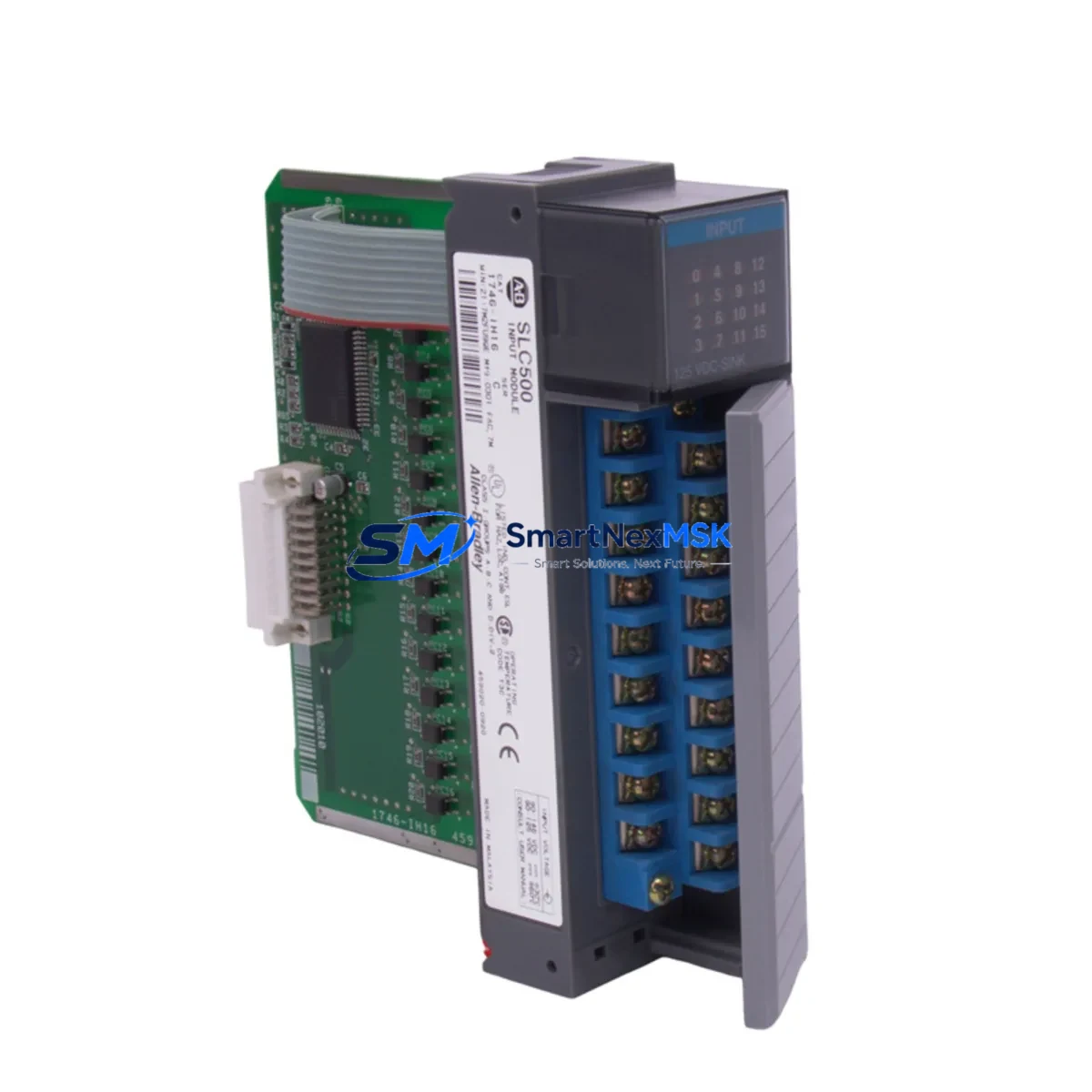
Allen-Bradley 1746-IH16 Retrofit-Ready DC Input for SLC 500: Compatible Modernization & Smooth System Upgrade
The Allen-Bradley 1746-IH16 is a 16-channel DC sinking input module designed for the SLC 500 modular chassis platform. As legacy SLC 500 systems approach end-of-life and original spare parts become increasingly scarce, the 1746-IH16 remains one of the most sought-after retrofit components for engineers tasked with keeping aging production lines operational. Whether you are replacing a failed module in an emergency shutdown scenario or executing a planned control cabinet upgrade, the 1746-IH16 delivers the electrical compatibility, backplane interface, and I/O addressing behavior that your existing SLC 500 program expects — without requiring ladder logic rewrites or HMI screen redesigns.
Our inventory of the 1746-IH16 is sourced from verified industrial channels, fully tested prior to shipment, and backed by a 12-month warranty. We maintain ready stock to support both urgent single-unit replacements and bulk procurement for multi-site retrofit projects.
Upgrade Compatibility Table
| Parameter | 1746-IH16 Specification / Retrofit Note |
|---|---|
| Module Type | 16-Channel DC Sinking Input (10–30 VDC) |
| Backplane Interface | SLC 500 modular backplane — compatible with 1746-A4, 1746-A7, 1746-A10, 1746-A13 chassis |
| Installation Requirement | Slot-based insertion; no tools required. Confirm chassis slot availability before ordering. |
| Terminal Wiring | Screw-terminal block; wiring layout identical to original 1746-IH16. No rewiring required for direct replacement. |
| Communication Compatibility | Communicates via SLC 500 backplane I/O scan; compatible with 1747-L40, 1747-L541, 1747-L543, and 1747-L553 processors |
| Module Addressing | Slot-based I/O addressing preserved; no program address changes required |
| Replacement Recommendation | Direct drop-in for failed or end-of-life 1746-IH16 units. Verify firmware revision of host processor if mixing module generations. |
| Commissioning Focus | Confirm input filter time settings in RSLogix 500; verify field device signal levels match 10–30 VDC sinking specification |
| Warranty | 12-Month Warranty — covers manufacturing defects and functional failure under normal operating conditions |
Retrofit Planning for Existing Automation Systems
A successful 1746-IH16 retrofit begins well before the module arrives on site. Engineers should start by auditing the existing SLC 500 chassis — typically a 1746-A7 or 1746-A10 rack — to confirm available slot positions and current power budget. The 1746-P2 or 1746-P4 power supply feeding the chassis must have sufficient remaining capacity to support the replacement module; exceeding the backplane power budget is a common oversight that causes intermittent faults after installation.
Next, review the terminal block wiring diagram against the original I/O schedule. The 1746-IH16 uses a standard 20-pin removable terminal block, and in most installations the existing field wiring can be transferred directly to the new module without modification. This is particularly valuable in retrofit scenarios where the control cabinet has been in service for many years and re-labeling or re-routing wires would introduce additional risk.
For systems running RSLogix 500 on a 1747-L543 or 1747-L553 processor, the I/O configuration file should be backed up before the swap. The module’s slot address in the I/O tree will remain unchanged, so the processor will recognize the replacement 1746-IH16 automatically on the next power cycle. If the system also includes a 1747-SDN DeviceNet Scanner or a 1747-AENTR EtherNet/IP adapter for remote I/O, verify that the network configuration does not reference the physical slot in a way that would require a re-download of the I/O map.
In control cabinets that also house a 1746-OB16 or 1746-OW16 output module alongside the input module, it is good practice to inspect the shared terminal block bus and confirm that the output module’s load current is within the power supply’s rated output. Cabinets undergoing broader modernization may also be integrating a 1747-UIC USB-to-DH485 programming cable or a 1761-NET-AIC Advanced Interface Converter to bridge legacy DH-485 networks with modern Ethernet infrastructure — both of which should be tested for communication continuity after the module swap.
For sites migrating from older SLC 5/03 or SLC 5/04 processors to a 1747-L553 SLC 5/05 with Ethernet capability, the 1746-IH16 remains fully compatible throughout the processor upgrade path, making it a stable investment even when the broader control platform is being modernized. HMI panels connected via DH-485 — such as legacy PanelView 550 or PanelView 600 terminals — will continue to display input status correctly without screen modifications, since the I/O data table addresses are preserved.
Downtime Control During System Migration
Minimizing unplanned downtime is the primary concern in any SLC 500 module replacement. The 1746-IH16 supports a hot-swap-aware replacement procedure when the chassis is de-energized at the slot level: isolate the affected slot by placing the processor in Program mode via RSLogix 500 or the 1747-L40 keyswitch, remove the failed module, insert the replacement, and return the processor to Run mode. In most cases, the entire procedure takes under 15 minutes and requires no program download.
To protect original program logic, always maintain an offline backup of the .RSS project file before beginning any hardware change. If the processor memory has not been backed up recently, use the 1747-UIC cable and RSLogix 500 to upload the current program before touching any hardware. This ensures that even in a worst-case scenario — such as a processor fault triggered by a power interruption during the swap — the control logic can be restored from the offline file without relying on the processor’s internal memory.
For production lines where even a 15-minute interruption is unacceptable, consider pre-staging a fully configured spare chassis with the 1746-IH16 already installed and addressed. This chassis-swap approach, while requiring more preparation, allows the field team to restore control in under five minutes by simply transferring the terminal block connectors from the old chassis to the pre-staged unit. All field wiring, program logic, and HMI communications remain intact, and the line can resume production while the failed chassis is returned for bench testing and repair.
After the replacement is complete, perform a structured commissioning check: confirm all 16 input channels are reading correctly in the RSLogix 500 data monitor, verify that the HMI panel is displaying the correct input states, and check the processor’s fault log for any I/O configuration mismatches. Document the replacement date, module serial number, and any observations in the site maintenance log to support future warranty claims and predictive maintenance planning.
Retrofit Support FAQ
Q: Is the 1746-IH16 a direct replacement for the original Allen-Bradley 1746-IH16 without program changes?
A: Yes. The 1746-IH16 is a slot-compatible, wiring-compatible direct replacement. The SLC 500 processor recognizes the module by its backplane slot address, not by a serial number or firmware ID, so no ladder logic changes or I/O address remapping are required. Simply insert the module into the same slot and return the processor to Run mode.
Q: What commissioning steps are required after installing the replacement module?
A: After installation, place the processor in Run mode and monitor the I/O status in RSLogix 500. Verify that all 16 input channels respond correctly to field device signals. Check the processor fault log for any I/O configuration errors. If input filter times were customized in the original configuration, confirm those settings are preserved in the offline program file and re-download if necessary.
Q: Can the 1746-IH16 be used in a chassis that also contains newer 1746-series modules from a different production batch?
A: Yes. The SLC 500 backplane protocol is consistent across the 1746 module family, and mixing modules from different production batches or revision levels is supported. If you observe any unexpected behavior after mixing module generations, verify that the host processor firmware is at a revision level that supports all installed modules — this information is available in the SLC 500 System Overview publication.
Q: What does the 12-month warranty cover, and how is a warranty claim processed?
A: The 12-month warranty covers manufacturing defects and functional failure under normal operating conditions, including backplane communication faults, input channel failures, and terminal block integrity issues. To initiate a warranty claim, contact our sales team at [email protected] with the module serial number, purchase date, and a description of the fault. We will arrange return shipping and provide a replacement or repair within the agreed service window.
© 2026 SMARTNEXMSK. All rights reserved.
Original Source: https://smartnexmsk.com
Contact: [email protected] | +86 18259474341



